
Xero review: is it right for your business?
Verdict: Xero suits a service business with two to five staff that wants invoicing, bank reconciliation and BAS in one place. Those weekly jobs worked well in testing, and the BAS was right on both cash and accrual. The main drawback is payroll for award staff: Xero doesn't work out award rates, so every penalty rate is built and picked by hand, and three paid staff means the Comprehensive plan at just under $100 a month before GST.
Suits
- Service businesses with two to five staff that invoice weekly and want the bank, GST and BAS in one place
- Owners who use an accountant or BAS agent and want ledger exports in the formats Australian accountants' software reads
- Trades businesses that quote and schedule in ServiceM8 and push invoices to their accounts
- Businesses whose staff are paid flat rates without weekend or public holiday penalties
Doesn't suit
- Cafés, salons and other businesses with award-covered casuals on weekend or public holiday penalty rates, unless they add an app that works out award rates
- Businesses paying three or four staff on a tight budget, since that needs Comprehensive and MYOB Business Pro lists for less
- Owners who want to ring a support line, since Xero has no inbound phone number
- Businesses that want read-only access to old records after cancelling
How it was tested
I set up this test in Xero's Demo Company (AU) on 22 October 2026. A review agent I built ran the test and recorded the screen, and I checked the key findings myself. How I test explains the method.
The demo company was set up as a GST-registered business on quarterly BAS, and the test worked through the jobs a three-person service business does each week: quoting and invoicing, chasing payment, reconciling the bank, preparing the BAS and running payroll. Prices and exit terms come from Xero's pricing page and help centre, read the same week.
Invoicing and getting paid
The invoices Xero produces are correct, and chasing unpaid ones takes little effort. The slow part is turning a quote into an invoice, and a quote that hasn't been saved can be lost.
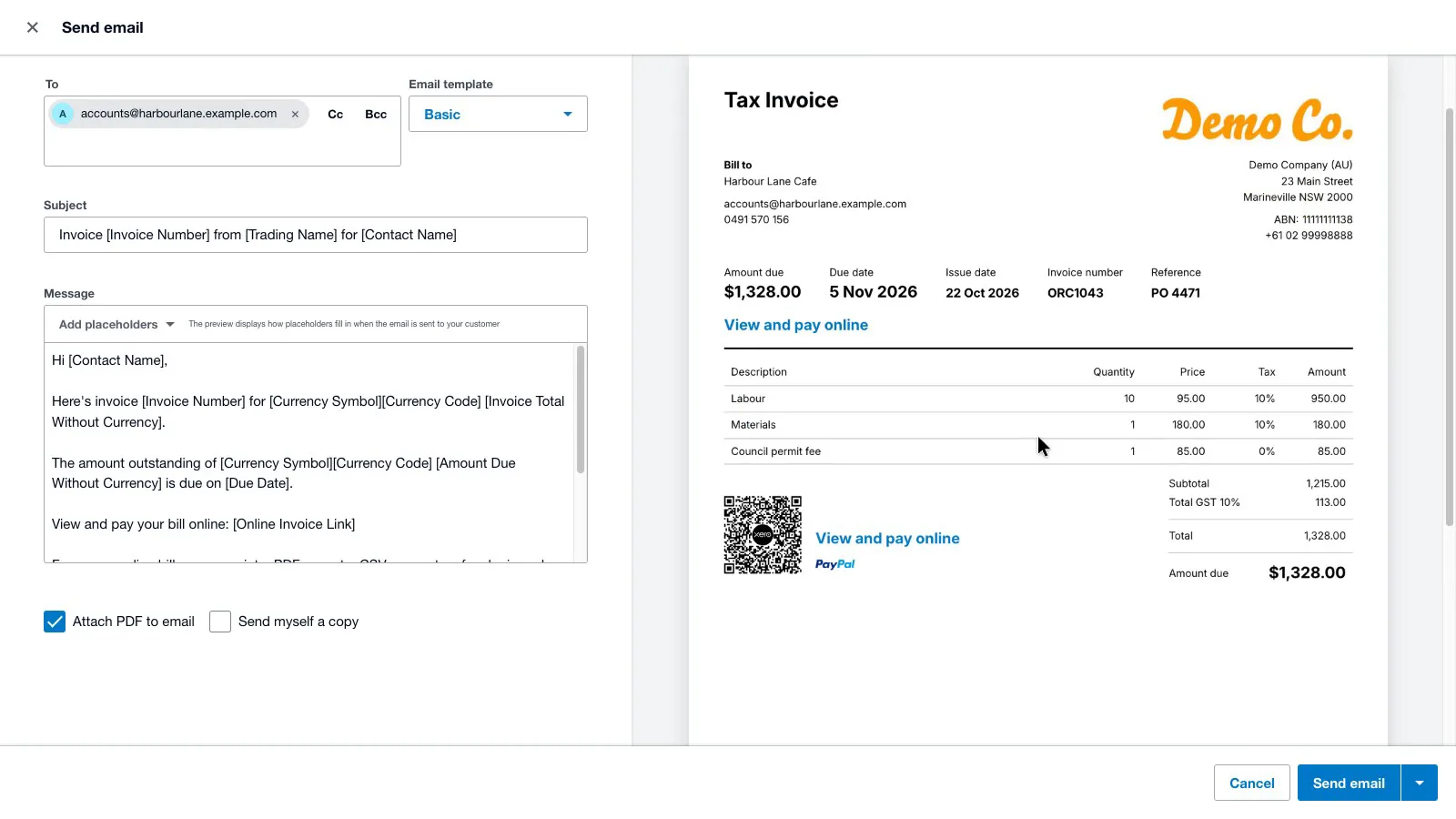
A quote with labour, materials and a GST-free council permit fee became an invoice whose PDF has what the ATO requires on a tax invoice: the words "Tax Invoice", the seller's ABN, the date, the buyer's name, a description for each line and the GST. GST was 10% on the taxable lines and zero on the permit fee. A Reference field carried the customer's PO number from the quote through to the invoice, and the contact record has a field for the customer's ABN.
 (enlarge)
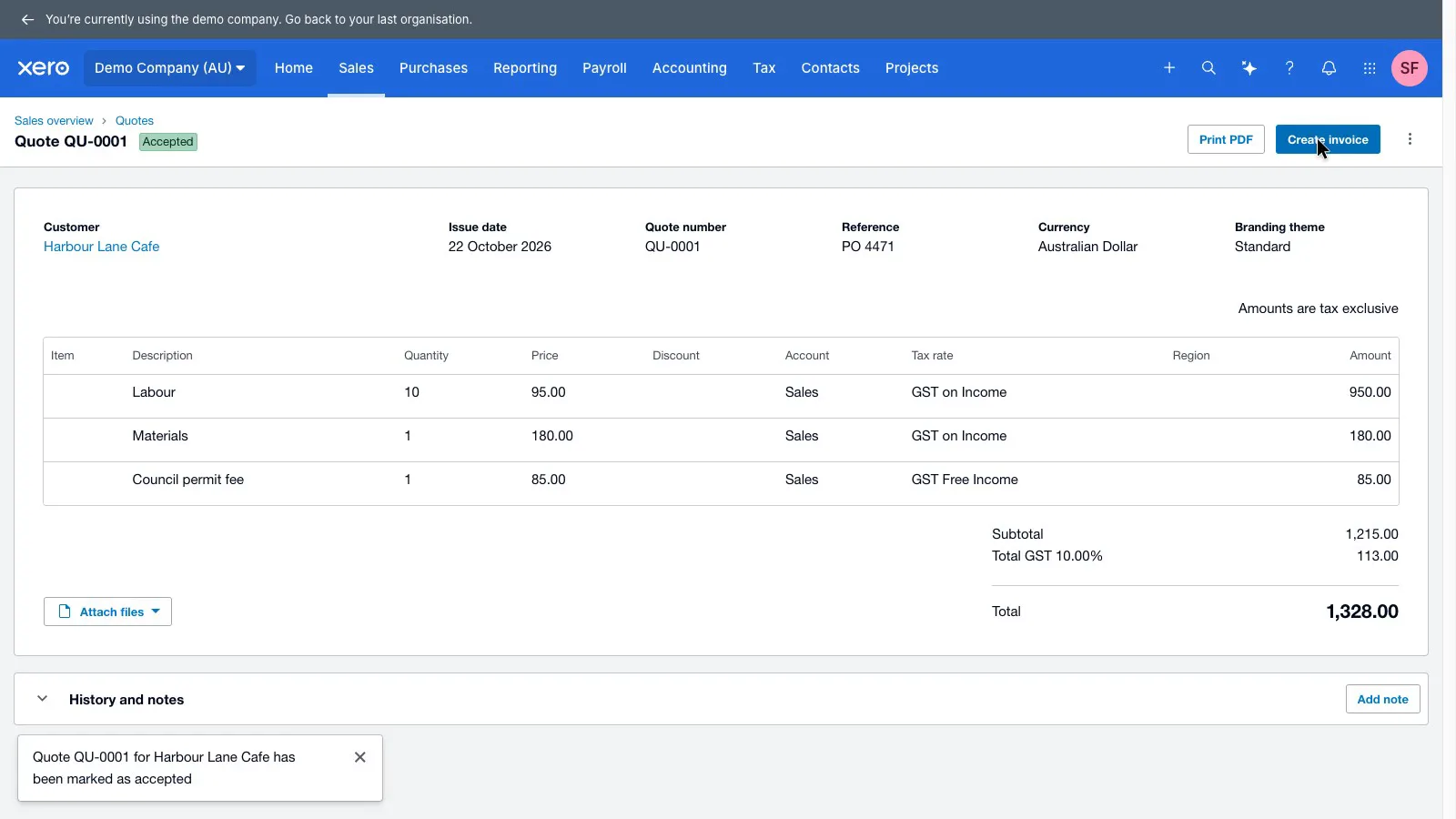
Getting there took about 28 clicks and typed entries. A quote has to be saved, marked as sent from the Send menu and marked as accepted before the Create invoice button appears. Once it's an invoice, Approve & email is the main button at the top of the screen, so the complaint on Xero's own ideas forum that the send and approve buttons are hidden didn't hold up in this version.
 (enlarge)
 (enlarge)
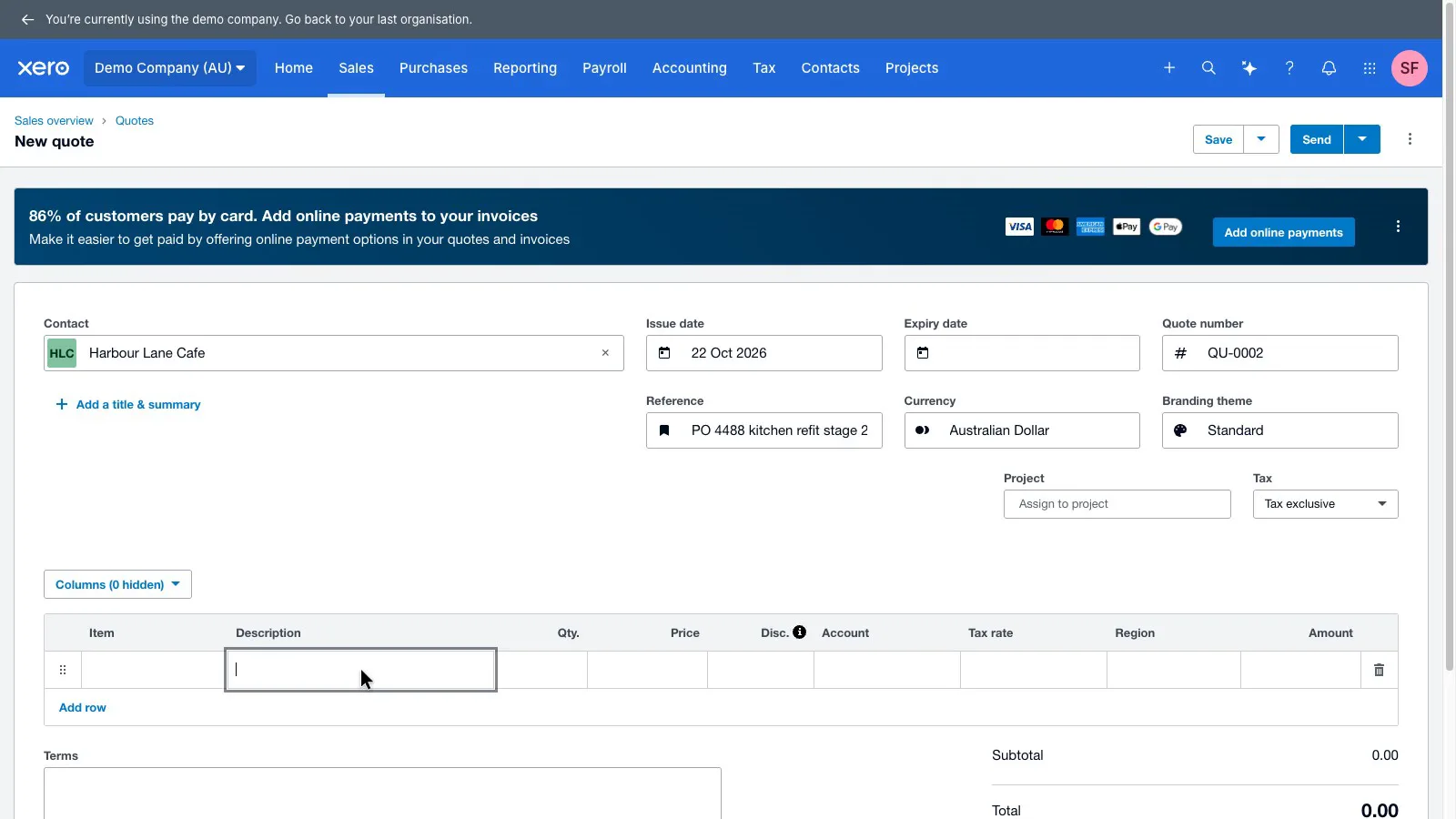
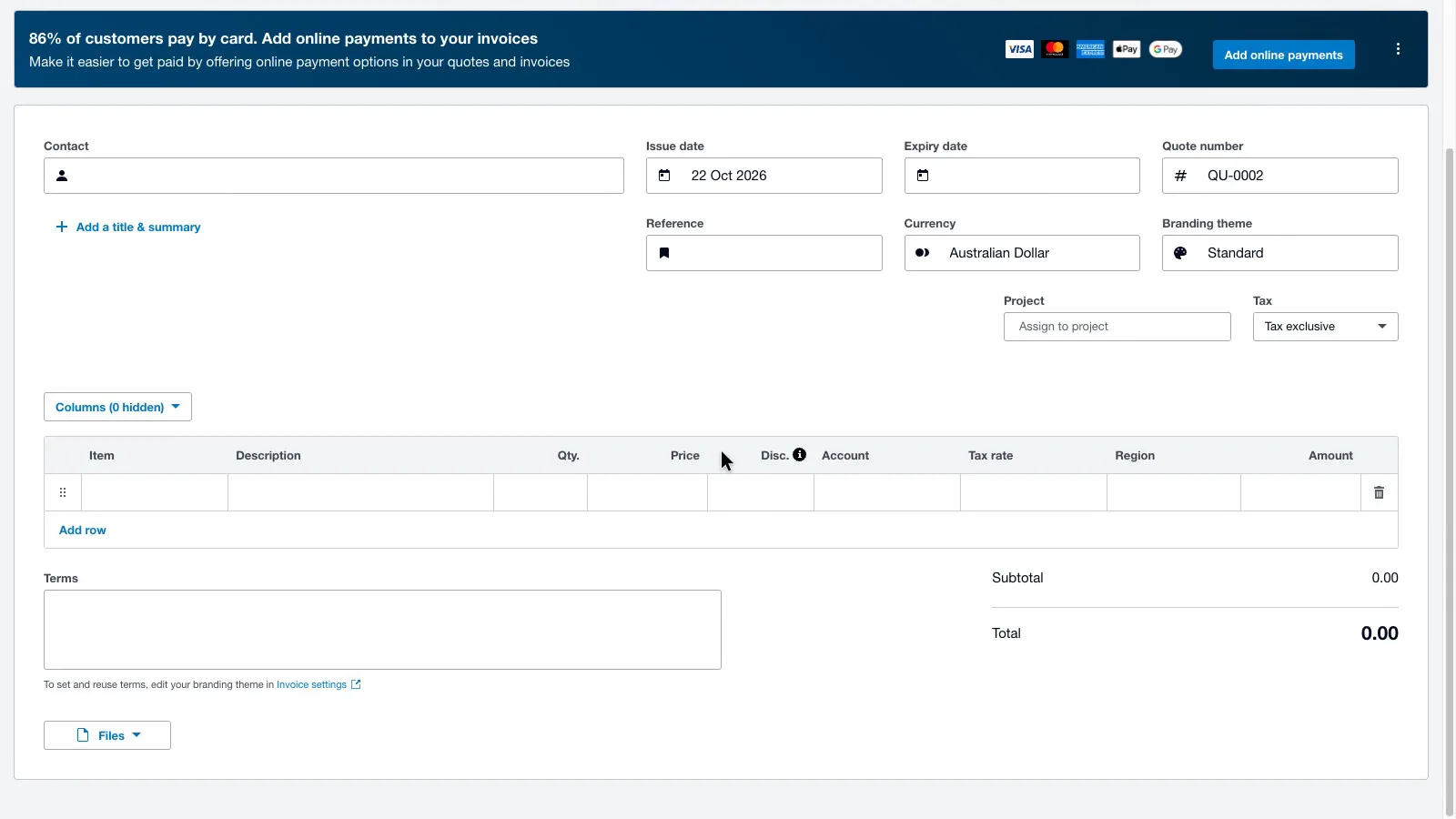
A half-built quote that hasn't been saved is wiped if the page reloads. A long quote came back completely blank after a refresh, with no warning before leaving the page, and the contact, reference, lines and terms were all gone. The invoice editor saves as you go, so the risk is limited to quotes.
 (enlarge)
 (enlarge)
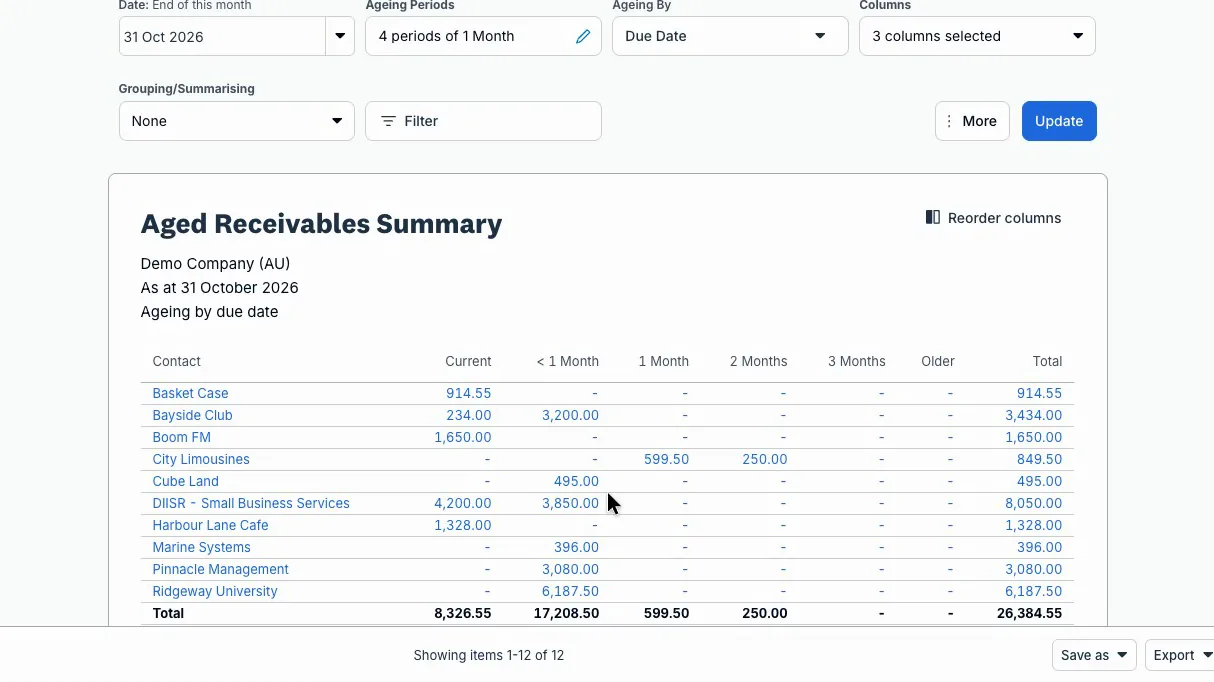
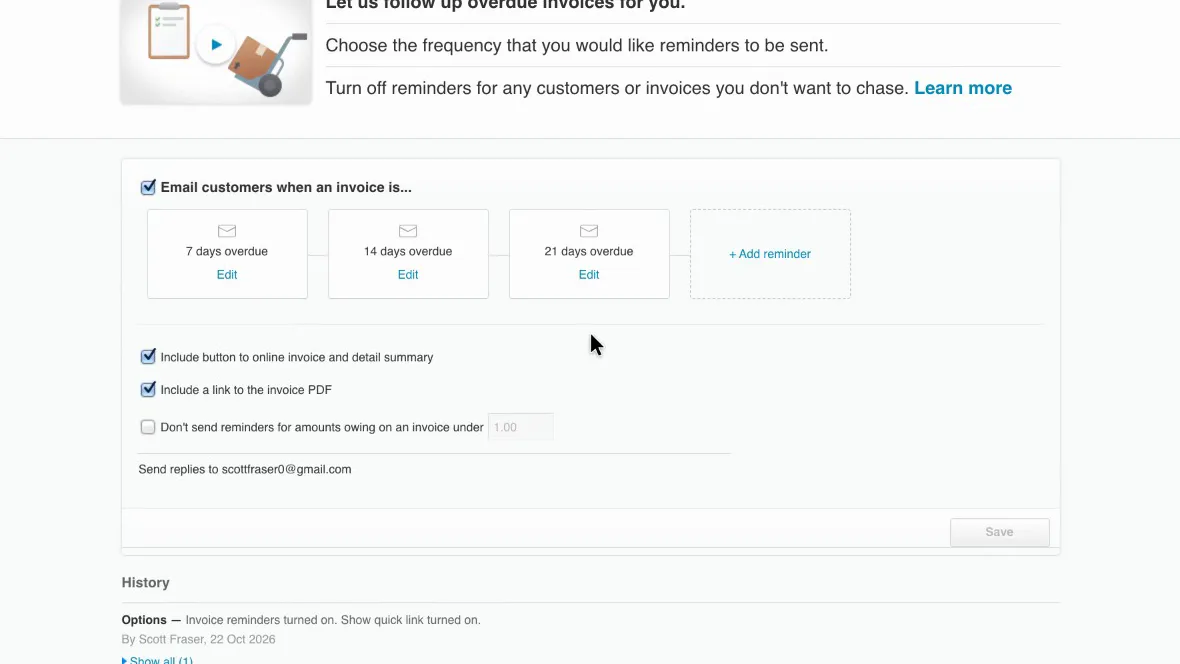
For getting paid, the home screen shows what's owed and what's overdue, and the aged receivables report splits overdue invoices by how late they are. Automatic reminders were turned on at 7, 14 and 21 days overdue, with options to skip small balances and to switch reminders off for a particular customer. Stripe (cards) and GoCardless (direct debit) can be connected for online payment, with fees set by each provider.
 (enlarge)
 (enlarge)
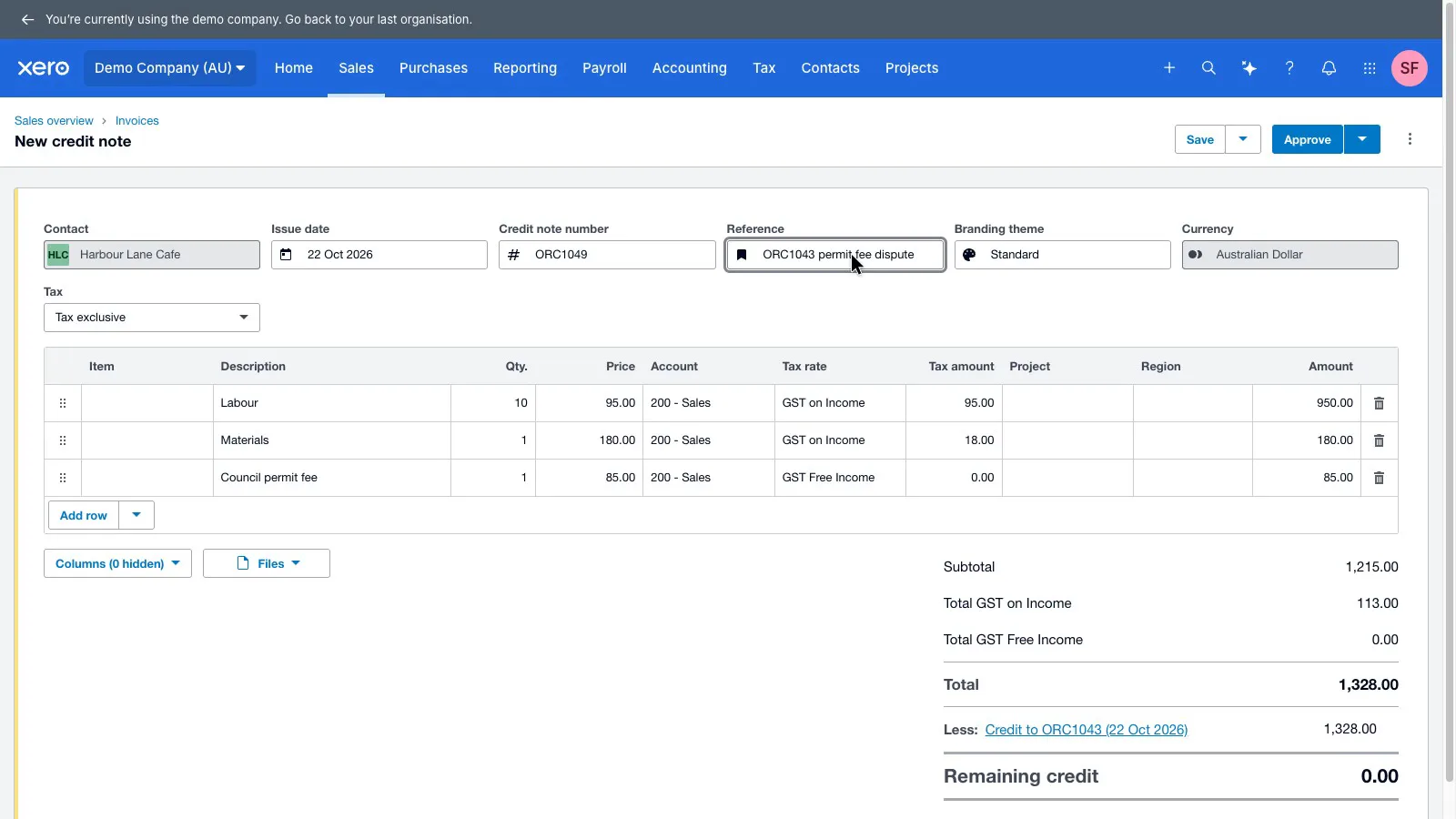
When a customer disputed the permit fee on an invoice that had already gone out, Create and apply credit made a credit note linked to the invoice and left the original tax invoice unchanged. The credit note starts as a copy of the whole invoice, though, so every line that isn't being credited has to be removed by hand before approving it. After that, the balance dropped by just the permit fee.
 (enlarge)
Weekly bookkeeping and BAS
Reconciling is quick once Xero has seen your regular payees. The risks are two shortcuts that can put the wrong GST into the BAS without any warning.
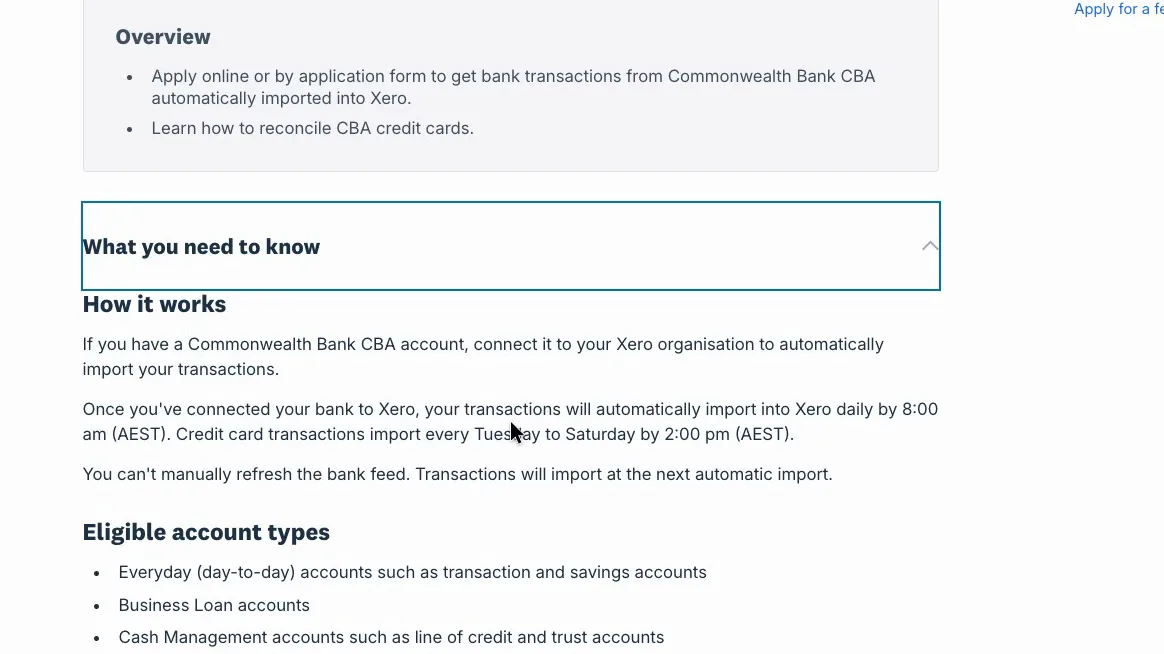
The demo has imported statement lines only, so live bank feeds weren't tested. Xero's help centre has a direct-feed article for each major Australian bank, and the Commonwealth Bank one says transactions arrive daily by 8:00 am AEST and can't be refreshed by hand.
 (enlarge)
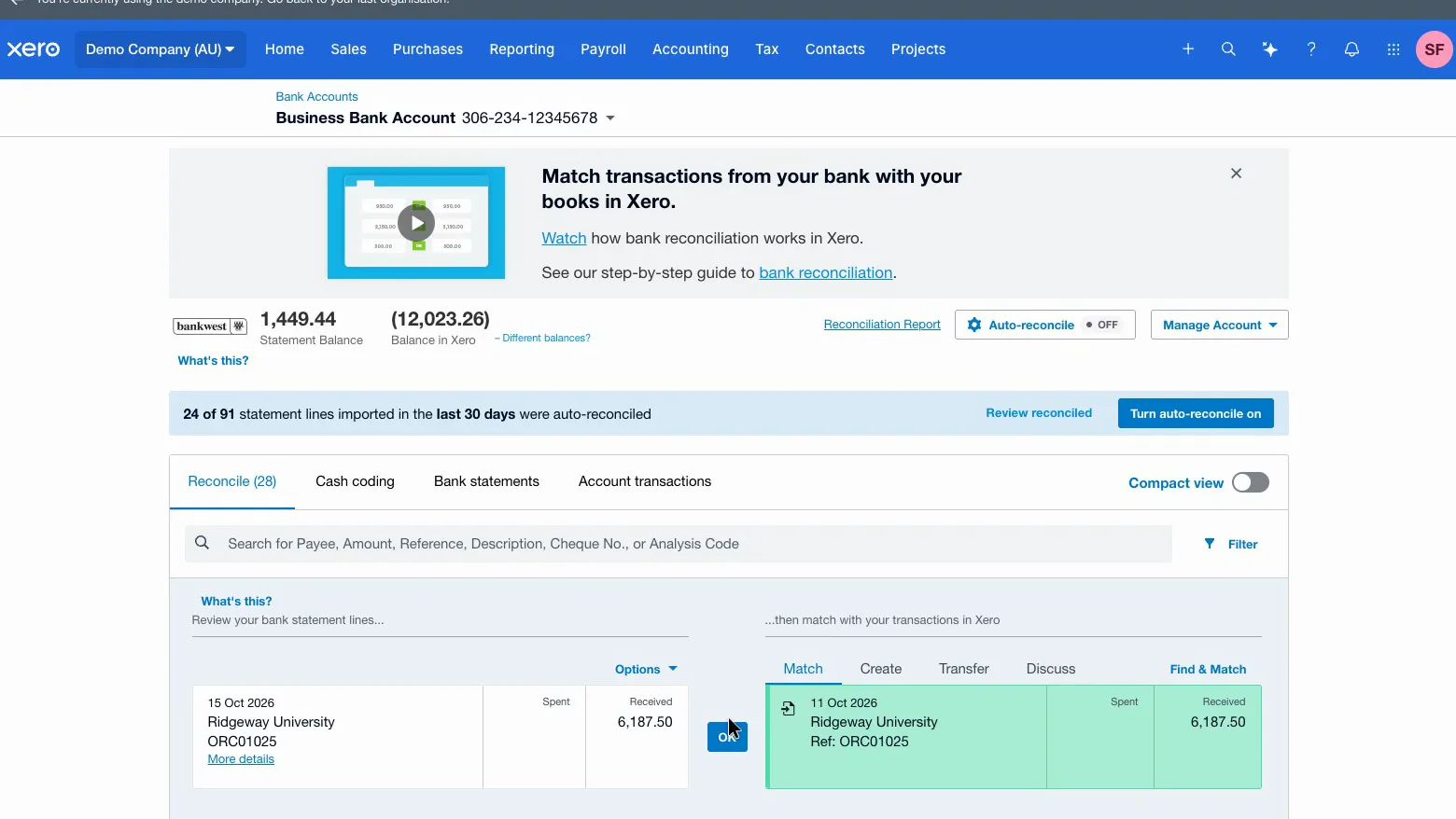
Seventeen statement lines were reconciled. Six went through as one-click suggested matches or existing rules. A new payee took about 30 seconds to code the first time, and after that Xero pre-filled the same details on its other lines.
 (enlarge)
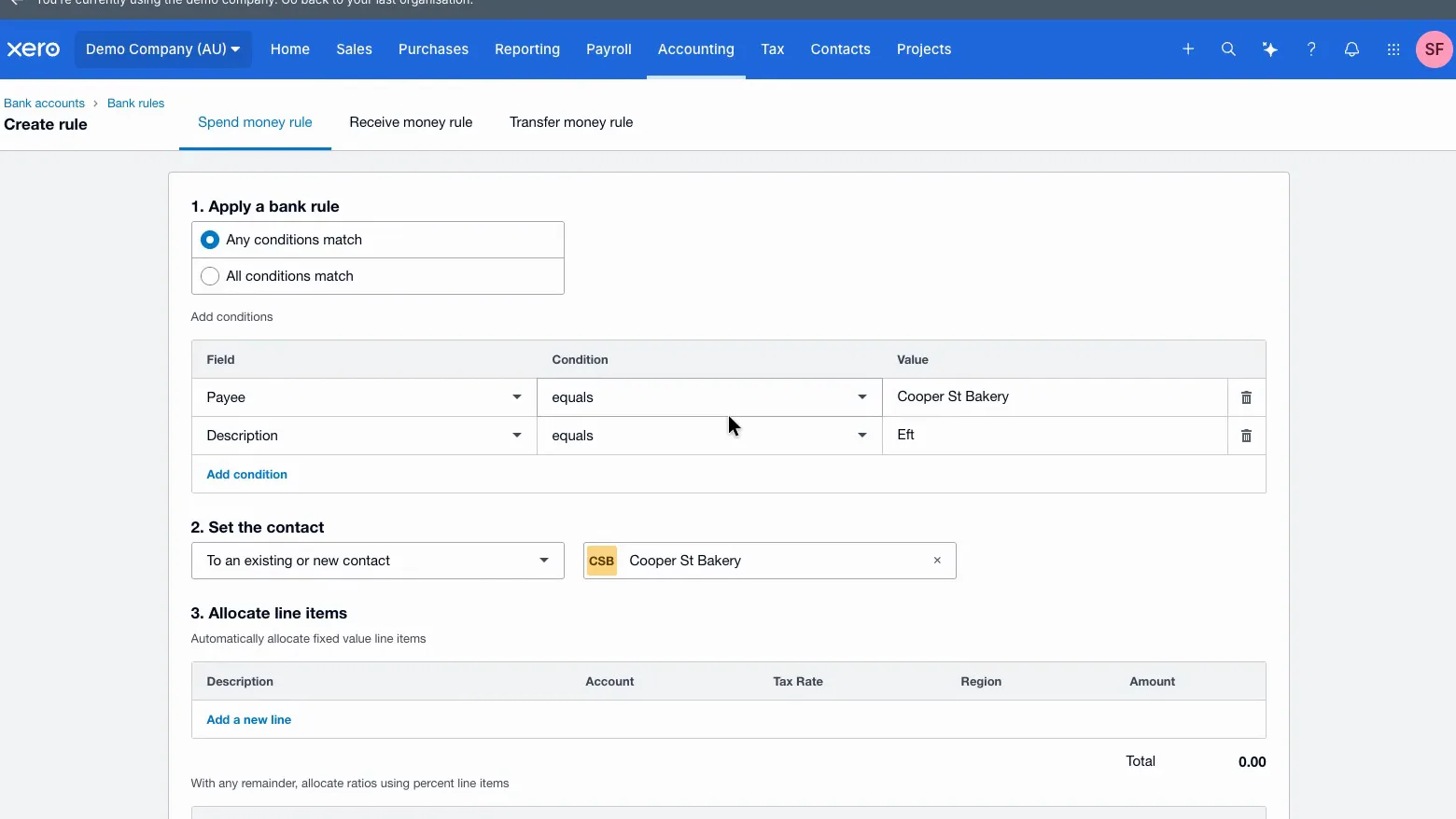
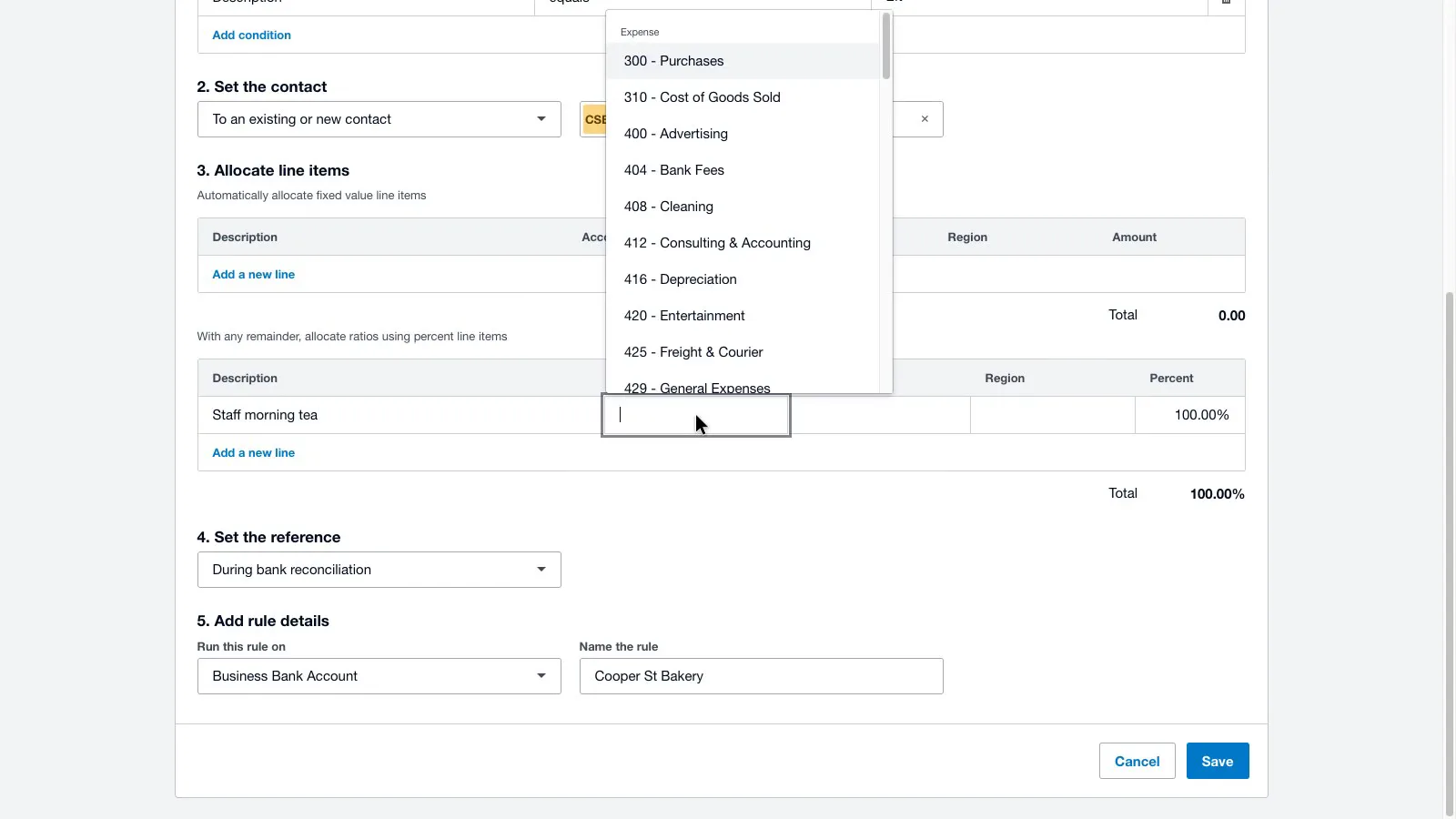
The first risk is the bank rule Xero suggests. When a rule was created from a bakery purchase, the suggestion matched on "Any conditions": the payee, or any line with "Eft" in the description, which appears on a large share of bank lines. Saved as suggested, the rule would code unrelated payments to General Expenses as staff morning tea, with GST, and that GST would flow into the BAS. With the extra condition removed, the rule picked up the next bakery line with one click.
 (enlarge)
 (enlarge)
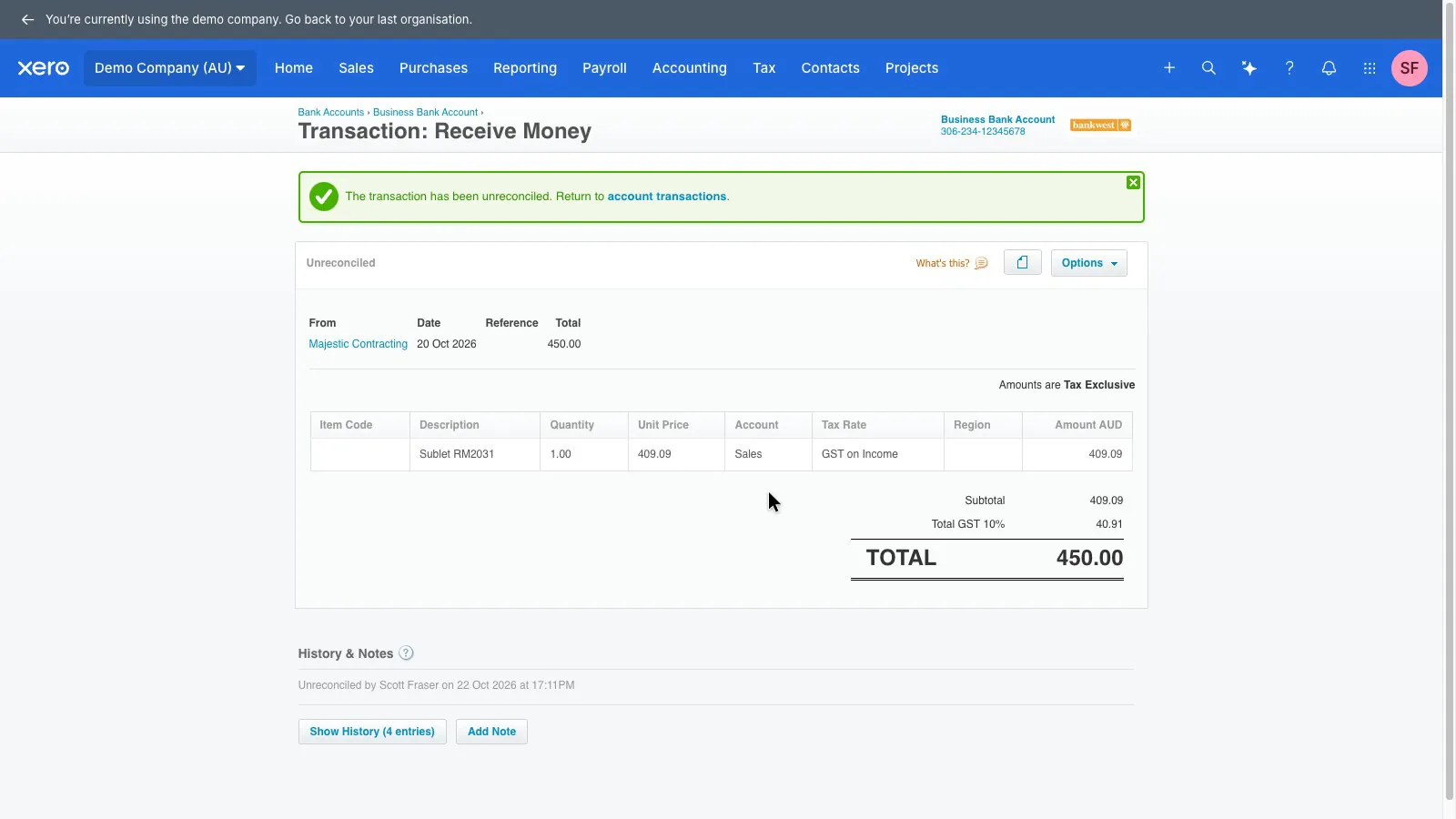
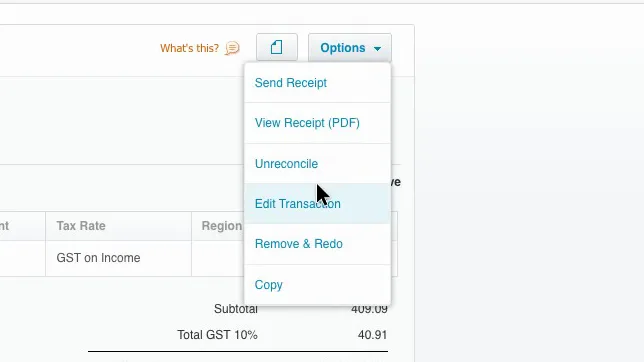
The second is undoing a wrong match. A deposit was deliberately coded to Sales. Unreconcile put the line back in the list to reconcile but left the transaction coded to Sales with GST, so it would still count on the BAS. Remove & Redo is the option that clears it, and Xero warns that it can't be undone.
 (enlarge)
 (enlarge)
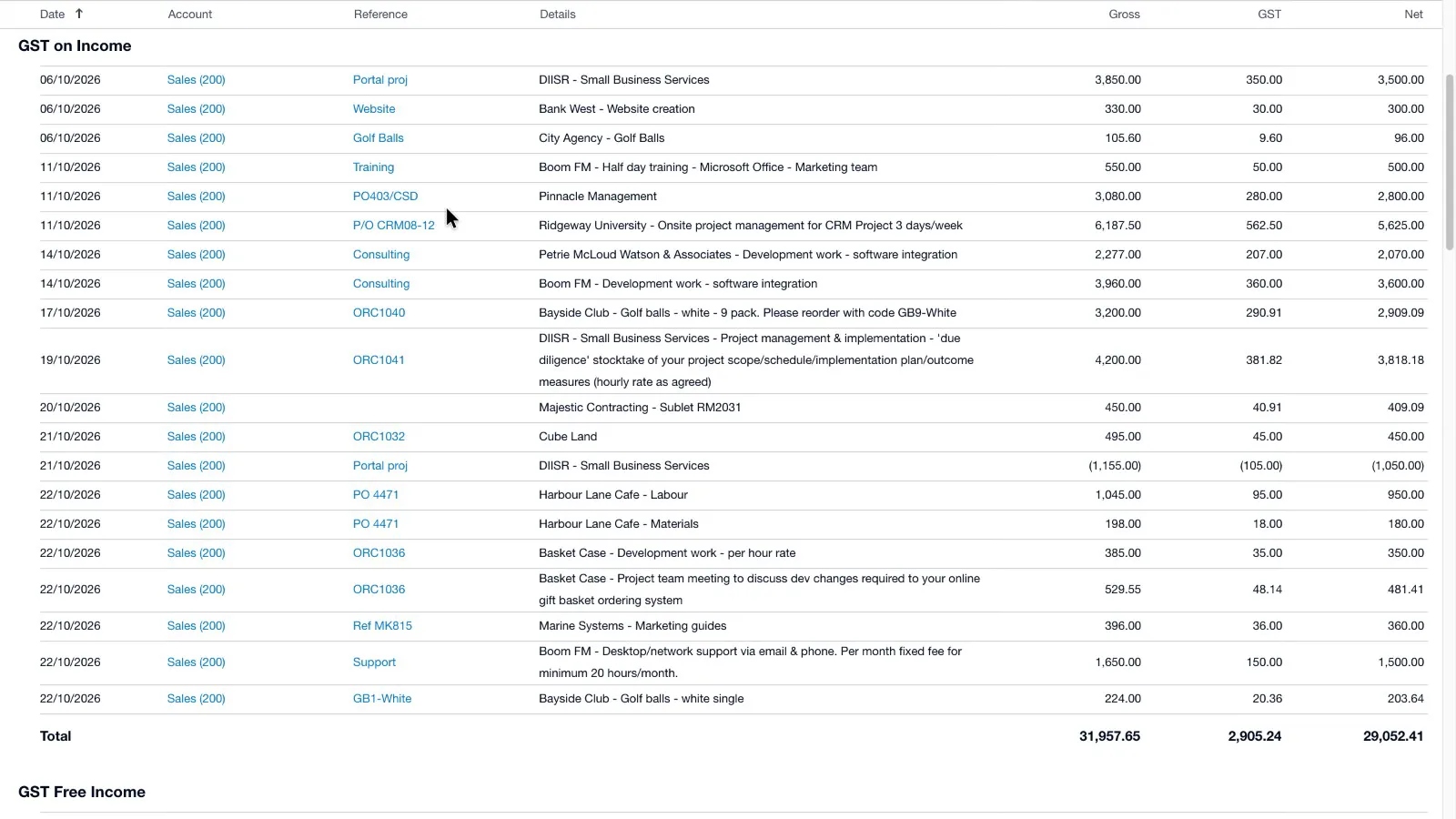
The activity statement was right on both cash and accrual. Each label opened to the transactions behind it, which added up exactly, and switching to cash left out the unpaid invoice, as Xero's activity statement documentation says it should.
 (enlarge)
Payroll and award wages
This is Xero's weakest area for a business whose staff are on a modern award. It works out super each pay and produces a payslip, but it doesn't work out award rates, and posting a pay run doesn't lodge the Single Touch Payroll report.
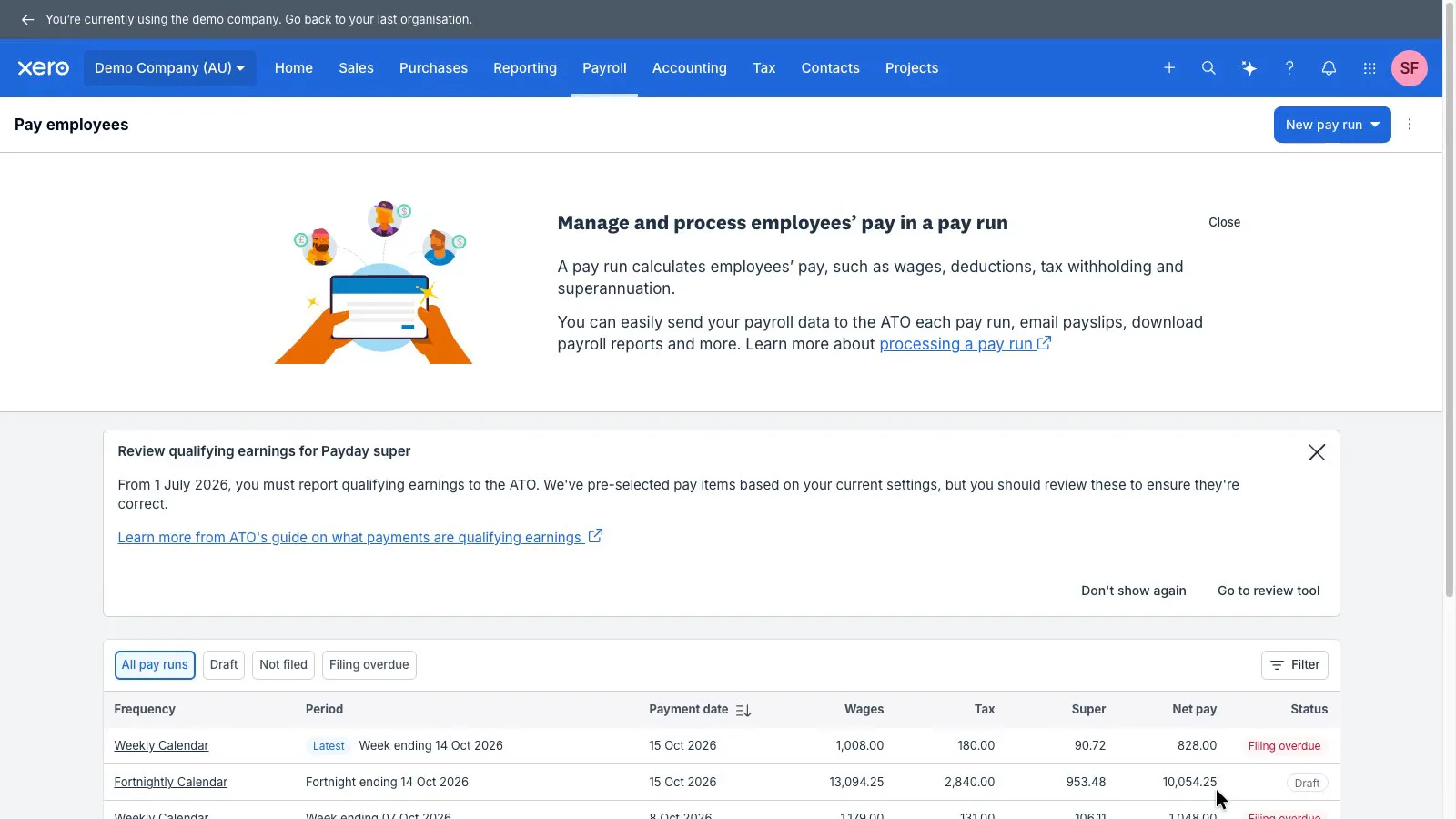
Each pay run lists wages, tax, super and net pay, so super is worked out every pay. In the demo, super came out at 9% of wages, below the 12% Super Guarantee, and Xero gave no warning, so the super rate on a business's first pay run needs checking. From 1 July 2026, Payday Super requires employers to pay super each pay cycle, with the money reaching the fund within seven business days of payday. Xero handles the payment through Auto Super, which it says is included in its payroll plans. Paying super is blocked in the demo, so Auto Super wasn't tested.
 (enlarge)
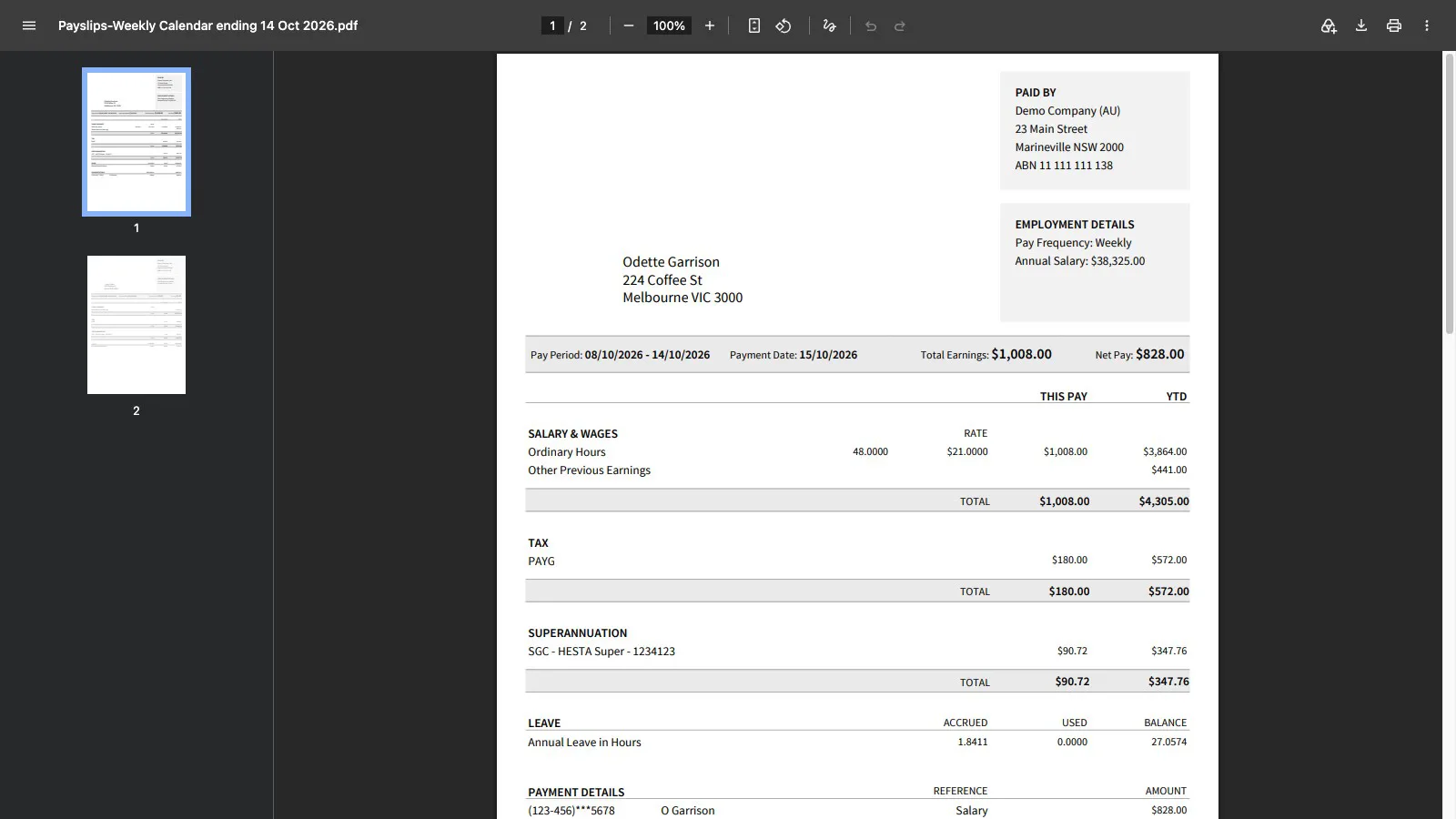
The payslip shows the hours and rate, gross pay, tax, super and net pay.
 (enlarge)
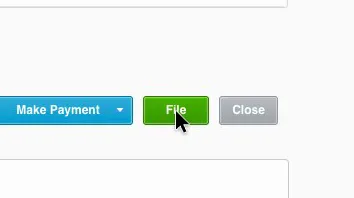
Posting a pay run doesn't send the STP report to the ATO. That's a separate File button on the posted run, so reporting depends on someone remembering the second click.
 (enlarge)
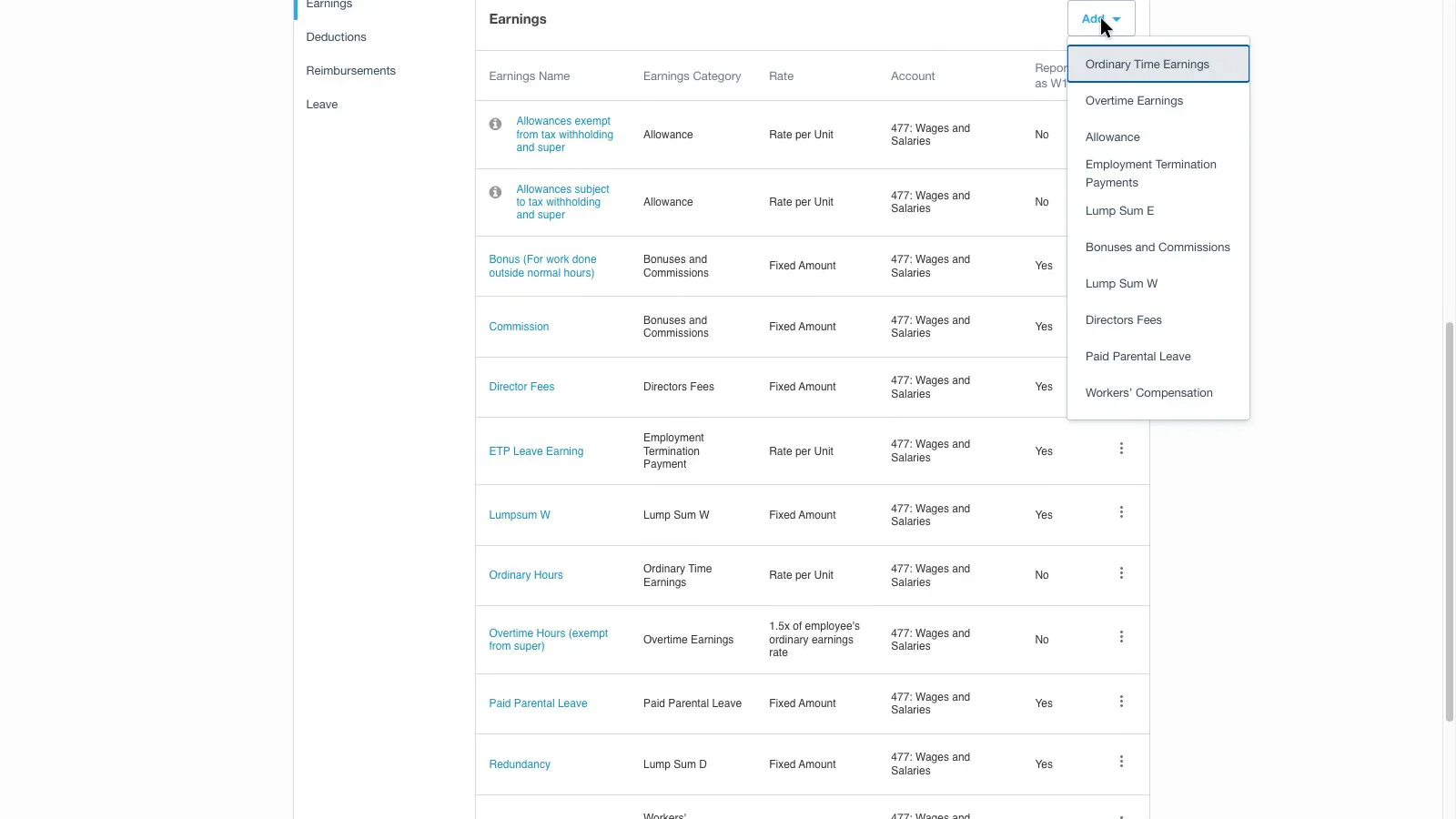
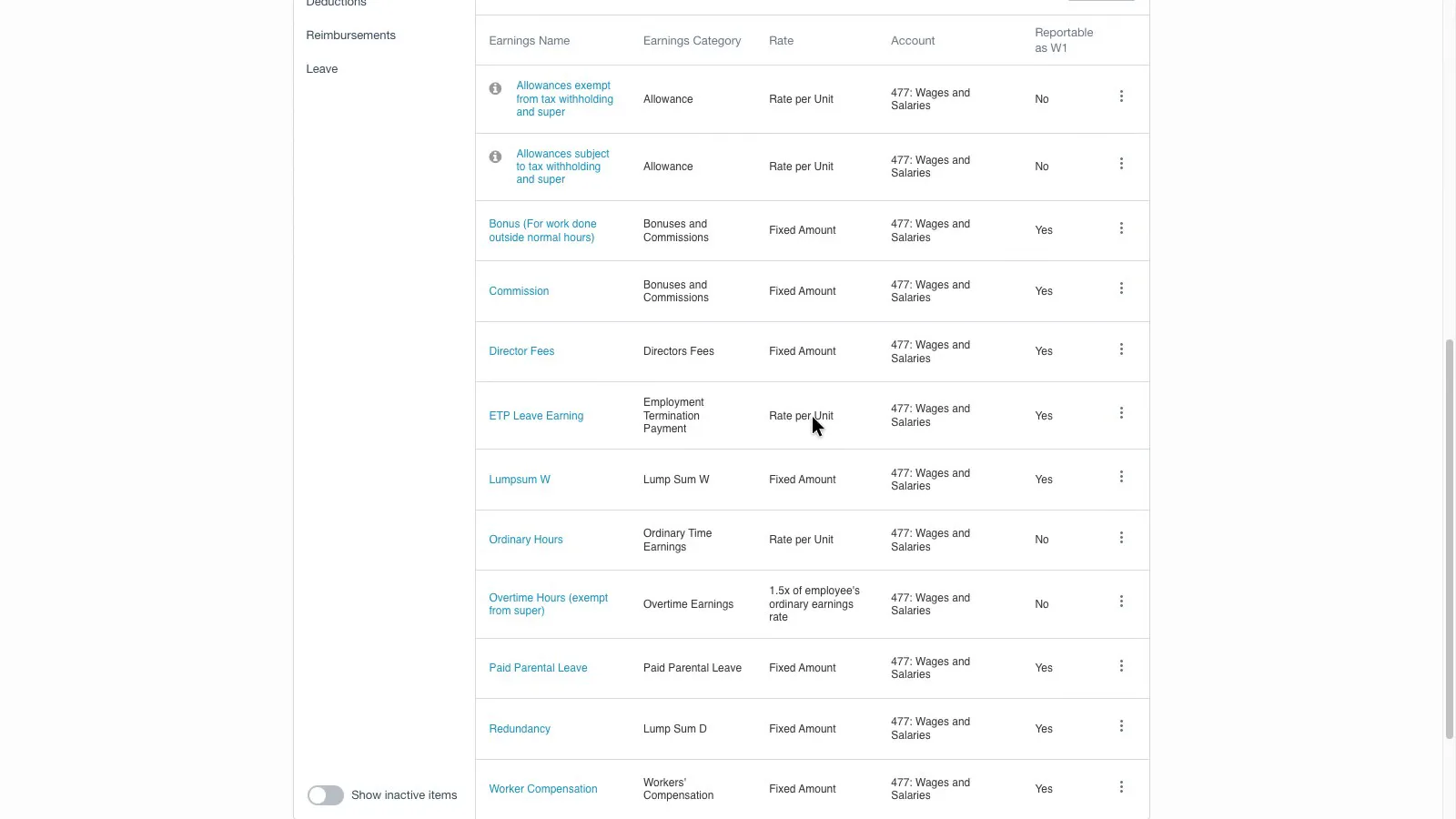
Adding a pay item offers only the ATO's general categories, such as ordinary time, overtime and allowances, with no option to choose an award, and the starting pay items have no Saturday, Sunday or public holiday rate.
 (enlarge)
 (enlarge)
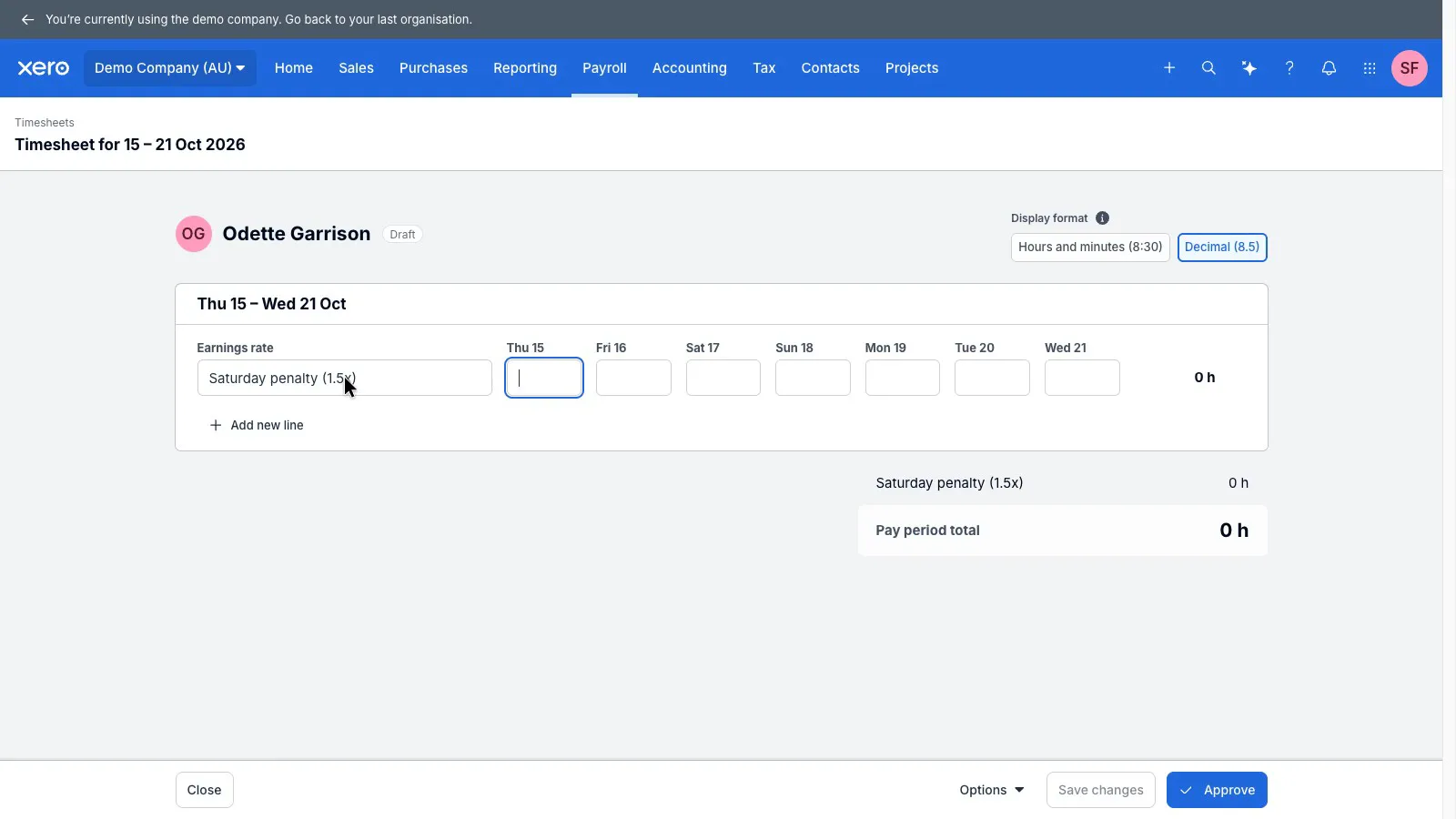
A Saturday rate at time and a half can be built by hand as its own pay item, and it showed up on the timesheet straight away, but Xero doesn't apply it by day. Someone has to choose the Saturday rate for the Saturday hours.
 (enlarge)
For award staff, that leaves two options: set up and check every penalty, overtime and allowance rate by hand, or add a rostering or payroll app that works out award rates and pay for it on top of Xero.
What it costs
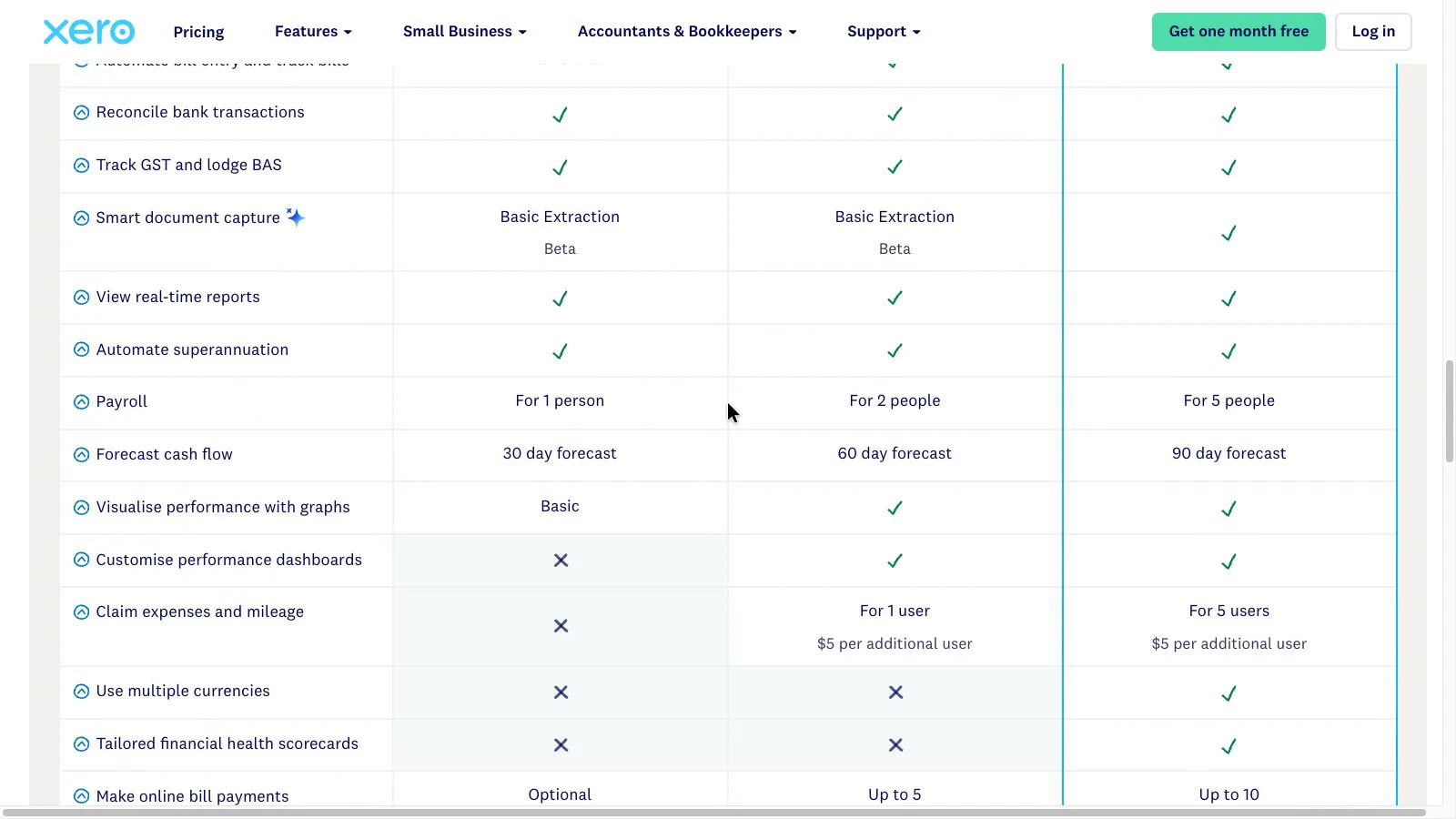
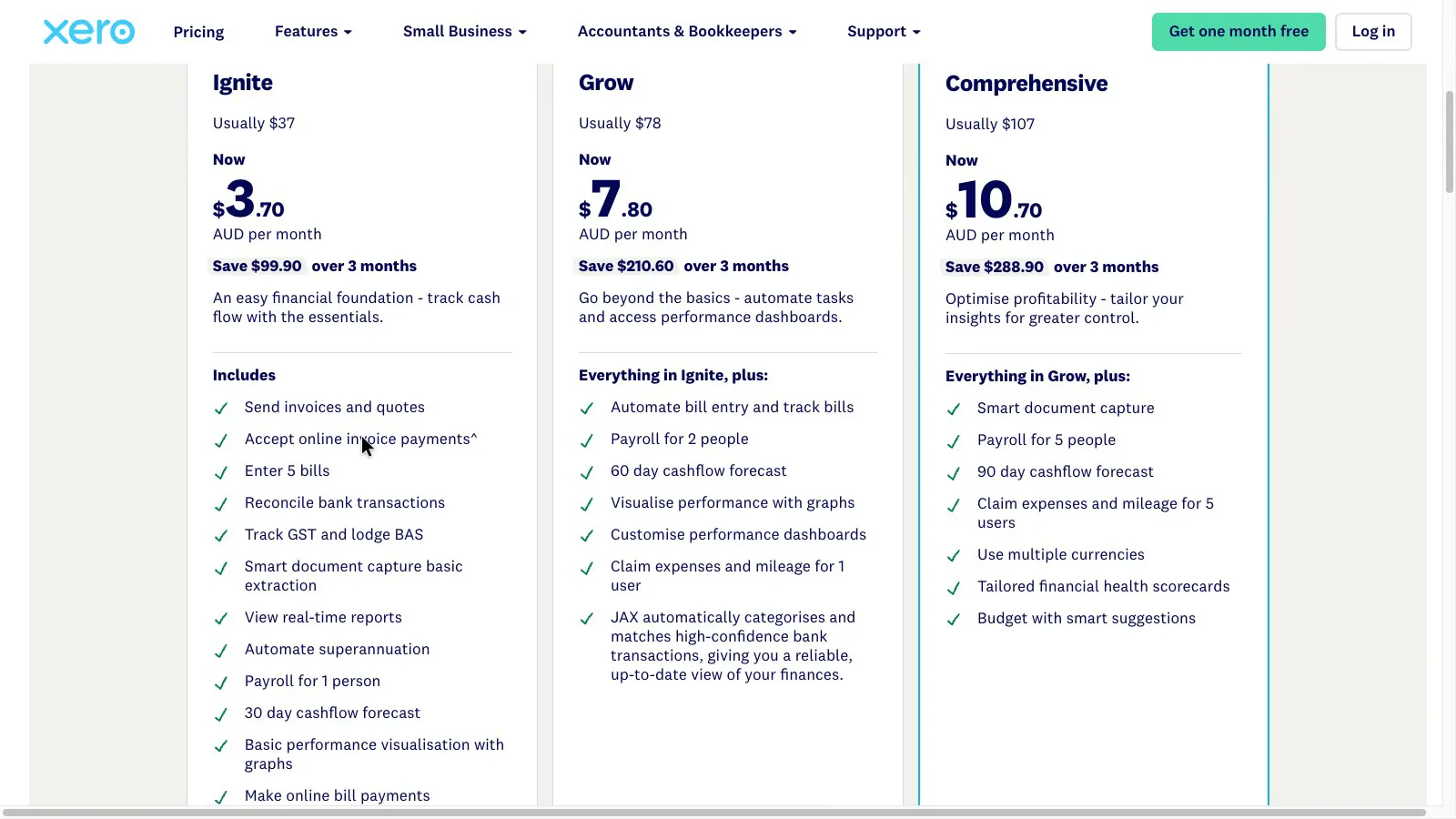
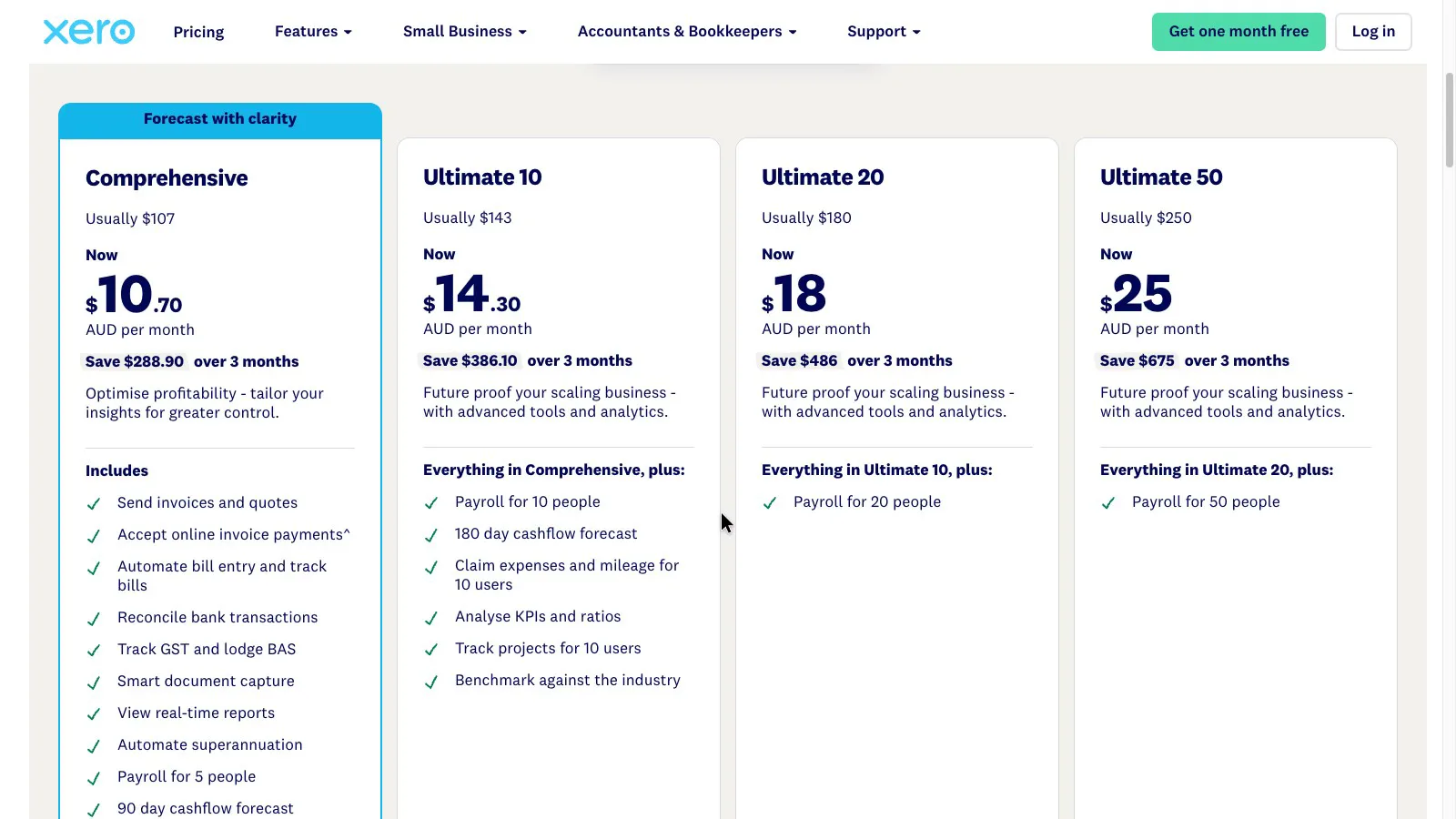
Xero's plans step up mainly by how many people you pay: one on Ignite, two on Grow, five on Comprehensive, and 10, 20 or 50 on the Ultimate plans. They also differ in features and limits, such as Ignite's caps on invoices and bills. Xero's listed prices include GST. Before GST, at the usual prices read on 22 October 2026:
- Ignite is under $35 a month and pays one person, with caps of 20 invoices and 5 bills a month.
- Grow is around $70 a month and pays two people.
- Comprehensive is just under $100 a month and pays up to five.
A business with three paid staff ends up on Comprehensive however few invoices it sends. A new-customer offer in October 2026 took 90% off the first three months until 2 November; the usual price applies after that.
 (enlarge)
 (enlarge)
 (enlarge)
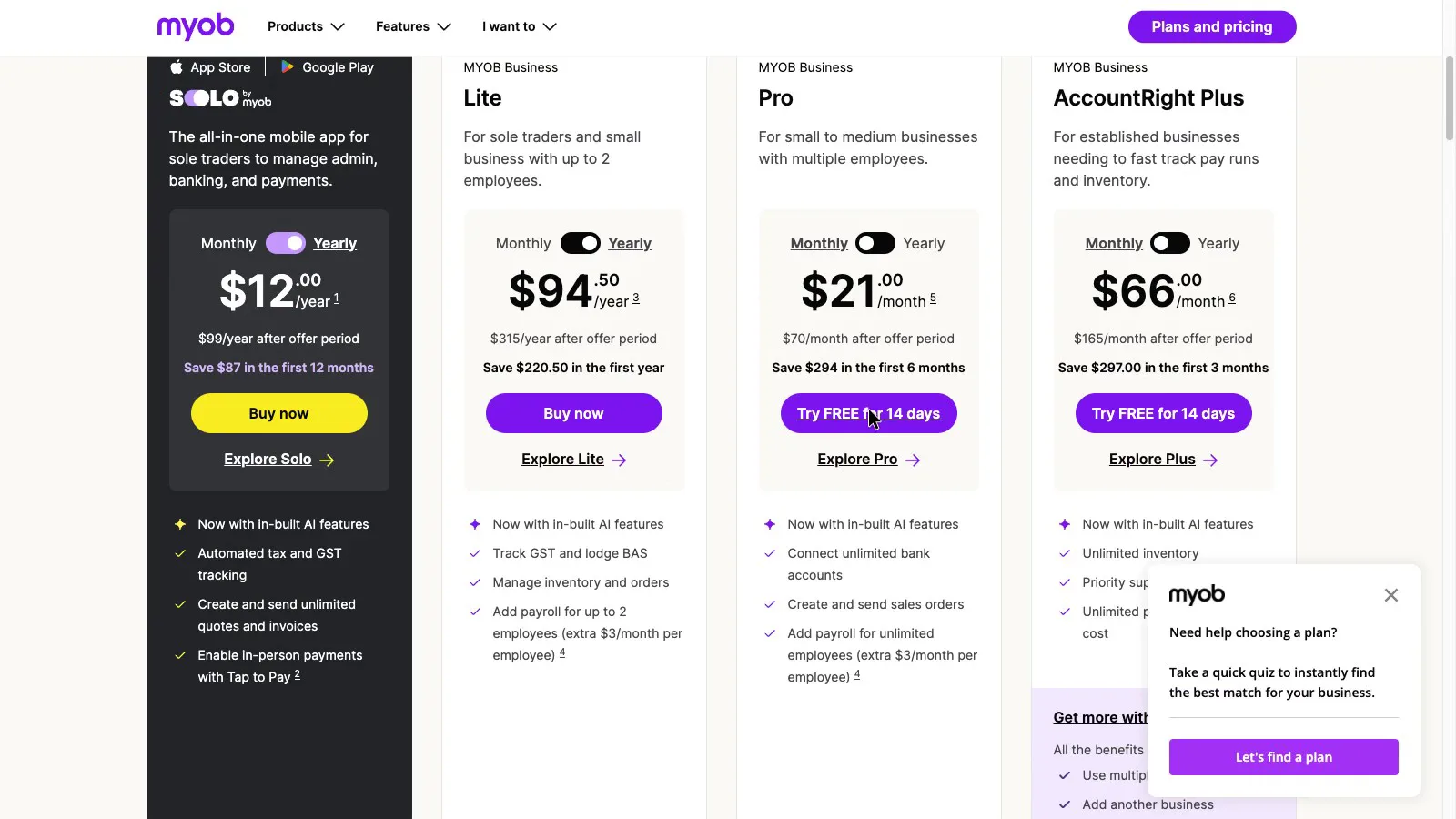
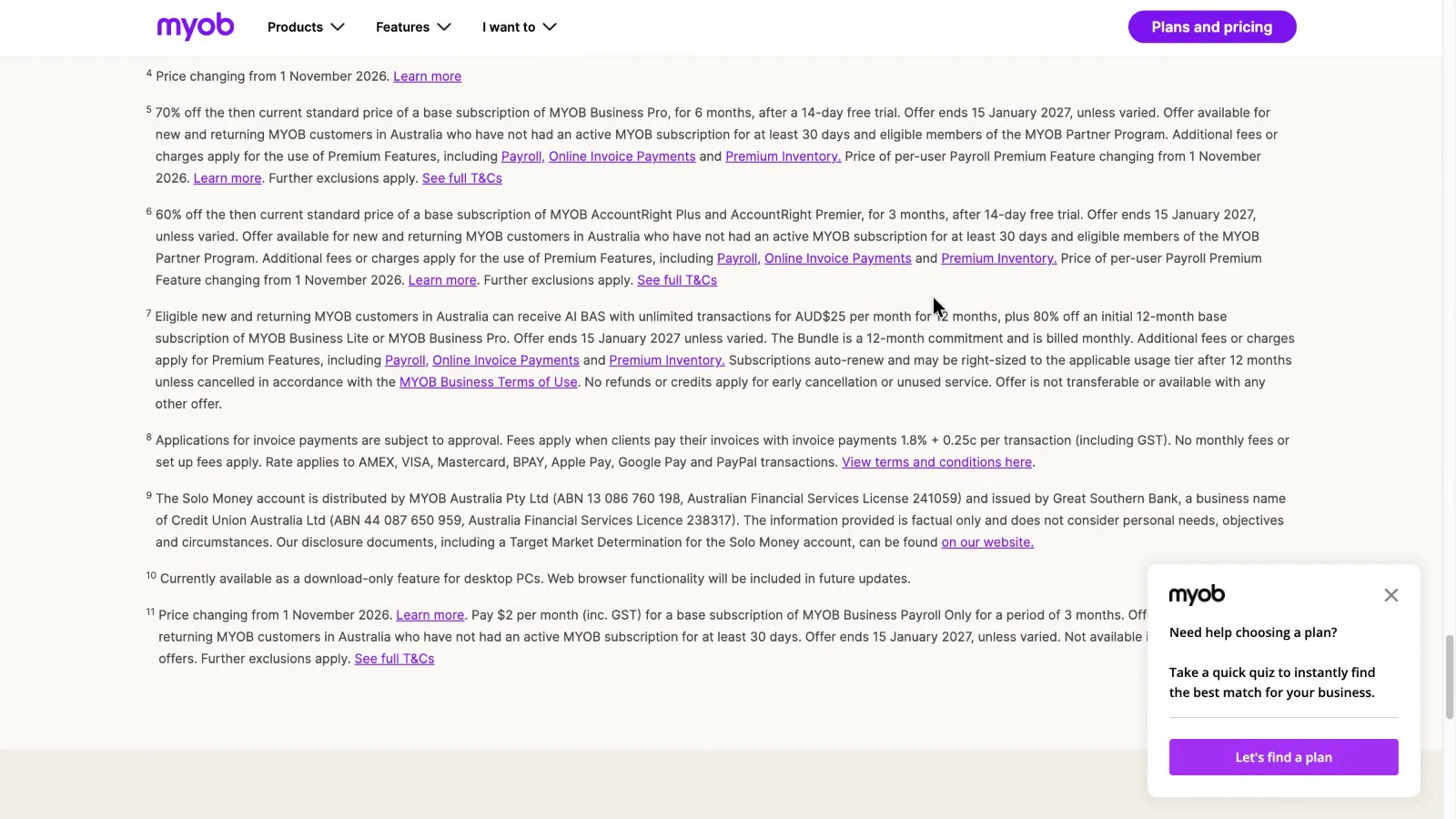
MYOB lists Business Pro at around $70 a month plus a small per-employee payroll fee, which comes to about $80 a month for three staff. MYOB's page doesn't say whether that includes GST, but it's cheaper than Xero Comprehensive before GST either way. MYOB also says its per-employee price changes from 1 November 2026.
 (enlarge)
 (enlarge)
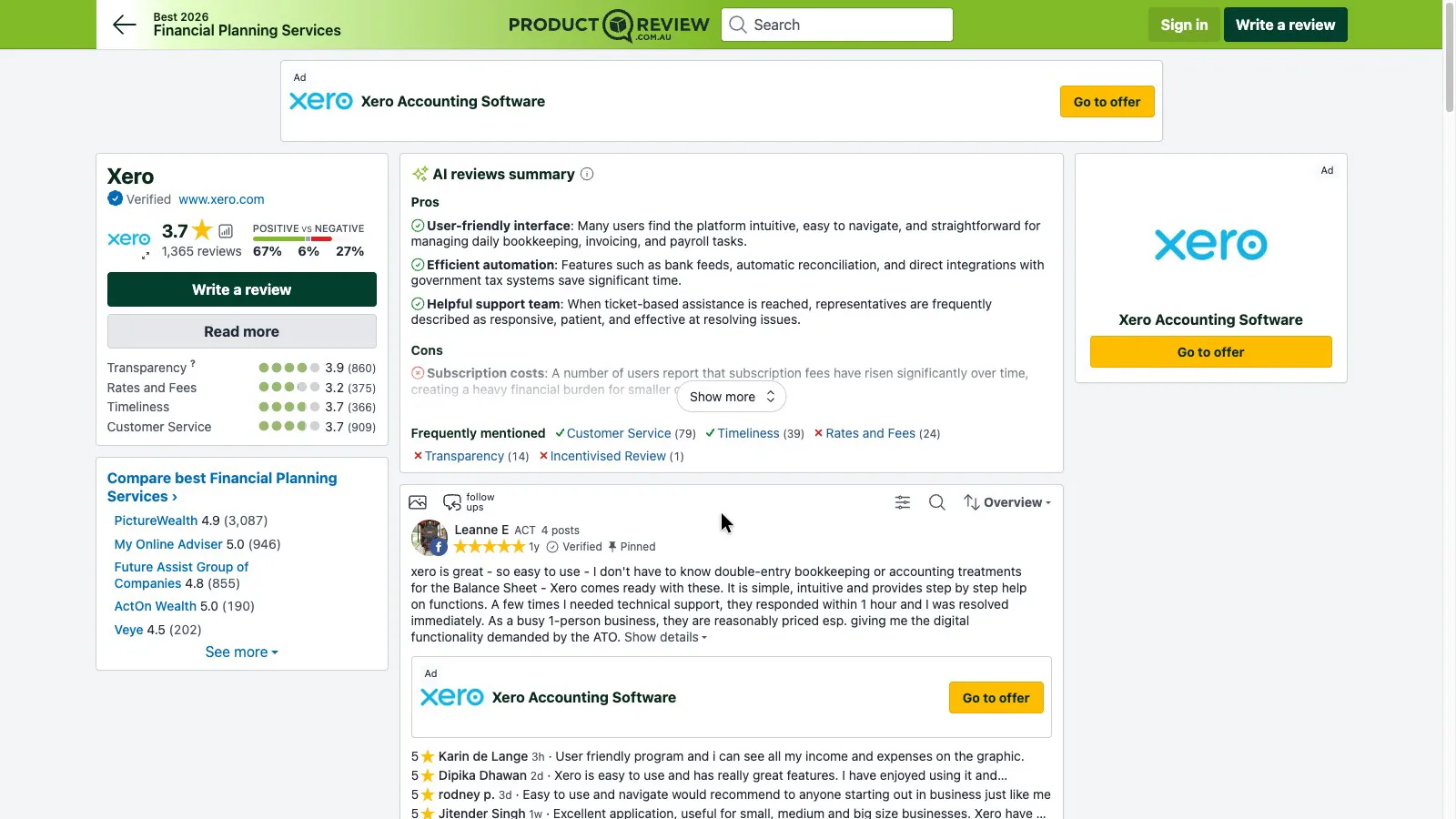
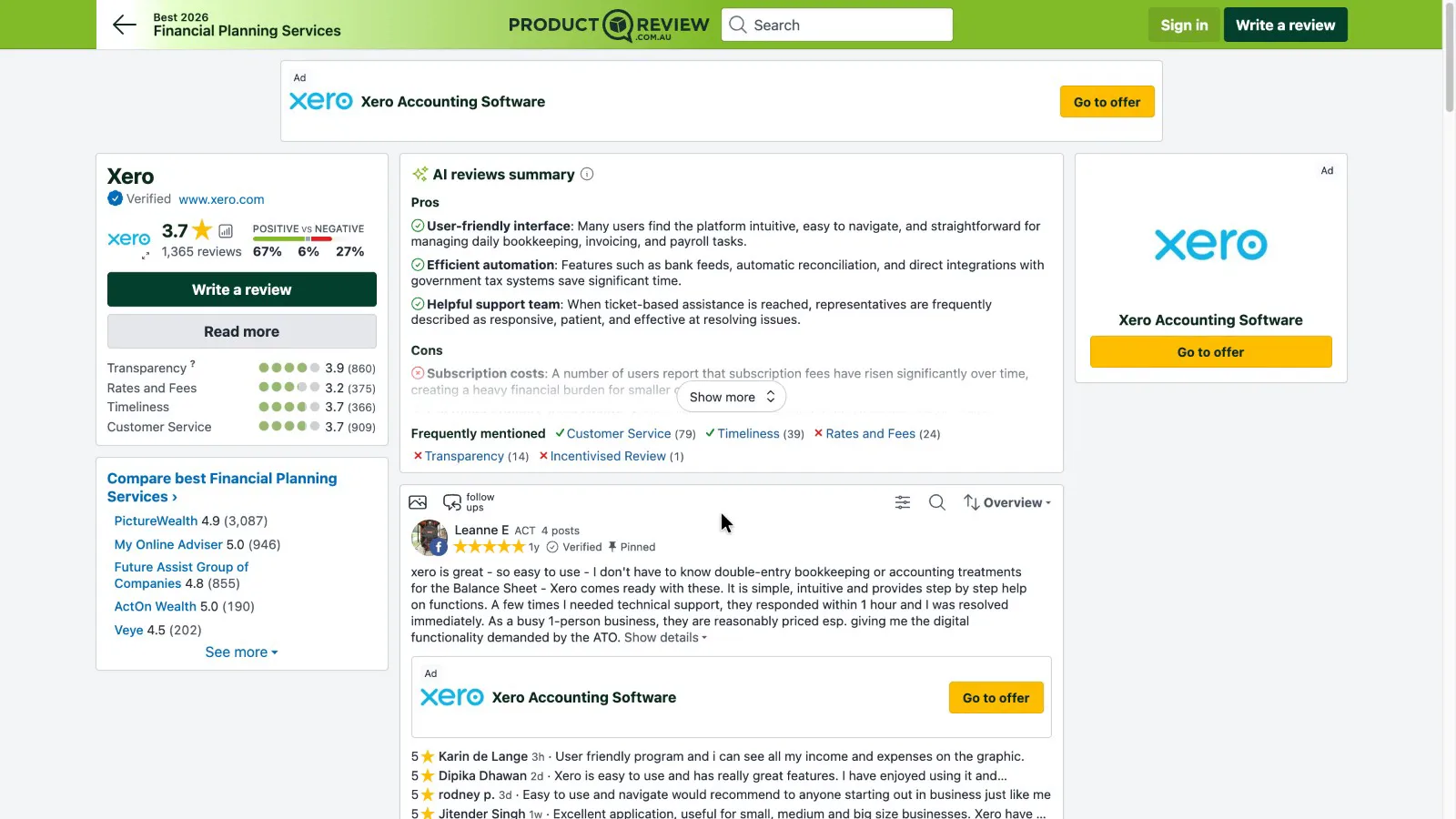
On ProductReview, Xero averages 3.7 from 1,365 reviews, with Rates and Fees its lowest score at 3.2, and the site's review summary lists rising subscription fees as a con.
 (enlarge)
 (enlarge)
Support and leaving Xero
Help is online, and leaving costs a final billed month with no access to your records afterwards, so records need exporting before cancelling.
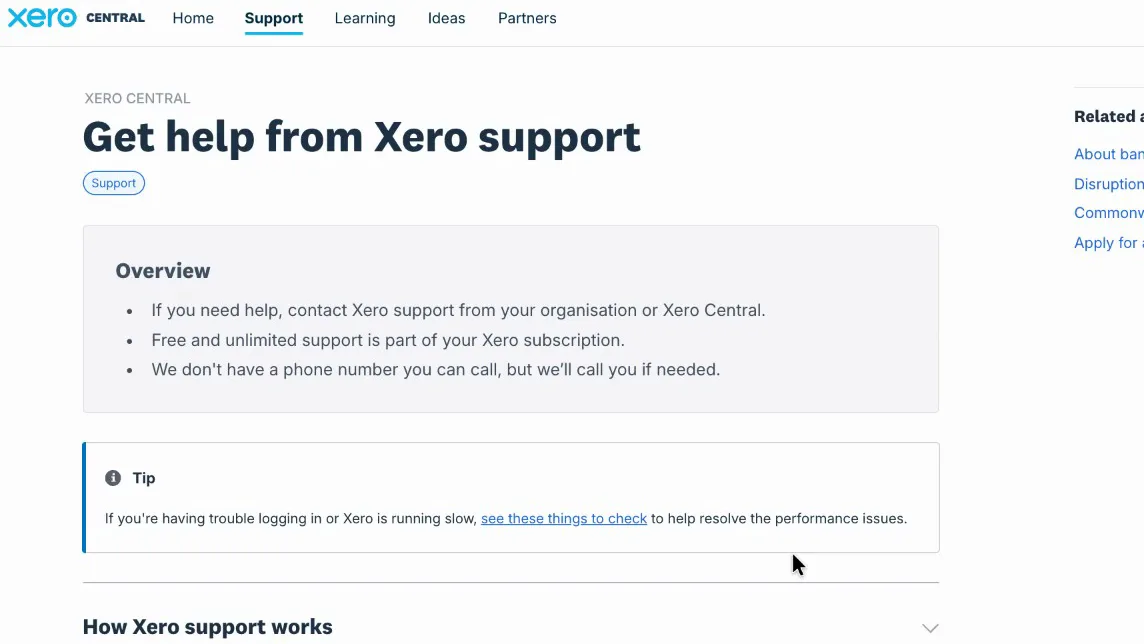
Xero's help centre says support is free and unlimited, and that "we don't have a phone number you can call, but we'll call you if needed". Help in the product starts with an AI chat that can hand over to a specialist. ProductReview's summary lists the support team as a plus once you reach it, and one reviewer describes a reply within an hour.
 (enlarge)
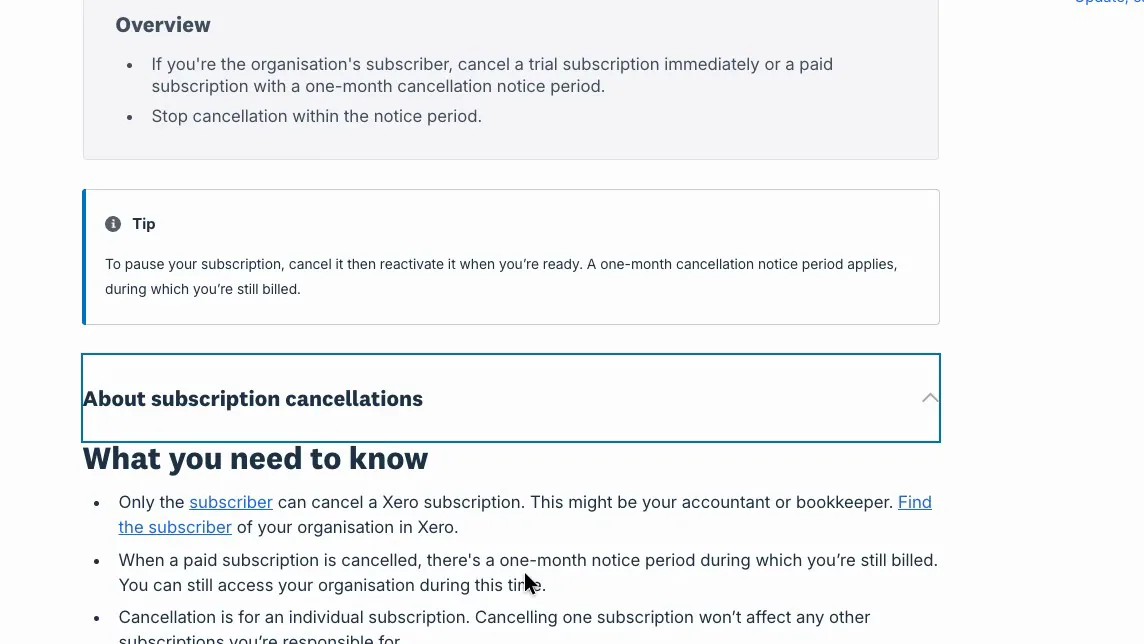
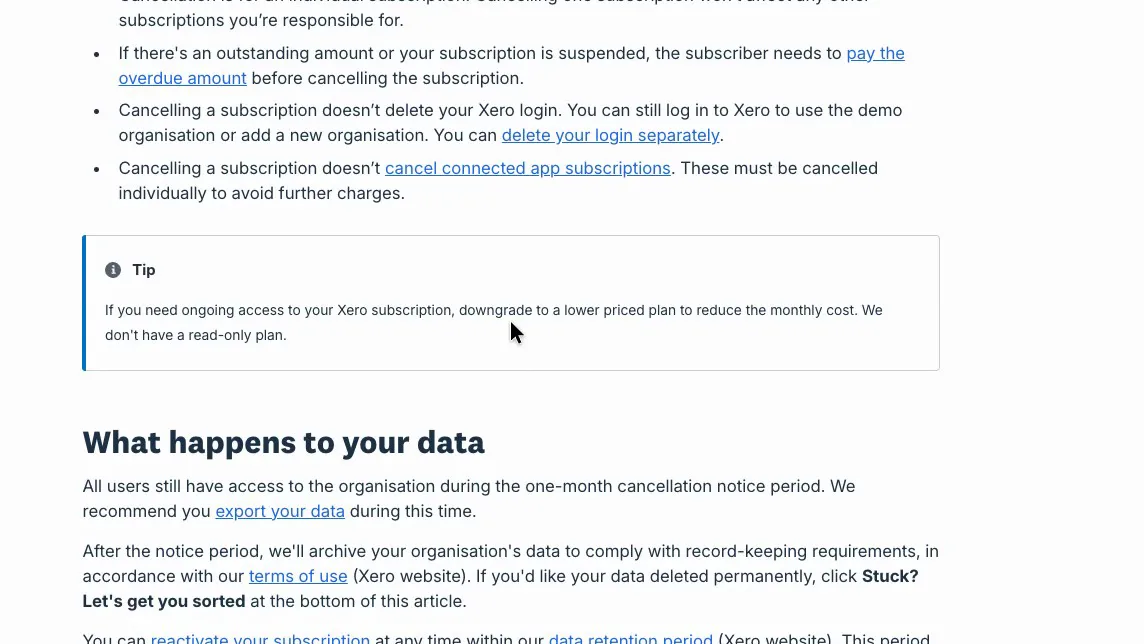
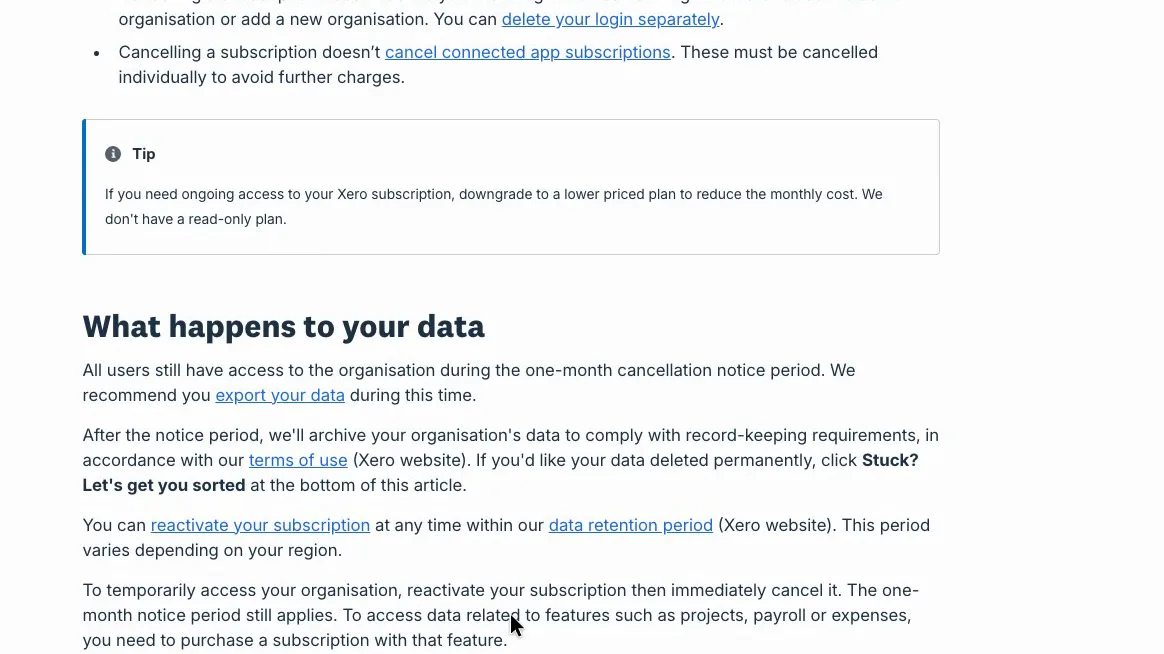
Cancelling a paid plan comes with a one-month notice period that is still billed. Xero has no read-only plan, so seeing old records again means paying for another month, and old payroll records need a plan that includes payroll. Fair Work requires employers to keep pay records for seven years, so those records need exporting before the subscription ends.
 (enlarge)
 (enlarge)
 (enlarge)
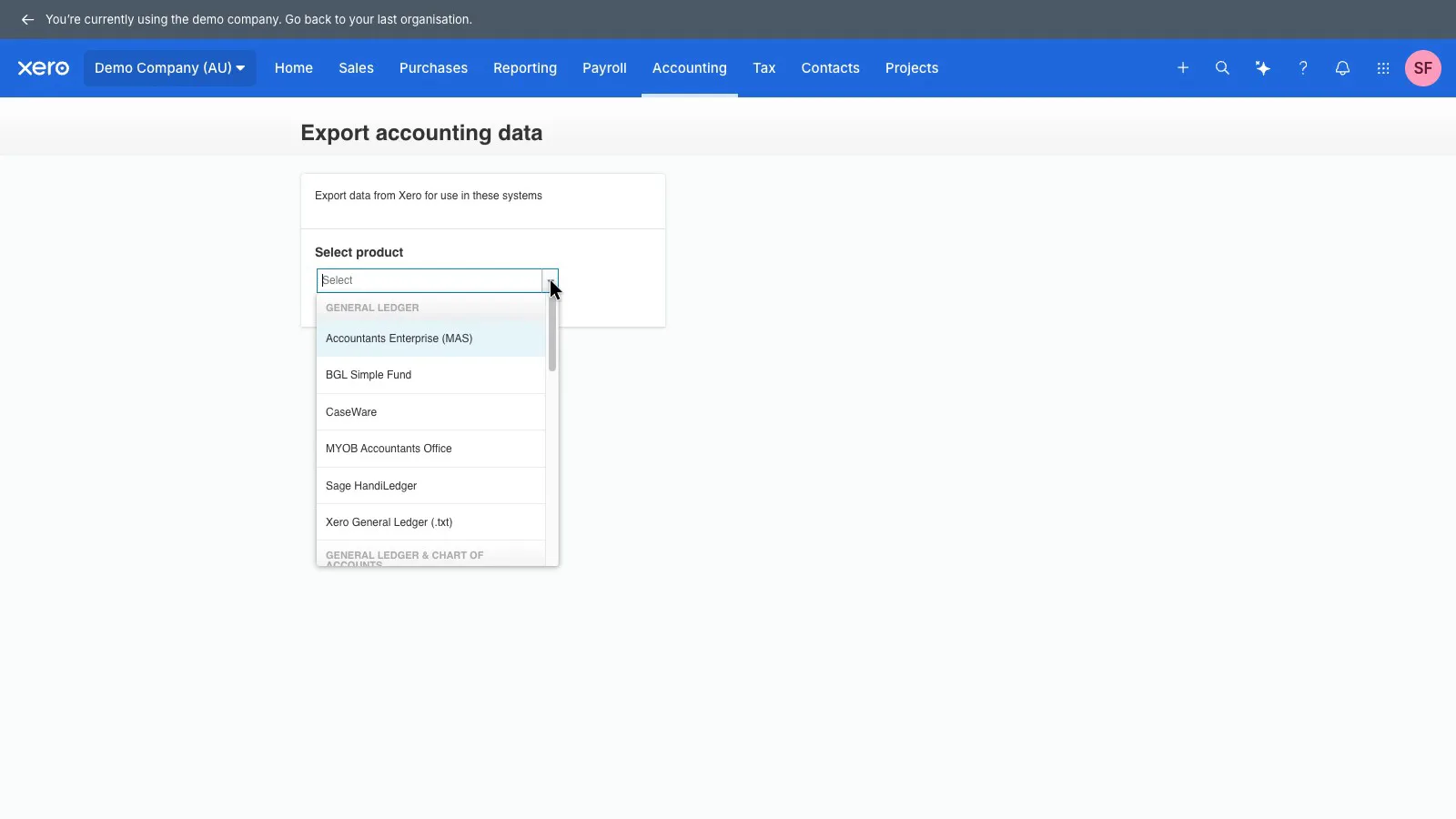
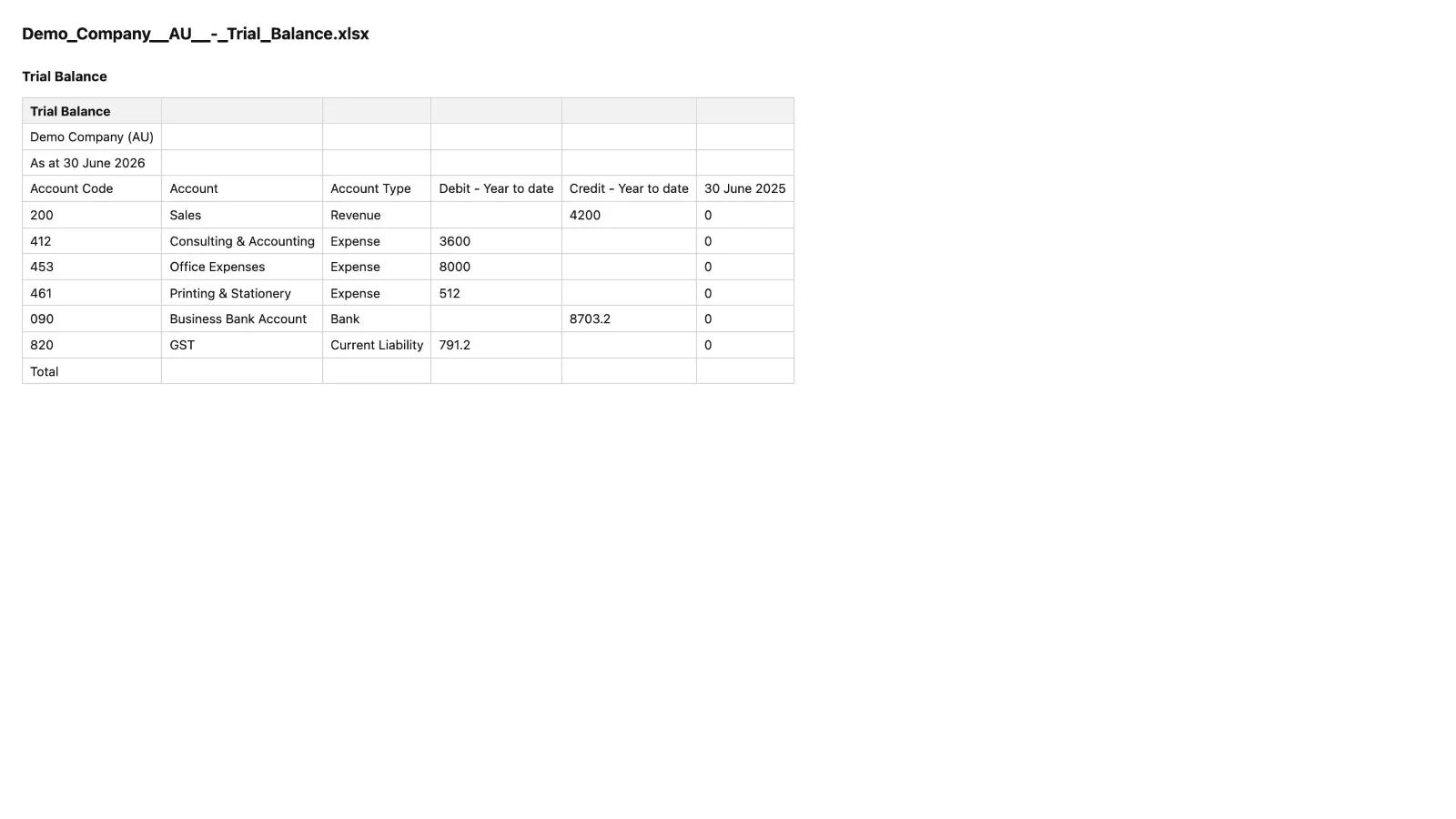
Exports worked. The general ledger exports in formats for MAS, BGL Simple Fund, CaseWare, MYOB Accountants Office and Sage HandiLedger, as well as Xero's own text format, and reports have an Export button. The trial balance exported to Excel matched the screen account for account.
 (enlarge)
 (enlarge)
Alternatives
MYOB Business Pro is the closest comparison for a business paying three or four staff, because its payroll cost rises with each person instead of stepping up at plan limits.
For staff on an award, the cost of a rostering or payroll app that works out award rates needs adding to the Xero plan before comparing totals.
QuickBooks Online's plans differ by features and by how many users they allow, from one on Simple Start to 25 on Advanced, and payroll runs through Employment Hero for a fee per employee paid. Simple Start is its cheapest single-user plan. SoftwareHQ's cost comparison lists prices for QuickBooks, MYOB and Xero, checked in September 2026.
Pricing in AUD
| Plan | Price | Per | Includes |
|---|---|---|---|
| Ignite | $37 | per month | 20 invoices and 5 bills a month; payroll for 1 person |
| Grow | $78 | per month | Unlimited invoices and bills; payroll for 2 people; expense claims for 1 user |
| Comprehensive | $107 | per month | Payroll for 5 people; expenses for 5 users; 90-day cash flow forecast; up to 10 online bill payments |
| Ultimate 10 | $143 | per month | Payroll for 10 people; projects for 10 users; KPI analysis; 180-day forecast; 15 online bill payments |
| Ultimate 20 | $180 | per month | Payroll for 20 people |
| Ultimate 50 | $250 | per month | Payroll for 50 people |
AUD, inc GST unless marked ex GST or GST not stated. Checked 22 Oct 2026. Source: xero.com/au/versus/quickbooks-alternative, xero.com/au/pricing-plans
Integrations
| Connects to | What syncs | Direction | Checked |
|---|---|---|---|
| ServiceM8 | Approved invoices raised in Xero; clients, items and payments sync | Both ways | |
| Stripe | Card payments on invoices | Not stated | |
| GoCardless | Direct debit payments on invoices | Not stated |
What I didn't test (13 things)
- Live bank feeds and the help article on broken or duplicated feeds: the demo company only has imported statement lines
- Lodging the BAS with the ATO: the demo company isn't connected to the ATO
- Paying super through Auto Super: the demo blocks super payments
- A new pay run with a Saturday shift, the no-timesheet warning and emailed payslips: the pay-period picker wouldn't take a selection during testing
- Inviting an accountant and the adviser roles: the demo company has no invite button
- Bill and receipt capture accuracy: the upload needed the operating system's file picker
- The mobile app: no phone was used
- Ignite's 20-invoice and 5-bill caps in practice, the sign-up plan picker and the in-product cancel screen: no trial organisation was available
- Stripe and GoCardless fees and the customer's view of an invoice: these need a payment account
- Timing a real support case and the MFA lockout process
- Bulk export of attachments, the general ledger file and the contacts export
- Where Xero keeps Australian organisations' data: no current Xero statement was found
- Support hours and response times: none were published on the pages seen
Video transcript
Xero in brief
Today we're looking at Xero, which is online accounting software for small businesses. It handles your quotes and invoices, bank reconciliation, GST and BAS, and payroll in one place. My review agent tested it hands-on, and I verified the key findings myself. It handles the weekly bookkeeping well, but it doesn't work out award pay rates for you, and paying three staff needs the Comprehensive plan. It was tested in Xero's Australian demo company in October 2026, working through the jobs a three-person service business does each week.
Quote to tax invoice
To start with, quoting and invoicing, the job most businesses do every week. A quote with labour, materials and a GST-free council permit fee turned into an invoice, and the PDF has everything a tax invoice needs, with the GST right and the permit fee left at zero. It isn't quick, though. A quote has to be saved, marked as sent and marked as accepted before the button to make an invoice appears, so the whole job took about twenty-eight clicks and typed entries. Once it's an invoice, approving and emailing it is one button at the top.
Unsaved quote wiped on reload
Next, saving quotes. A half-built quote that hasn't been saved is wiped if the page reloads, and Xero gives no warning before it goes. The contact, reference, lines and terms all came back blank. The invoice screen saves as you go, so it's only quotes at risk.
Who owes what, and credit notes
Next, who owes you money and fixing a mistake. The home screen shows what's owed and what's overdue, and the aged receivables report, which lists who owes what, splits overdue invoices by how late they are. Xero can also email automatic reminders when an invoice is overdue, at set days such as 7, 14 and 21 days late. When a customer disputed the permit fee on an invoice that had already gone out, Create and apply credit made a credit note already linked to the invoice, and the balance dropped by just that fee. The credit note starts as a copy of the whole invoice, though, so you have to remove the lines you're not crediting.
Bank feeds and reconciliation
Now, bank reconciliation, the weekly chore of matching what's in the bank to what's in the books. The demo company has no live bank feed, only imported statement lines, so live feeds weren't tested here. For Commonwealth Bank, Xero says transactions arrive once a day by 8 am and can't be refreshed by hand. Reconciling itself was quick, and where Xero suggested a matching invoice it took one click. A new payee took about half a minute to sort into the right account the first time, and after that Xero filled in the same details on its other lines.
Bank rules and undoing a match
Next, bank rules, which let Xero file a repeat expense the same way each time. When a rule was made from a bakery purchase, Xero suggested matching the payee or any line described as EFT, which is a very common bank description. Saved as it was, that rule would file unrelated payments as staff morning tea, with GST, and those wrong figures would flow into the BAS. With the extra condition removed, the rule picked up the next bakery line straight away. Undoing a wrong match has a similar problem. Unreconcile undoes the match, but the wrong entry stays in the books with its GST, so Remove and Redo is the option that actually fixes it.
GST and BAS
Next up, GST and BAS. Xero can do the activity statement for any period, on a cash or accrual basis, and each figure on it opens up to the transactions behind it, which added up exactly. On accrual, the unpaid invoice from earlier was included in total sales. Switched to cash, total sales and the GST payable both dropped, because unpaid invoices were left out. The demo isn't connected to the ATO, so lodging wasn't tested, though the statement does show a status for lodging directly.
Pay runs, payslips and STP
Moving on to payroll. Each pay run in Xero works out super for that pay. In the demo company, though, super came out at 9% of wages when the Super Guarantee is 12%, and Xero gave no warning. That's probably how the demo staff are set up, but check the super rate on your first pay run. I didn't test paying the super itself, because the demo blocks it. The payslip shows the hours and rate, gross pay, tax, super and net pay. Posting a pay run doesn't send the Single Touch Payroll report, which tells the ATO about each pay, though. That's a separate File button, and in the demo company eight posted pay runs were sitting at Filing overdue.
Award rates set up by hand
Next, award rates and penalty rates. When adding a pay item there's no option to choose an award, only the ATO's general categories such as ordinary time, overtime and allowances, and the starting pay items have no Saturday or public holiday rate. A Saturday rate at time and a half can be built by hand as its own pay item, and it showed up on the timesheet straight away, but Xero doesn't apply it by day, someone has to choose the Saturday rate for the Saturday hours.
What it really costs
Next up, what it costs. Xero's pricing goes by how many people you pay. In October 2026, Grow covered payroll for two people at about seventy-one dollars a month, so three paid staff means Comprehensive, which pays up to five people for about ninety-seven dollars a month. The cheapest plan, Ignite, only covers payroll for one person and five bills a month. MYOB lists Business Pro at seventy dollars a month plus three dollars per employee, so about seventy-nine for three staff, without saying whether that includes GST. Either way it costs less, and MYOB says the per-employee price changes in November. On ProductReview, Xero averages 3.7 from about 1,400 reviews, with its lowest score for rates and fees, and the site's review summary points to price rises as the complaint that keeps coming up in its reviews.
Leaving and taking your records
Now, what happens if you leave. Cancelling a paid plan comes with a month's notice that you're still billed for, and Xero has no read-only plan afterwards. To see old records again you have to pay for another month, and old payroll records need a plan with payroll, while employers have to keep pay records for seven years. Getting records out before then is possible. The general ledger exports in formats Australian accountants' software uses, and the trial balance opened in Excel matching the screen. Inviting an accountant wasn't tested, because the demo company doesn't allow invites.
Getting help
Last, getting help. Support is free and unlimited, but Xero has no phone number to call, though it says it will call you if needed. ProductReview's review summary lists support as a plus, and some reviewers praise the support staff for replying quickly once they reach them.
Who it suits
I think Xero suits a service business with two to five staff that wants its invoicing, bank and BAS done properly in one place, because those weekly jobs worked well in this test. With two people on payroll that's the Grow plan, and with three to five it's Comprehensive. I wouldn't rely on it alone to pay staff under an award with weekend or public holiday penalty rates, because every rate has to be built and picked by hand, so a café or salon with weekend casuals would be better off adding a rostering or payroll app that works out award rates. If price matters most, it's worth checking the cost of that app or looking at MYOB, which costs less at three staff. If you do leave, export your records first, because there's no read-only access afterwards. I hope that helps you decide whether Xero is right for your business.