
jibble review: is the free plan enough?
Verdict: jibble's free plan suits a café, shop or small office with a few staff on simple hours. It keeps every start, break and finish with its own time stamp, and a deleted punch stays in the change history along with the reason. I wouldn't rely on it for award overtime that starts after both a long day and a long week, or for different Saturday and Sunday rates. Reminders, the automatic clock-out setting and approvals all need the paid Essential plan.
Suits
- Cafés, shops and small offices with a few hourly staff on simple hours
- Owners who want a time-stamped record of every shift and every edit without paying
- Owners who will export records each pay period and keep their own seven-year archive
Doesn't suit
- Businesses whose award pays overtime both after a long day and after 38 hours a week
- Businesses that need separate Saturday and Sunday rates worked out before payroll
- Owners who want reminders or the automatic clock-out setting without paying
- Owners who expect the software to hold seven years of records for them
How it was tested
I set up this test in jibble's web app in October 2026. A review agent I built ran the test and recorded the screen, and I checked the key findings myself. How I test explains the method.
The test set up a Sydney café with five hourly staff. It clocked shifts, fixed mistakes, set overtime rules, exported the records and checked the prices inside the app. New accounts start on a 14-day trial of the paid plans, so the plan badge on each setting was used to work out what the free plan includes. The new organisation picked up Sydney time (with daylight saving), a Monday week start and AUD without any setup.
Clocking on and the timesheet record
jibble saves each start, break and finish as a separate line with its own time stamp, so the record shows when someone worked as well as how long. That's the detail an owner needs to back up hours under Fair Work's record-keeping rules.
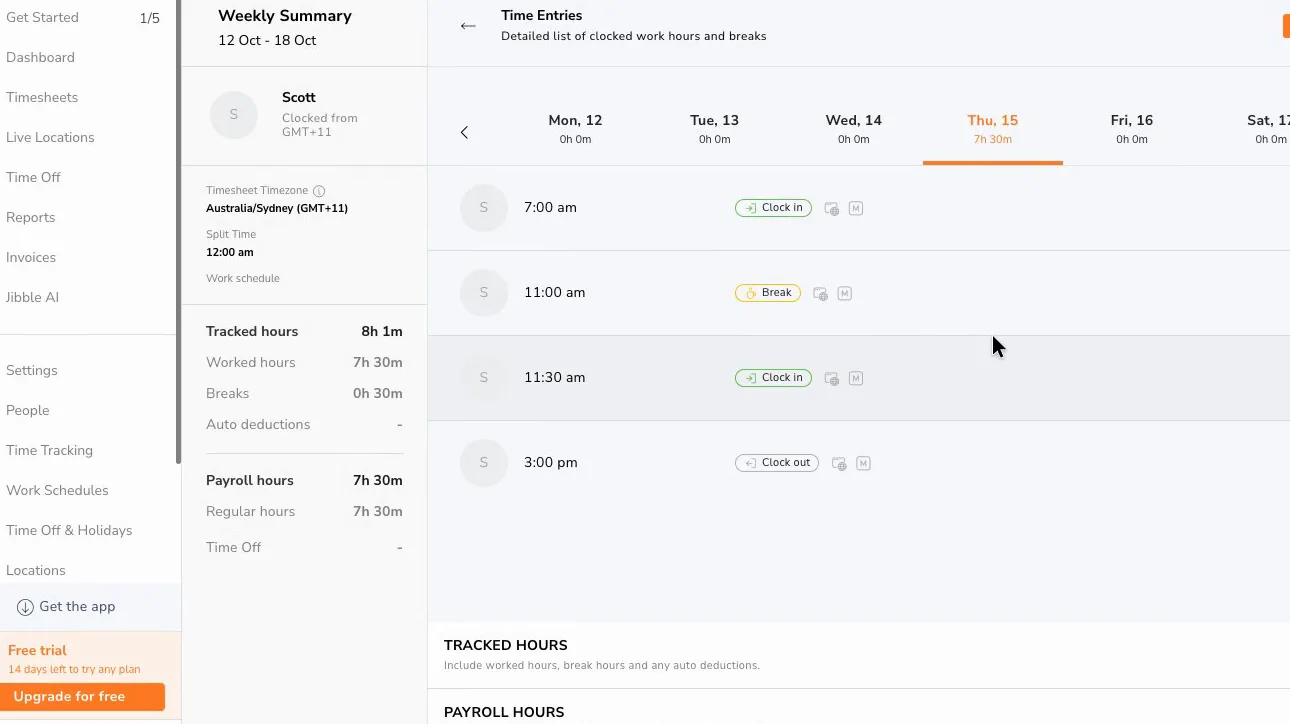
On the web, a whole shift with a break took six clicks, and starting the break took one. A 7 am to 3 pm shift with a half-hour unpaid break showed 8 hours tracked, 30 minutes of break and 7.5 hours of paid time, all in Sydney time. Punches entered by hand carry an "M" badge, so a manager can tell them apart from live clock-ins.
 (enlarge)
Exports and record keeping
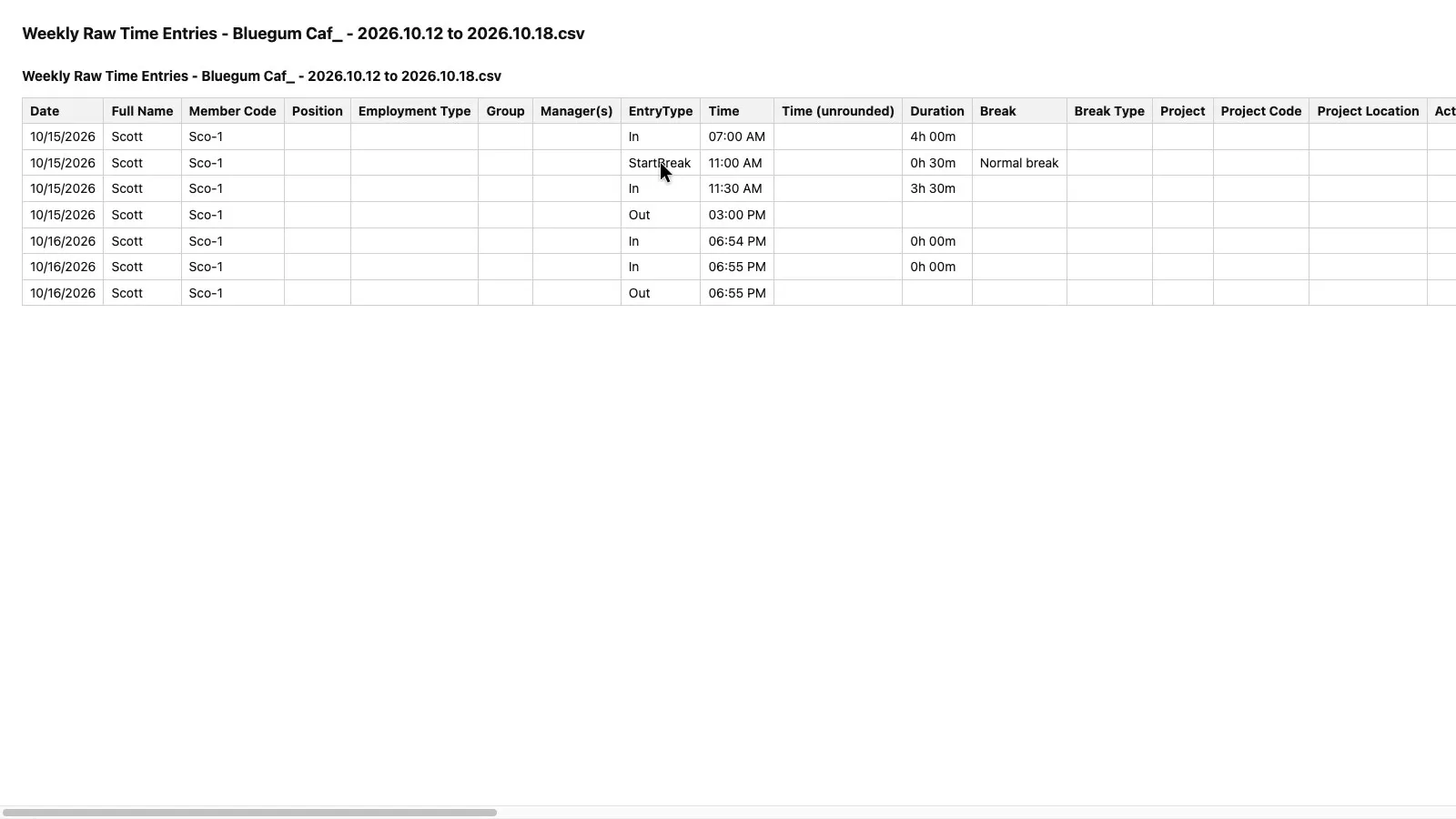
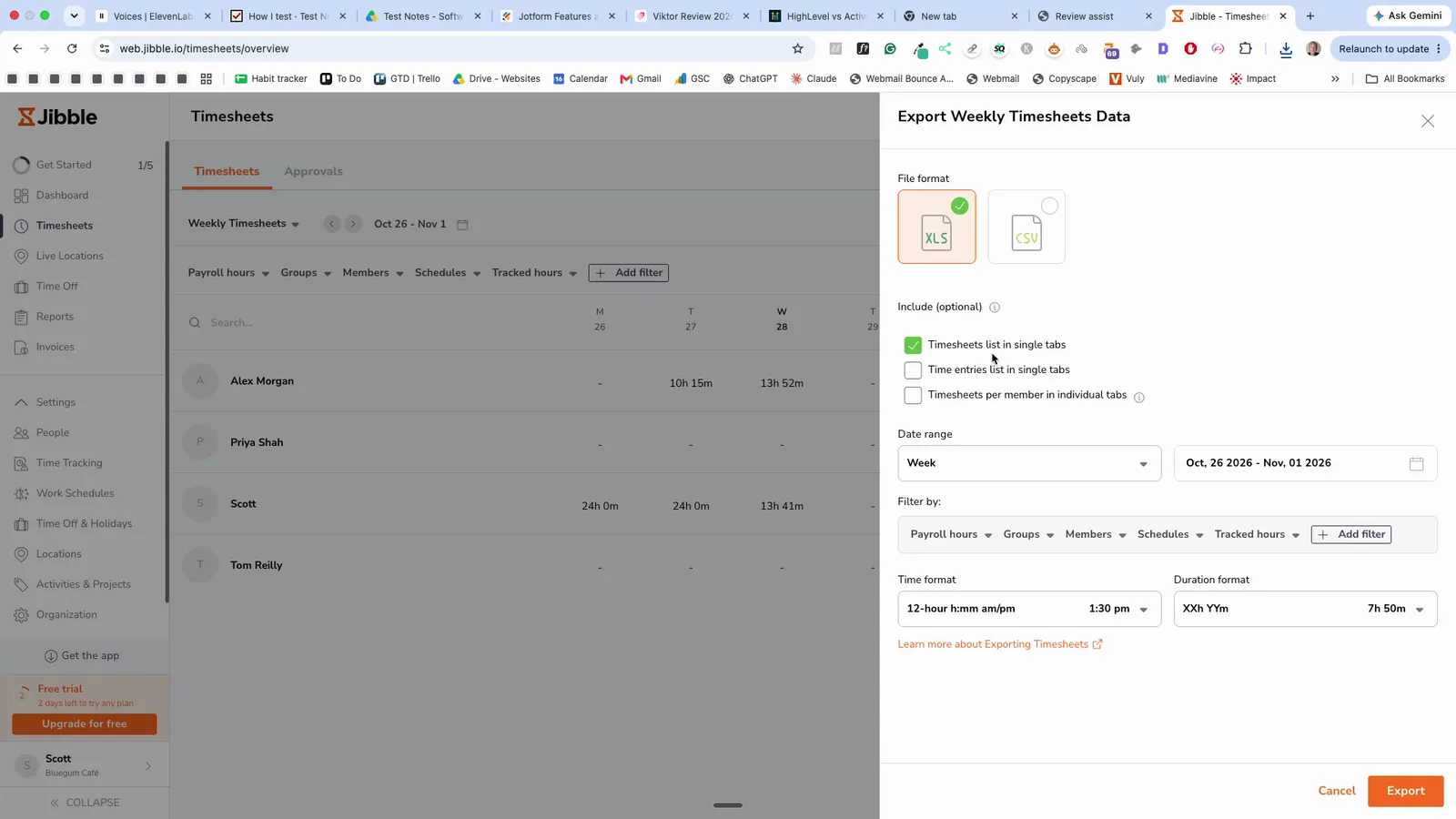
Exports are free, under Timesheets > Export, as XLS or CSV. The CSV has one row per punch, with the unrounded time, who last edited the punch, the time zone and a column that flags automatic clock-outs. Because each punch has its own row, this file needs rearranging to get start, finish, break and total onto one line. The export panel also offers a Timesheets list, which wasn't exported as a CSV in the test.
 (enlarge)
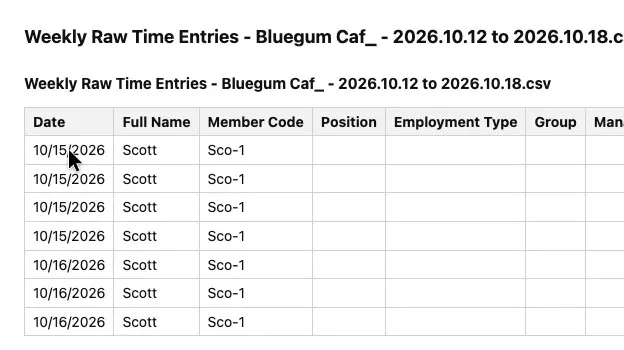
The CSV writes dates month first. Thursday 15 October appears as 10/15/2026, even though the next column says Australia/Sydney, and the export has no date-format setting. Excel set up for Australia reads a date such as 10/03/2026 as 10 March, so early-month dates can land on the wrong day.
 (enlarge)
The XLS works better as a pay record. Its Raw Timesheets sheet has one row per person per day, showing the first clock-in, the last clock-out, the break start and end, the unpaid break and the paid hours. Opened in Excel, those times match the app.
 (enlarge)
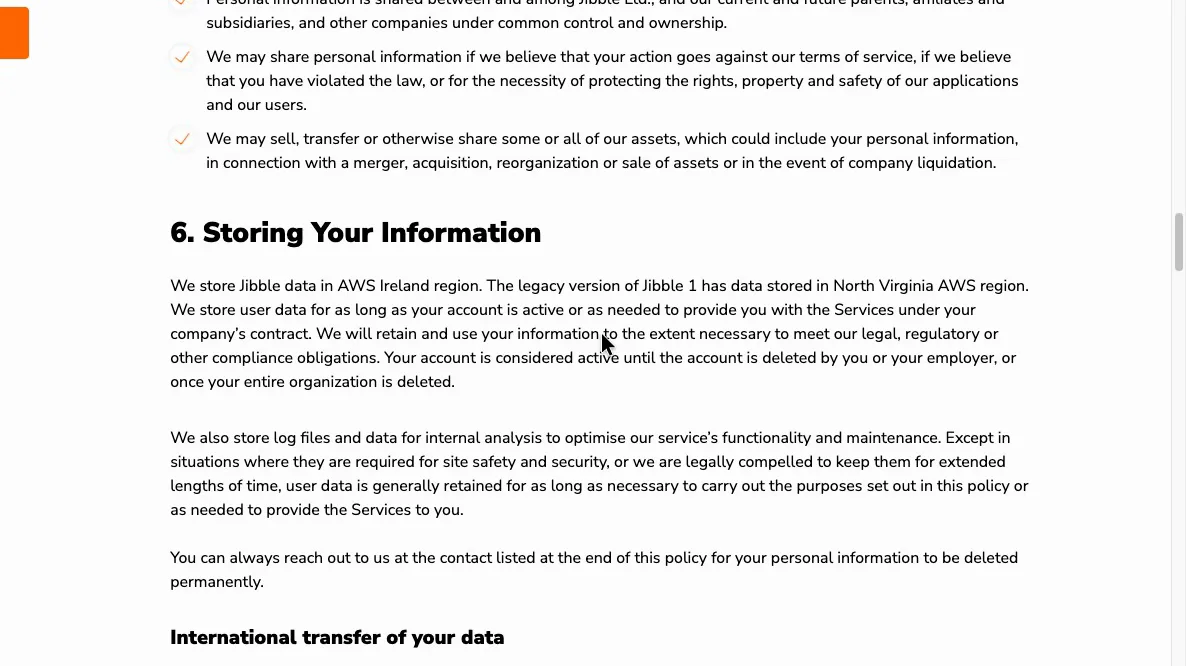
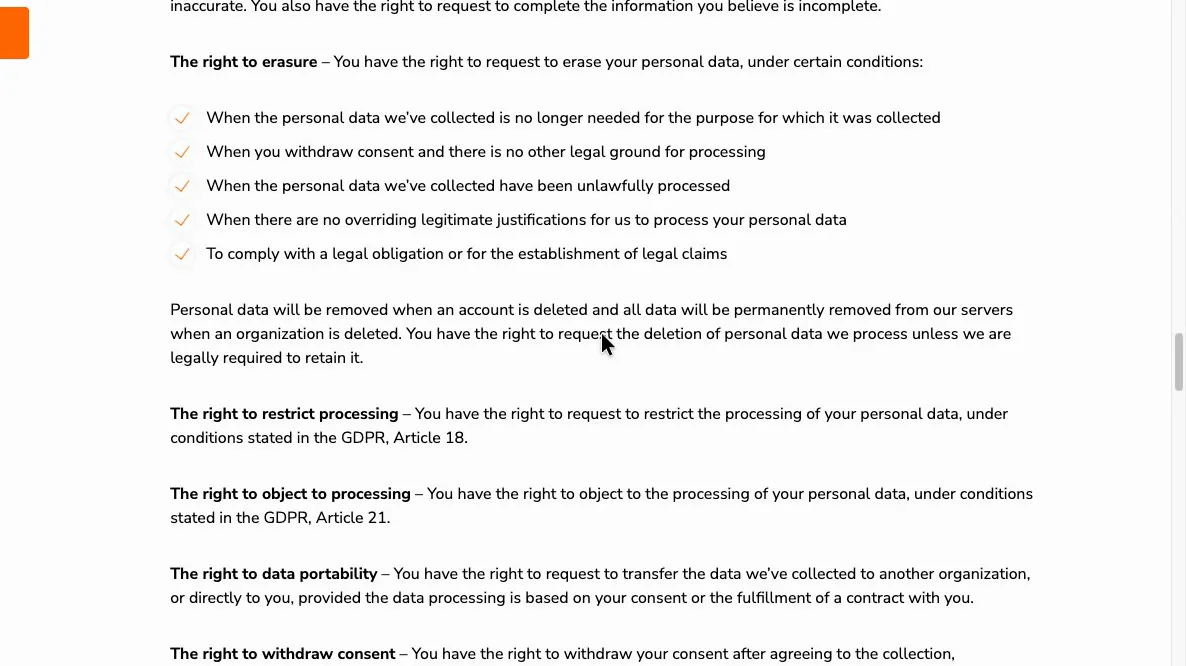
jibble's privacy policy says data is stored in AWS Ireland and kept "for as long as your account is active". When the organisation is deleted, "all data will be permanently removed", and backups are kept for 30 days. Fair Work requires time and wage records to be kept for seven years, so an owner's archive has to come from regular exports kept outside jibble.
 (enlarge)
 (enlarge)
Fixing mistakes
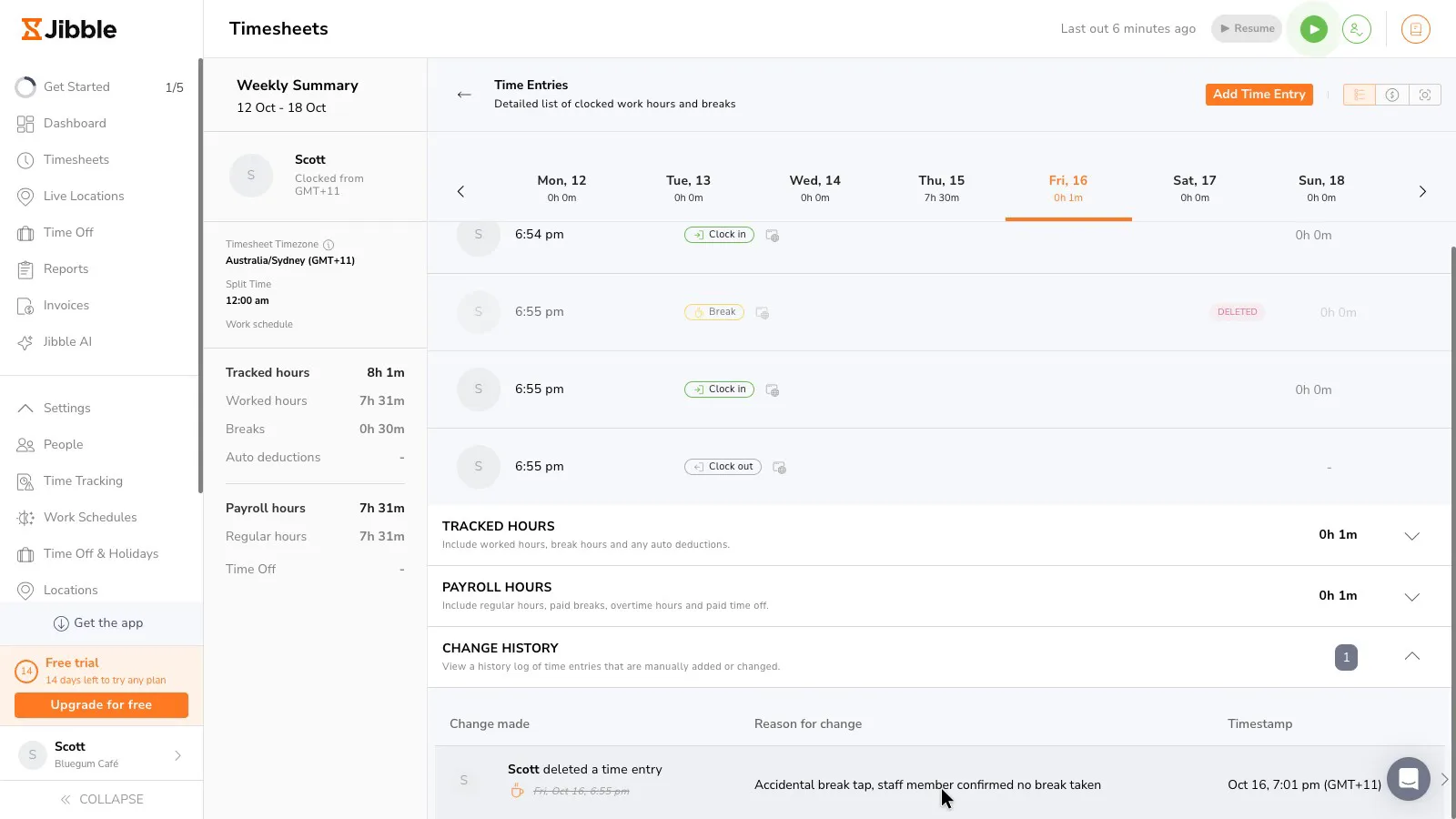
Deleting a wrong punch takes three clicks, and jibble won't delete it without a reason. The punch stays on the timesheet, greyed out with a DELETED badge. The change history shows who deleted it, the original punch struck through, the reason, and the date and time. Fair Work allows records to be changed only to correct an error, so a reason recorded against each change helps if a worker disputes their hours.
 (enlarge)
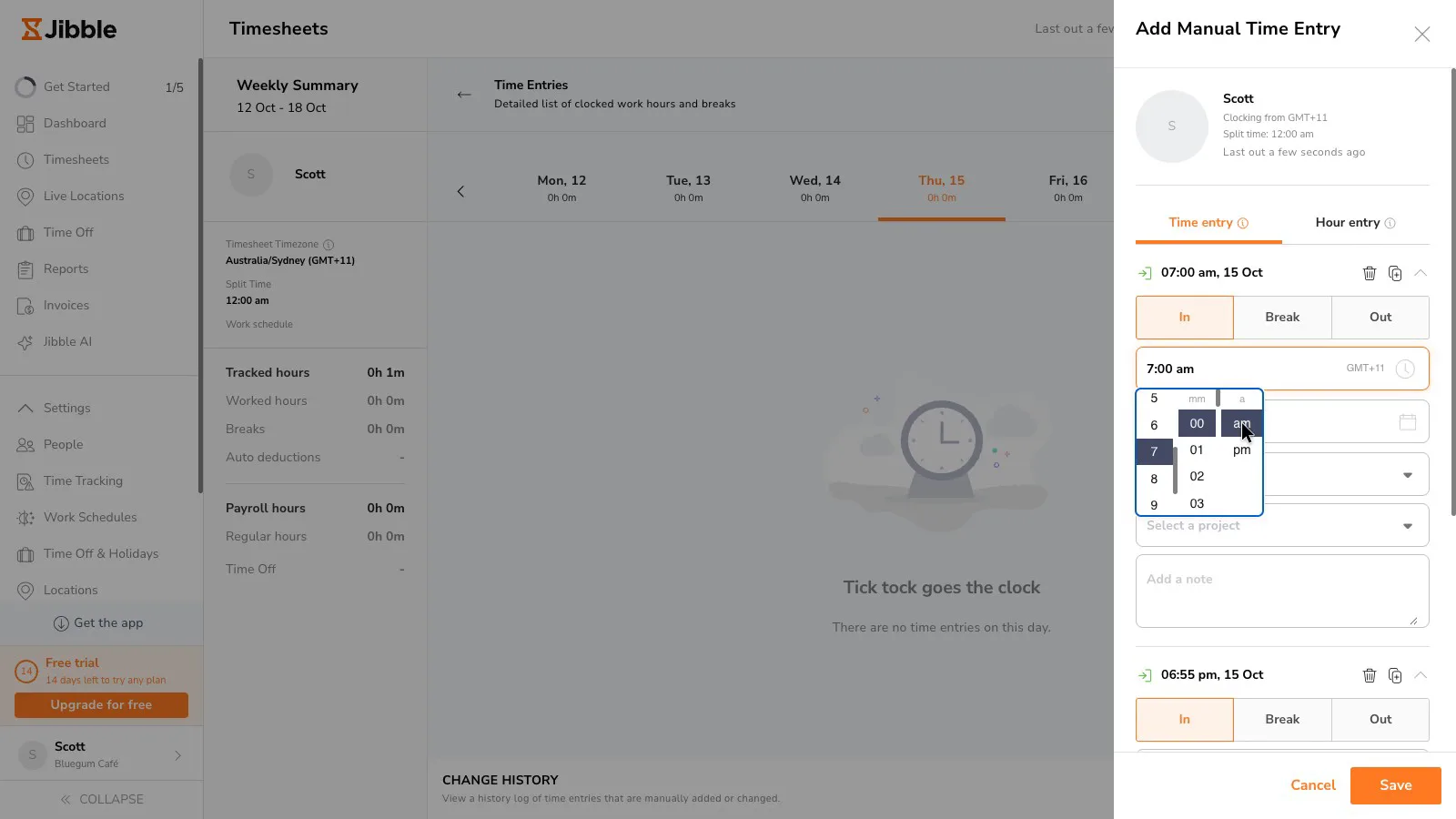
Entering a missed time is slow. The manual time box rejects a typed time with "Please enter a valid time", so every time has to be set with a scrolling hour, minute and am/pm picker. Adding a forgotten finish took about 8 clicks plus a page reload, and a whole missed shift with a break took about 20.
 (enlarge)
After a forgotten clock-out was added, the day and week totals kept showing the old, inflated hours until the page was reloaded. A manager who approves hours straight after a fix could be looking at the wrong numbers.
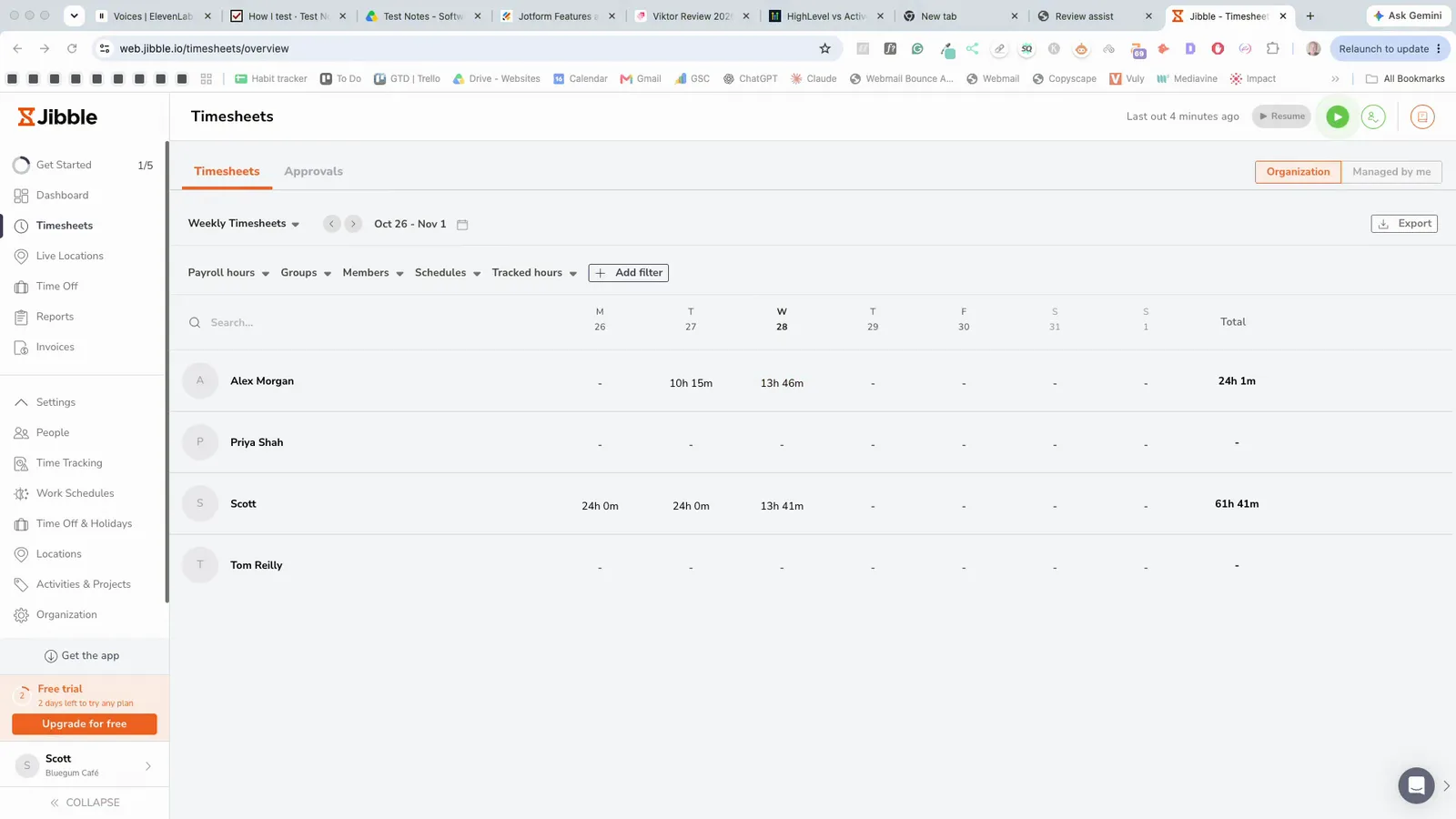 (enlarge)
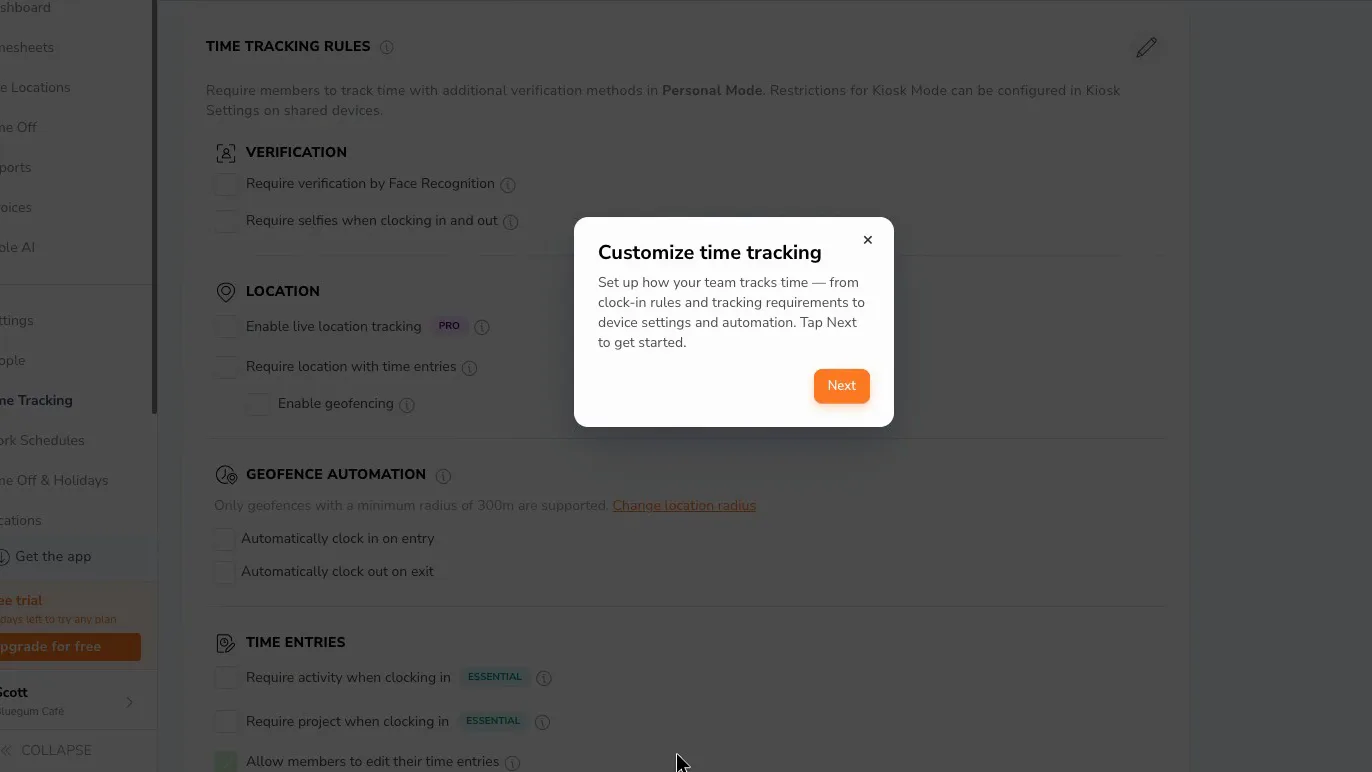
Staff can edit their own time entries by default, and their edits go into the same change history. The setting is a tick box that the owner can untick.
 (enlarge)
Forgotten clock-outs and rounding
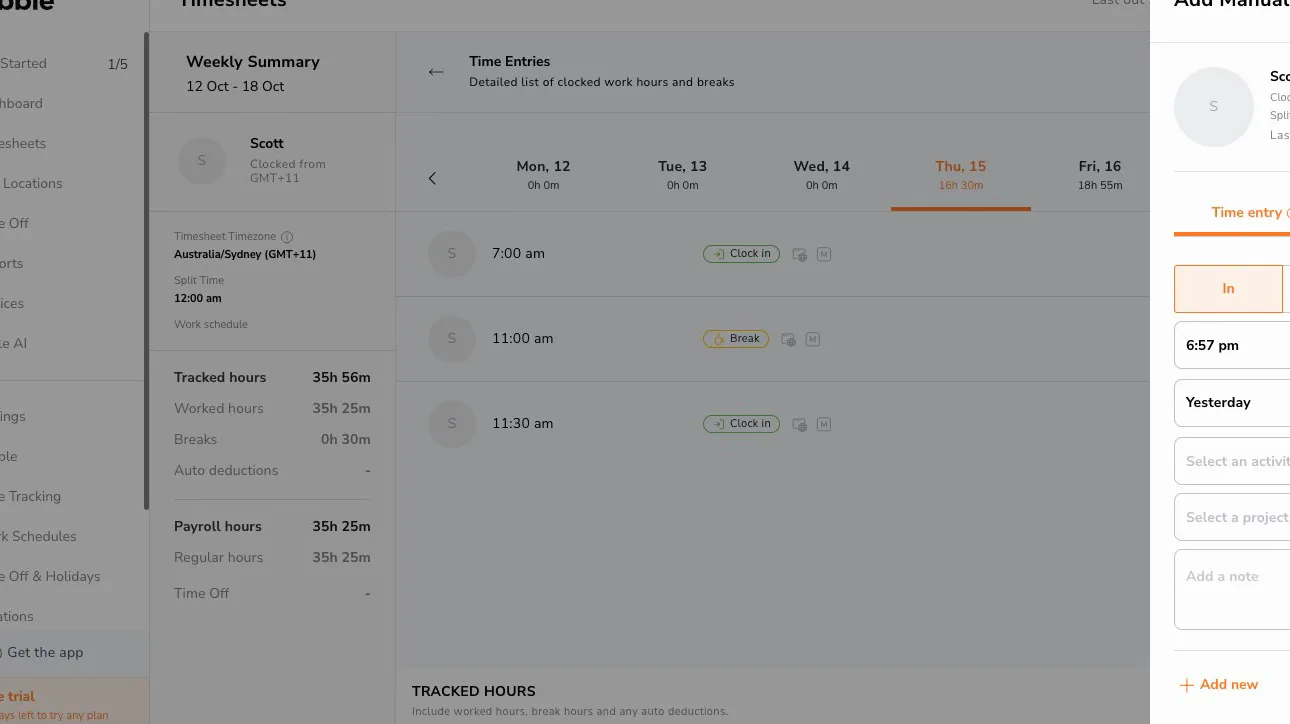
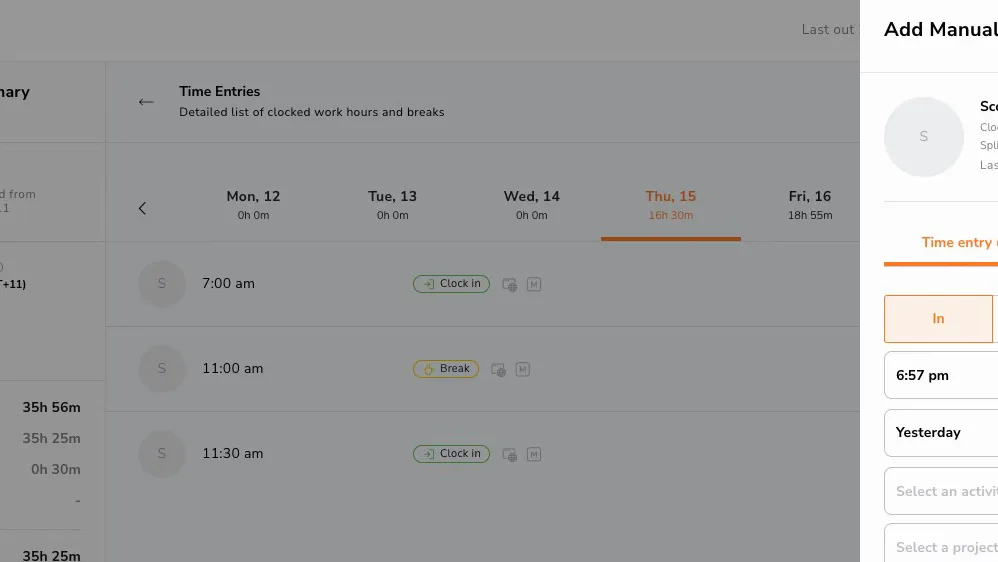
On the free plan, nothing appears to stop a forgotten clock-out on the web, where this was tested. In the test, an 11:30 am clock-in with no clock-out kept counting through midnight. Thursday showed 16 hours 30 minutes, Friday 18 hours 55 minutes and the week 35 hours 25 minutes, and the timesheet gave no warning.
 (enlarge)
 (enlarge)
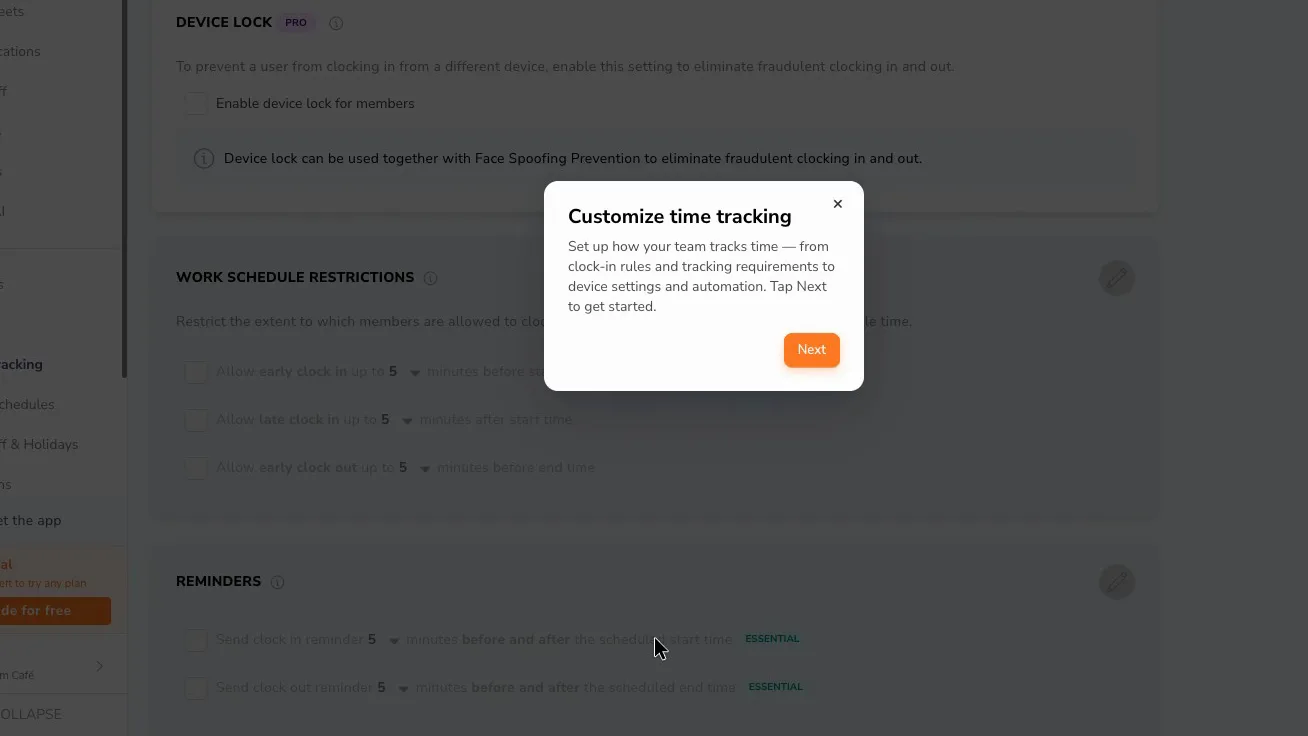
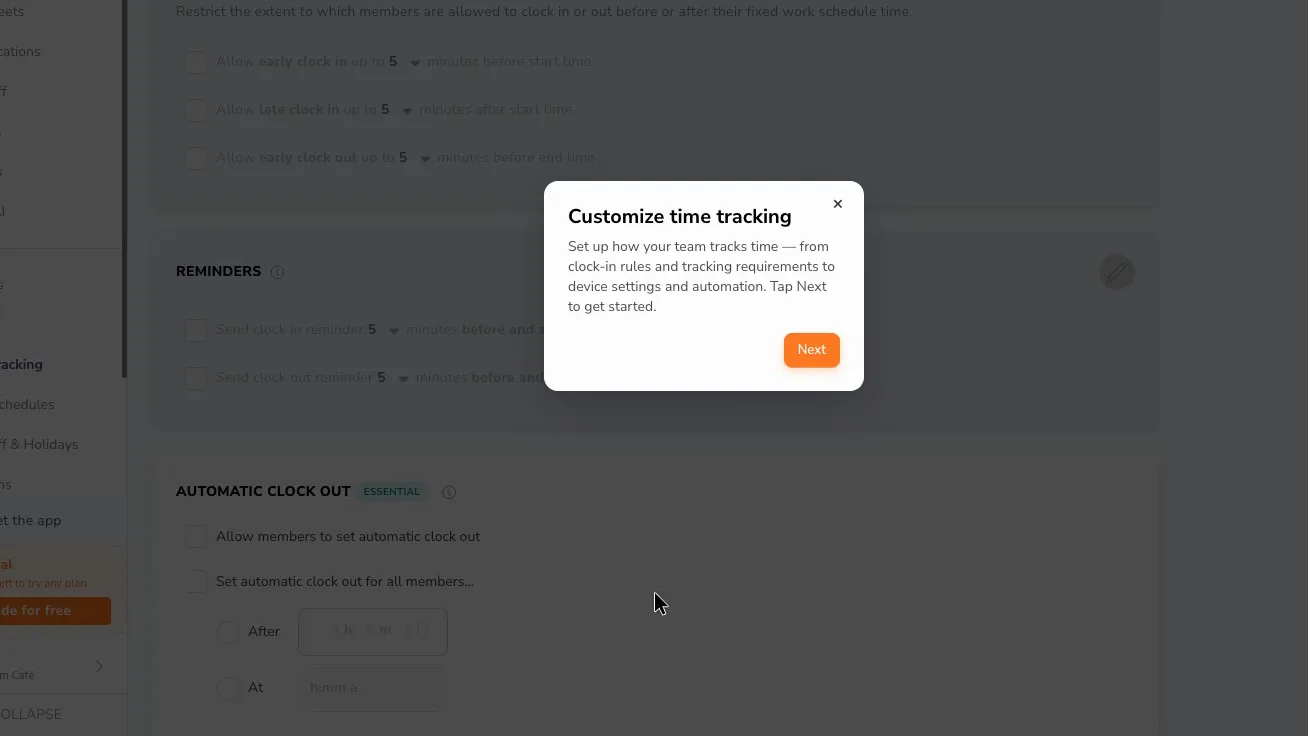
jibble has clock-in and clock-out reminders and an Automatic clock out setting, but each carries an Essential badge, the cheapest paid plan. Geofence clock-out in the phone app is a separate setting and wasn't tested. The CSV has a column that flags automatic clock-outs.
 (enlarge)
 (enlarge)
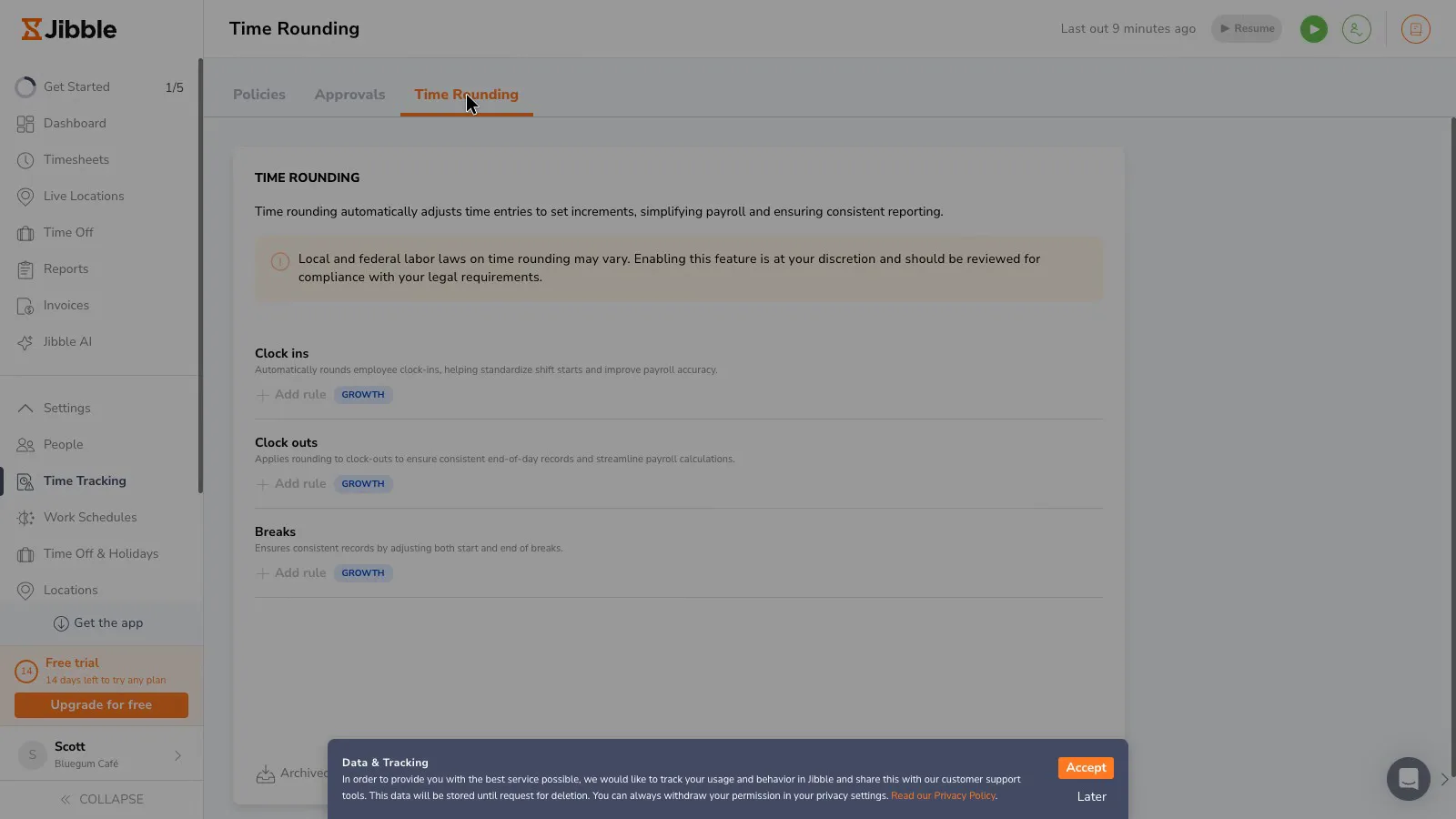
Times aren't rounded unless rounding rules are added, so pay is worked out from the actual clock times. Rounding rules for clock-ins, clock-outs and breaks are badged Growth, the middle plan. "Add rule" was greyed out during the trial, so no rounding rule was tried. jibble's rounding help article lists a "To nearest" method alongside "Up to" and "Down to", at 5, 6, 15 or 30-minute intervals, so rounding that goes evenly both ways is available on the paid plan.
 (enlarge)
Overtime and payroll
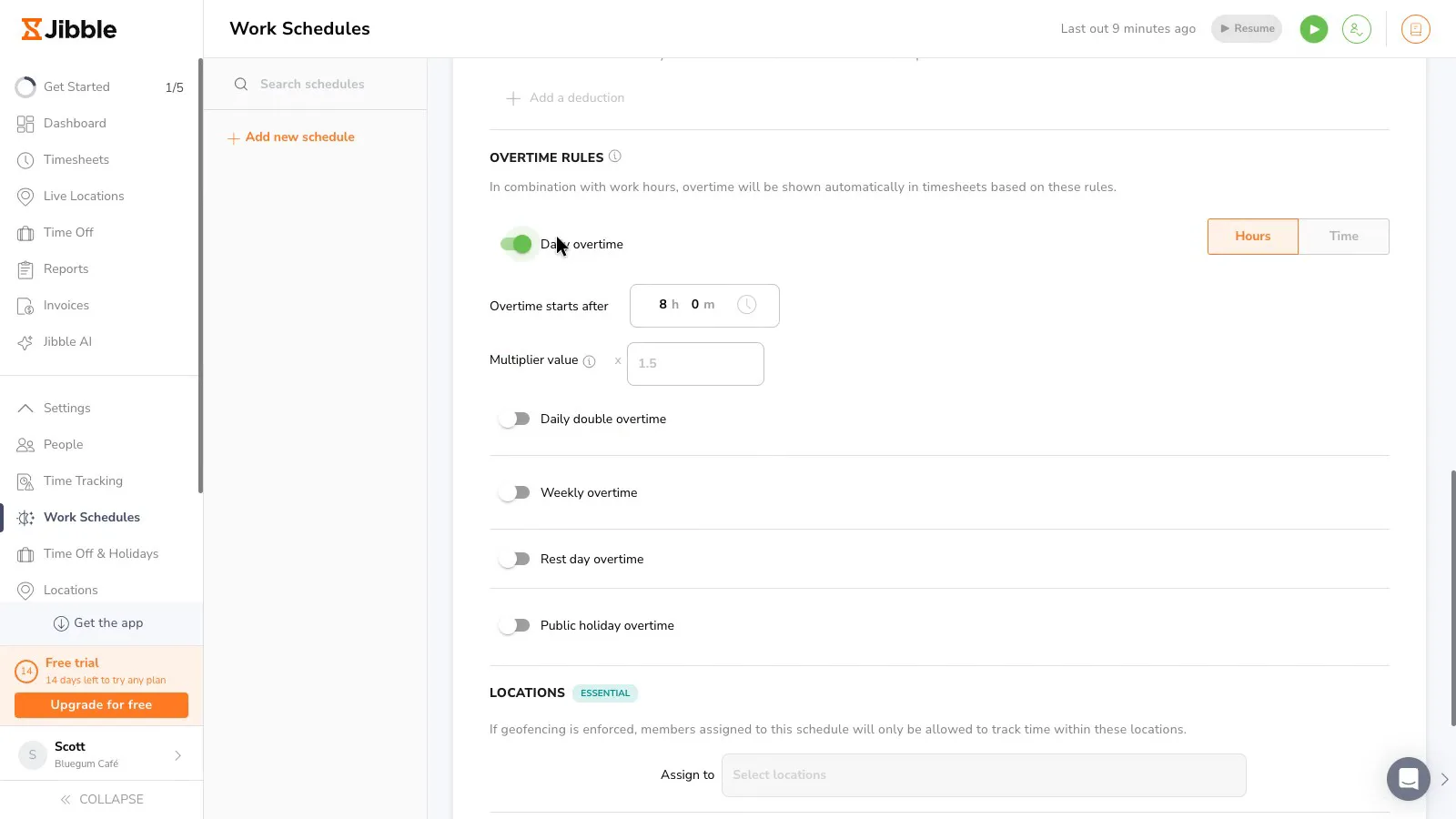
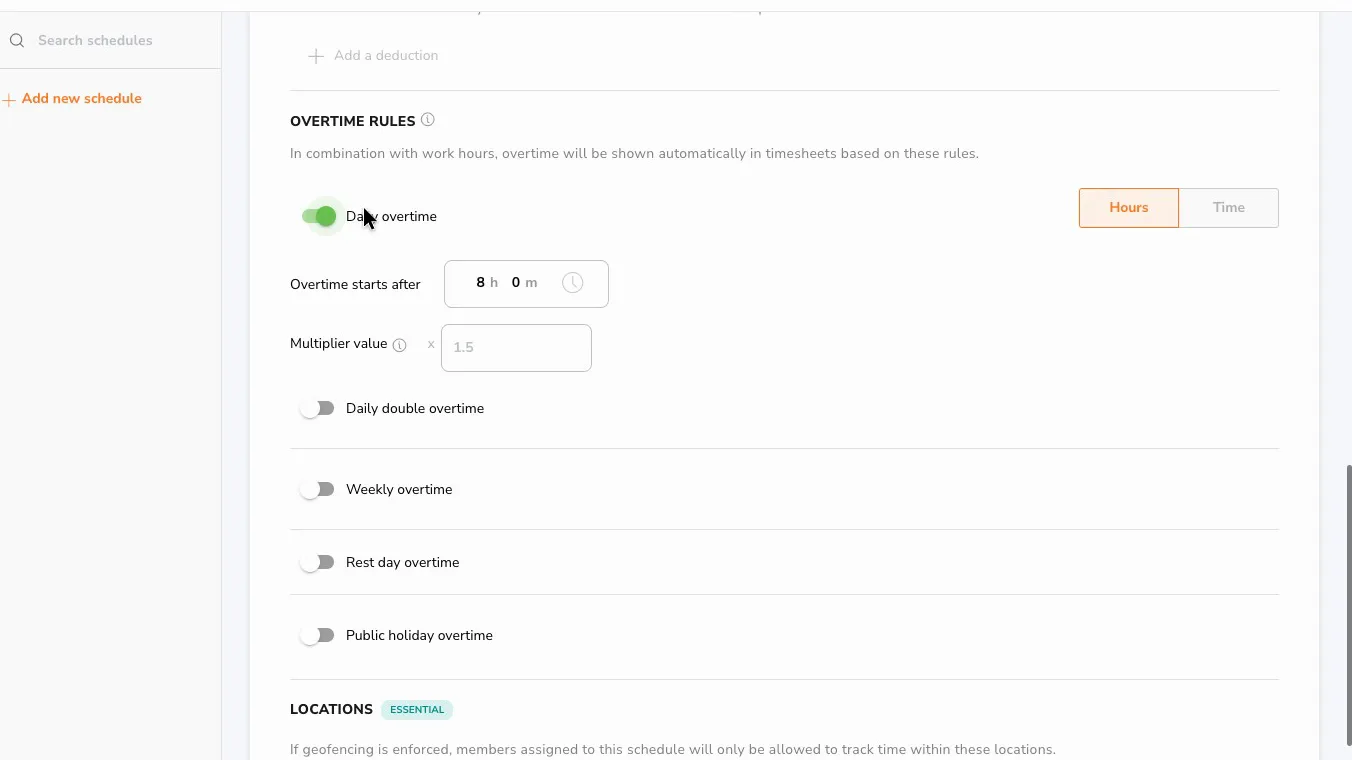
Some awards pay overtime both after a long day and after 38 hours in a week, and one jibble schedule can't count both. In the schedule settings, turning on daily overtime turns weekly overtime off, and turning on weekly overtime turns daily off. jibble's overtime help article says weekly overtime can't be combined with daily overtime.
 (enlarge)
Saturday and Sunday share one rest-day overtime setting, with a separate setting for public holidays, so Saturday and Sunday can't have different rates. Under awards, weekend and public holiday penalty rates are separate from overtime, so the owner would need to work them out in payroll.
 (enlarge)
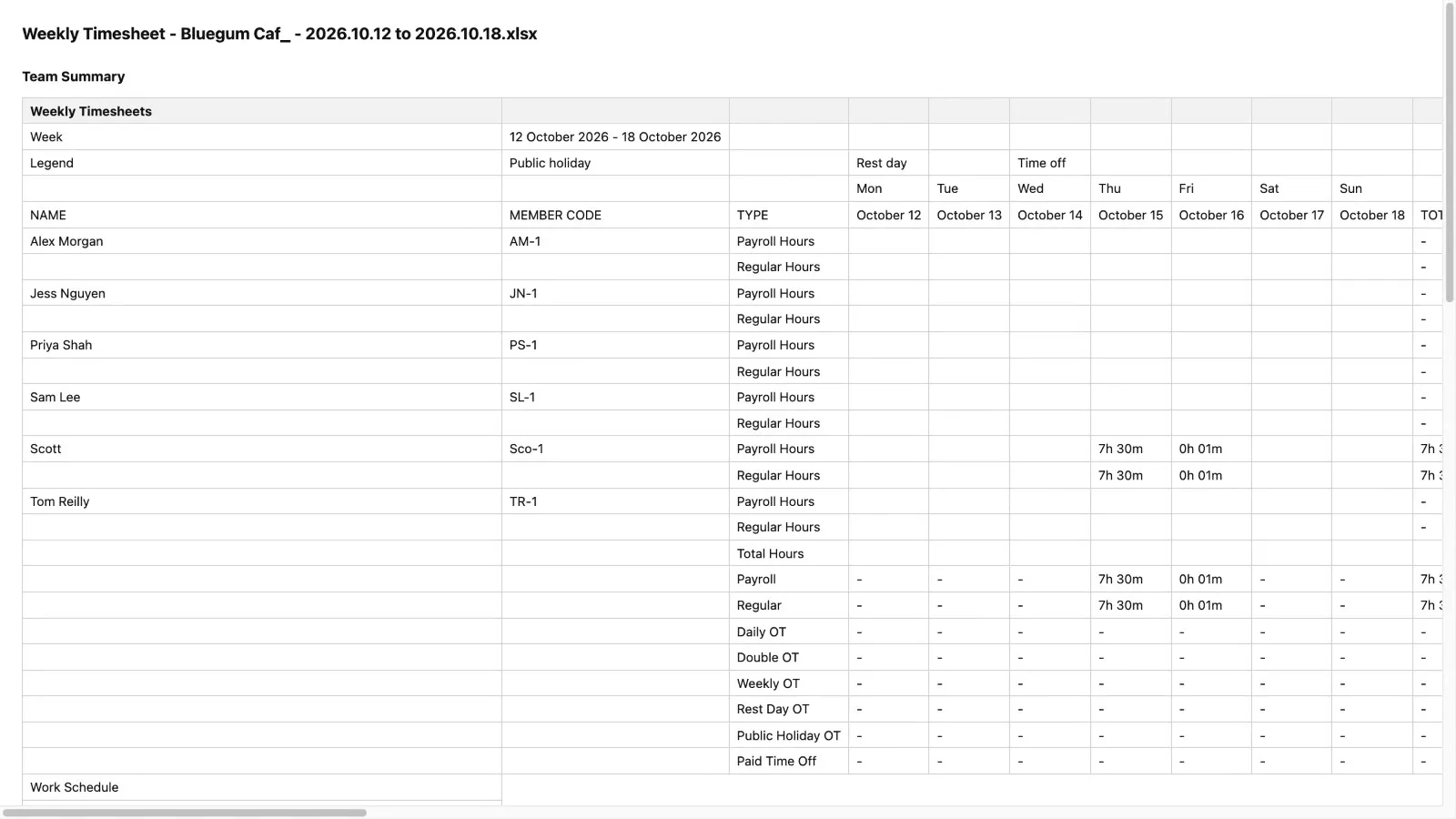
The XLS summary splits hours into Regular, Daily OT, Weekly OT, Rest Day OT and Public Holiday OT. jibble sends hours to Xero Payroll, and Xero works out pay, super and Single Touch Payroll reporting. The Xero connection wasn't tested. jibble's Xero help article says regular hours go to a Xero regular earnings rate and all overtime to the Xero overtime rate by default, that specific overtime types can be mapped to other earnings rates, and that any left unmapped use the default.
 (enlarge)
Getting staff set up
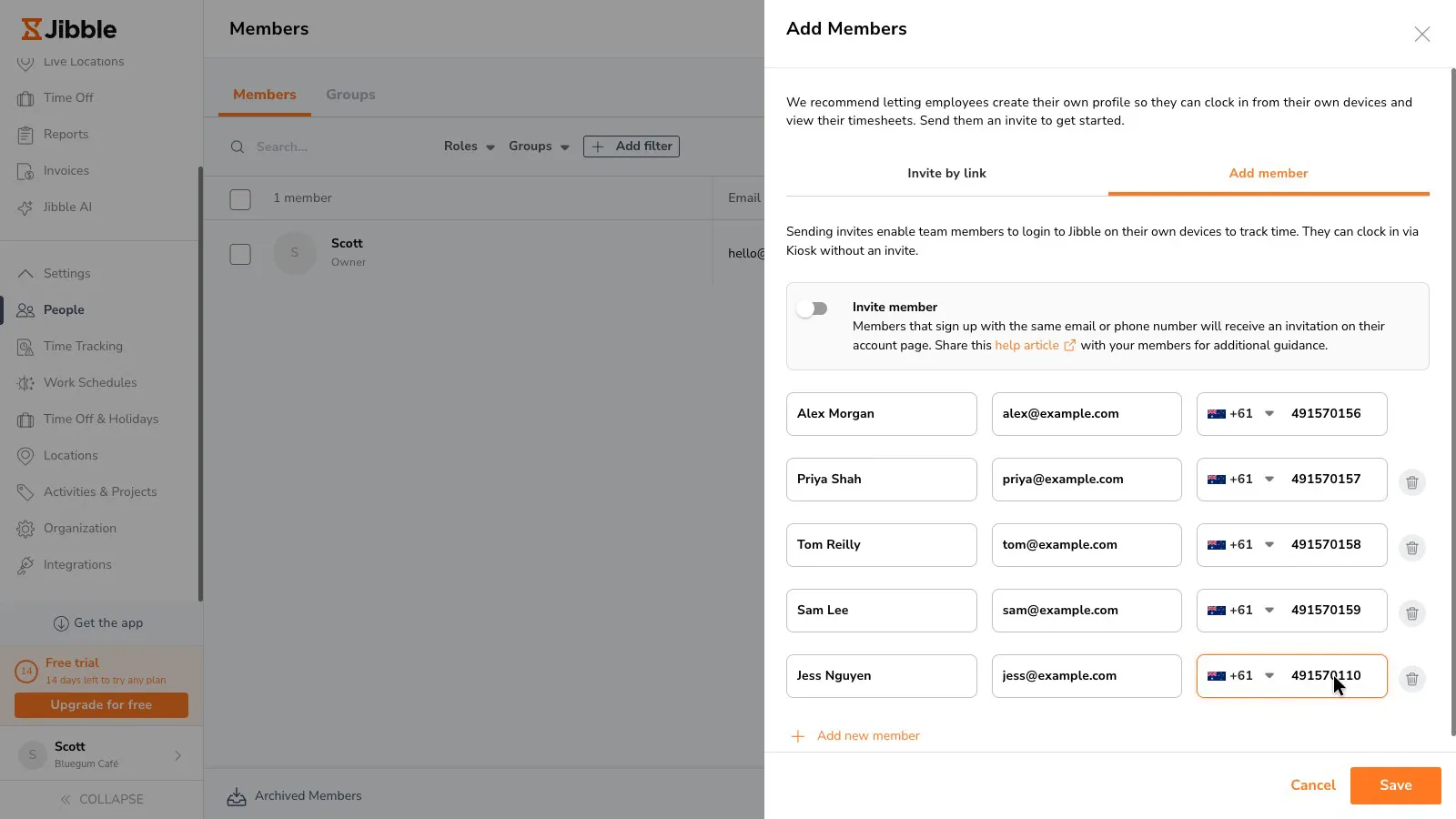
Adding staff is quick for the owner. Five people went in from one panel in about 20 clicks and keystrokes across three screens. The panel sends invites by default. With invites switched off, staff are added as records only, and the panel says they can still clock in at a shared kiosk.
 (enlarge)
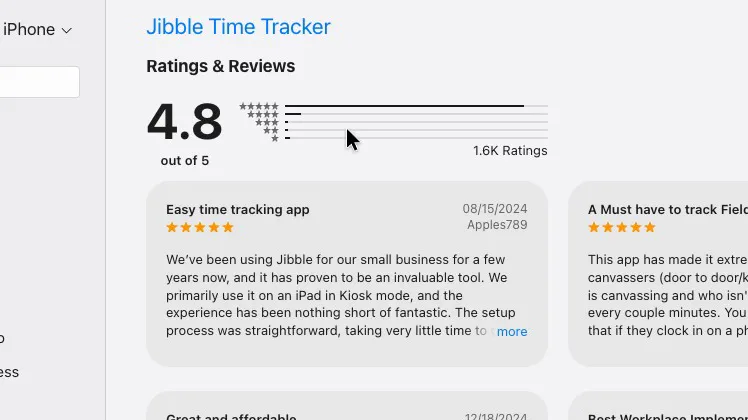
Most staff will clock on through the phone app or a kiosk, and neither was tested, so how casuals get through joining is unknown. The app is rated 4.8 on the US App Store from about 1,600 ratings.
 (enlarge)
Location tracking, selfies and face recognition are all off by default and can be set for each group. Face recognition collects biometric data, which the OAIC treats as sensitive information that needs staff consent.
What it costs
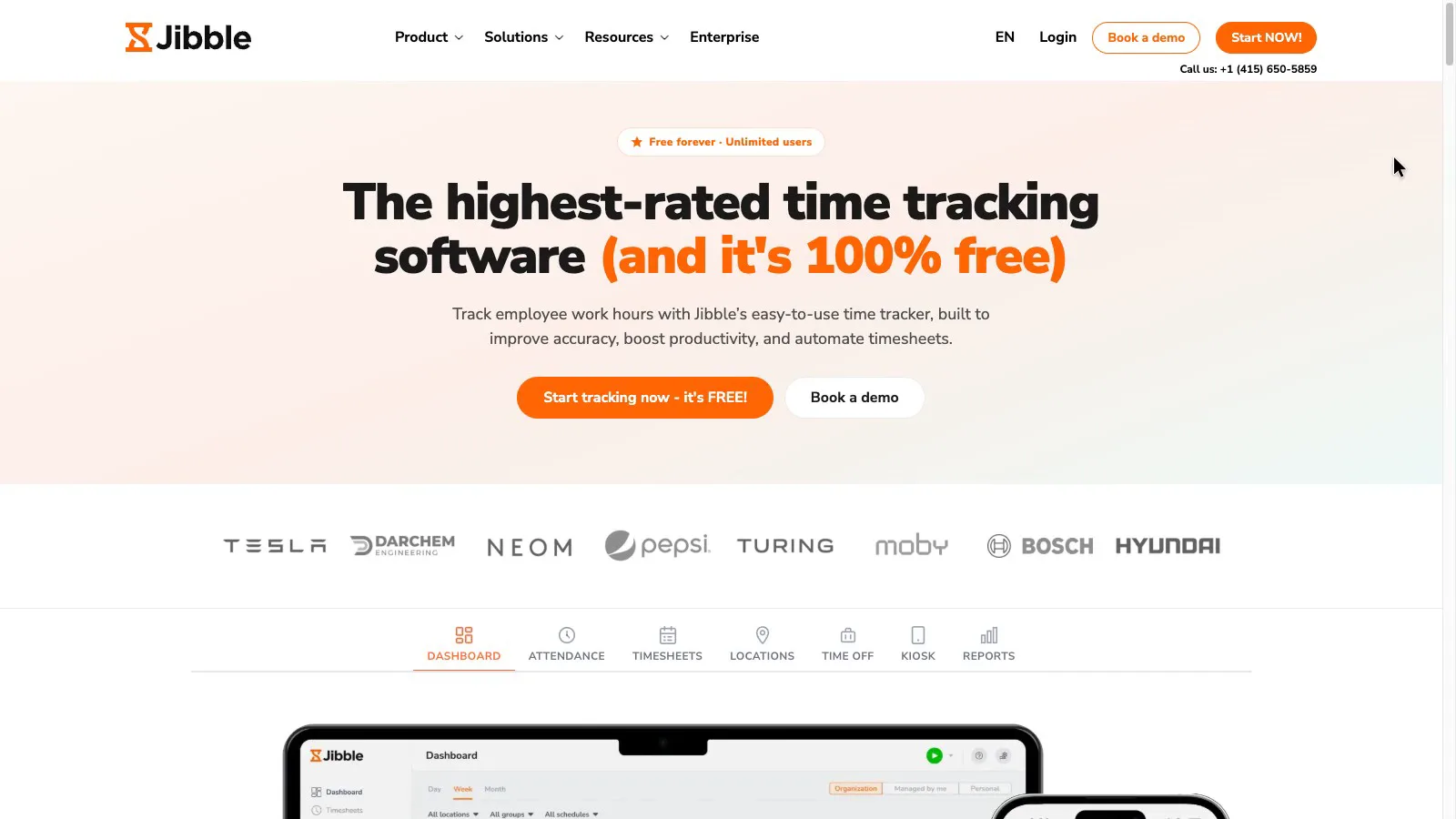
jibble's pricing link opens the homepage, which shows only the free plan with unlimited users. Paid prices appear only inside the app after signing up.
 (enlarge)
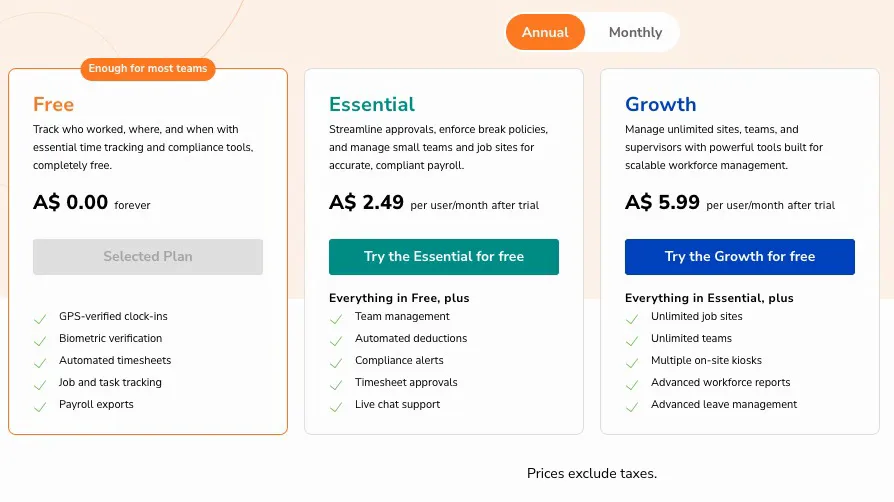
The free plan includes clocking, timesheets, the change history and payroll exports. Essential adds timesheet approvals, automatic break deductions and live chat support, as well as the reminders and automatic clock-out covered above. Without automatic deductions, an unpaid break comes off only if staff clock it.
 (enlarge)
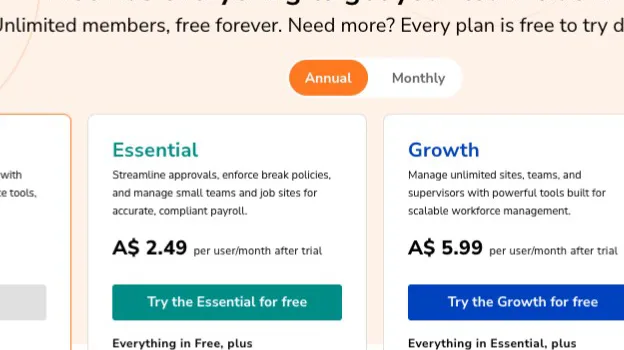
Essential costs around $2.50 per user a month on yearly billing, or around $5 month to month, and the in-app prices exclude GST. Growth costs around $6 per user a month yearly or $8 monthly, and when checked in October 2026 it added rounding rules, multiple kiosks, advanced reports and advanced leave management. Pro adds live location tracking and device locking.
 (enlarge)
The upgrade dialog counted the owner as one of the users, so a café with five staff appears to pay for six. On that basis, Essential costs around $15 a month on yearly billing or around $30 month to month, before GST. With 15 staff it's around $40 or around $80. jibble's billing help article says paid plans are charged per seat and paid up front, with a minimum equal to the current number of users in the organisation, and that seats are non-refundable.
Clockify also charges per seat, so the bill grows with each hire. Connecteam's pricing page lists a free plan for up to 10 users and a flat fee covering the first 30, in US dollars. Neither was tested for this review.
Pricing in AUD
| Plan | Price | Per | Includes |
|---|---|---|---|
| Free | Free | Unlimited users, clock in and out with breaks, line-by-line timesheets, XLS/CSV export | |
| Essential | $2.49 ex GST | per user per month | Timesheet approvals, automatic break deductions, clock-in and clock-out reminders, automatic clock-out, schedule assignment, compliance alerts, live chat support |
| Growth | $5.99 ex GST | per user per month | Time rounding rules, multiple kiosks, advanced reports, advanced leave management |
| Pro | $10.99 ex GST | per user per month | Field tracking, device locking, live location tracking, success manager |
AUD, inc GST unless marked ex GST or GST not stated. Checked 16 Oct 2026. Source: web.jibble.io
Integrations
| Connects to | What syncs | Direction | Checked |
|---|---|---|---|
| Xero | Employees from Xero Payroll; timesheets by pay period with ordinary and overtime hour types mapped to pay items; invoices from tracked hours | Both ways | |
| QuickBooks Online | Not stated | Not stated | |
| Zapier | Not stated | Not stated |
What I didn't test (11 things)
- The phone app and staff joining from an invite, because the testing couldn't receive invites or use a phone
- Clocking in on a shared tablet kiosk, offline punches and the phone app's break button, which all need a device
- The Xero Payroll connection, including the Draft-only rule and pay rates per employee, because there was no Xero login
- Whether automatic clock-out fires and how it's marked on the timesheet. It's a paid feature and needs an overnight wait
- What staff see in their own view, and whether they can see edits to their time. This needs a second login
- Support response times during Australian business hours, because support wasn't contacted
- How rounding rules behave, because they were locked to the Growth plan during the test
- Leave policies and approvals, geofences and kiosk settings, which were skipped for time
- Bulk entry for a week and a full award-style overtime week through approvals, which were skipped for time
- Whether the owner is billed as a seat. No checkout was attempted
- Links to MYOB, QuickBooks Online, Reckon or Employment Hero, because none was set up
Change log
| Date | Change |
|---|---|
| Retested from scratch, with a new video. |
Video transcript
What jibble is and the verdict
Today we're looking at jibble, which is time clock software for businesses paying staff by the hour: staff clock on and off, and you get timesheets to run payroll from. My review agent tested it hands-on, and I verified the key findings myself. Clocking on and off and exports are both part of the free plan. The free plan keeps a proper record of every start, break and finish, so it suits a café or shop with a few staff on simple hours. It's not a good fit for a business paying award overtime by both the day and the week. It was tested as a café with five staff in October 2026, on the free trial of the paid plans that new accounts get.
Clocking on and the record kept
To start with, the everyday job of clocking on, taking a break and clocking off. On the web, a whole shift with a break takes six clicks, and the break starts with one click. The timesheet keeps every start, break and finish as its own line with its own time, not just a total for the day. A seven-to-three shift with a half-hour unpaid break shows eight hours tracked and seven and a half hours paid.
Exports and US-style dates
Next, getting the records out of jibble. Exporting is on the free plan, as a spreadsheet or a CSV file. The CSV lists every punch with its real time, but it writes dates month first, American style, and there's no setting to change that. So the third of October is written 10/03, which anyone used to Australian dates would read as the tenth of March. In Excel set up for Australia, check those dates before you use the file. The spreadsheet version has one line per person per day, with the first clock-on, the last clock-off and the break.
How long records are kept
Next, how long jibble keeps those records. Fair Work requires time and wage records to be kept for seven years. jibble's privacy policy says data is kept only while the account is active, and everything is permanently removed when the organisation is deleted. So the owner needs to export the records regularly and keep the files.
Change history on every fix
Moving on to fixing mistakes, which comes up every week in a small team. Deleting a wrong punch takes three clicks, and jibble won't do it without a reason. The deleted punch stays on the timesheet, greyed out and marked deleted, and the change history shows who deleted it, the original time, the reason and exactly when. Fair Work only allows time records to be changed to correct an error, so a log of why each change was made helps if a worker ever disputes their hours.
Slow entry and wrong totals
Next, adding a time someone missed. The time box won't accept a typed time, so every time goes through a scrolling hour and minute picker, and one missed shift with a break took about twenty clicks to enter. After a forgotten clock-out is added, the day and week totals keep showing the old, inflated hours until the page is reloaded, so a manager approving straight after a fix could be looking at the wrong numbers. Staff can also change their own times by default, though those changes go into the same history.
Forgotten clock-outs and rounding
Next, forgotten clock-outs. When a clock-out is missed, the open shift keeps counting through midnight and into the next day, and the timesheet gives no warning. In the test, one forgotten finish turned a normal shift into sixteen and a half hours on one day and nearly nineteen on the next. Clock-out reminders and automatic clock-out are there, but each is marked as part of the paid Essential plan, so on the free plan nothing stops this happening. Times aren't rounded unless you turn that on, so the timesheet shows exactly when staff clocked on and off, and rules to round times need the dearer Growth plan.
Daily or weekly overtime, not both
Next up, overtime. A lot of awards pay overtime both after a long day and after thirty-eight hours in a week. In jibble's work schedules, switching on daily overtime turns weekly overtime off, and switching on weekly turns daily off, so one schedule can count overtime by the day or by the week, but not both. Saturday and Sunday share one rest-day overtime setting, so there's no separate rate for Saturday or Sunday. The spreadsheet export does split regular hours from each kind of overtime, but I didn't test the Xero Payroll connection, so check how these hours come through to Xero's pay items.
Getting staff onto it
Next, getting staff onto it. Adding staff is quick from the owner's side, with five people going in from one panel in about twenty clicks and keystrokes, and jibble says staff without an invite can still clock on at a shared tablet. I didn't test the phone app or a shared tablet, which is how most staff will clock on day to day. The app is rated 4.8 on the US App Store, from about 1,600 ratings.
What it really costs
Next, what it costs. jibble's website only shows the free plan, so the paid prices only show up once you've signed up. Inside the app, the plan that adds timesheet approvals, automatic break deductions and live chat support is called Essential. It costs two dollars forty-nine a user a month paid yearly, or four ninety-nine paid monthly. Five users comes to about twelve fifty a month on the yearly plan or twenty-five dollars month to month. Fifteen users comes to about thirty-seven a month paid yearly, or seventy-five month to month.
Who it suits and who it doesn't
I'd be happy with jibble's free plan for a café, shop or small office with a few staff on simple hours, where the owner wants a clear record of every shift and every change, and is willing to export it regularly to keep their own archive. If you want approvals and a safety net for forgotten clock-outs, you'll need the paid Essential plan. I wouldn't rely on it to work out overtime under an award with both daily and weekly overtime, or different Saturday and Sunday rates, because a schedule can't be set up that way, so you'd have to work out the rest of the overtime yourself before each pay run. I hope that helps you decide whether jibble is right for your business.