Clockify vs Jibble: which time tracker is better?
Verdict: For anyone who bills clients by the hour or quotes jobs, I'd start with Clockify for its project budgets. Its GPS is only on Pro, though, and it deletes locations after a week. For staff who mainly clock on and off, I'd start with Jibble, which is free for any number of staff. It requires geofences of at least 300 metres for automatic clock-in, keeps its data in Ireland and doesn't publish its paid prices on its website.
Who each one suits
- Clockify: consultants, bookkeepers, studios and trades that bill by the hour or track quoted jobs against a budget
- Jibble: shops, cafés and site crews that mainly need staff clocking on and off
Clockify and Jibble both record staff hours, but they're built for different jobs. Clockify tracks time against clients and projects so it can be billed or costed. Jibble records staff clocking on and off, and checks who clocked in and where. My review agent compared both from their websites, help centres and terms (read on 26 and 27 October 2026), and I verified the key differences myself. Features such as Jibble's link to Xero Payroll are described from the vendors' own pages.
What each one is built for
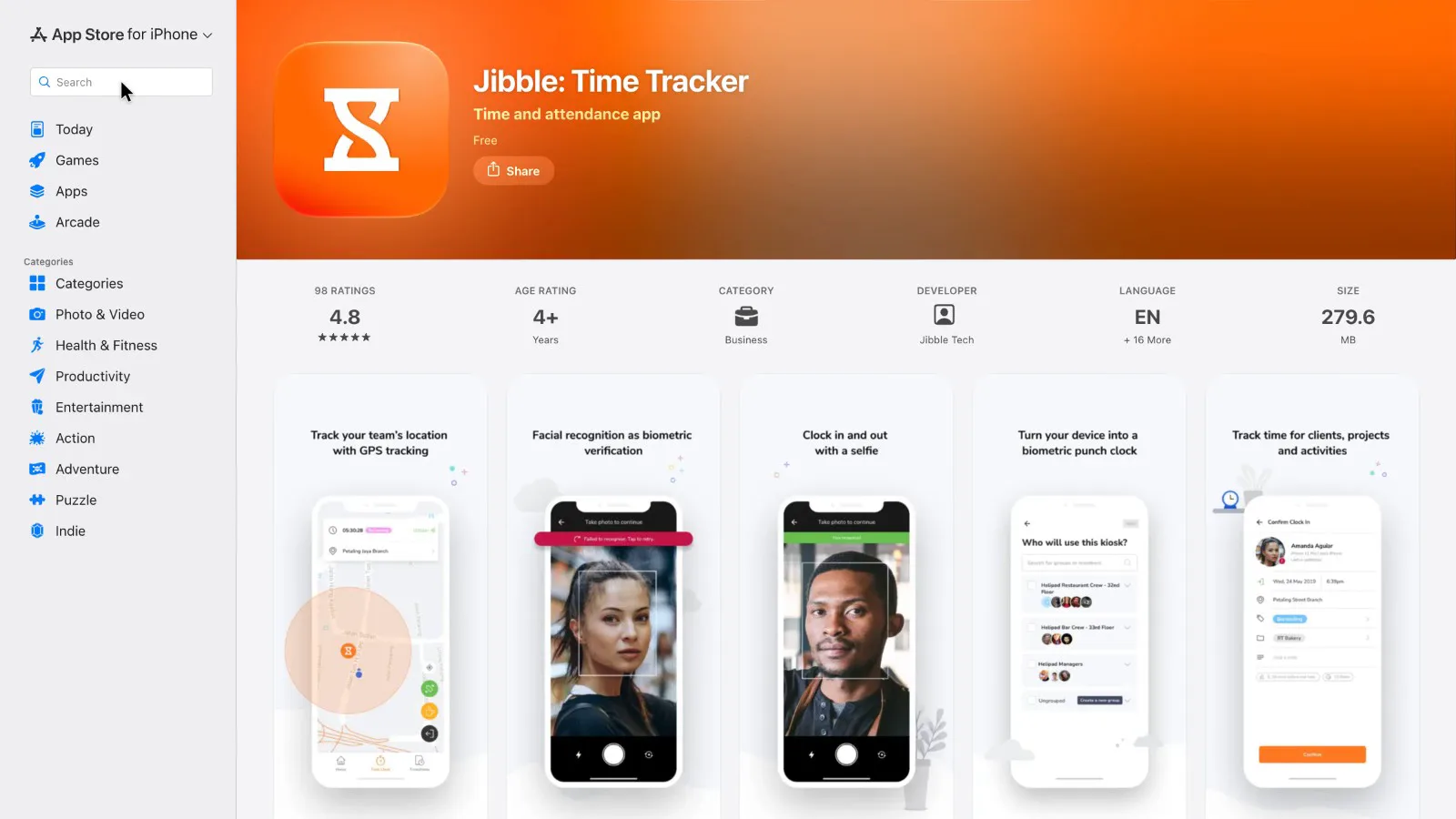
Clockify is organised around projects and clients. Its homepage lists a timer, weekly timesheets, a shared kiosk, project budgets, invoicing, expenses and scheduling, and names consultants, accountants, lawyers and construction firms among its users. Jibble is organised around attendance. Its homepage leads with clocking in on phones or a shared tablet, geofences (circles drawn around a work site), face recognition, time off and payroll-hours reports. It's aimed at construction, hospitality, retail and field teams.
 (enlarge)
The clearest difference is how each checks a clock-in. Jibble can match a face when someone clocks in. As far as its help pages show, Clockify has no face check. On its Pro and Enterprise plans, the shared kiosk takes a photo at clock-in to discourage staff clocking in for each other, but it stores the photo rather than checking the face.
Plans and what they cost
Both free plans work for up to five staff. At six or more staff, Clockify charges for every seat while Jibble's free plan still covers everyone. Clockify's kiosk-only limited seats cost less than a full seat. The two also differ in how openly they publish paid prices.
Clockify's pricing page caps the free plan at five users and leaves out the kiosk, GPS, billable rates, timesheet approval and invoicing. In a reply to a reviewer on the Australian App Store, Clockify confirms that reports covering more than a month, and CSV or Excel export, now start at the Basic plan. That makes the free plan a poor place to keep records you may have to produce months later.
Clockify prices its paid plans per seat, before tax, and the pricing page showed US dollars when it was read. The page has a country selector, and whether choosing Australia switches it to AUD wasn't checked. Billed yearly, Basic is under US$5 a seat a month, Standard is just over US$5, Pro is under US$10 and Enterprise is about US$12. Standard is the cheapest plan with invoicing, timesheet approval and the Xero add-on. Pro adds GPS, money budgets and the Australian data region. Monthly billing costs more, and at late-October exchange rates, converting to Australian dollars added about 40%.
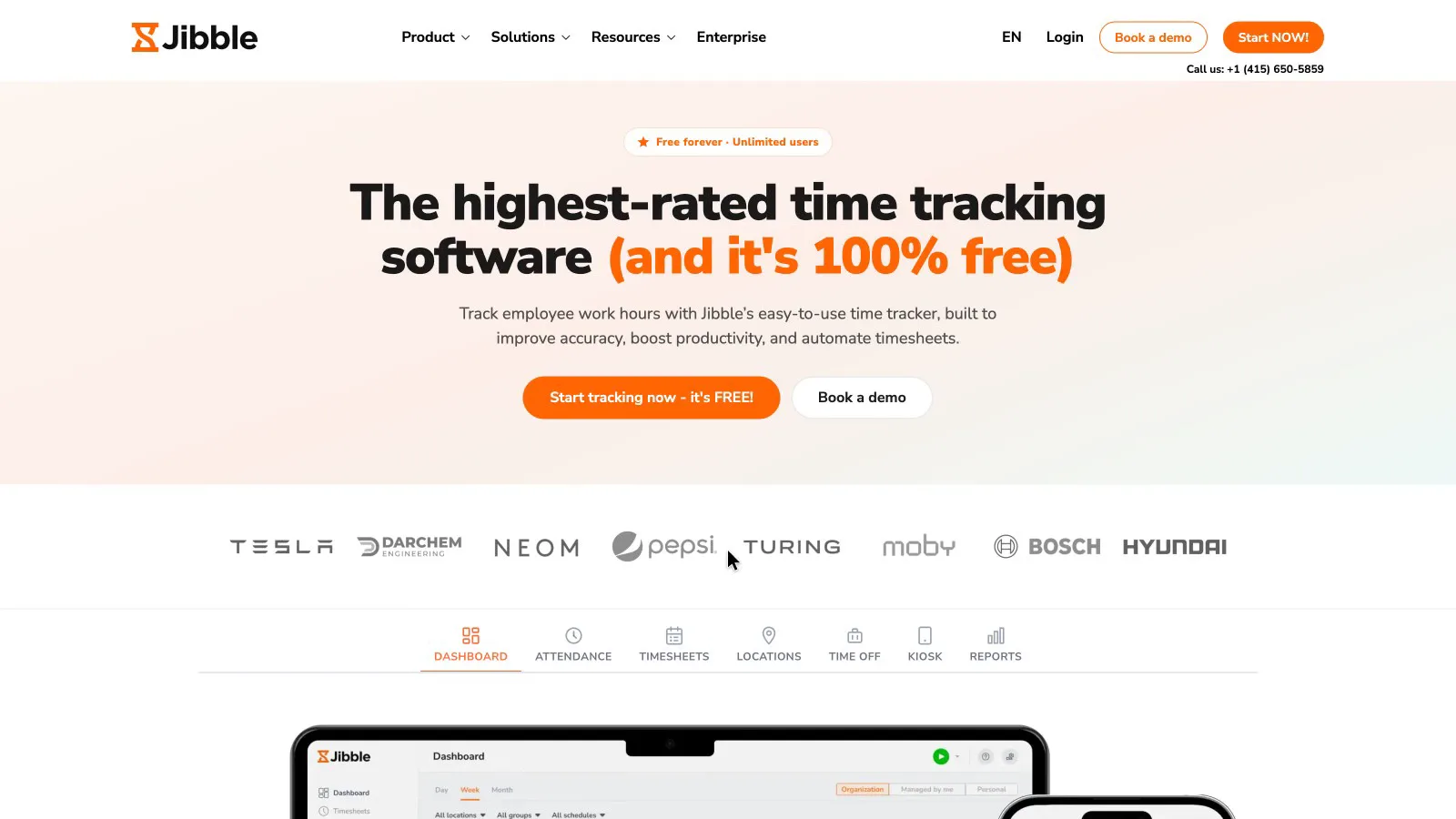
Jibble's free plan has no user cap.
 (enlarge)
Jibble's pricing page shows only that free plan, and its website lists no paid prices. The only public figures are on its Xero App Store listing, which still shows older tiers: Premium at under A$5 a month and Ultimate at under A$10, before tax. The listing doesn't say whether those prices are per user. It also limits the free plan to two geofences, and puts overtime rules, leave balances and automatic geofence clock-in on the paid plans. On those figures Jibble looks cheaper per person than Clockify once you pay, but the figures are out of date.
Jibble's terms add to the cost in other ways. Its terms say subscriptions are non-refundable. They also say a user takes up a paid seat as soon as they're invited or created, whether they log in or not, so a worker who only uses the kiosk still counts. A May 2023 help article says monthly plans charge for at least three licences. That article uses the old plan names, and Jibble doesn't say whether the minimum applies to its current plans.
| Clockify | Jibble | |
|---|---|---|
| 1 to 5 staff | Free plan available, without kiosk, GPS or CSV export | Free plan available, with two geofences |
| 8 staff | Free plan not available, so all eight seats are paid | Free plan still covers everyone |
| Paid prices | Published per seat in USD, before tax | Not on Jibble's website; Xero listing shows older AUD tiers |
| Free trial | 7 days of Pro, no card | 14 days |
Checking where staff clock on
Jibble is the only one of the two that can tie clocking on to a place. For automatic clock-in, though, the minimum size it gives means a geofence covers a stretch of street rather than a single work site.
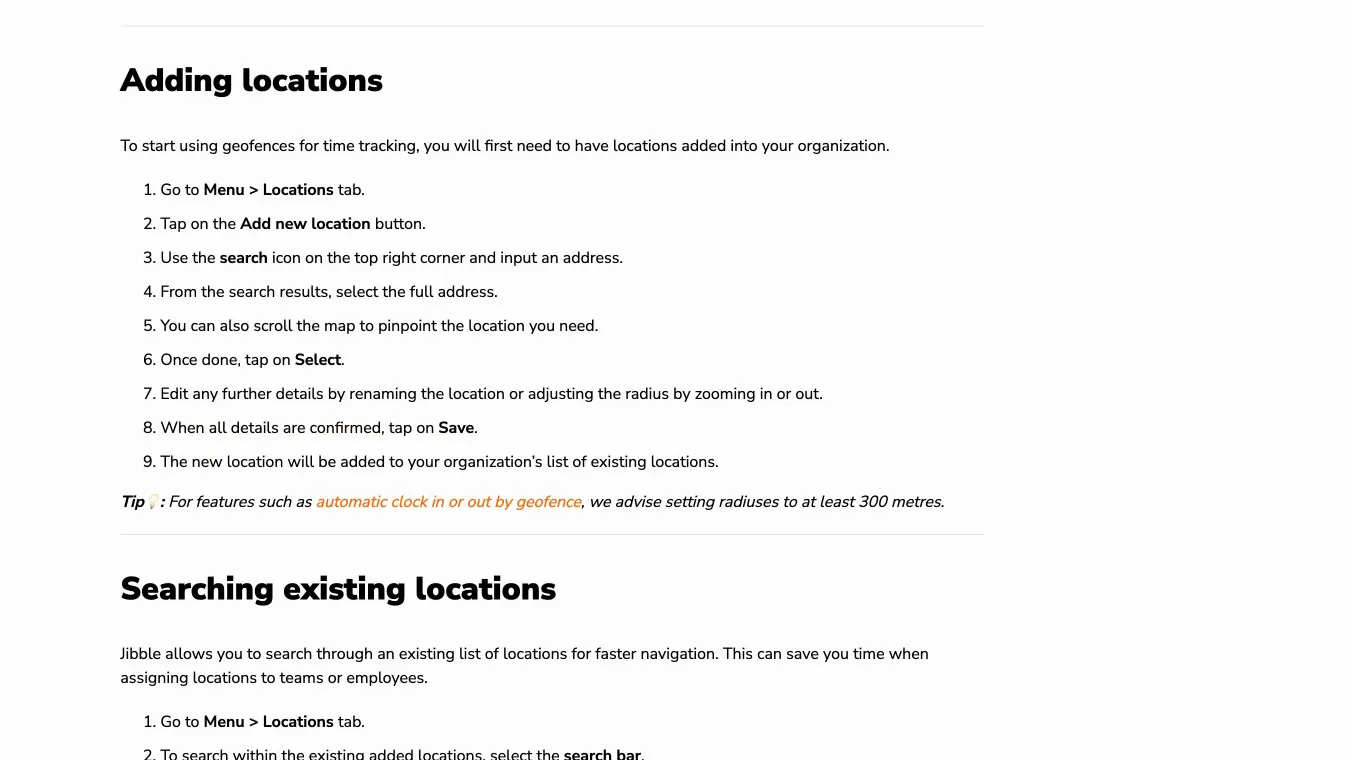
Jibble's app can stop staff clocking in or out when they're outside the circle. For automatic clock-in and clock-out, its geofence help page advises "setting radiuses to at least 300 metres", which makes the circle about 600 metres across. Jibble's separate automatic clock-in article states it as a requirement: a geofence "must have a radius of at least 300 metres". The geofence page sets no minimum for simply restricting where staff can clock in, and whether the app enforces one wasn't checked.
 (enlarge)
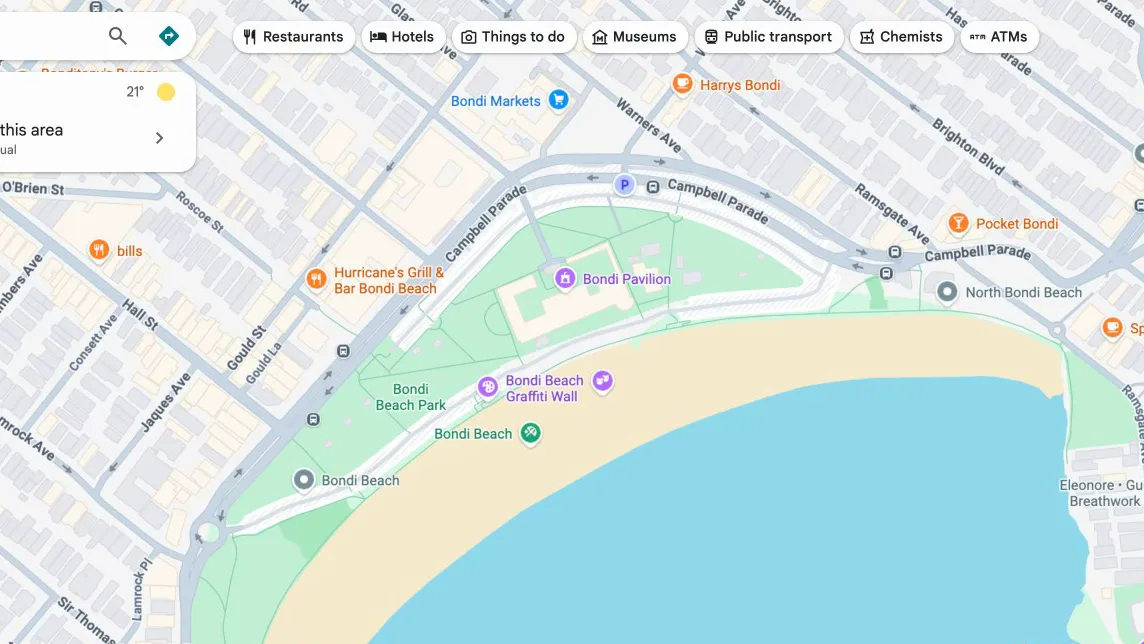
On a shopping strip such as Campbell Parade in Bondi, a circle that size would take in a long stretch of shops and cafés, judging by the map. A clock-in inside it shows someone was in the area rather than at the work site.
 (enlarge)
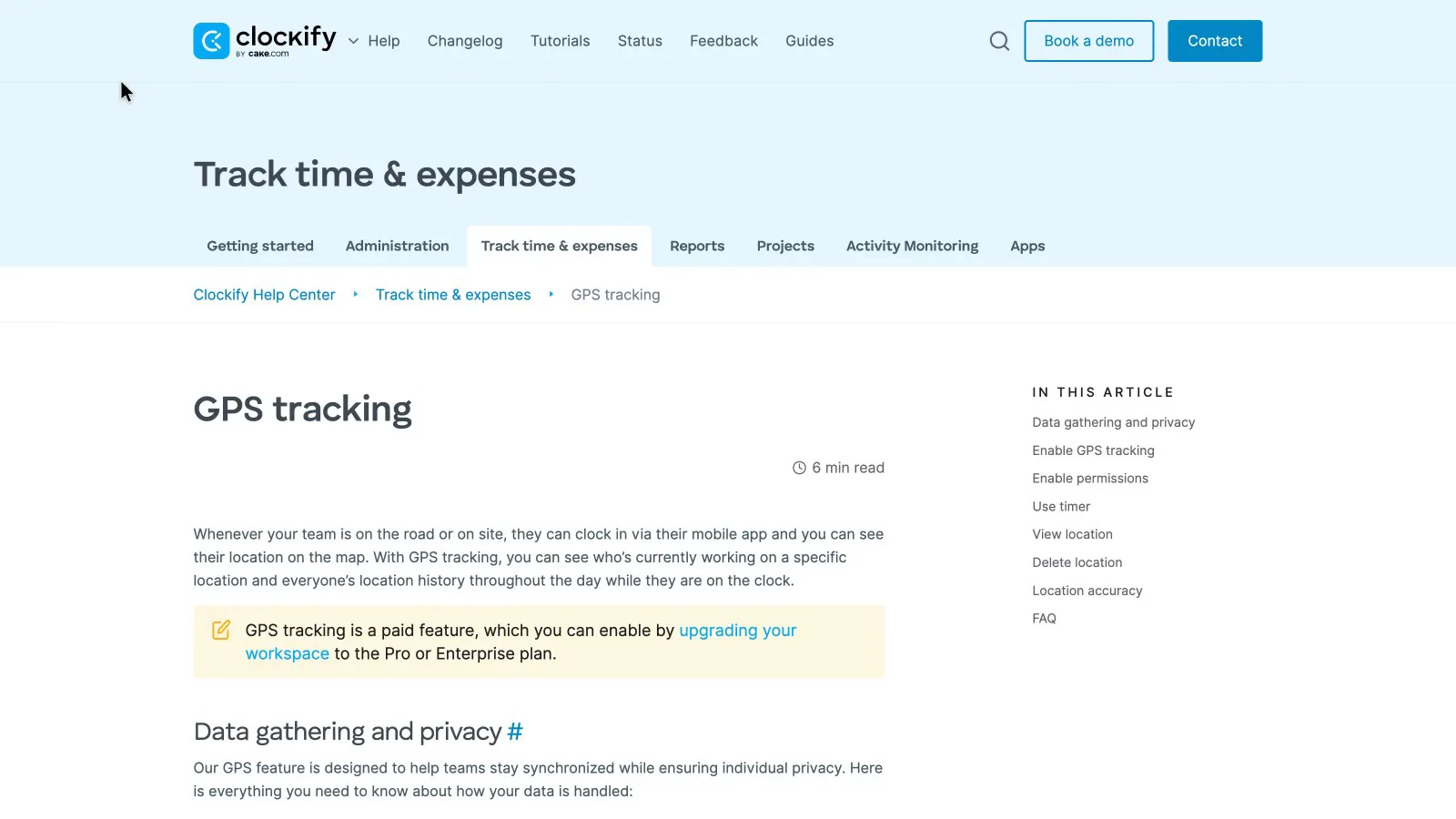
Clockify's GPS help page doesn't describe any geofence. GPS is a paid feature, on Pro and Enterprise only.
 (enlarge)
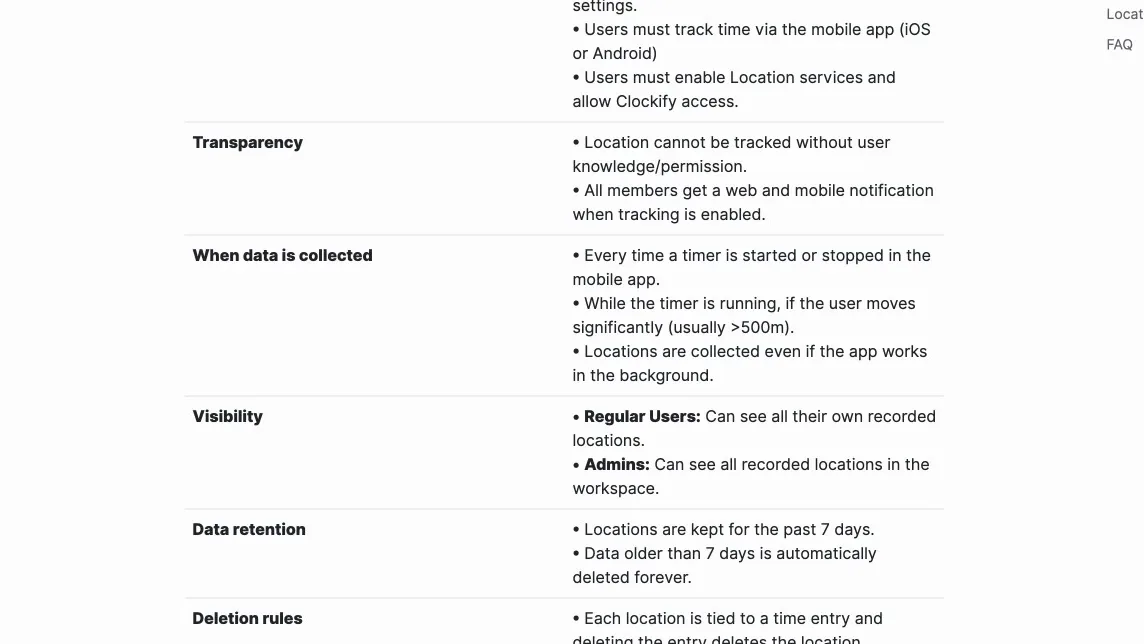
Clockify records a location when the timer starts and stops. While the timer runs, it adds a point only when the person moves significantly, usually more than 500 metres. Locations are kept for seven days and then deleted, so if a shift is disputed later, the location history is gone.
 (enlarge)
Project budgets and job costing
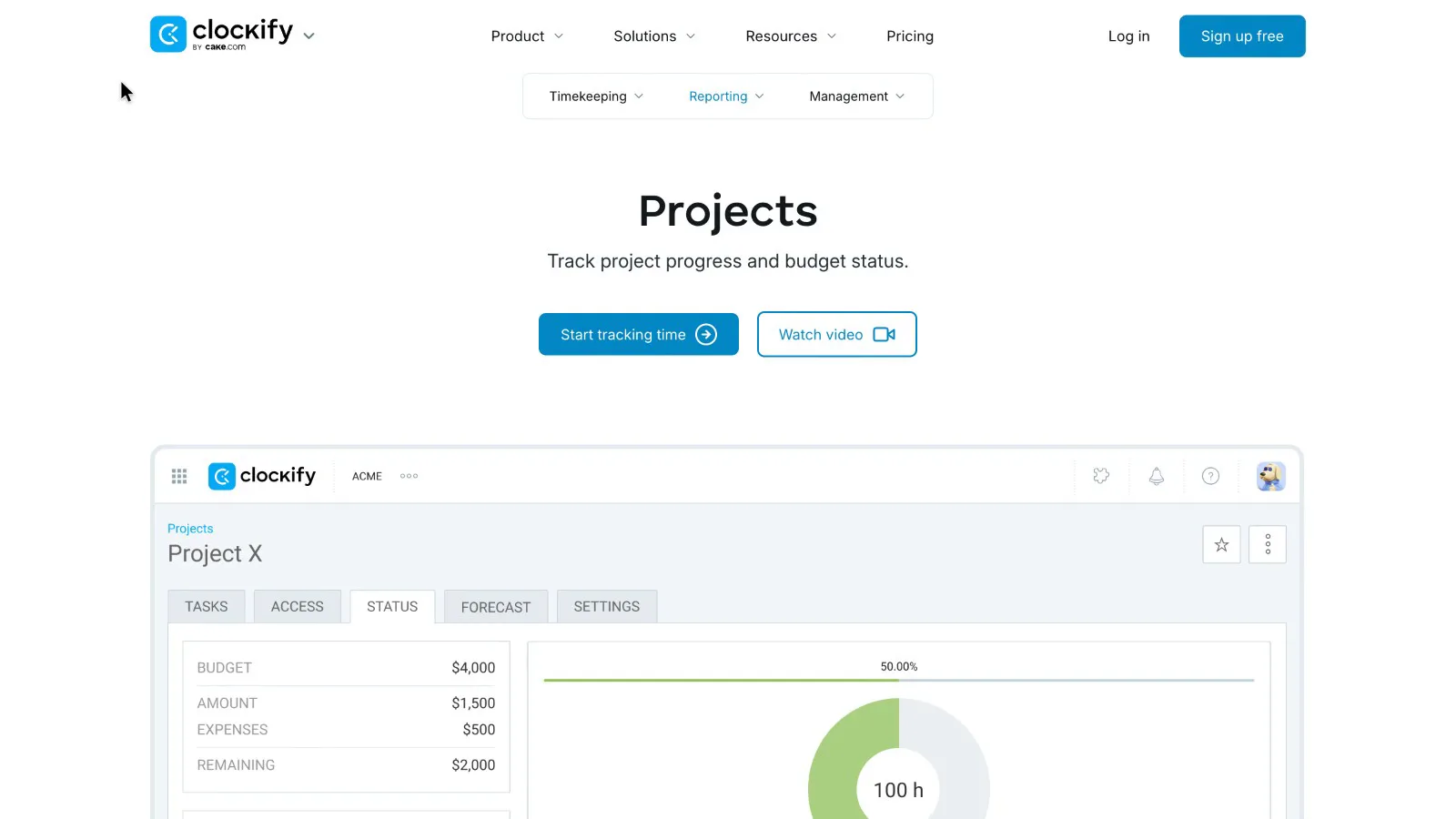
Clockify is the one built for quoting jobs and checking them against the quote. On any paid plan it compares hours with a project's estimate, and from Pro up it adds money budgets and alerts. The project status screen shows the budget, what's been spent, expenses and what's left, and the bar goes past 100% when a job runs over.
 (enlarge)
Clockify Pro also adds expenses and staff scheduling (pricing). Jibble's project tracking page talks about comparing planned and actual hours and total hours against budgets. Its plan list on Xero doesn't include project budgets, and no money budgets were seen.
Getting hours into Xero
Only Jibble claims to send staff hours to Xero Payroll. Clockify's Xero link sends invoices.
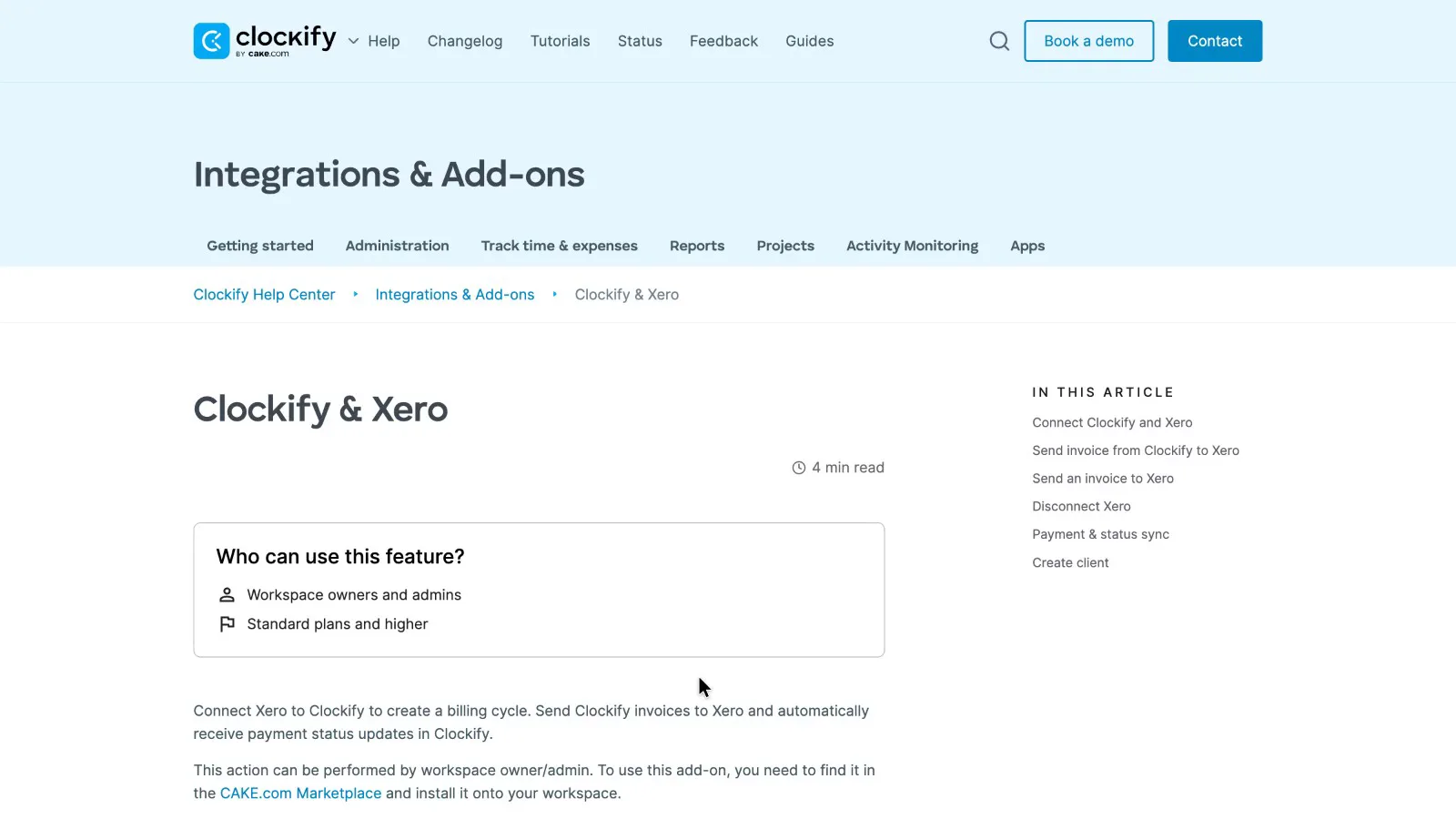
Clockify's Xero help page says the integration needs Standard or higher and is installed from the CAKE.com Marketplace. The add-on is a separate subscription of about US$5 a month on top of the Clockify plan. It sends Clockify invoices to Xero, and payment status comes back. The page says nothing about timesheets or Xero Payroll, so hours still have to be entered into pay runs another way.
 (enlarge)
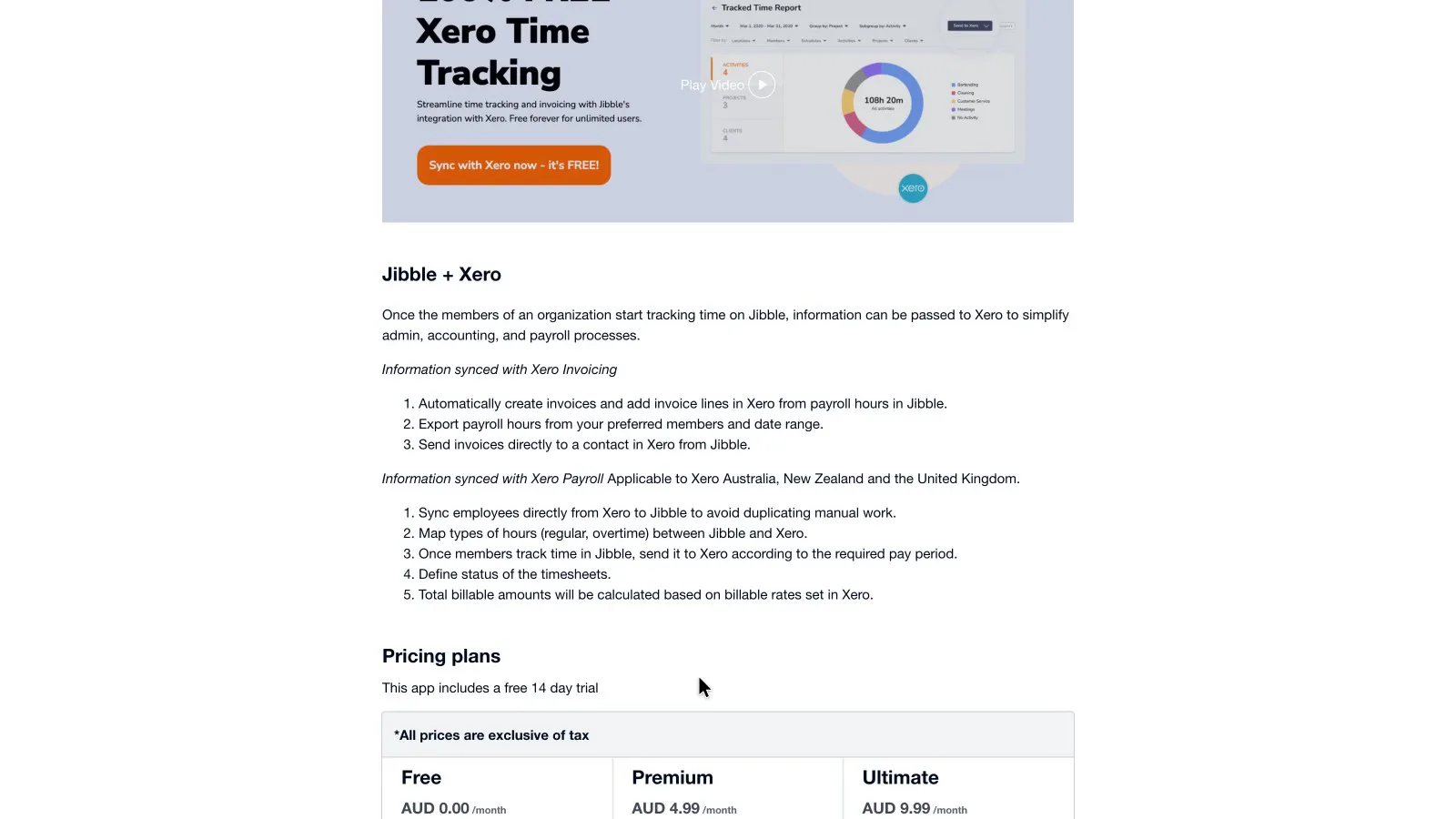
Jibble's Xero listing says it syncs employees from Xero, maps regular and overtime hours, and sends timesheets for each pay period to Xero Payroll in Australia, New Zealand and the UK.
 (enlarge)
In a reply to a reviewer on the same listing, Jibble says it only sends draft timesheets and that "we don't currently support different pay rates per employee in Xero". That limit matters if your staff are on an award with more than one rate. The listing rates Jibble 4.8 from 118 reviews, with 3% at one star.
Where staff data is kept
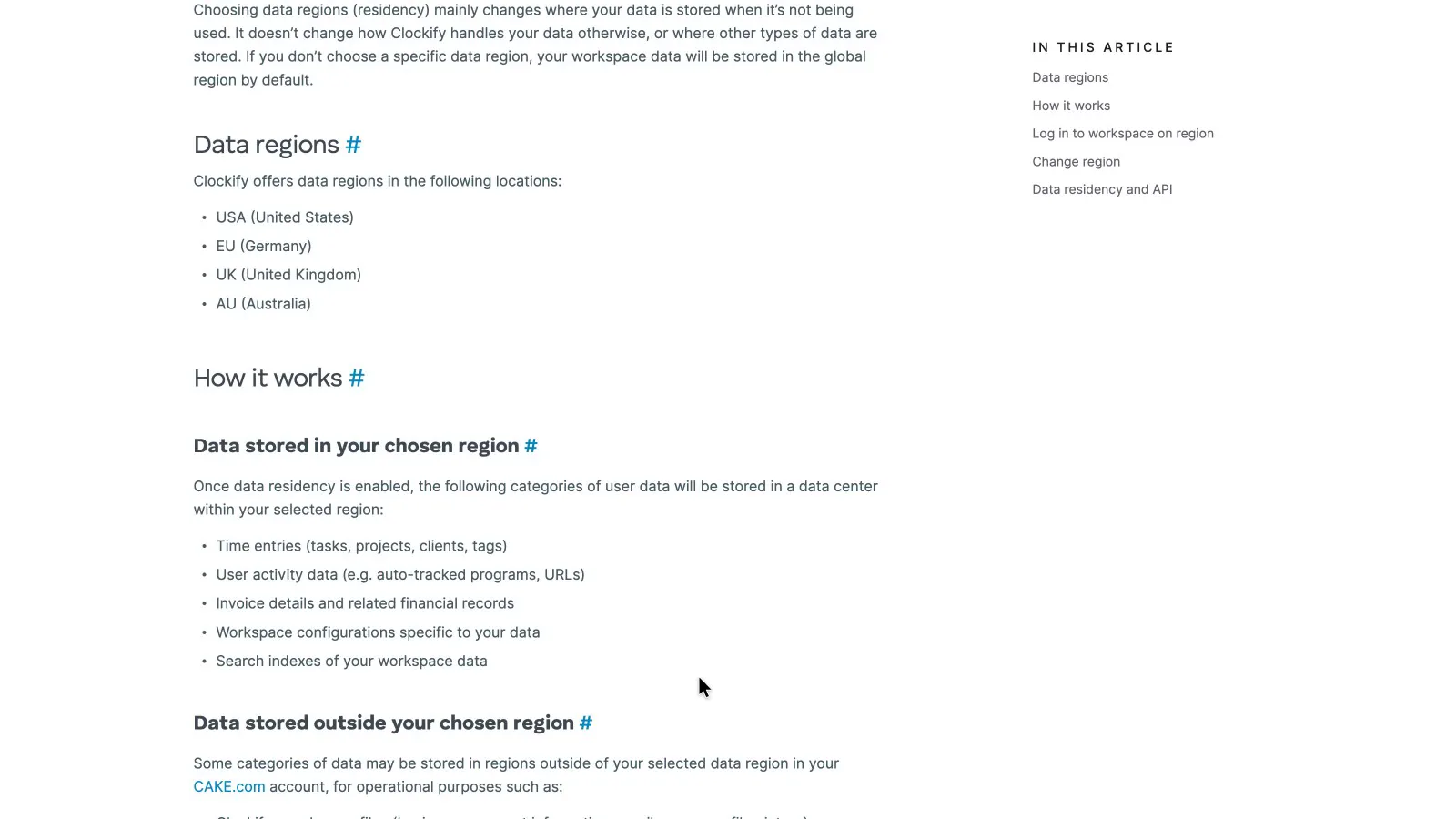
Only Clockify offers to keep staff data in Australia, and only on Pro or Enterprise. Its data regions help page lists an AU region alongside the USA, EU and UK. Time entries, activity data, invoices and settings stay in the chosen region, but some account data stays outside it, and workspaces start in the global region by default.
 (enlarge)
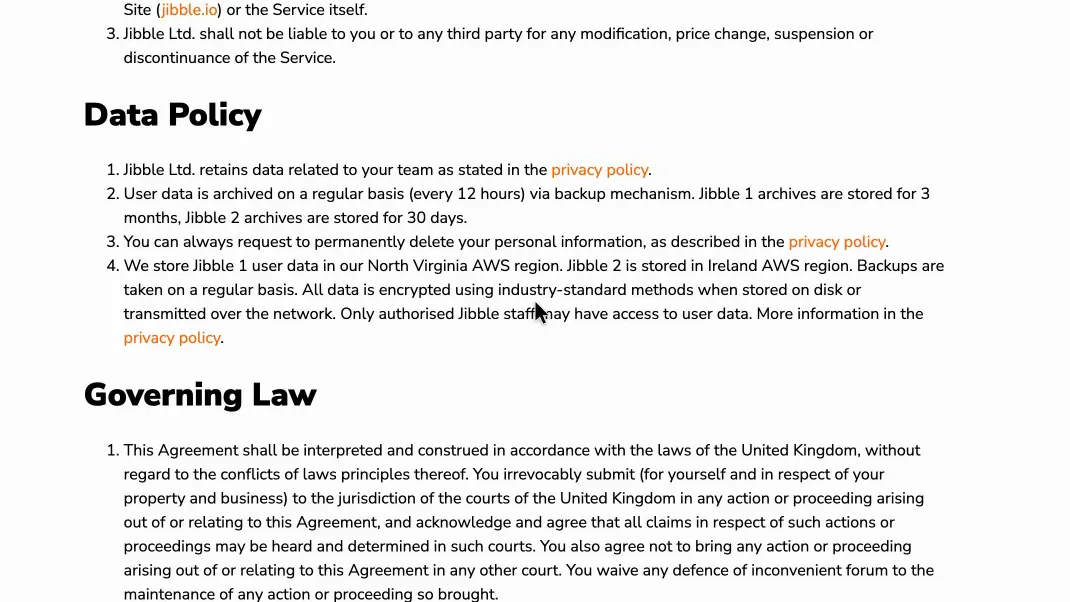
Jibble's terms say the current version of Jibble stores data in Amazon's Ireland region, and the older Jibble 1 in North Virginia. They mention no Australian option.
 (enlarge)
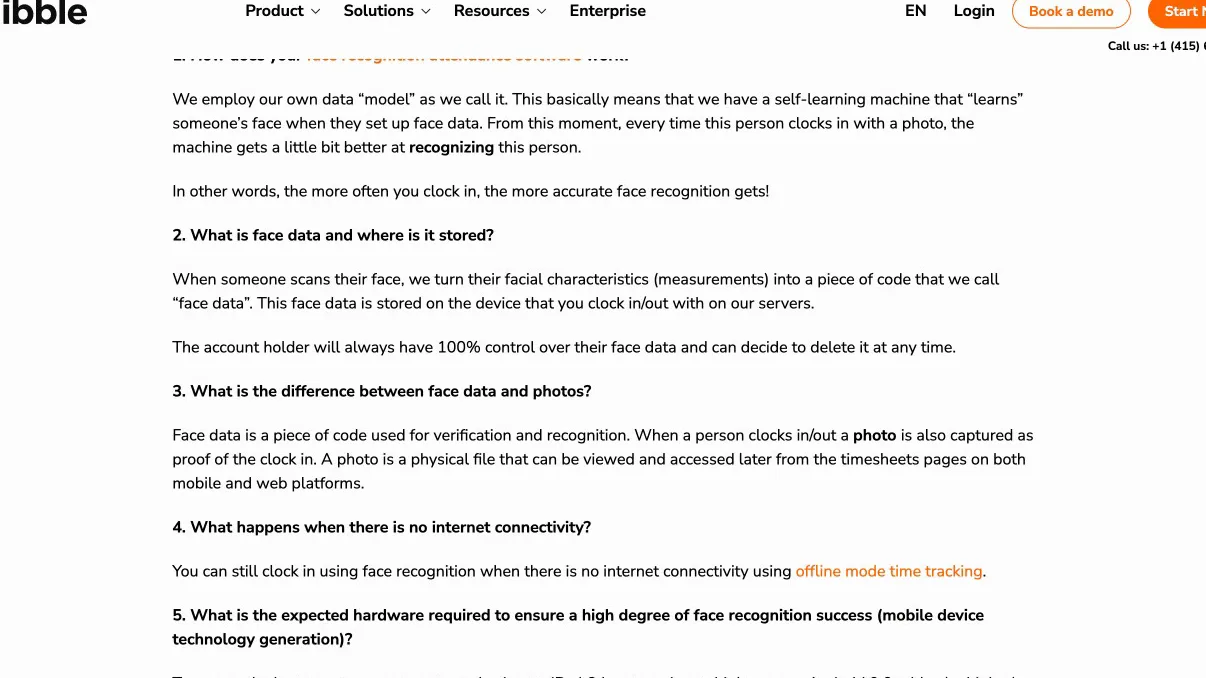
Jibble's face data FAQ says face scans are kept on the clock-in device and on Jibble's servers, without saying where those are.
 (enlarge)
What users say
Jibble is rated higher than Clockify on Trustpilot and the Australian App Store, and the gap is widest on Trustpilot. On Capterra, which couldn't be opened during the review, both are listed at 4.8 for Clockify and 4.8 for Jibble.
| Clockify | Jibble | |
|---|---|---|
| App Store (Australia) | 4.6 from 393 ratings | 4.8 from 98 ratings |
| Trustpilot | 3.0 | 4.3 |
| Xero App Store (Australia) | No listing found | 4.8 from 118 reviews |
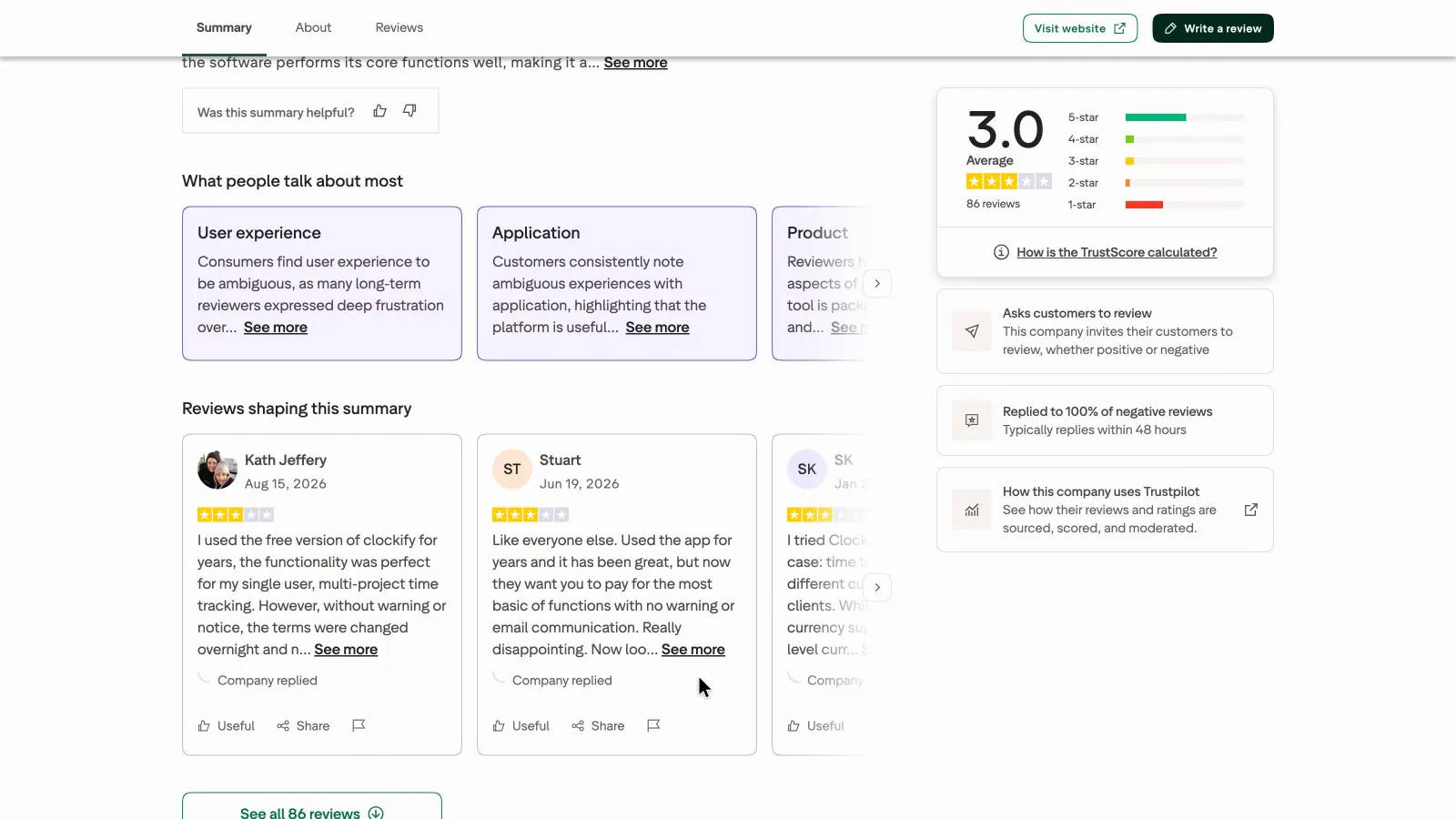 (enlarge)
On Trustpilot, 12% of Jibble's reviews are one star.
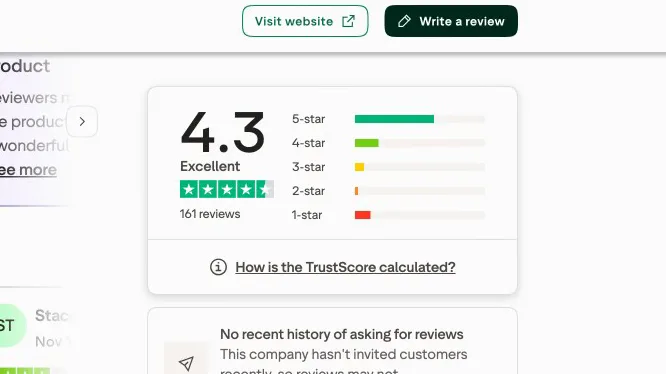 (enlarge)
Pricing
| Plan | Price | Per | Includes |
|---|---|---|---|
| Free | Free | Up to 5 active users including the owner; timer, timesheets and apps; reports limited to 31 days; PDF export only | |
| Basic (billed annually) | US$3.99 ex tax | per user per month | Charged 12 months upfront. Adds kiosk and CSV/Excel export |
| Basic (billed monthly) | US$4.99 ex tax | per user per month | Adds kiosk and CSV/Excel export |
| Standard (billed annually) | US$5.49 ex tax | per user per month | Charged 12 months upfront. Adds time off, invoicing, approvals and QuickBooks; needed for the paid Xero add-on |
| Standard (billed monthly) | US$6.99 ex tax | per user per month | Adds time off, invoicing, approvals and QuickBooks; needed for the paid Xero add-on |
| Pro (billed annually) | US$7.99 ex tax | per user per month | Charged 12 months upfront. Adds GPS, scheduling, expenses, labour cost and profit, budgets |
| Pro (billed monthly) | US$9.99 ex tax | per user per month | Adds GPS, scheduling, expenses, labour cost and profit, budgets |
Clockify charges in US dollars. Your bank converts the price and may charge a foreign transaction fee. Checked 22 Oct 2026. Source: clockify.me/help/administration/updates-to-clockify-free-plan, clockify.me/pricing
| Plan | Price | Per | Includes |
|---|---|---|---|
| Free | Free | Unlimited users, clock in and out with breaks, line-by-line timesheets, XLS/CSV export | |
| Essential | $2.49 ex GST | per user per month | Timesheet approvals, automatic break deductions, clock-in and clock-out reminders, automatic clock-out, schedule assignment, compliance alerts, live chat support |
| Growth | $5.99 ex GST | per user per month | Time rounding rules, multiple kiosks, advanced reports, advanced leave management |
| Pro | $10.99 ex GST | per user per month | Field tracking, device locking, live location tracking, success manager |
AUD, inc GST unless marked ex GST or GST not stated. Checked 16 Oct 2026. Source: web.jibble.io
Integrations
| Connects to | What syncs | Direction | Checked |
|---|---|---|---|
| Xero | Clockify invoices sent to Xero as drafts; payment status syncs back. No timesheets or Xero Payroll | Both ways | |
| QuickBooks | Not stated | Not stated |
| Connects to | What syncs | Direction | Checked |
|---|---|---|---|
| Xero | Employees from Xero Payroll; timesheets by pay period with ordinary and overtime hour types mapped to pay items; invoices from tracked hours | Both ways | |
| QuickBooks Online | Not stated | Not stated | |
| Zapier | Not stated | Not stated |
What I didn't test (10 things)
- Nothing inside either app was tested: no sign-ups. That covers Clockify's free plan with a sixth user, its CSV and PDF exports, Jibble's geofence minimum and Jibble's paid prices on monthly billing
- Jibble's timesheet push to Xero Payroll wasn't tested. Testing it needs a Jibble account connected to a Xero company
- No device tests: no GPS drive with Clockify, no full day on iPhone and Android, no face recognition on a kiosk tablet
- Award interpretation, Single Touch Payroll, MYOB and Reckon: neither site was searched for them, so it isn't confirmed whether either supports them
- What happens when staff forget to clock off wasn't checked in either help centre
- Jibble's NFC check-in help page returned an error at the address tried
- The 300-metre circle on the Bondi map is a rough estimate. Google Maps' measuring tool couldn't be used
- Whether Clockify's pricing page shows AUD prices when Australia is chosen in its country selector wasn't checked
- Support wasn't contacted, so response times in Australian business hours are unknown
- Capterra, G2 and GetApp blocked access, and the Google Play pages wouldn't load
Change log
| Date | Change |
|---|---|
| Retested from scratch, with a new video. |
Video transcript
Clockify vs Jibble
Clockify and Jibble both track staff hours, but they're built for different jobs. Clockify is for billing time to clients and projects, while Jibble is for clocking staff on and off, with checks on who clocked in and where. If you bill clients for your time, I'd choose Clockify. If you need staff to clock on and off, I'd start with Jibble, though both have limits worth knowing on location checks, Xero and pricing. My review agent compared them in detail, and I rechecked all the key differences myself.
Key features side by side
First, the main features side by side. Clockify is organised around projects and clients. Jibble is organised around clocking on, with geofences, which are circles drawn around a work site, and a face check when staff clock in. Clockify has no face check, but on the Pro and Enterprise plans its shared clock-in screen takes a photo when staff log in, to discourage clocking in for someone else. It records the photo rather than checking the face. Clockify can compare hours against a job's estimate on any paid plan, and from the Pro plan up it adds money budgets and alerts when a job runs over. Jibble's website talks about comparing planned and actual hours, but its plans don't list budgets. Both connect to Xero, but for different jobs.
Plans and monthly cost
Moving on to what they cost, billed yearly, with Clockify's US prices converted to Australian dollars. Clockify's free plan stops at five users, while Jibble's takes any number of staff. Jibble's website doesn't show its paid prices, so you only see them once you start a trial. Neither gives refunds, except that Clockify refunds charges made by mistake through a system error. On both, a user you invite still takes up a paid seat even if they never log in, so remove anyone who isn't using it. Jibble may well work out cheaper once you pay, but check its price against Clockify's for your team size before you choose.
Jibble's 300-metre geofences
Now to checking where staff clock on, starting with Jibble. Its app can stop staff clocking in or out when they're outside the circle around the work site. Jibble advises making that circle at least 300 metres in radius for automatic clock-on and clock-off, which makes it about 600 metres across. On a busy shopping strip like this one in Bondi, a circle that size would take in a long stretch of shops and cafés, so it shows someone was in the area rather than at the work site.
Clockify's GPS tracking
Over to Clockify, where location tracking is much thinner. GPS is a paid feature on the Pro plan and up. It records where the timer starts and stops, and while the timer runs, it only adds a point when someone moves about 500 metres. Those locations are deleted after a week, so if a shift is disputed later, that location history is gone.
Clockify's job costing
Next up, job costing, where Clockify goes further. On the Pro plan and up, each project shows its budget, what's been spent and what's left, and the bar goes past 100% when a quoted job runs over.
Getting hours into Xero
On to getting hours into Xero. On the Standard plan or higher, and with a paid add-on, Clockify sends its invoices to Xero, but not hours or timesheets. Jibble says it sends staff hours to Xero Payroll as timesheets for each pay period, with regular and overtime hours kept separate. That link wasn't tested, so see it working in a trial before relying on it for pay.
Where staff data is kept
Another difference is where each one keeps staff data. On the Pro plan, you can choose to have Clockify keep time records and invoices in Australia, though some account details stay overseas. Jibble's terms say its data is stored on Amazon's servers in Ireland, and face scans are kept on the clock-in device and on Jibble's servers, without saying where those are.
What users say
Next, what users say. On Australia's App Store, Clockify's phone app rates 4.6, and Jibble's rates 4.8. On Trustpilot, Clockify averages 3. Jibble does better there, with an average of 4.3.
Who each one suits
For a bookkeeper, a design studio or anyone else who charges clients by the hour or quotes jobs, Clockify is my pick for its project budgets, but I wouldn't rely on its GPS to show where site staff were. For a shop, café or trade crew that mainly needs staff clocking on and off, Jibble is where I'd start, because its free plan covers your whole team. It suits less well if you need staff data kept in Australia, or a tight circle around one shopfront for automatic clock-on. I hope that helps you choose between these two time tracking apps.