Fireflies.ai review: is it right for your team?
Verdict: Fireflies suits a small team that meets mostly on scheduled online calls and is happy to pay for Pro, as long as someone checks the names and the maybes before the notes go to a client. Its notes got every figure and change of plan right in my test, and the joining and sharing controls take only a few clicks to tighten. I wouldn't keep client records on the Free plan, because nothing can be downloaded and Fireflies says to delete older meetings once the storage is full.
Suits
- Small teams that meet clients mostly on scheduled online calls and will pay for Pro
- Owners who want a searchable record of what was quoted and agreed, and will check names before sending notes on
- Businesses happy to pay per seat in US dollars
Doesn't suit
- Businesses that meet mostly face to face or by phone, since those routes weren't tested
- Anyone who wants to keep client records on the Free plan, where nothing can be downloaded
- Businesses whose client contracts require data to be stored in Australia
- Teams that forward the action list on its own, because it carries no due dates
How it was tested
With the help of my AI review agent, I tested it hands-on to find its strengths and weaknesses and who it suits best, then checked the key findings myself.
The account is on the Free plan, with no card saved. For the shared meeting notetaker test, Fireflies joined a Google Meet call as a bot. The same scripted five-minute meeting, with four speakers, Australian names and local places, was played into one call with seven notetakers listening, and each tool's notes were scored against the script. The review agent also went through the settings, billing and checkout screens, search, the AI assistant and the download options. Where a feature needs a paid plan, the plan named is the one on Fireflies' pricing page.
Notes you can send as they are
Fireflies' notes get the numbers right, but names and anything said tentatively need a proper check before a client sees them. All 18 figures in the meeting came out right, and when someone corrected the BAS due date and moved a call partway through, the notes used the corrected versions.
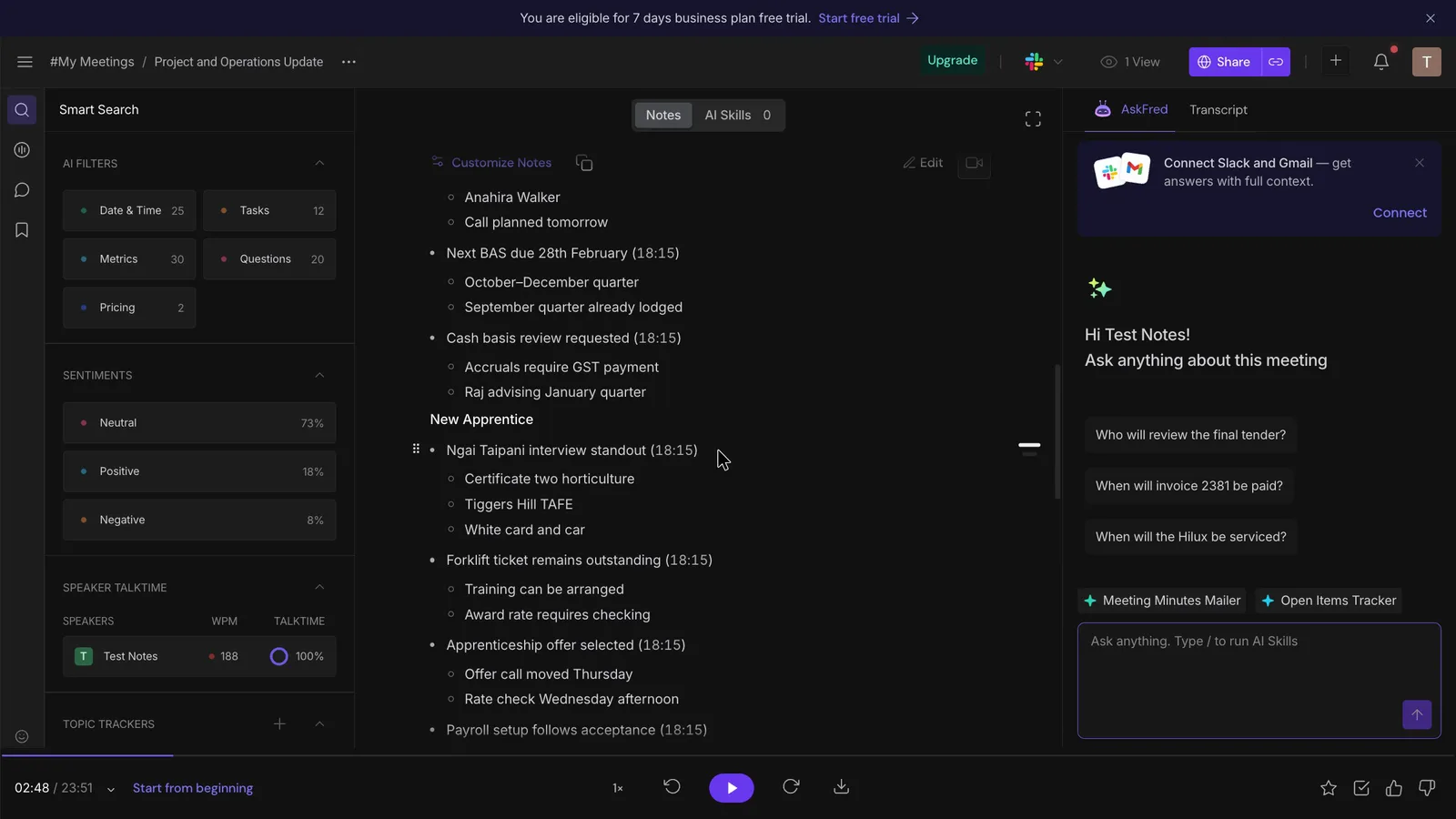
Names were the weak spot, with 11 of 18 right. The new apprentice, Ngaire Tipene, became "Ngai Taipani", and the suburb of Tighes Hill became "Tiggers Hill".
 (enlarge)
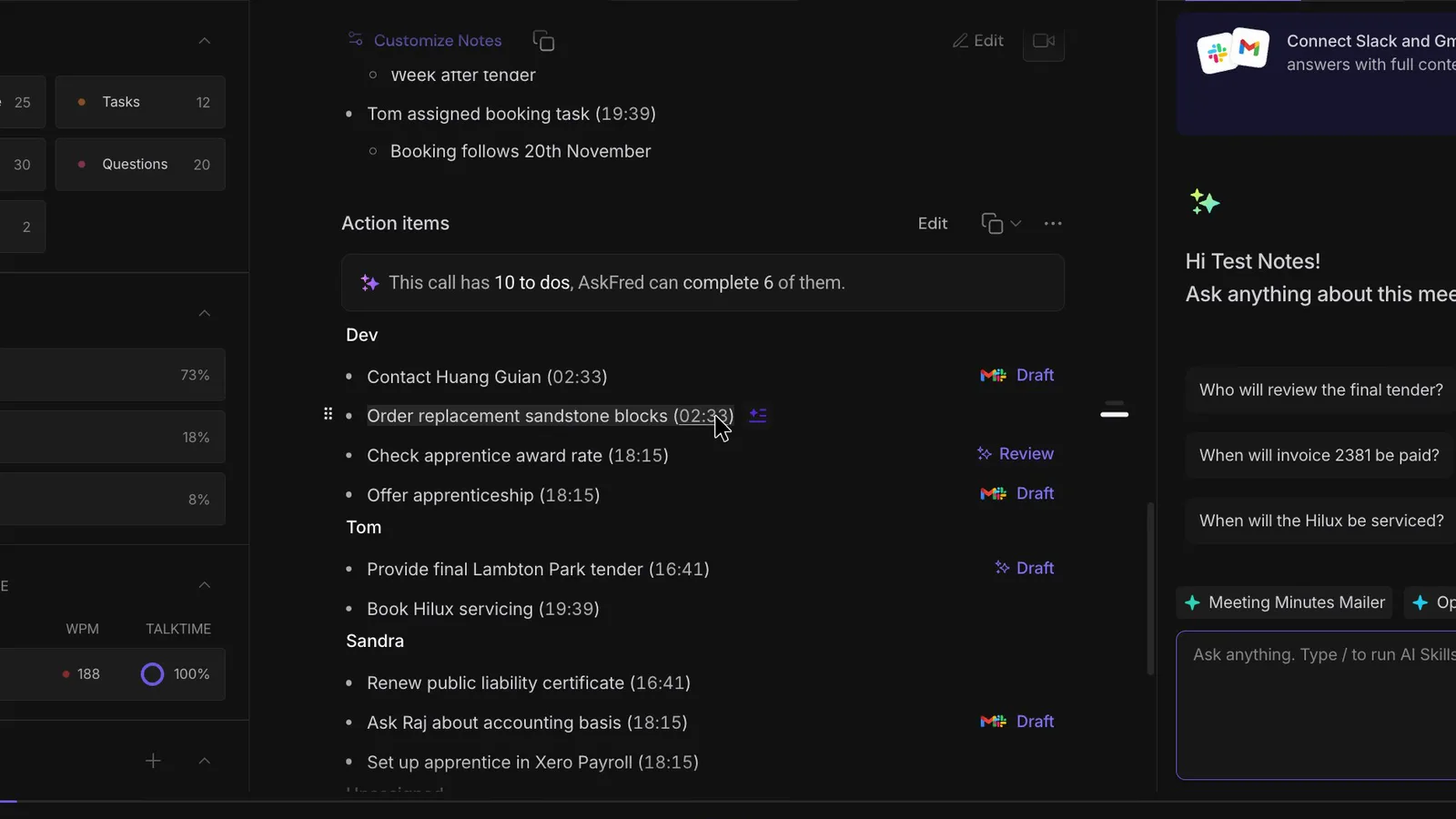
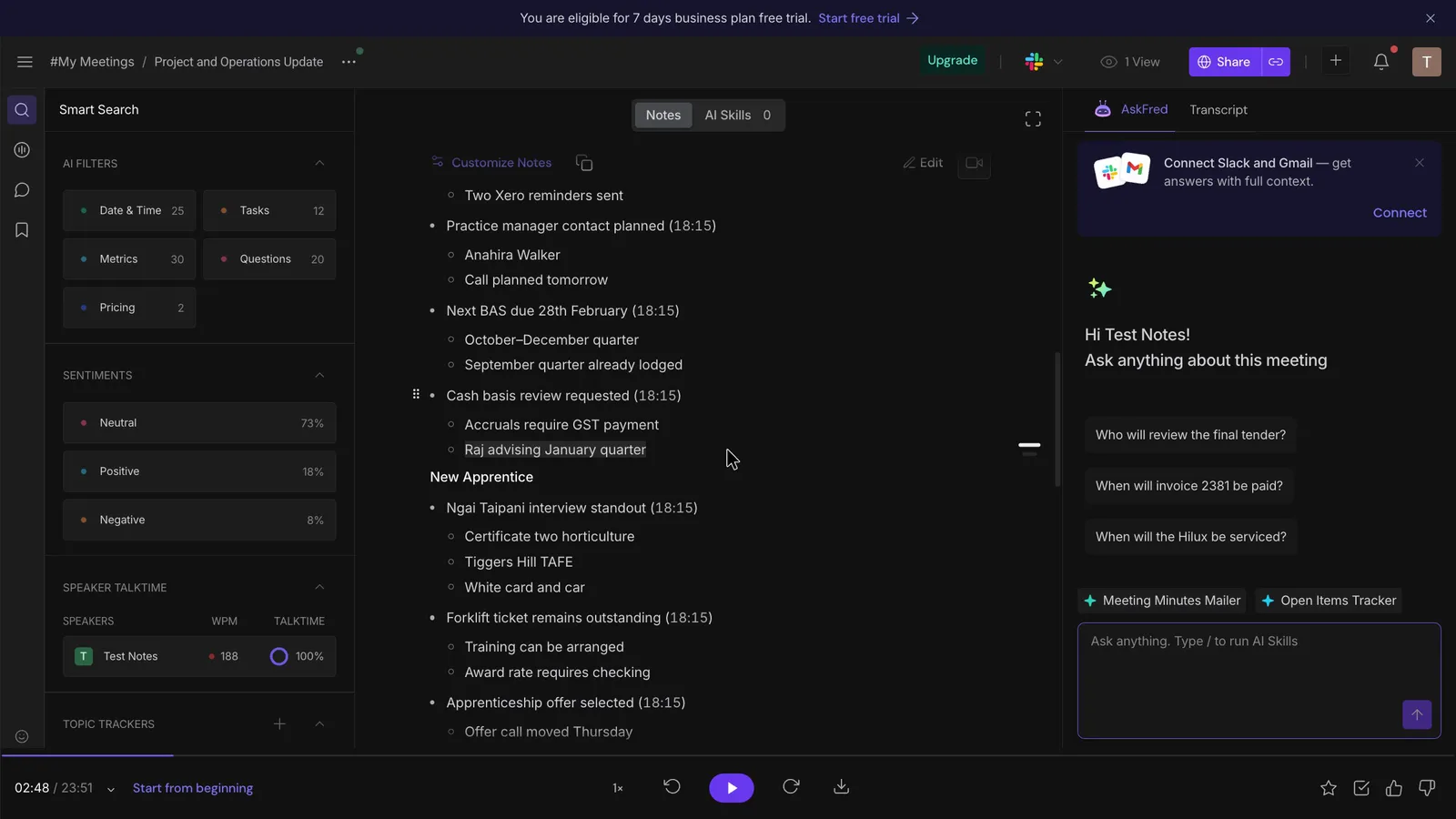
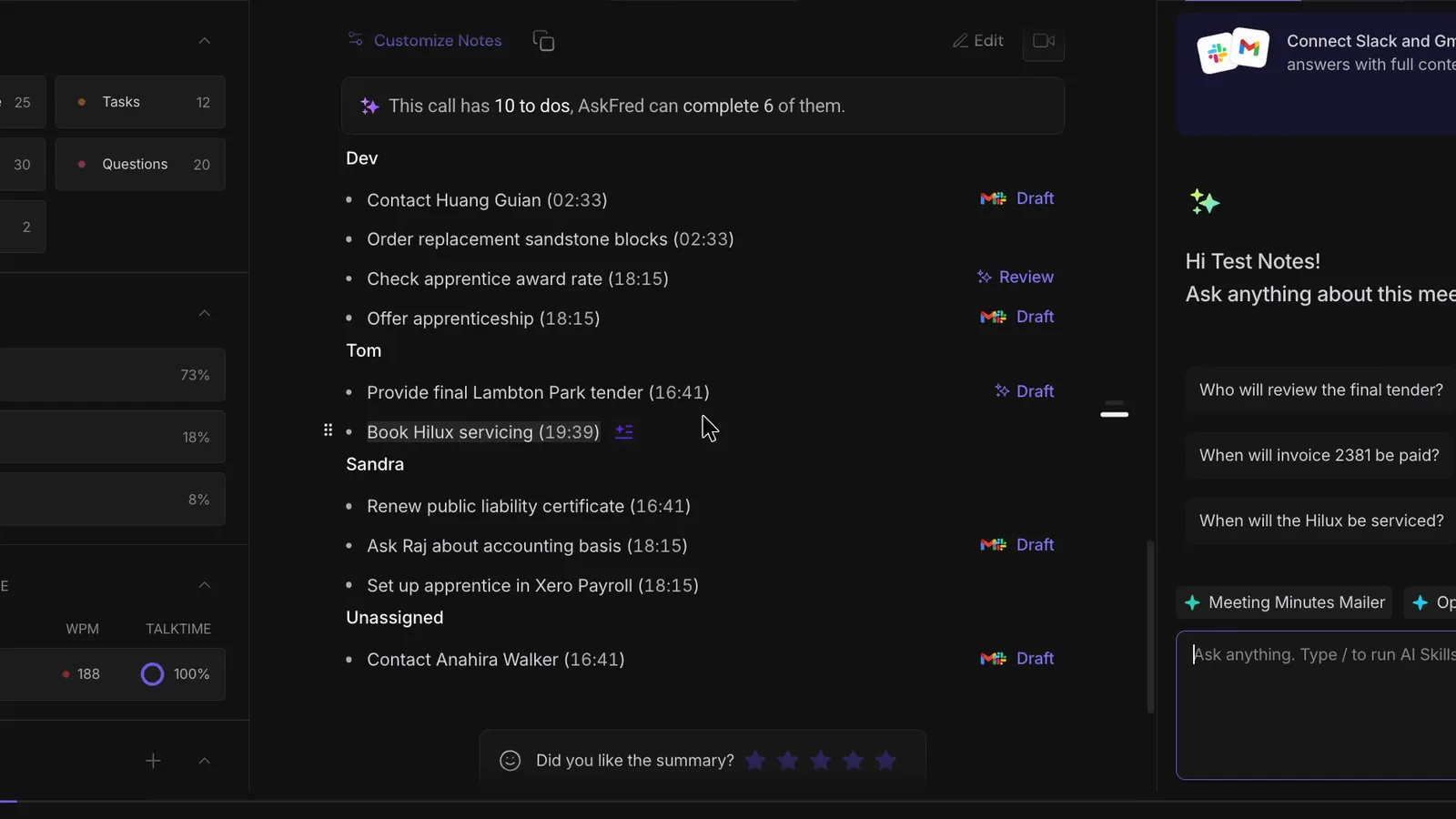
It also wrote up two maybes as settled. A fallback plan became a firm action item, "Order replacement sandstone blocks", and a question for the accountant became "Raj advising January quarter", as if he'd already given the advice.
 (enlarge)
 (enlarge)
Next to the other six tools in the same test, Fireflies sat in the middle. It was one of five to use both corrections, and its names score was about the same as most of the others.
| Tool | Corrections used (of 2) | Names right (of 18) | Numbers right (of 18) | Made-up details |
|---|---|---|---|---|
| Fireflies.ai | 2 | 11 | 18 | 2 |
| Fathom | 1 | 11 | 18 | 6 |
| Granola | 2 | 12 | 18 | 1 |
| MeetGeek | 1 | 9 | 18 | 2 |
| Otter.ai | 2 | 10 | 18 | 2 |
| Read.ai | 2 | 11 | 18 | 1 |
| Wispr Flow Notetaker | 2 | 8 | 17 | 2 |
Getting the notes ready for a client came to about 17 small edits, an estimated six to nine minutes for a five-minute meeting. You can edit both the notes and the action list before anything is sent.
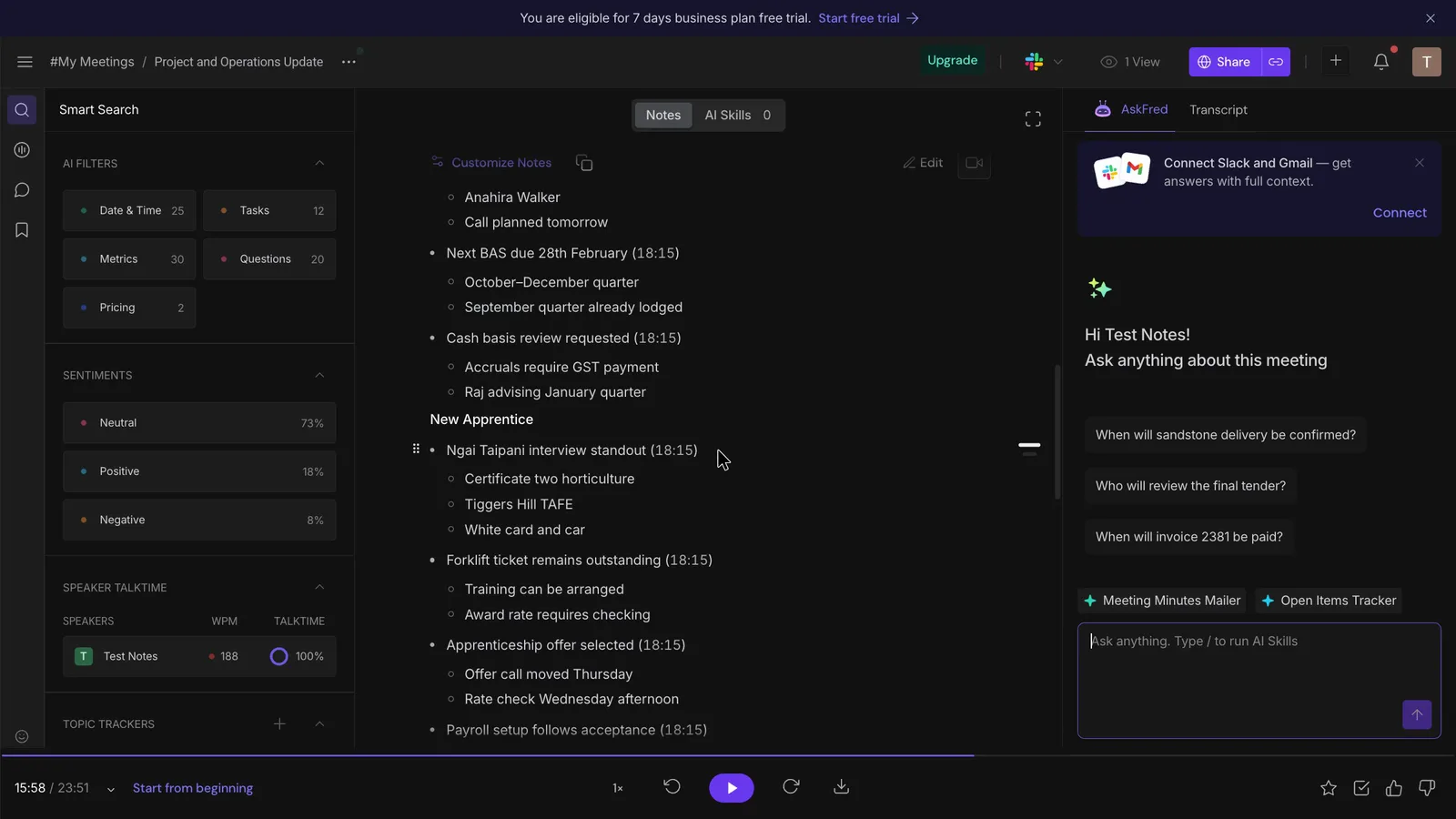
Fixing a name in the transcript doesn't fix it in the notes. "Replace All" corrected the transcript, but the notes kept the wrong name until they were edited separately.
 (enlarge)
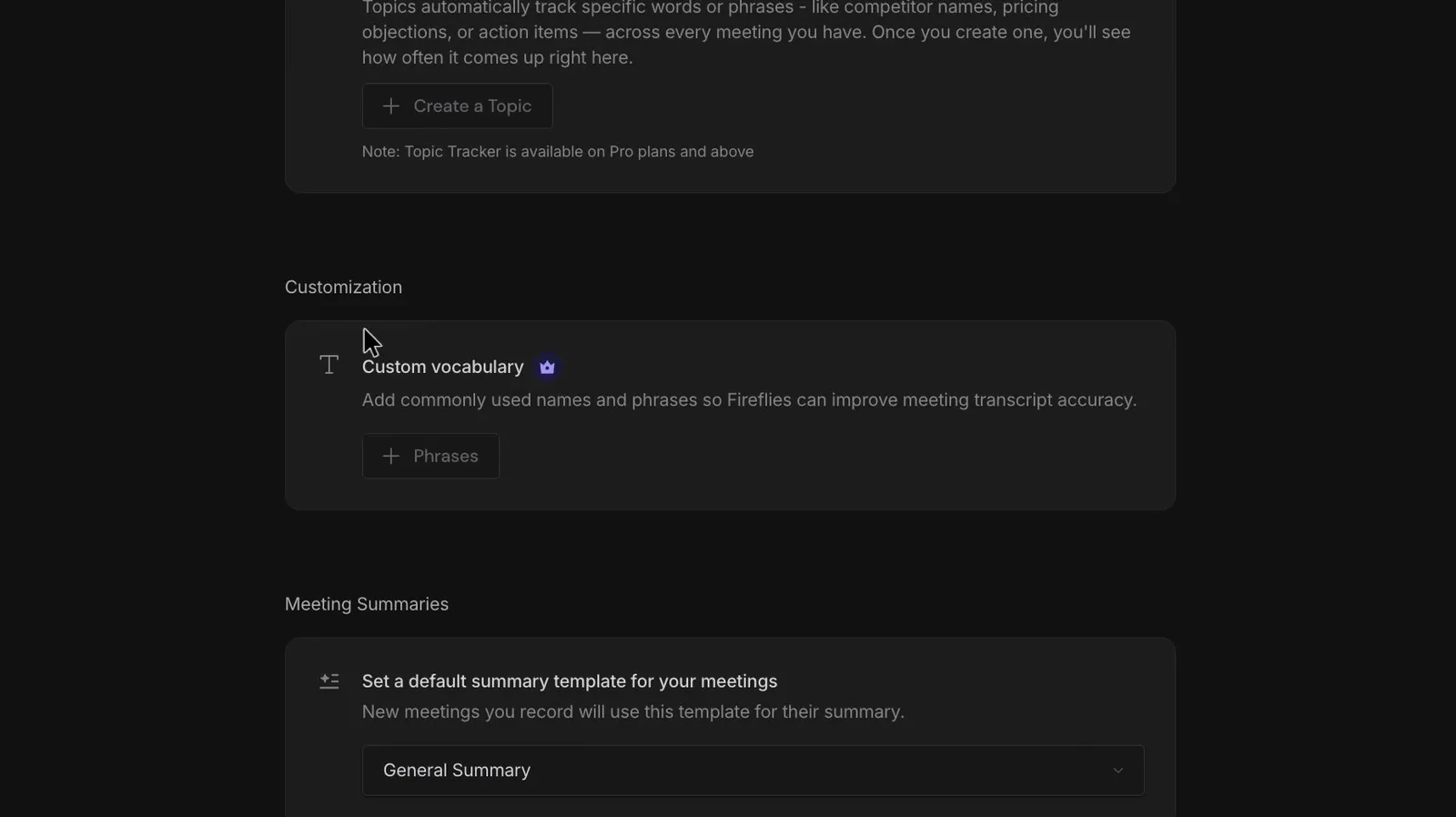
Custom vocabulary, which would teach it your names for next time, is greyed out on Free, and the app doesn't say which plan unlocks it.
 (enlarge)
The action list has no due dates. Each task carries only a timestamp, and the dates sit further up in the notes ("Final tender version due Tuesday 17th"), so anyone who forwards just the list loses the deadlines.
 (enlarge)
Online calls and in-person meetings
The only route seen working was the bot joining a Google Meet call. Anyone who meets face to face, on the phone or mostly on Zoom or Teams would want to try those routes in the trial first, because a meeting that didn't record can't be recreated.
Fireflies describes four ways to capture a meeting: the bot for Zoom, Google Meet and Teams, a Chrome extension that works with Google Meet only, a desktop app that records without a bot, and a phone app for in-person meetings.
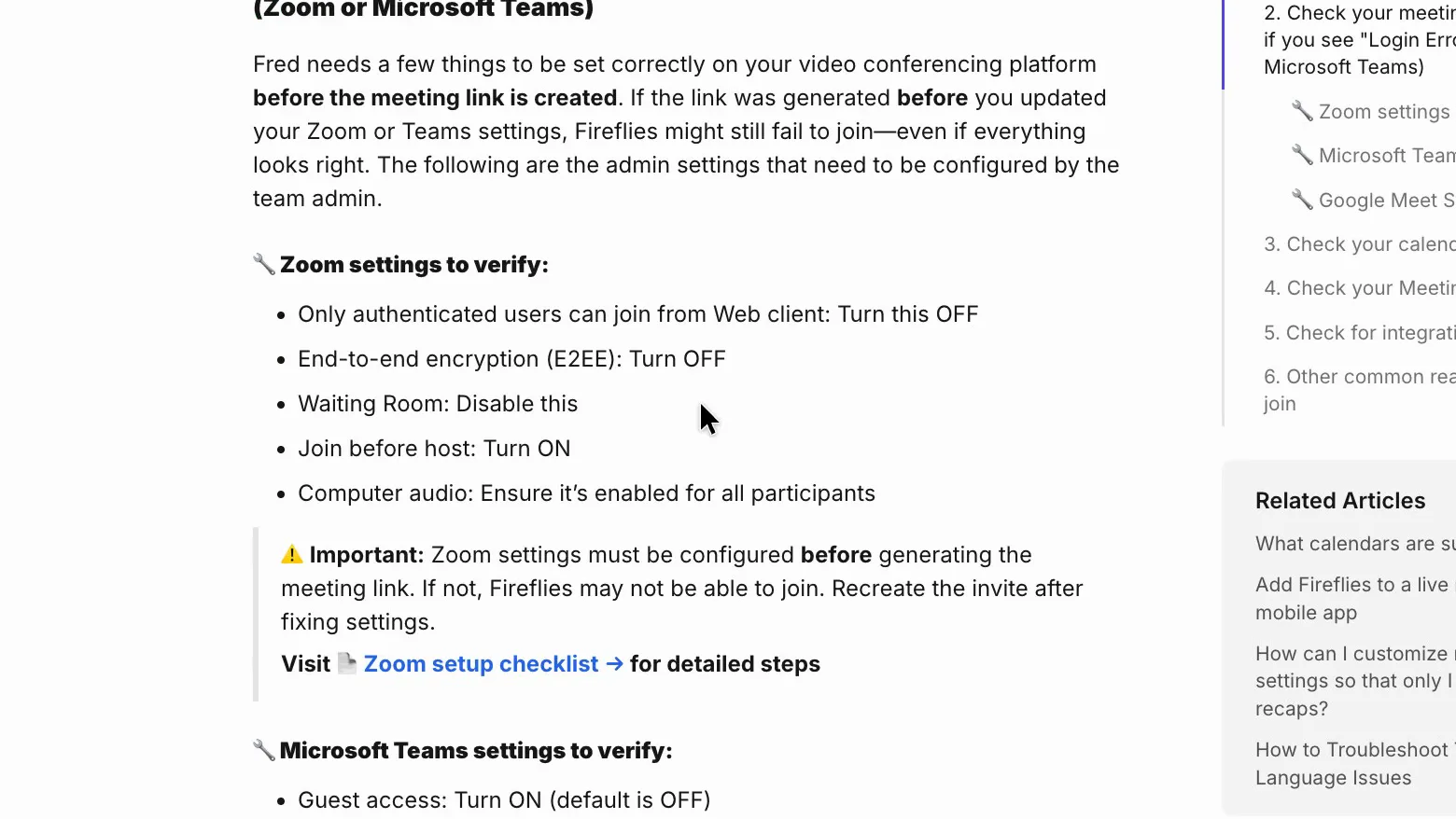
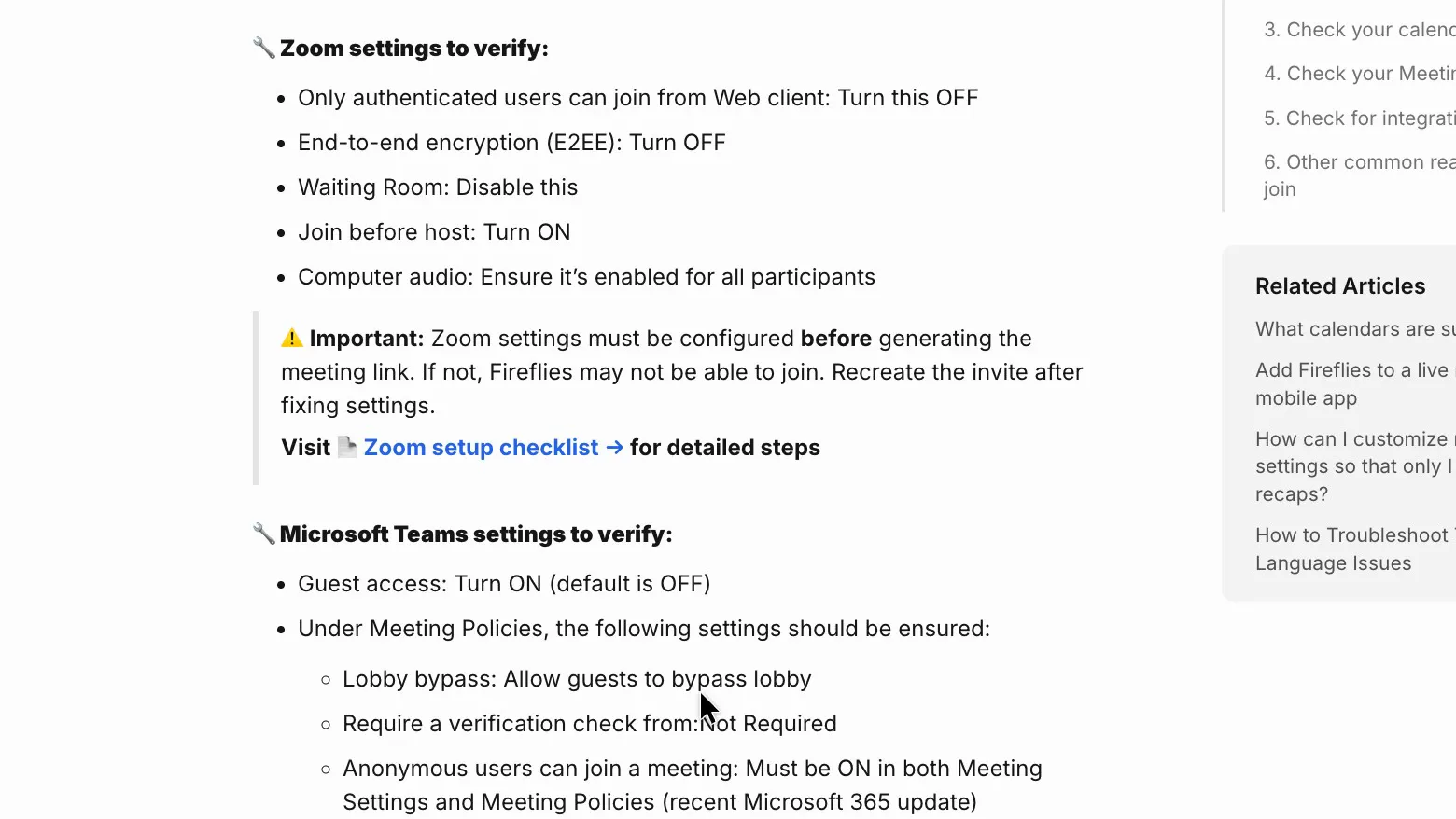
When the bot can't get in, Fireflies' troubleshooting guide tells Zoom users to turn off the waiting room, end-to-end encryption and "Only authenticated users can join from Web client", and Teams users to turn on guest access and "Anonymous users can join a meeting". The guide lists these as fixes for a failed join, not settings every meeting needs. Fireflies' Zoom integration guide says connecting the integration "bypasses waiting rooms and 'authenticated users only' restrictions", so a Zoom host may not need to change the waiting room at all. The changes weaken your own meeting security, and they don't help when the client is the one hosting.
 (enlarge)
 (enlarge)
Who knows it's recording
Nobody on the call can miss the bot, and pausing or removing it works straight away. The weak point is consent, because the notice treats staying on the call as agreeing, and Fireflies' terms leave getting consent to you.
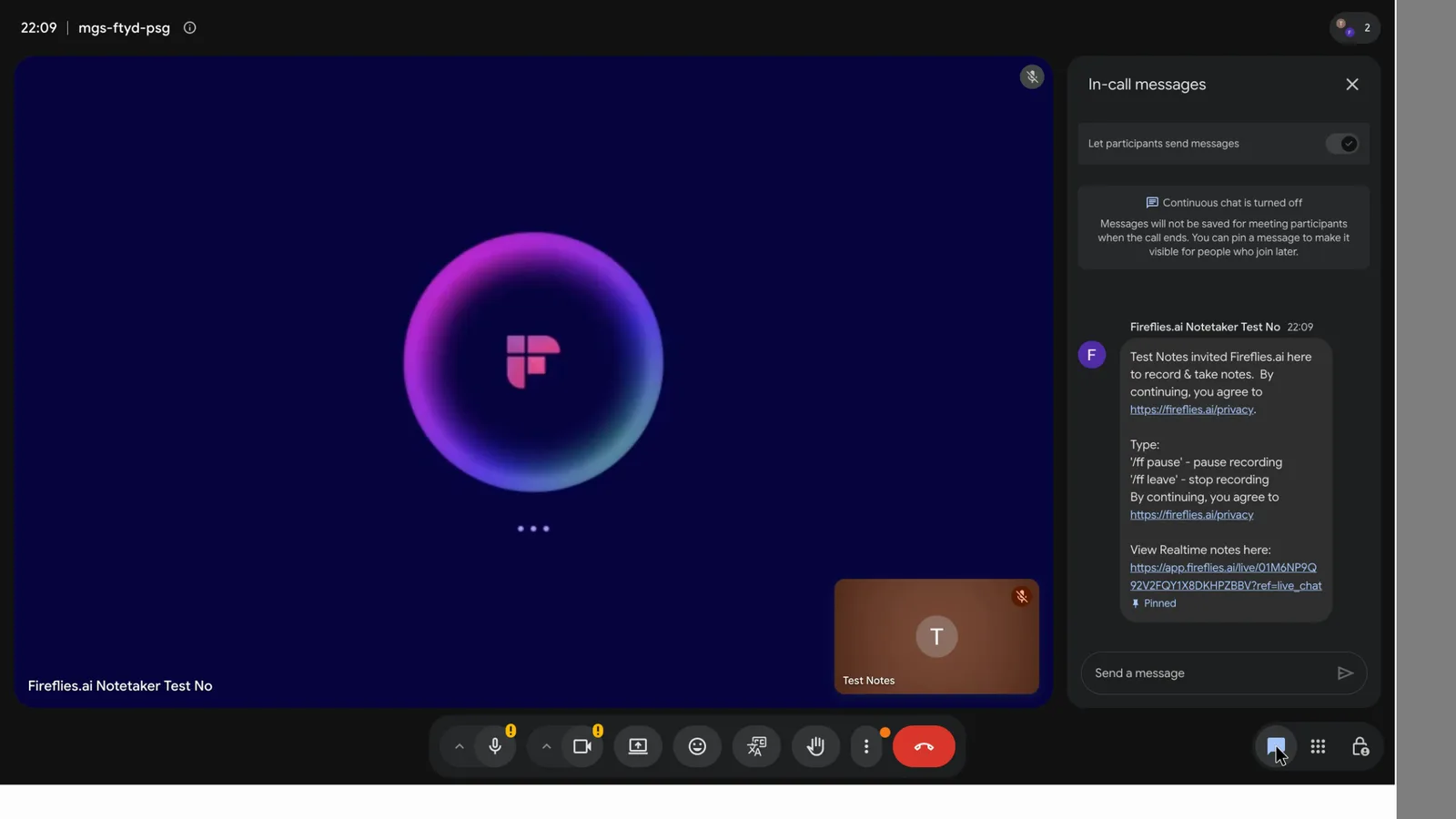
In Google Meet the bot waits to be let in as "Fireflies.ai Notetaker", with Google's warning that it isn't signed in, then appears as its own tile. Within about 30 seconds it posted a chat message saying who invited it, how to pause it ("/ff pause") or stop it ("/ff leave"), and that "By continuing, you agree" to Fireflies' privacy policy. The message also posts a live notes link that everyone in the call can see.
 (enlarge)
Typing "/ff pause" got "Recording paused" and a pause symbol on the bot's tile. Removing the bot took three clicks. Fireflies' FAQ says that on a longer call you still get notes for the part already recorded.
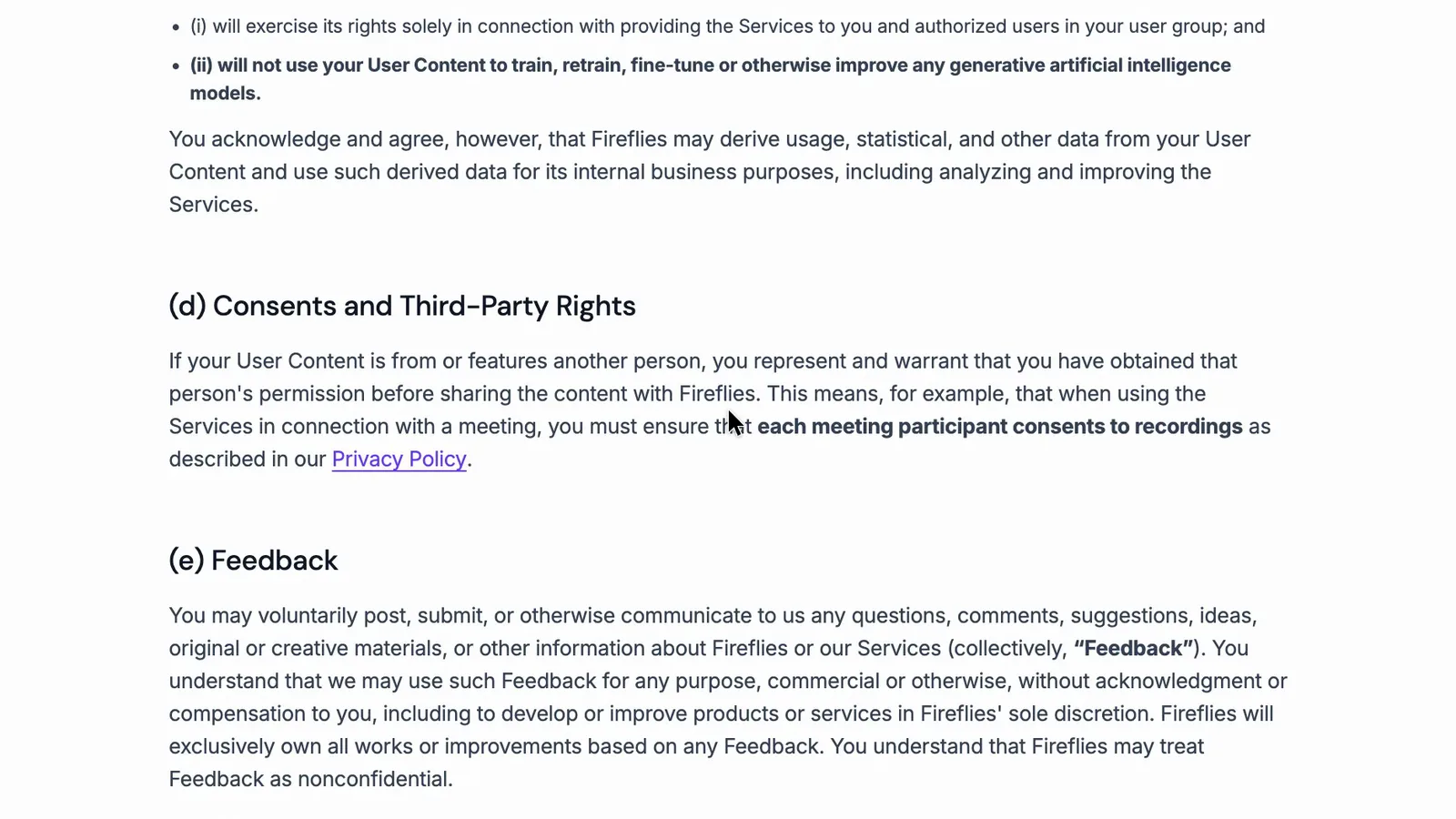
Section 5(d) of Fireflies' terms says you must make sure each person in the meeting consents.
 (enlarge)
The rules differ between states. NSW's Surveillance Devices Act 2007 allows recording where "all of the principal parties to the conversation consent, expressly or impliedly" (section 7(3)(a)). Queensland's Invasion of Privacy Act 1971 restricts passing on a recording "or any statement prepared from such a record" (section 45), with exceptions that include all the other parties consenting. That's what the Acts say, not legal advice, but a chat message a client never opens is weak evidence that they agreed.
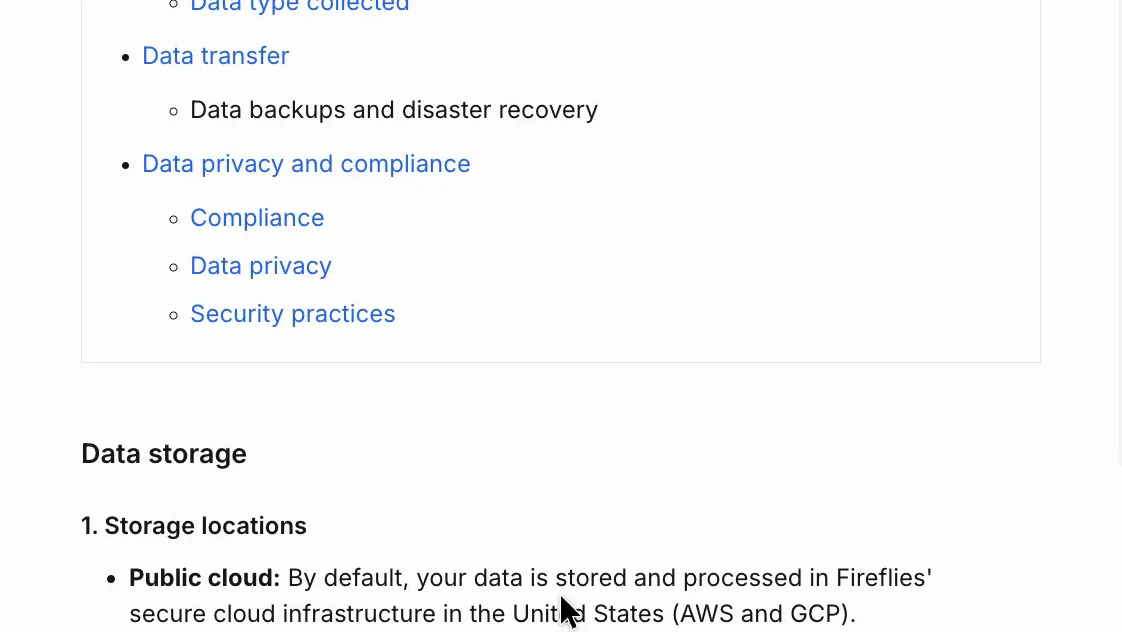
Fireflies' privacy policy says it doesn't use personal information to train AI, and the terms rule out training generative AI on your meetings. Meetings are stored and processed in the US by default. Private storage is Enterprise only. Fireflies' private storage guide puts managed private storage on Google Cloud in US West (Los Angeles), a Bring Your Own Storage option lets the customer choose the location, and another guide mentions EU storage. Processing still happens on US servers in each case, and Fireflies doesn't mention an Australian option, so it likely rules out businesses whose client contracts require data to stay in Australia.
 (enlarge)
Control over joining and sharing
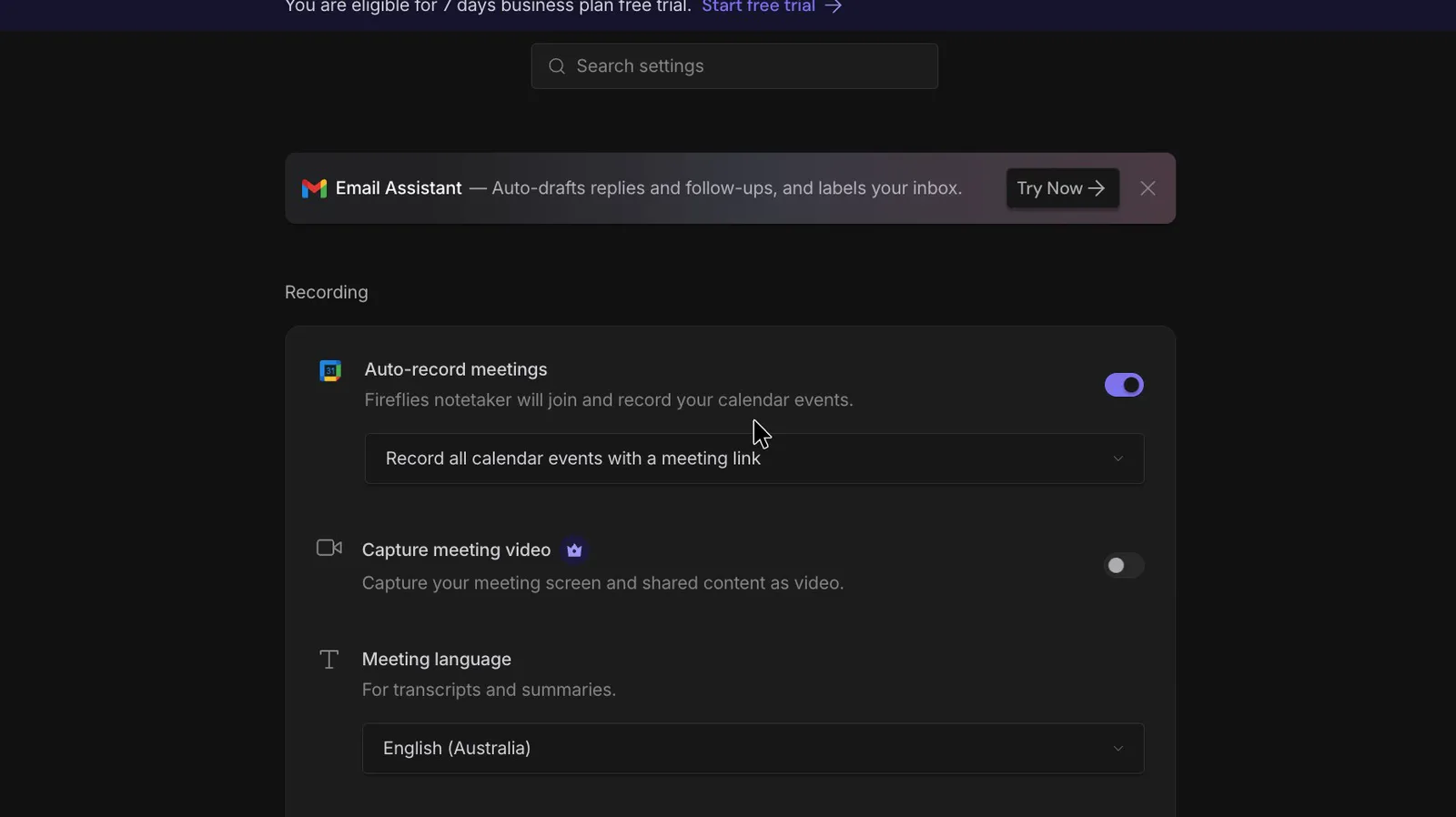
Keeping the bot and its emails away from clients takes a few clicks, so the risk is mostly not knowing which settings to change. They're separate settings, and on this account auto-record went back to every calendar meeting after being switched off and on.
This account wasn't new, so the values below are its settings rather than Fireflies' defaults. Turning auto-record off took one click, with no upgrade prompt. Setting the "Meeting recap email" to "Only me" took two. The meeting link has its own setting, and locking it to "Only Owner" was easy enough.
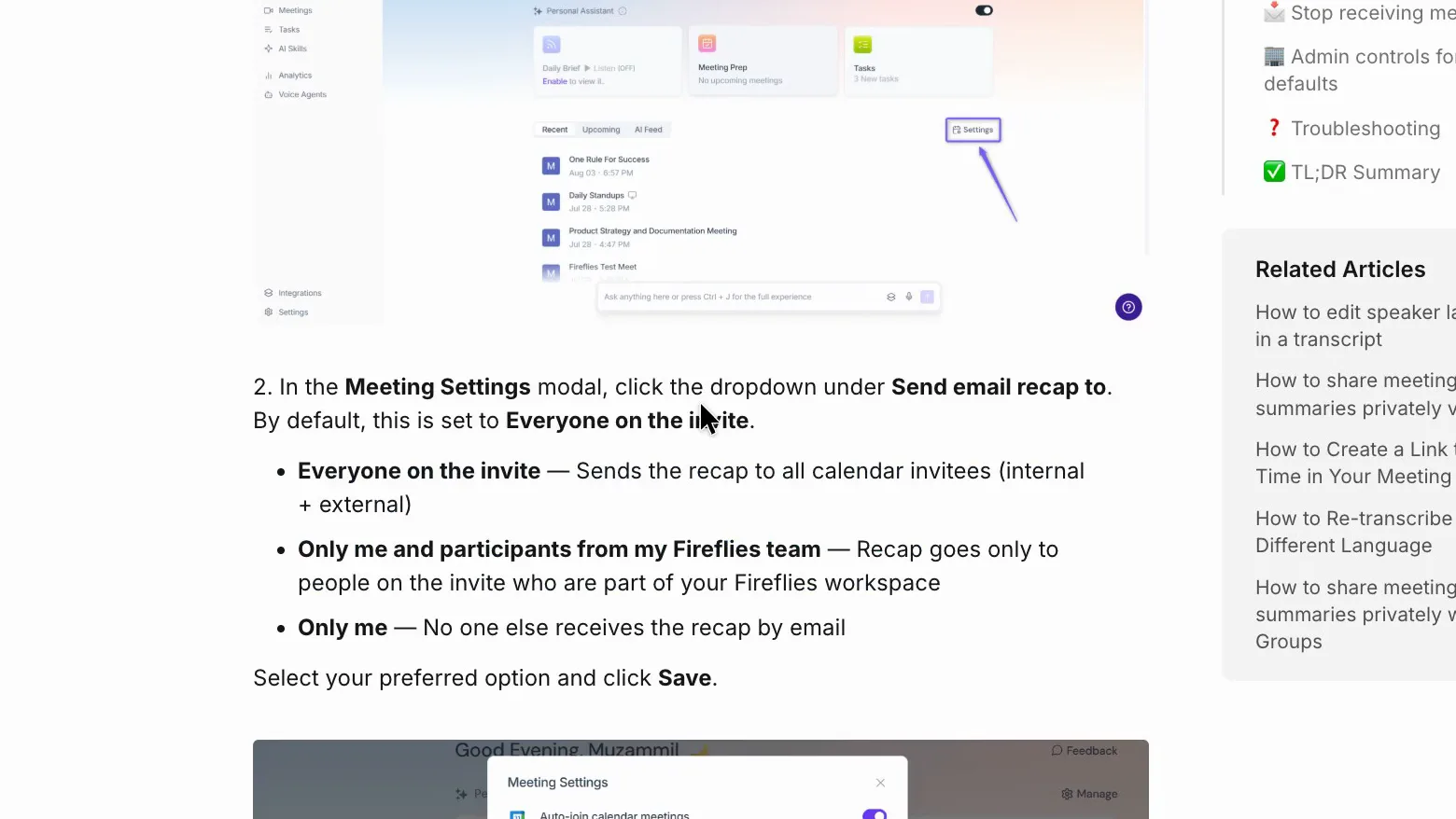
Fireflies' recap guide says recaps go to "Everyone on the invite" by default, which includes people outside your business.
 (enlarge)
Twice, auto-record was set to "Record only meetings I host", switched off, then switched back on. Both times it came back as "Record all calendar events with a meeting link", with no notice.
 (enlarge)
True cost, and getting out
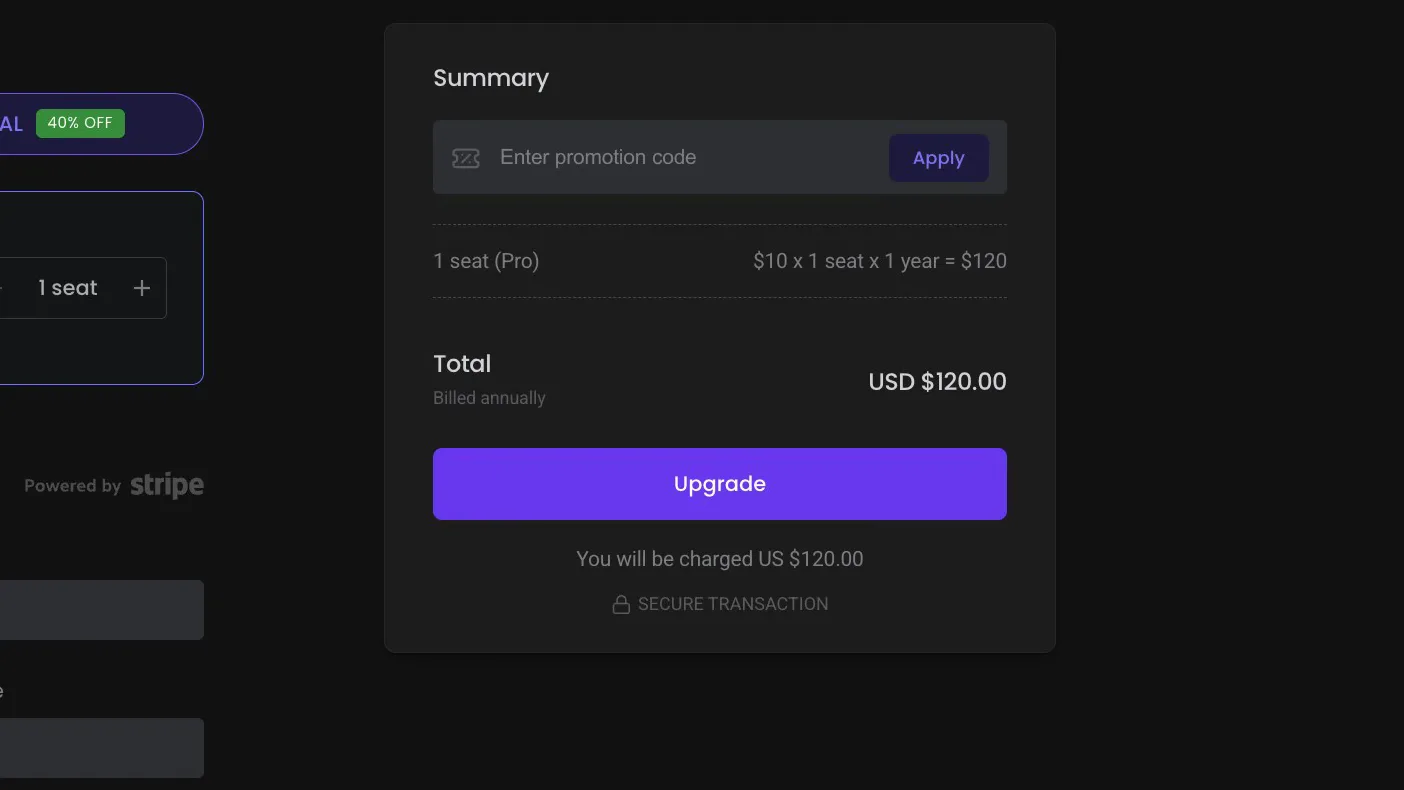
Pro is the realistic starting point. It's billed per seat in US dollars: US$120 a seat a year on annual billing, or US$18 a month paying monthly, which works out about 80% more. Business is US$228 a seat a year, or US$29 a month. A three-person team on annual Pro pays US$360 a year. Checkout charges a straight multiple for more seats, with no minimum, and your card may add a foreign transaction fee.
 (enlarge)
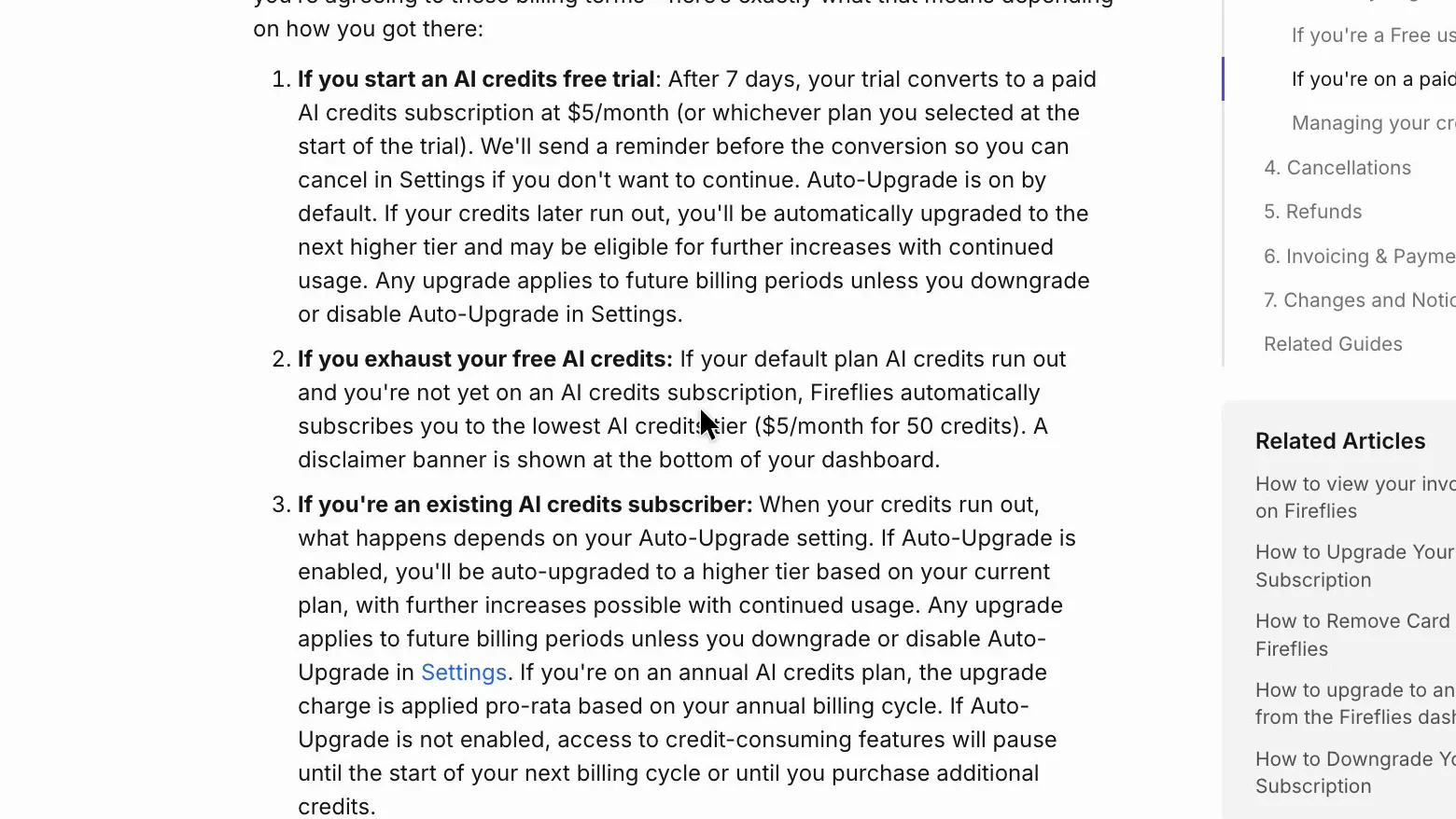
The seat price may not be the whole bill. Fireflies' billing guide says that on a paid plan, running out of AI credits automatically signs you up for 50 more at a few US dollars a month, and its AI credits guide says the included credits are a one-time amount and not refundable.
 (enlarge)
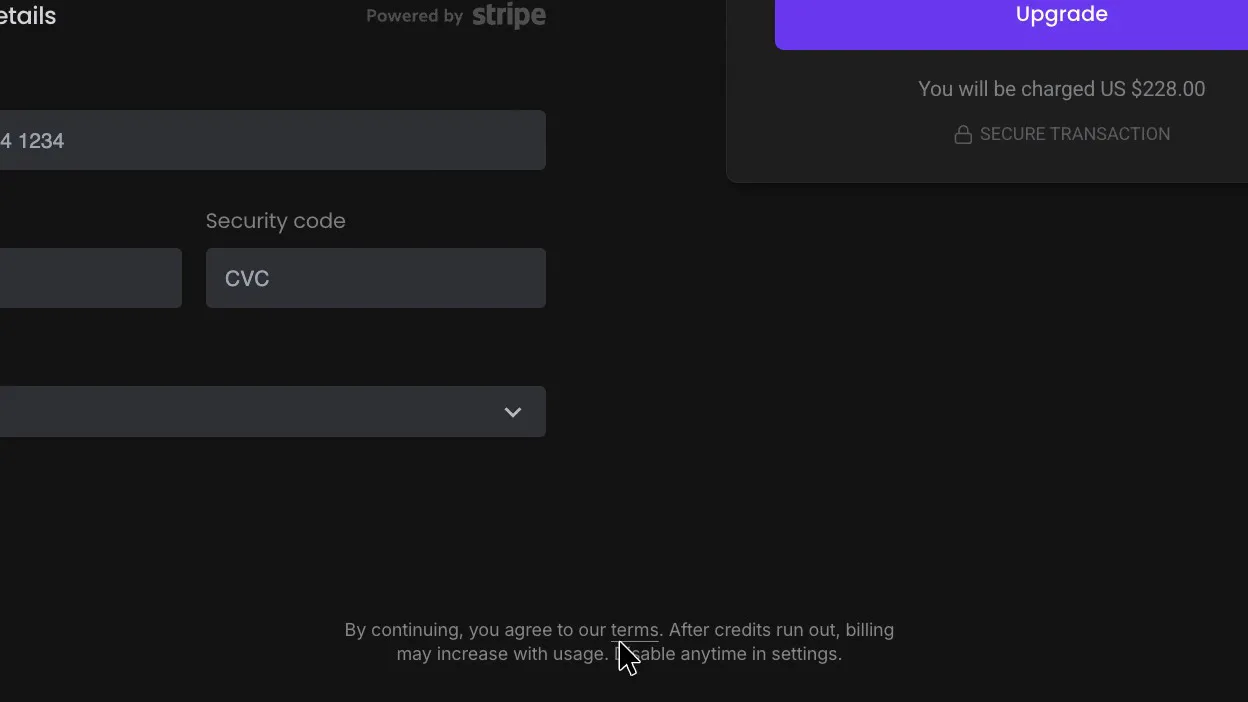
Checkout mentions this only in small print under the button: "After credits run out, billing may increase with usage. Disable anytime in settings." On Free the auto-subscribe switch was off, and running out means a paywall instead.
 (enlarge)
The terms say to cancel at least 24 hours before renewal, and the cancellation guide says cancelling drops you to Free at the end of the billing period.
Worth paying for, and keeping your records
On Free, Fireflies is only really a place to read your notes. Nothing can be downloaded, and once the storage is full Fireflies says to delete older meetings, so it isn't somewhere to keep client records. Downloads start on Pro, and the AI assistant answered well, but plain search only finds words the way the transcript misheard them.
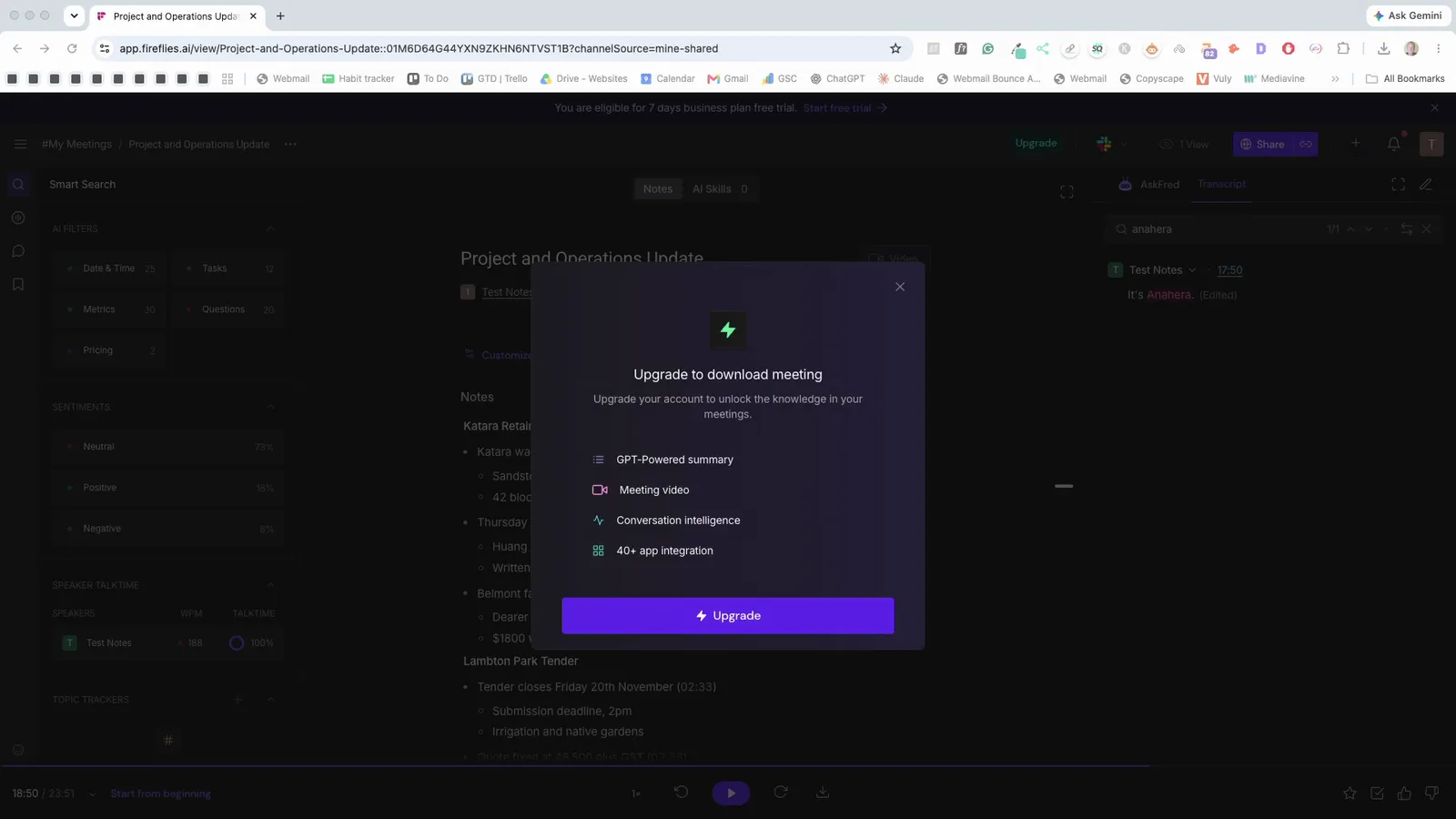
The download box on Free lists PDF, DOCX, MP3 and other formats with no lock, but picking any of them brings up "Upgrade to download meeting", from both download buttons. The "Copy summary" button is a way to take notes out on Free. Fireflies' download guide and the pricing page put downloads on Pro.
 (enlarge)
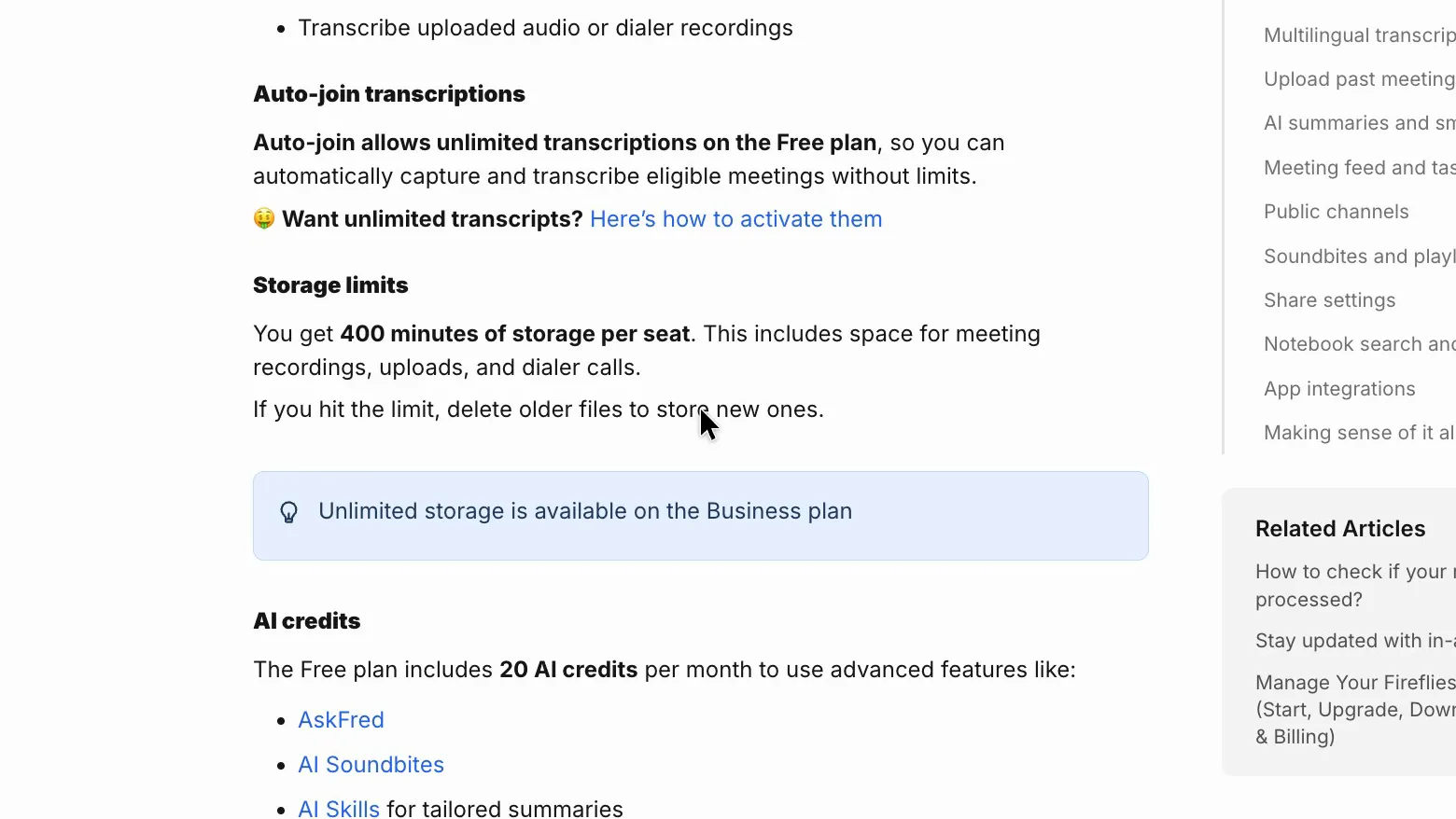
Fireflies' Free plan guide gives "400 minutes of storage per seat" and says "If you hit the limit, delete older files to store new ones." A weekly one-hour meeting fills that in about seven weeks.
 (enlarge)
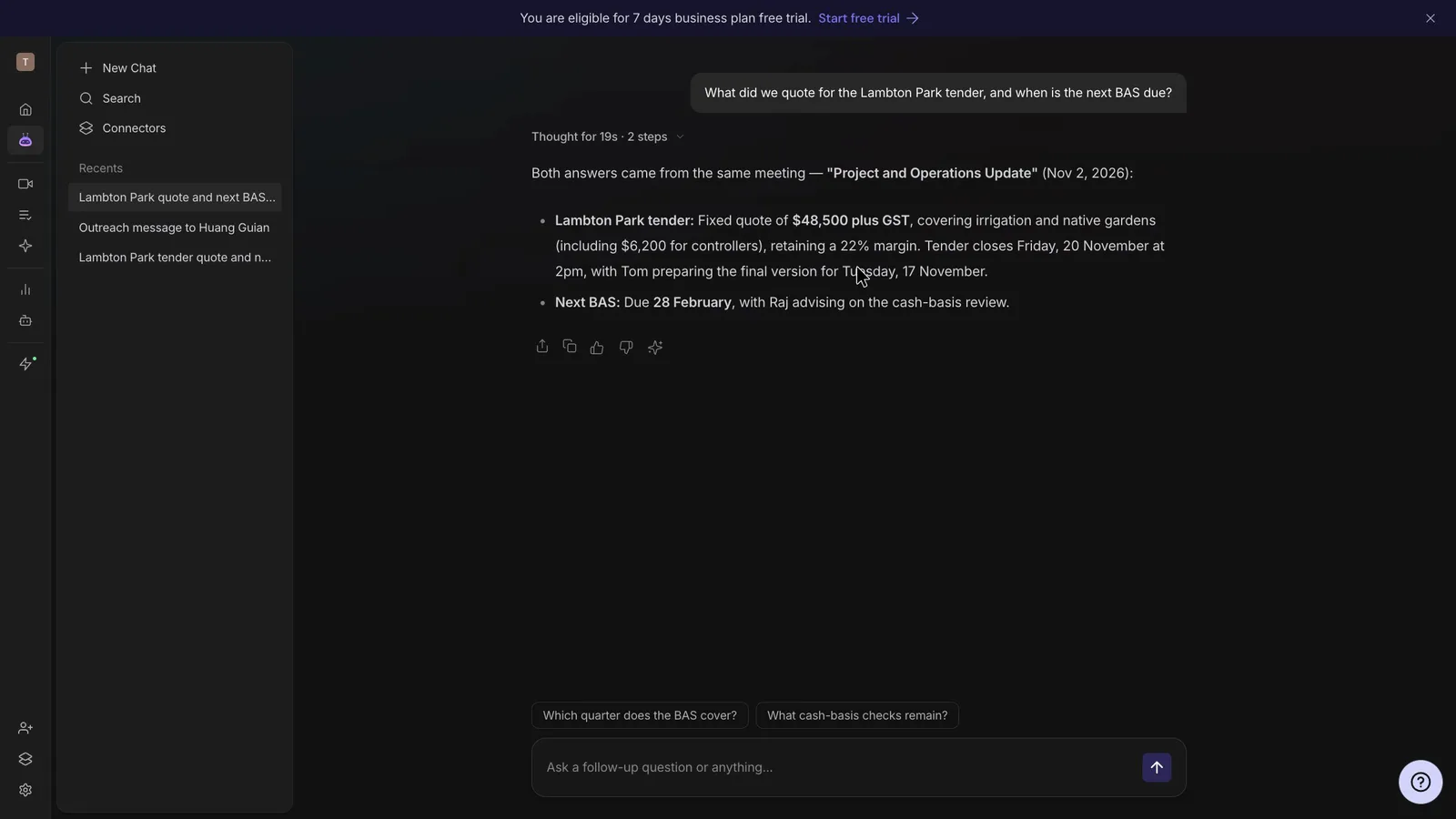
The AI assistant, AskFred, gave the right quote and BAS date from the test meeting and named the meeting they came from. Asked about a made-up deposit, it said it couldn't find any mention.
 (enlarge)
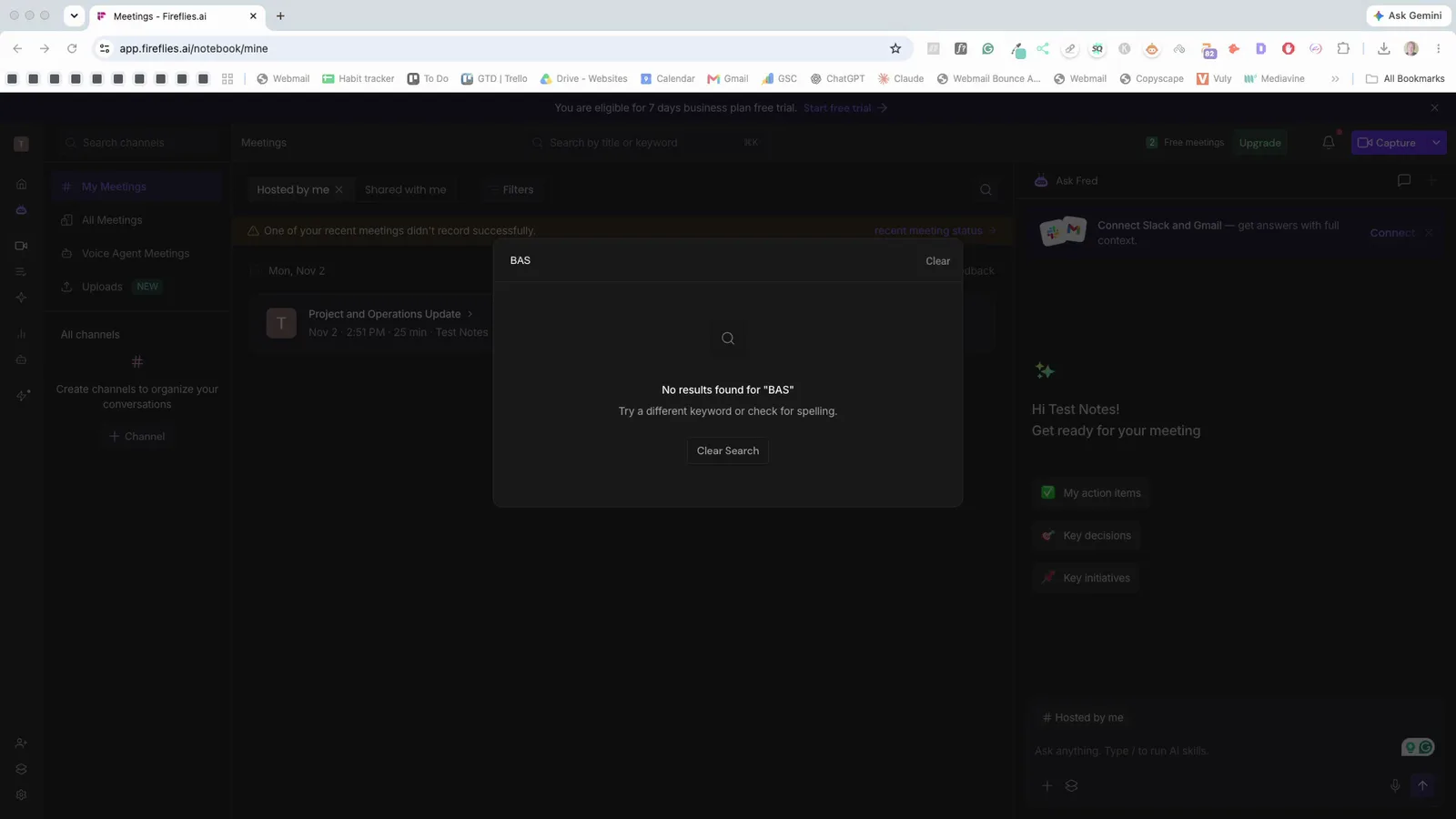
Plain search is weaker. "BAS" found nothing, while the misheard "Baz" found the transcript lines.
 (enlarge)
Fathom offers one person unlimited recordings free, though as far as its pricing page shows, AI action items appear to be limited on that plan. In the same test its notes were similar, though it missed the BAS correction and made up more details (six against Fireflies' two). The case for paying for Fireflies therefore rests on keeping and searching an archive of meetings across a team. Fireflies' privacy policy says it deletes personal information within 30 days of closing an account, so anything worth keeping needs exporting first.
Pricing
| Plan | Price | Per | Includes |
|---|---|---|---|
| Free | Free | Bot recording on Zoom, Google Meet and Teams, transcript, notes and action list; 400 minutes of storage per seat; no downloads; custom vocabulary not available | |
| Pro (annual billing) | US$120 ex tax | per user per year | Everything in Free plus downloads of transcripts, summaries and recordings; larger storage allowance |
| Pro (monthly billing) | US$18 ex tax | per user per month | Same as Pro on annual billing |
| Business (annual billing) | US$228 ex tax | per user per year | Everything in Pro plus unlimited storage and team analytics |
| Business (monthly billing) | US$29 ex tax | per user per month | Same as Business on annual billing |
Fireflies.ai charges in US dollars. Your bank converts the price and may charge a foreign transaction fee. Checked 5 Nov 2026. Source: fireflies.ai/pricing
Integrations
| Connects to | What syncs | Direction | Checked |
|---|---|---|---|
| Google Meet | Bot joins calls from the linked calendar, records and writes notes | Google Meet → Fireflies.ai | |
| Zoom | Bot joins and records meetings | Zoom → Fireflies.ai | |
| Microsoft Teams | Bot joins and records meetings | Microsoft Teams → Fireflies.ai | |
| Google Calendar | Calendar events tell the bot which meetings to join | Google Calendar → Fireflies.ai | |
| Asana | Action items | Fireflies.ai → Asana | |
| HubSpot | Meeting notes | Fireflies.ai → HubSpot | |
| Slack | Meeting notes | Fireflies.ai → Slack |
What I didn't test (15 things)
- Zoom, Microsoft Teams, the phone app and recording an in-person meeting: no phone, Zoom or Teams call was available, so only the bot on Google Meet was seen
- Uploading a recording: the Upload Meeting button was seen on Free but nothing was uploaded
- Speaker labels on a real call: every voice in the shared test came through one participant
- What a guest sees, including declining the bot, a guest typing /ff pause and what the live notes link shows them: this needs a second person
- A brand-new account's default recap and auto-record settings, who actually receives a recap, and whether the bot stays out after removal: this needs a spare account
- Whether a meeting link locked to Only Owner stops opening for someone signed out: an incognito window couldn't be opened
- The cancel route, paid billing screens, paid downloads and access to meetings after cancelling: the account stayed on Free and nothing was bought
- The desktop app and Chrome extension: not installed
- Sending action items to another tool such as Asana or HubSpot: no integration was connected
- Filling Free's 400 minutes of storage: the library held about 25 minutes
- The AI credit cost of each AskFred question or Draft action: the counter readings were inconsistent
- Search across many past meetings: only one meeting was in the library
- Deleting a meeting to confirm it's gone: not done, to keep the shared test record
- Support response times and Australian business-hours cover
- A fully timed edit to client-ready notes: only one edit was made and timed, so the six to nine minutes is an estimate
Video transcript
What Fireflies is
I played the same meeting into seven popular AI notetakers, and Fireflies got every figure right but about a third of the names wrong. It's a bot that joins your online meetings and writes up the notes. With the help of my AI review agent, I tested it hands-on to find its strengths and weaknesses and who it suits best, then checked the key findings myself. I think it suits a small team that meets online and will pay for the Pro plan, as long as someone checks the notes before a client sees them. But on the Free plan I tested, you can't download anything, so I wouldn't keep client records there.
Notes you can send as they are
So how close are the notes to something you could send a client? Every figure was right, and when someone corrected the BAS due date partway through, the notes show the corrected one. Names were the weak spot, though; it got the new apprentice's name wrong, and it wrote Tiggers Hill for the suburb of Tighes Hill. It also wrote up two maybes as if they were settled, like this fallback, which became a task. And a question for the accountant reads as advice he's already given. All four voices came through one person on the call, so I didn't test whether it labels each speaker properly.
Notes you can send as they are
Next to the other six tools in the same test, Fireflies sat in the middle. It was one of five to use both corrections, and its names score was about the same as most of the others.
Notes you can send as they are
The next thing I looked at was how much work it takes to fix those mistakes. Getting the notes ready for a client looked like about 17 small edits, which works out at an estimated six to nine minutes. "Replace All" fixed the name in the transcript, but the notes kept the wrong spelling until they were edited separately. Fireflies has a custom vocabulary setting for teaching it your names, but it's greyed out on the Free plan. The action list also has no due dates, so each task here carries only a timestamp. The dates sit further up in the notes, so if you forward just the list, the deadlines don't go with it.
Online calls and in-person meetings
In this test the bot only joined a Google Meet call, but Fireflies says it also joins Zoom and Microsoft Teams, and its phone app records meetings in a room. When the bot can't get in, its help guide suggests turning off the Zoom waiting room and opening up guest access in Teams, which weakens your own security.
Who knows it's recording
So how do people on the call know they're being recorded? The bot asks to join under its own name, so it's pretty easy to spot. Its chat message says who invited it and how to pause or stop it, and typing "/ff pause" paused it straight away, with a pause symbol on its tile. But the message treats staying on the call as agreeing, and Fireflies' terms leave it to you to get everyone's consent to record. Your meetings are also stored in the US by default, though its privacy policy says it doesn't use personal information to train AI.
Control over joining and sharing
Keeping the bot and its emails away from clients takes only a few clicks once you know where to look. Turning auto-record off takes one click, with no warning, and setting the "Meeting recap email" to "Only me" takes two. The meeting link has its own setting, and locking it to "Only Owner" is easy enough. Fireflies' help guide says recaps go to everyone on the invite by default, including people outside your business. But switching auto-record off and back on quietly reset it to "Record all calendar events with a meeting link", both times.
True cost in AUD, and getting out
Fireflies charges per seat in US dollars, so what you pay in Australian dollars goes up and down. At the time of recording, Pro worked out at about $171 a seat a year on annual billing, converted to Australian dollars, and paying monthly costs a lot more. Fireflies' billing guide says that on a paid plan, running out of AI credits automatically signs you up for 50 more at five US dollars a month. Checkout mentions that only in small print under the upgrade button, which says you can switch it off in settings. I didn't test cancelling, but the same guide says it drops you back to Free at the end of the billing period.
Worth paying for, and keeping your records
On the Free plan, Fireflies is only really a place to read your meeting notes, not to keep them. You can't download anything, because every download option brings up an upgrade prompt instead. And once Free's 400 minutes of storage are full, Fireflies' guide says to delete older meetings, which a weekly one-hour meeting would reach in about seven weeks. The pricing page puts downloads on the Pro plan. Fireflies' AI assistant answered questions about the meeting correctly, and said so when it didn't know something. But searching only finds words the way the transcript misheard them, so for example, "BAS" found nothing and "Baz" found the meeting.
Who it suits
Going by my test, I think Fireflies suits a small team that meets mostly on scheduled online calls and is happy to pay for Pro. Its notes got the figures right, but the names and the maybes need checking before a client sees them. I wouldn't keep client records on the Free plan, because you can't download them and older meetings have to go once the storage fills. For one person who just wants free notes, Fathom is also worth a look, because its free plan has unlimited recordings. But it made up more details than Fireflies in my test. So if most of your meetings are online, I'd give the Pro plan a go, but I'd set the recap to "Only me" before the first client call.
Who it suits
I hope that helps you decide if this is a good option for your business.