Fathom review: is it right for client calls?
Verdict: I think Fathom suits people who mostly meet online from a computer and will check the recap before anyone else sees it, because it got every number and almost every task right and keeps recordings for free. Going by my test, it doesn't suit anyone who wants notes they can send as they are, meets clients across a desk or by phone, or won't change the settings first. The recap needed about ten fixes, and Fathom was set to send it to everyone on the invite.
Suits
- Owners and small teams who meet clients mostly on Google Meet, Teams or Zoom from a computer
- Businesses that will read and fix the recap before it goes to a client
- Solo users who want free recordings and transcripts that are kept indefinitely
Doesn't suit
- Anyone who wants meeting notes they can send to a client without checking them
- Businesses that meet clients face to face or by phone
- Teams that won't change the default recording and sharing settings before client calls
- Businesses that need to export their whole meeting archive in one go
The test meeting
I played the same pre-recorded meeting into seven popular AI notetakers, and Fathom got every number right but added details nobody said. With the help of my AI review agent, I tested it hands-on to find its strengths and weaknesses and who it suits best, then checked the key findings myself.
The meeting is a scripted weekly catch-up at a made-up Newcastle landscaping business. It has Australian names and suburbs, a quote, an overdue invoice, a BAS date that gets corrected partway through, and nine tasks with owners and due dates. It was played into a live Google Meet call, and Fathom's desktop app recorded it. The account was on a 14-day trial of the Business plan, one of Fathom's paid plans, so the action items, follow-up email and team settings below were seen on a trial rather than on the free plan.
 (enlarge)
Notes you can send as they are
Fathom gets the numbers and tasks right, but the recap needed about ten fixes before it could go outside the business, and most of them are mistakes only someone who was in the meeting would spot.
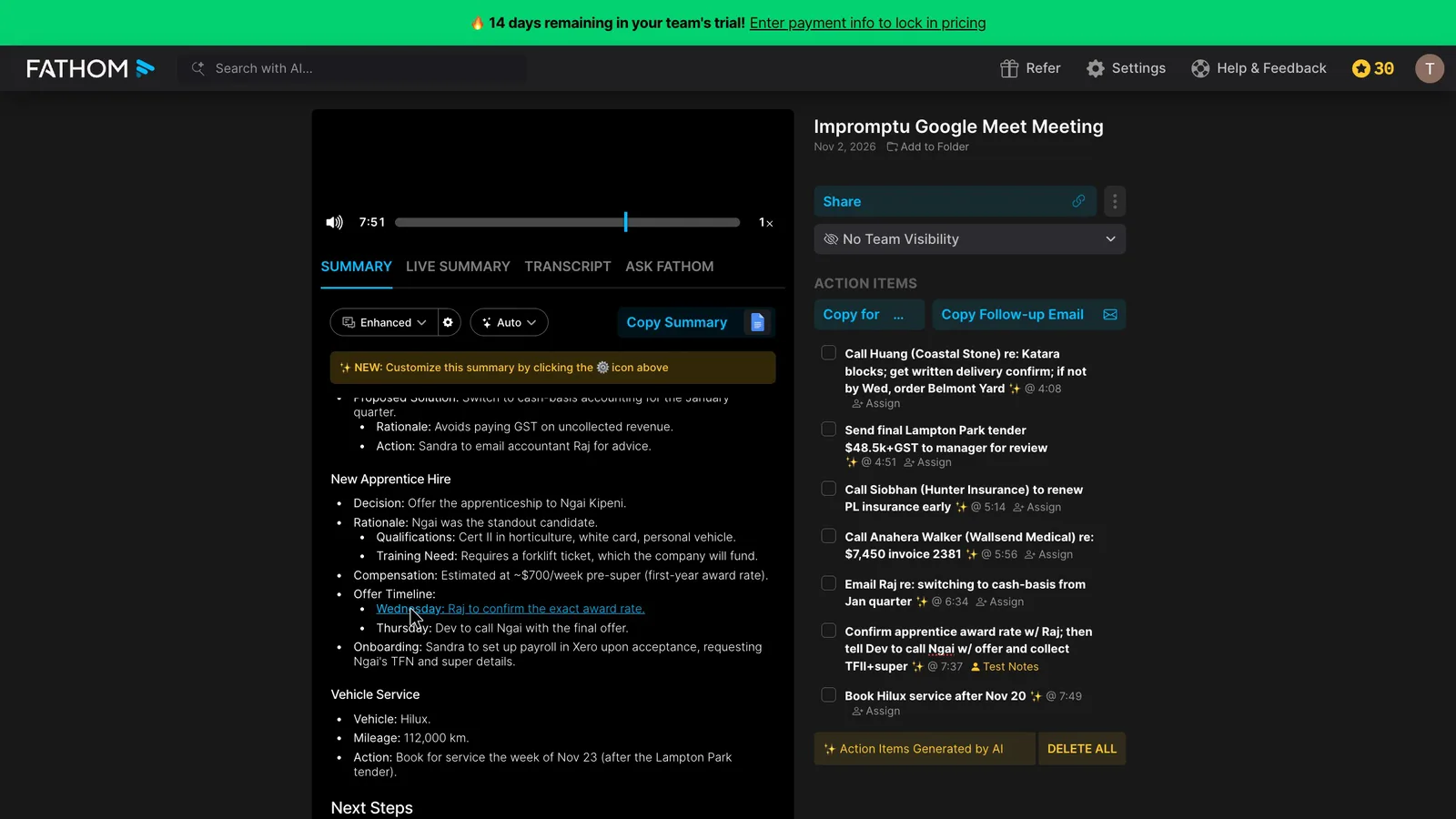
It got all 18 figures right, including the quote, an invoice number and amount, and a mobile number. It found eight of the nine tasks cleanly and one partly, recorded both decisions, and applied a correction that moved a job to Thursday.
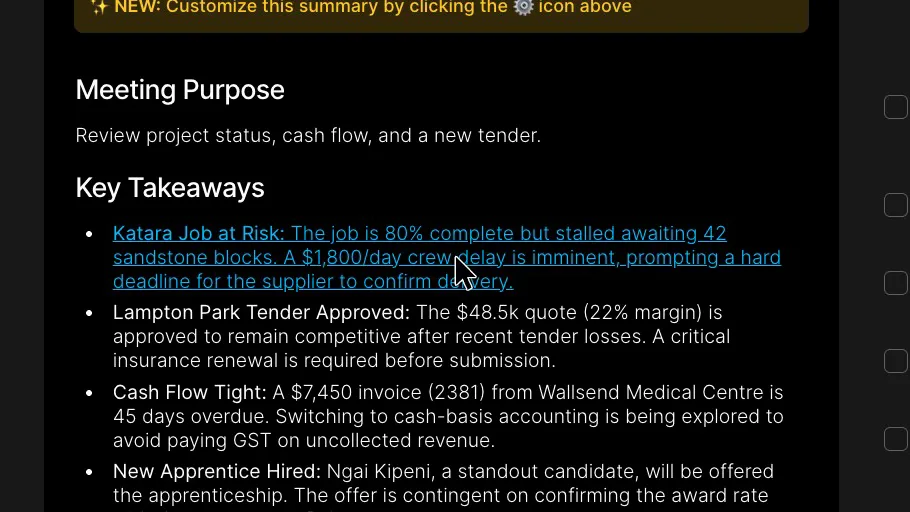
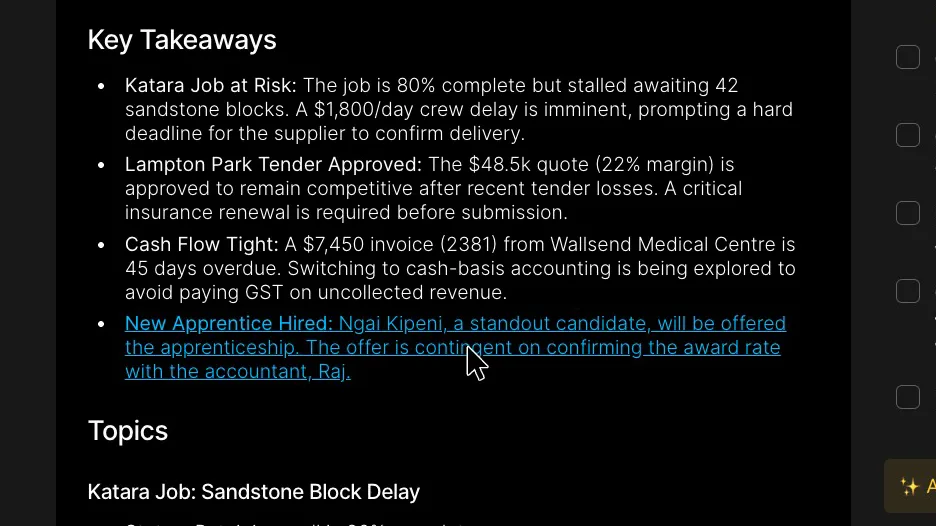
Names were weaker. Kotara became Katara, Lambton Park became Lampton Park and Croudace Street became Crowther Street, and the supplier and the new apprentice got names nobody would recognise. Each one went from the transcript straight into the summary.
 (enlarge)
 (enlarge)
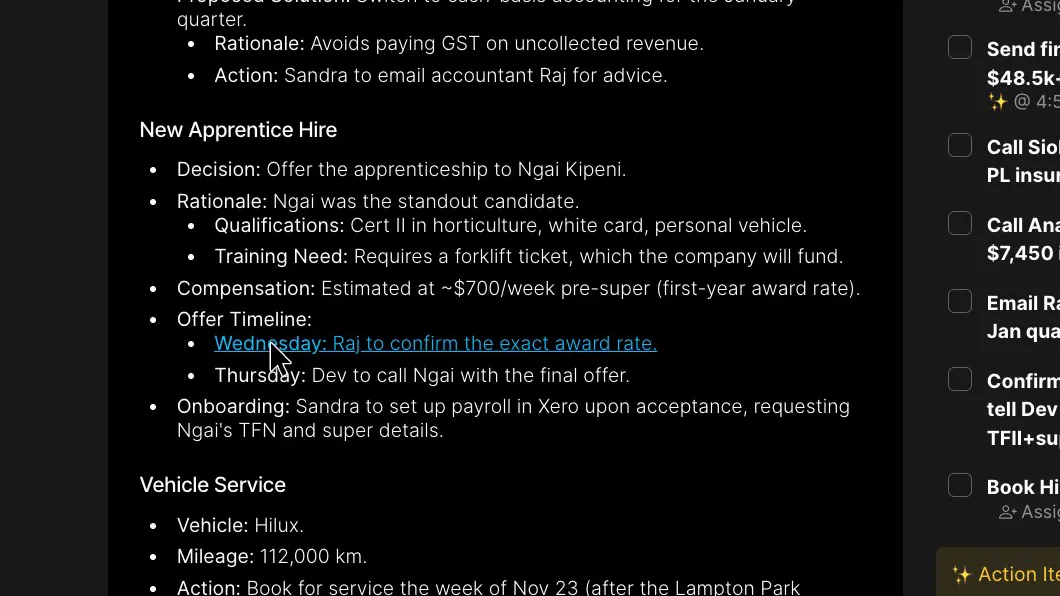
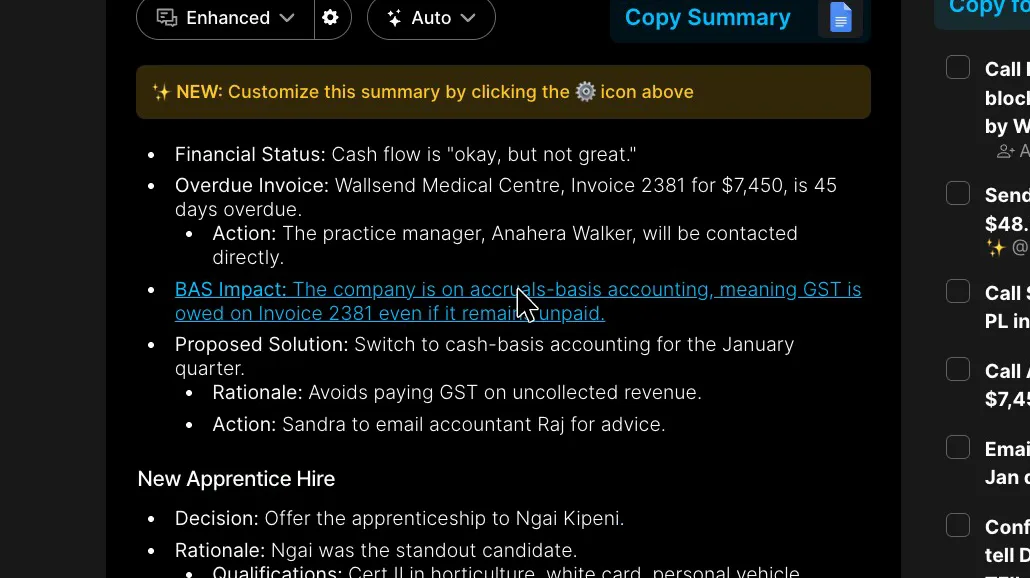
Other mistakes are ones a reader who wasn't there couldn't catch. The summary gives the accountant an award-rate check that another person in the meeting said she'd do herself.
 (enlarge)
The corrected BAS due date of 28 February is missing from the Cash Flow & BAS section completely, although the transcript has it word for word.
 (enlarge)
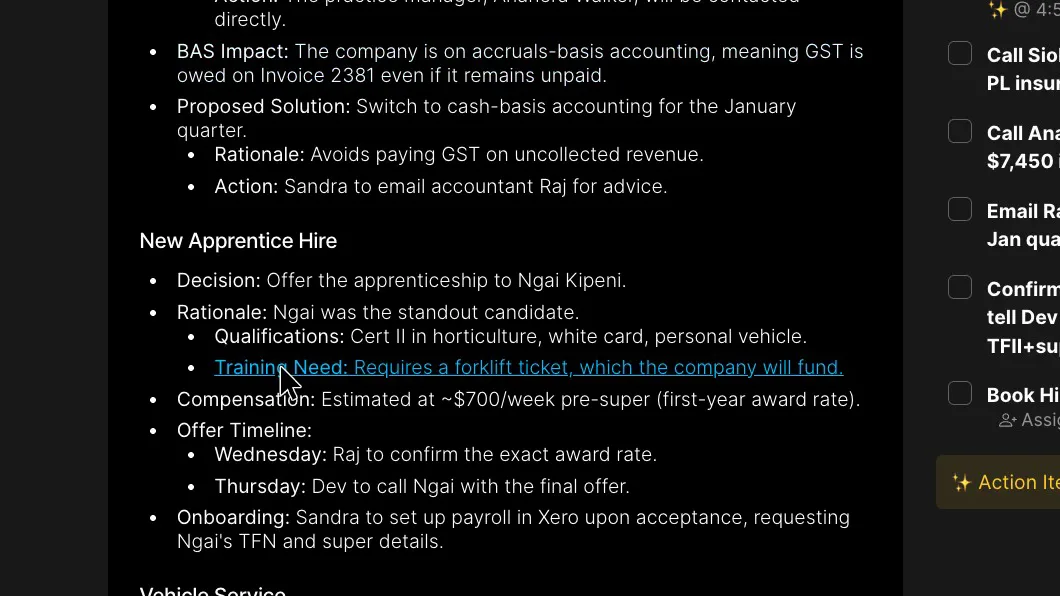
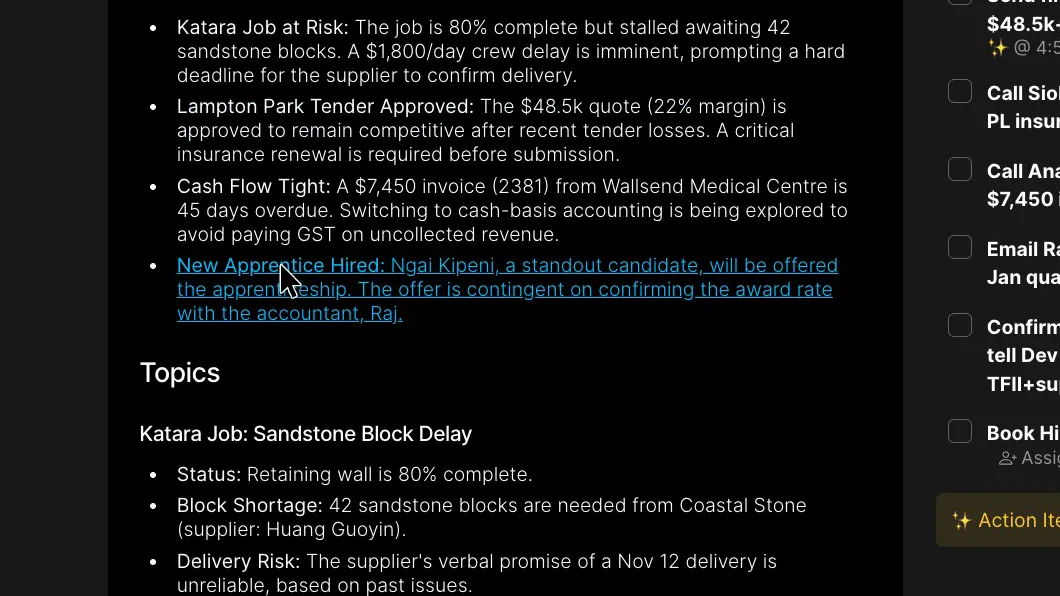
Fathom also added details nobody said. It wrote that the business would fund a forklift ticket, and put the apprentice under a "New Apprentice Hired" heading when the meeting only agreed to offer her the job.
 (enlarge)
 (enlarge)
Against the other six tools on the same meeting, Fathom was level with the best on tasks. The table counts six made-up details for Fathom and one or two for each of the others. Every tool except Wispr Flow got all 18 numbers right.
| Tool | Tasks found (of 9) | Corrections used (of 2) | Names right (of 18) | Made-up details |
|---|---|---|---|---|
| Fathom | 8, plus 1 partly | 1 | 11 | 6 |
| Granola | 8, plus 1 partly | 2 | 12 | 1 |
| Otter.ai | 8, plus 1 partly | 2 | 10 | 2 |
| Fireflies.ai | 7, plus 2 partly | 2 | 11 | 2 |
| MeetGeek | 7, plus 2 partly | 1 | 9 | 2 |
| Wispr Flow Notetaker | 7, plus 2 partly | 2 | 8 | 2 |
| Read AI | 5, plus 3 partly | 2 | 11 | 1 |
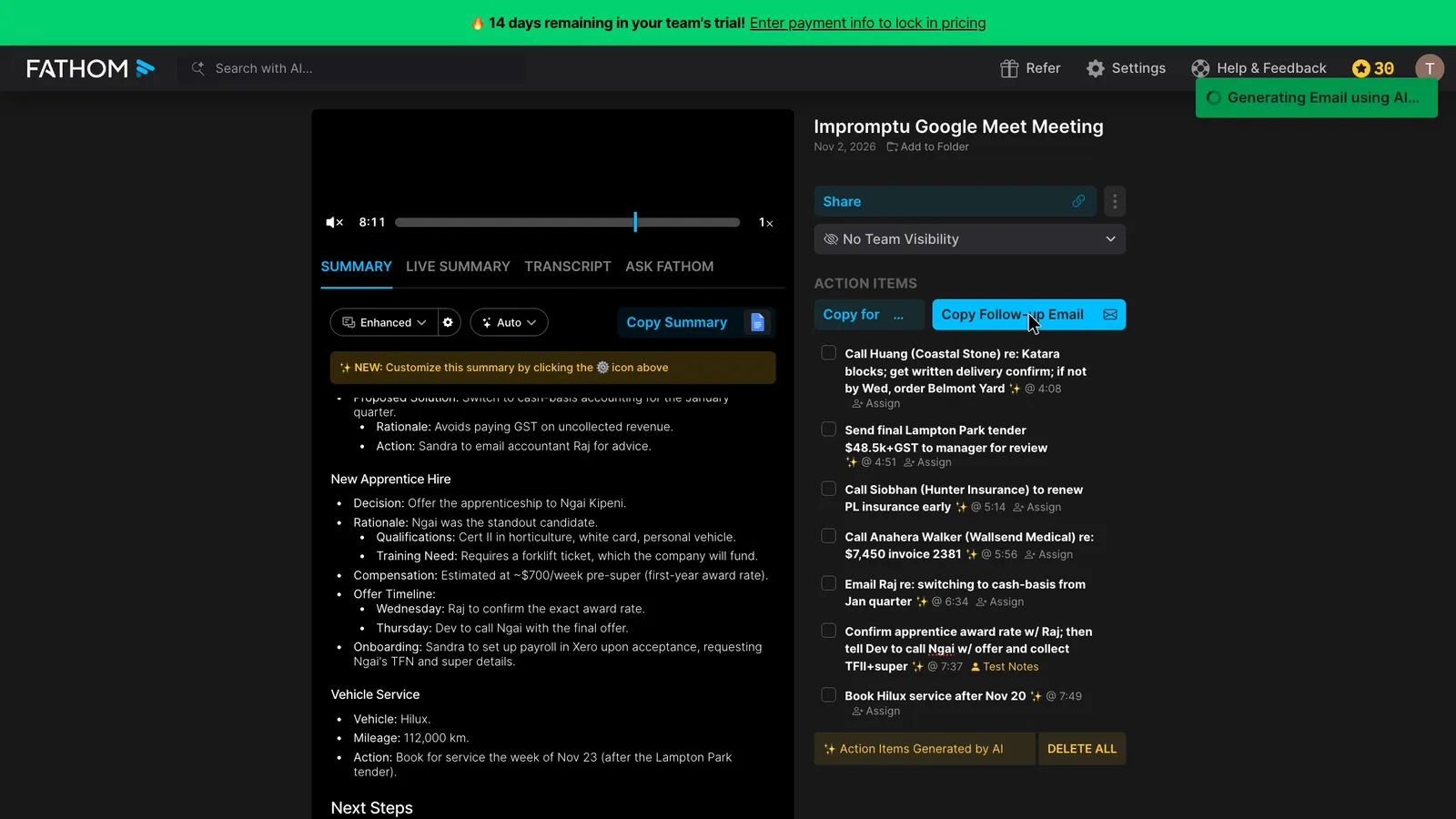
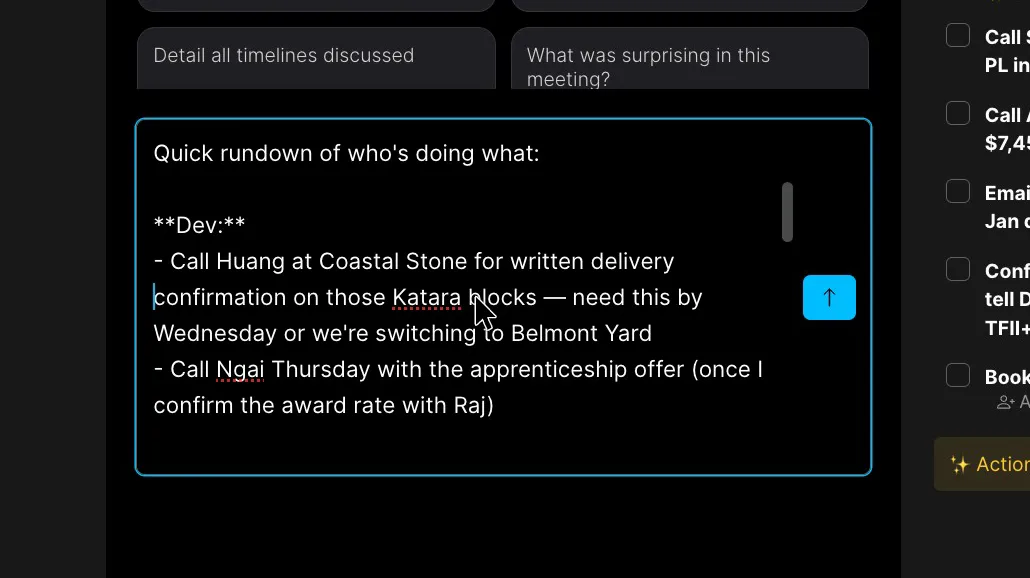
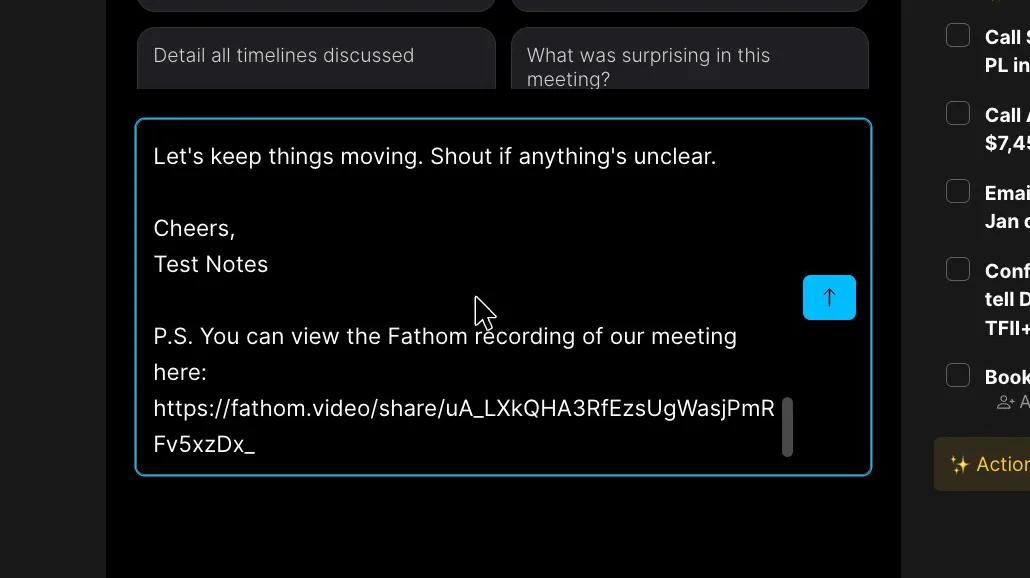
The follow-up email needs the same checking. Copy Follow-up Email writes the email straight to your clipboard without showing it to you first. Pasted, it had fixed the award-rate owner but repeated the misheard names, and it ended with a link to the whole recording.
 (enlarge)
 (enlarge)
 (enlarge)
Clicking a line in the summary plays the recording from that moment, so a doubtful owner or date can be checked by ear in seconds. Action items can be edited where they sit.
 (enlarge)
Catching every meeting
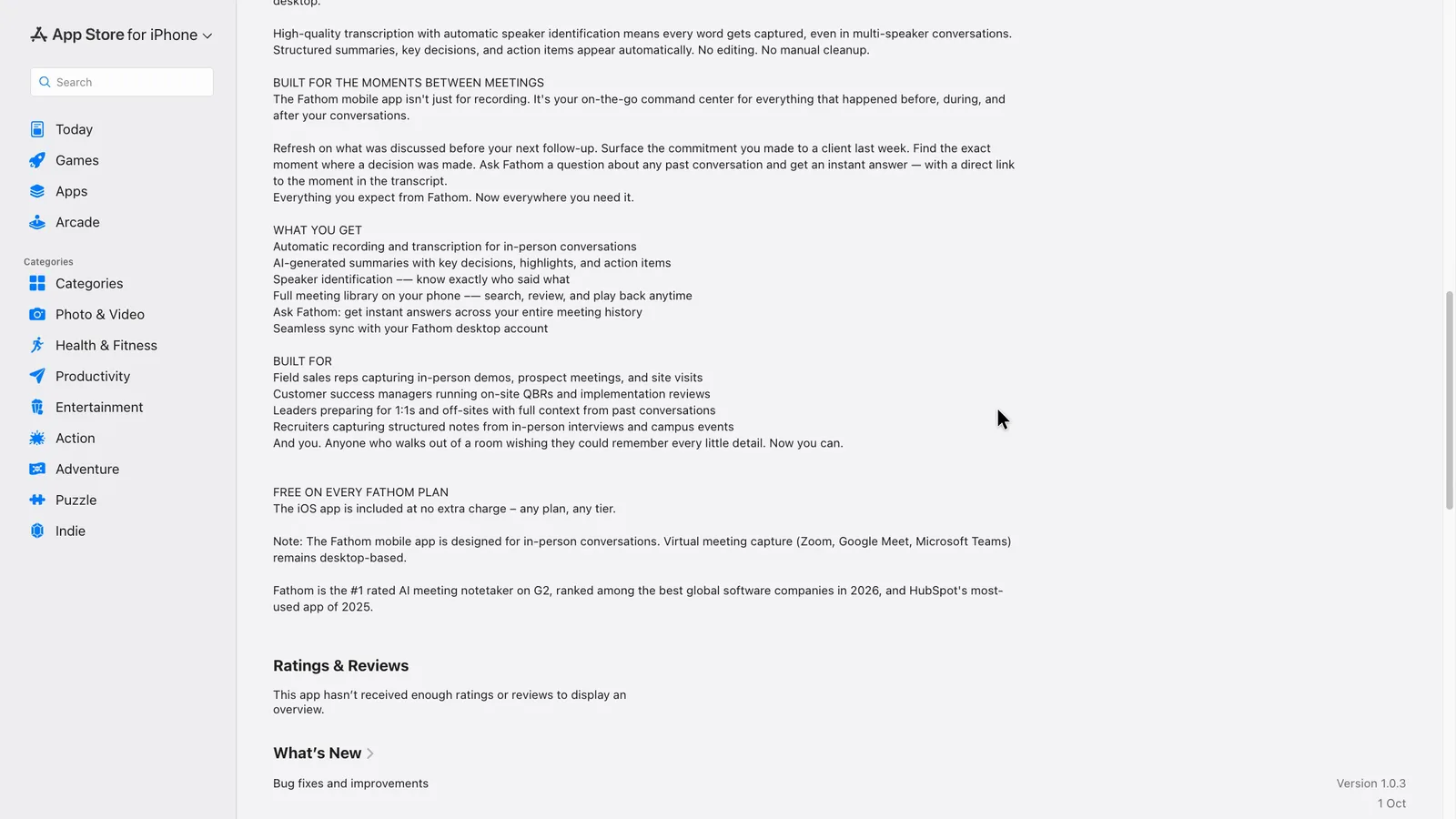
Fathom can cover online calls in more than one way, depending on how it's set up. Its bot joins scheduled Zoom, Meet and Teams calls from a connected calendar, but no-bot recording and unscheduled calls need the right Fathom app installed, connected and running. The iPhone app is designed for conversations in the room, and it doesn't appear to record phone calls.
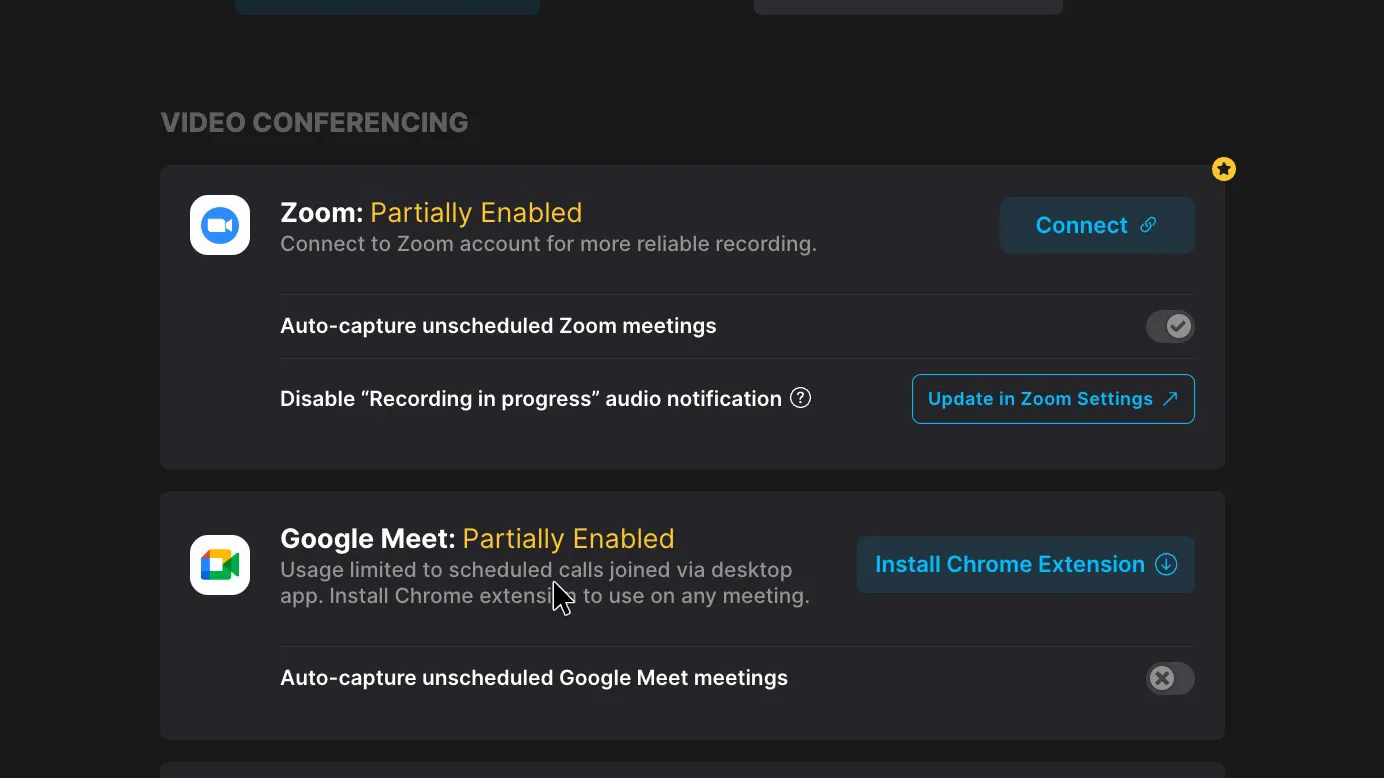
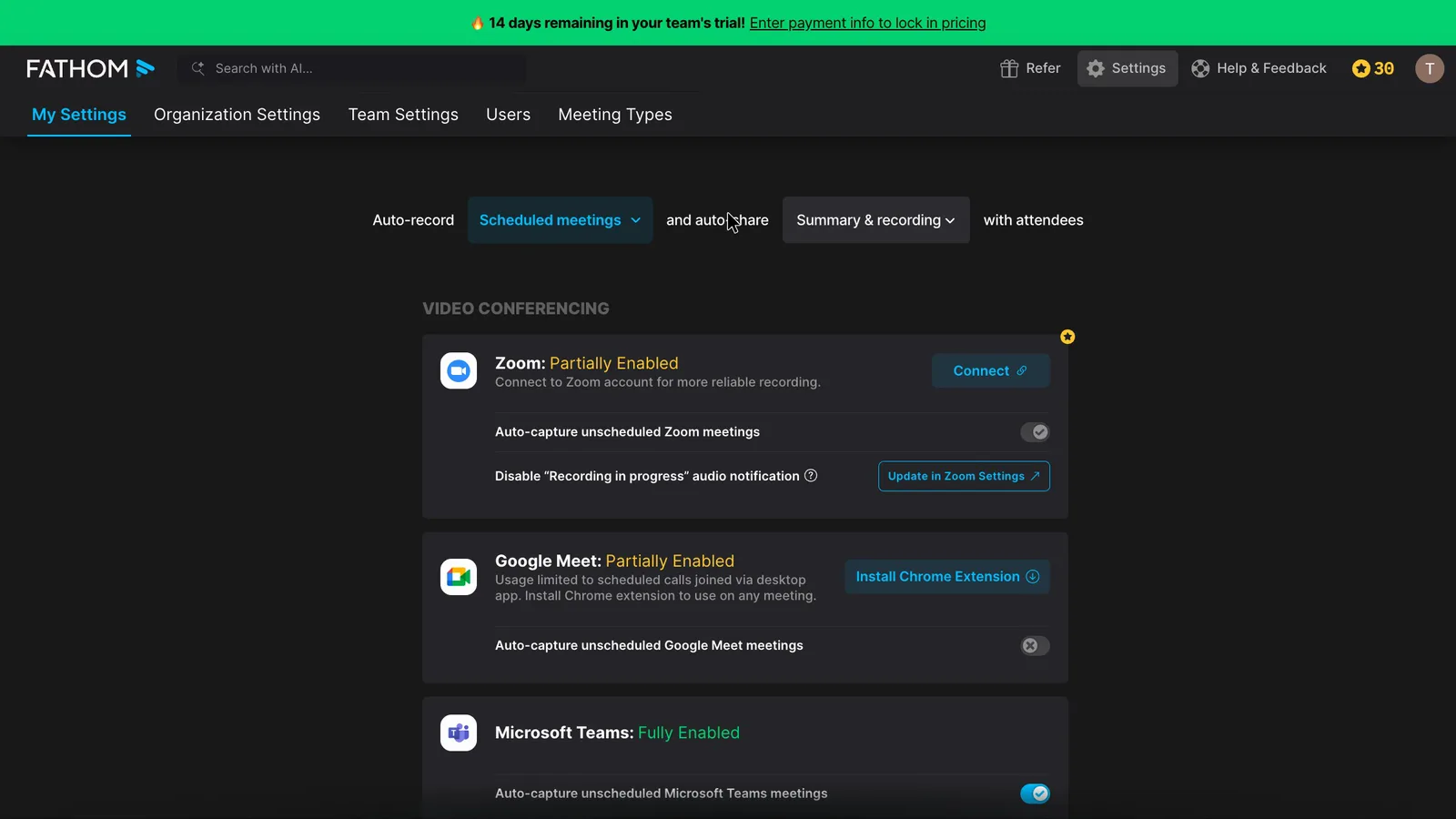
In Settings, Teams and Slack Huddles show as fully enabled. Google Meet shows as "Partially Enabled" until you install Fathom's Chrome extension, and Zoom stays partial until you connect a Zoom account. Covering every Zoom and Meet call, including unscheduled ones, can mean the desktop app, the Chrome extension and a Zoom connection.
 (enlarge)
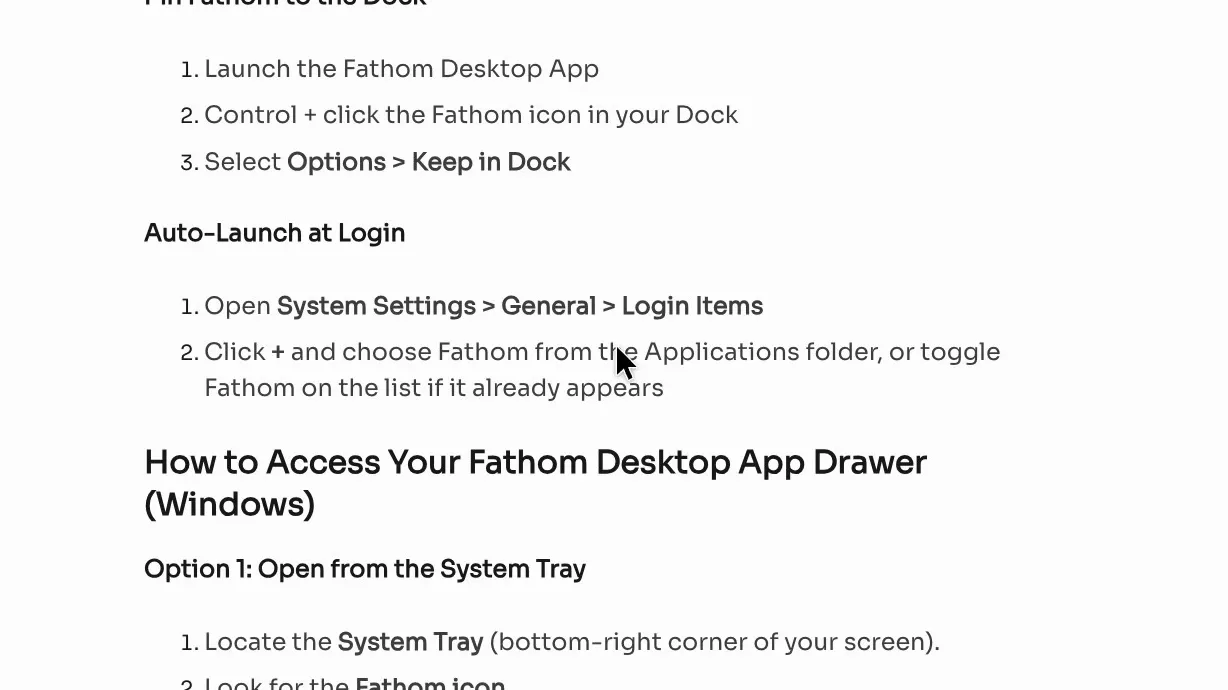
Fathom's desktop app help page has no-bot recording starting from the app, and it describes starting the app at login as a manual step, for macOS only.
 (enlarge)
Only a Google Meet call was recorded live, and it appeared in My Calls with the other recordings. Zoom and Teams coverage here comes from the settings and help pages.
The iPhone app's Australian App Store listing says it "is designed for in-person conversations" and that online meeting capture stays on the desktop. It doesn't appear to record ordinary phone calls.
 (enlarge)
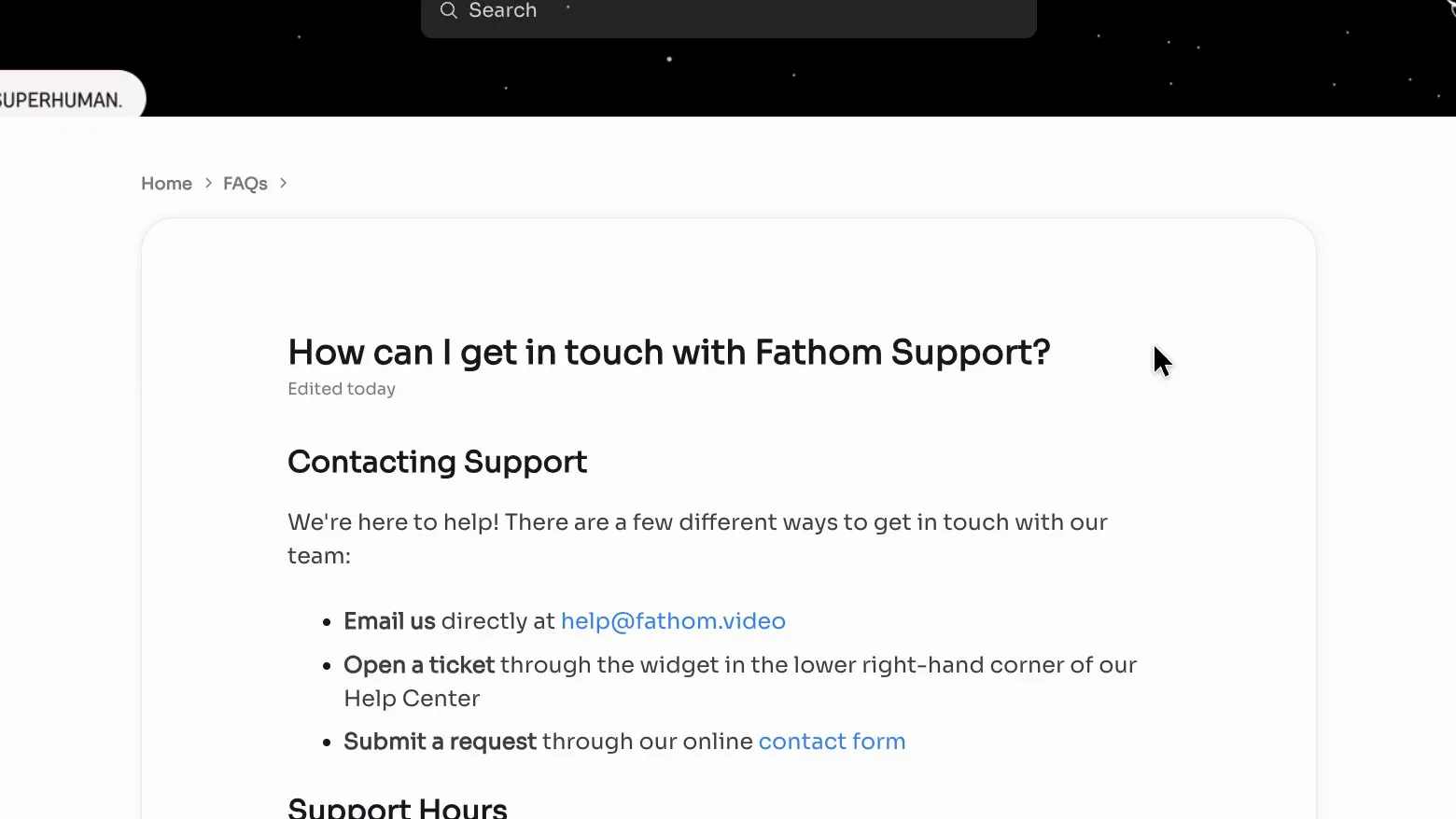
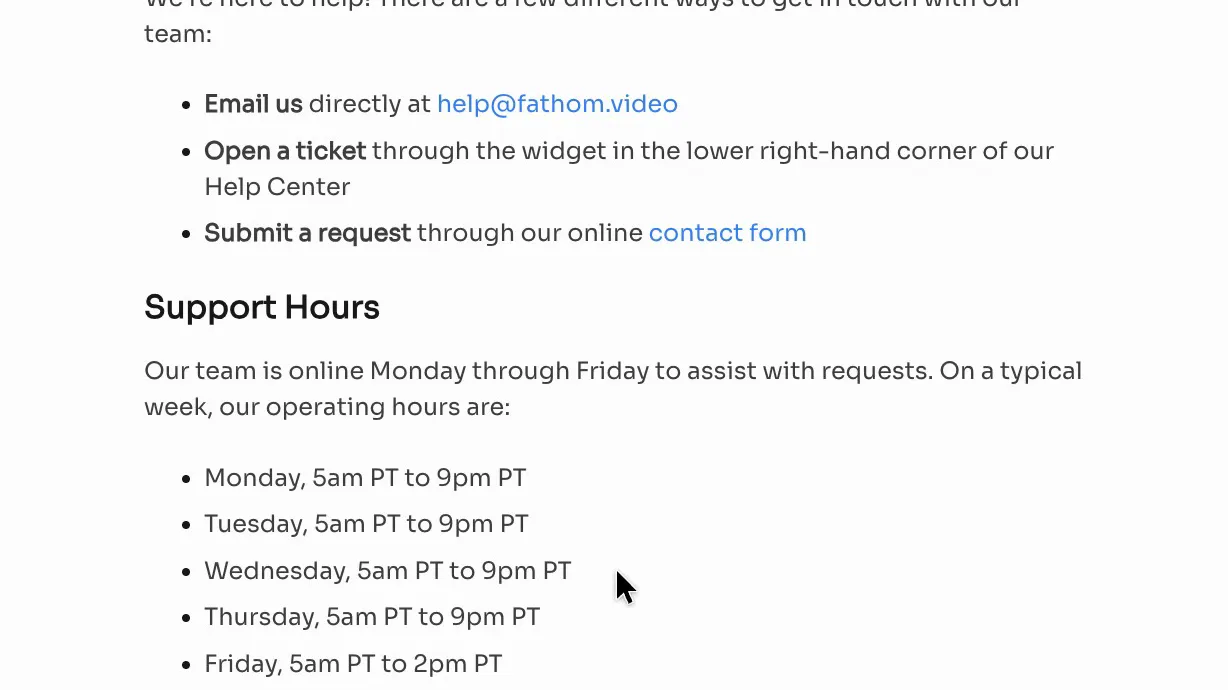
Fathom's support is by email or ticket, with no phone line. Its listed hours, converted to Sydney time, run from about midnight to 4pm Tuesday to Friday plus Saturday morning, so it's unlikely anyone will be online during an Australian Monday.
 (enlarge)
 (enlarge)
Who knows it's recording
Fathom shows a recording notice by default, and its bot joins under your name. Paid plans can switch the notice off, a consent email nobody answers doesn't stop the recording, and Fathom uses your meetings, with personal details removed, to train its own AI unless you turn that off.
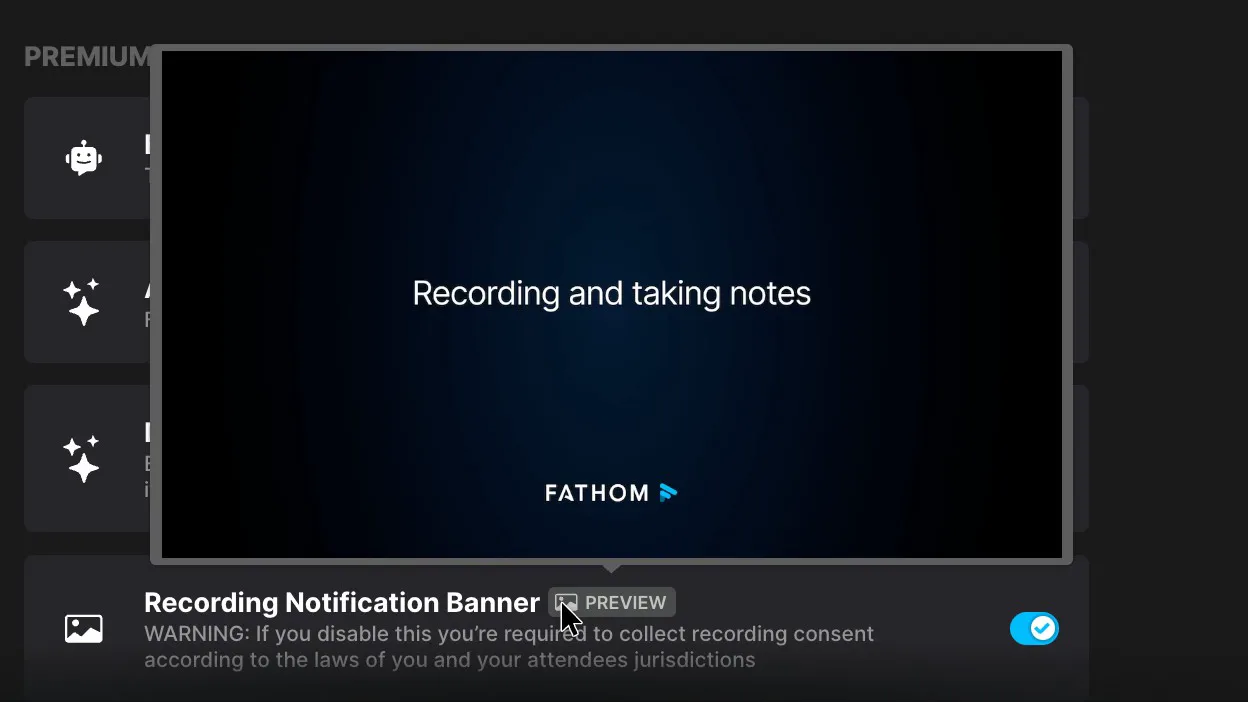
The Recording Notification Banner is on. Turning it off is a paid feature, and the setting warns that collecting consent then becomes your job. The test call used Fathom's no-bot recording, so what a guest sees wasn't filmed.
 (enlarge)
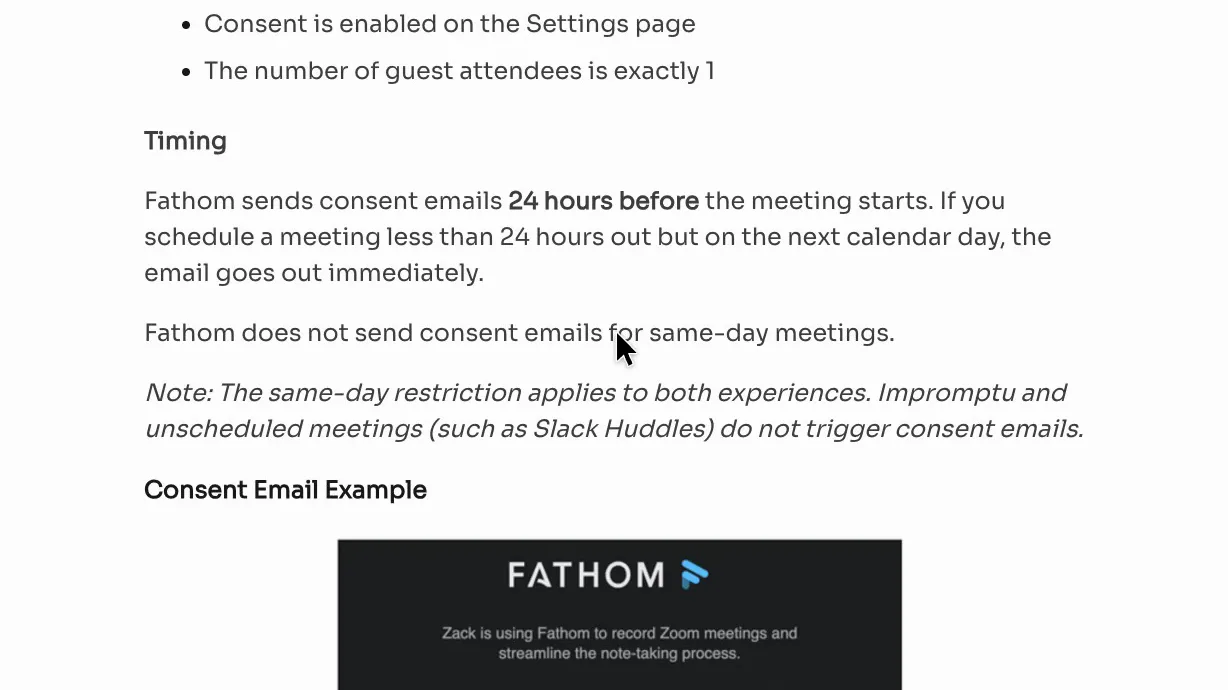
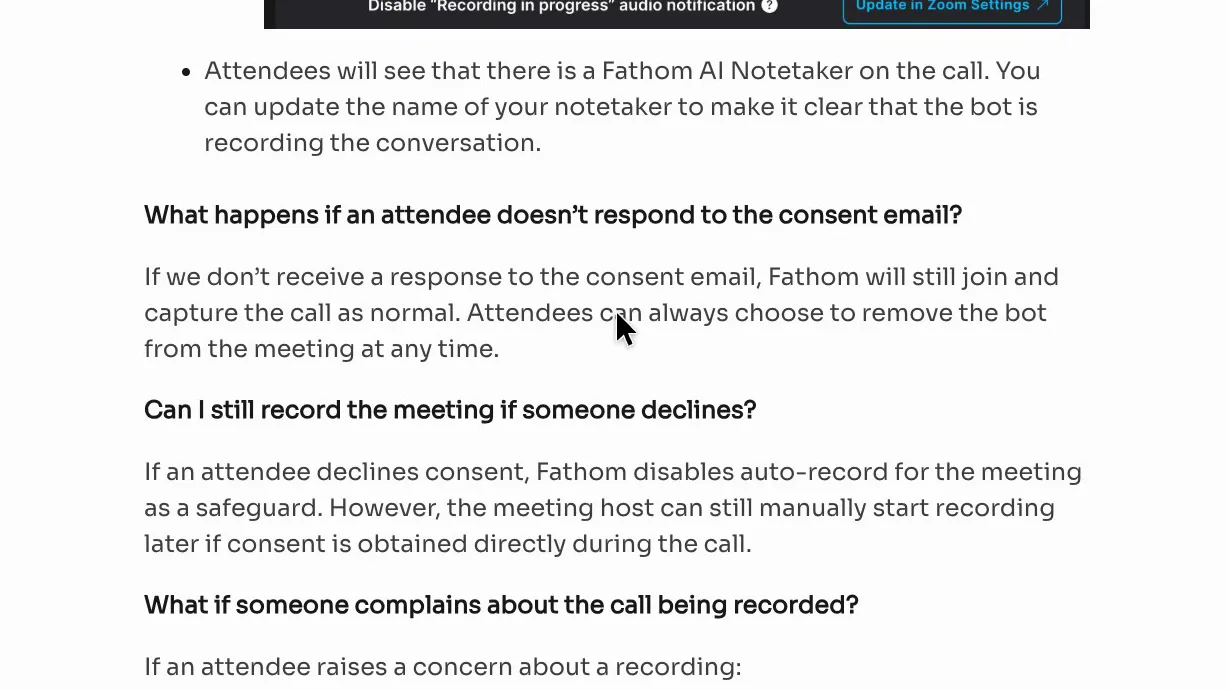
For external meetings you host, Fathom can email an outside guest 24 hours ahead to ask for consent, when the setting is on. Its consent help page says bot meetings need exactly one guest attendee, so a call with several clients gets no email. A "no" turns off auto-record for that meeting, but the host can still ask for verbal consent and start recording. If nobody replies, the same page says "Fathom will still join and capture the call as normal". Meetings booked the same day, or never scheduled, get no consent email.
 (enlarge)
 (enlarge)
In NSW you generally need consent from all the main parties to a private conversation under the Surveillance Devices Act 2007, and other states have their own rules. Asking at the start of the call remains the business's job.
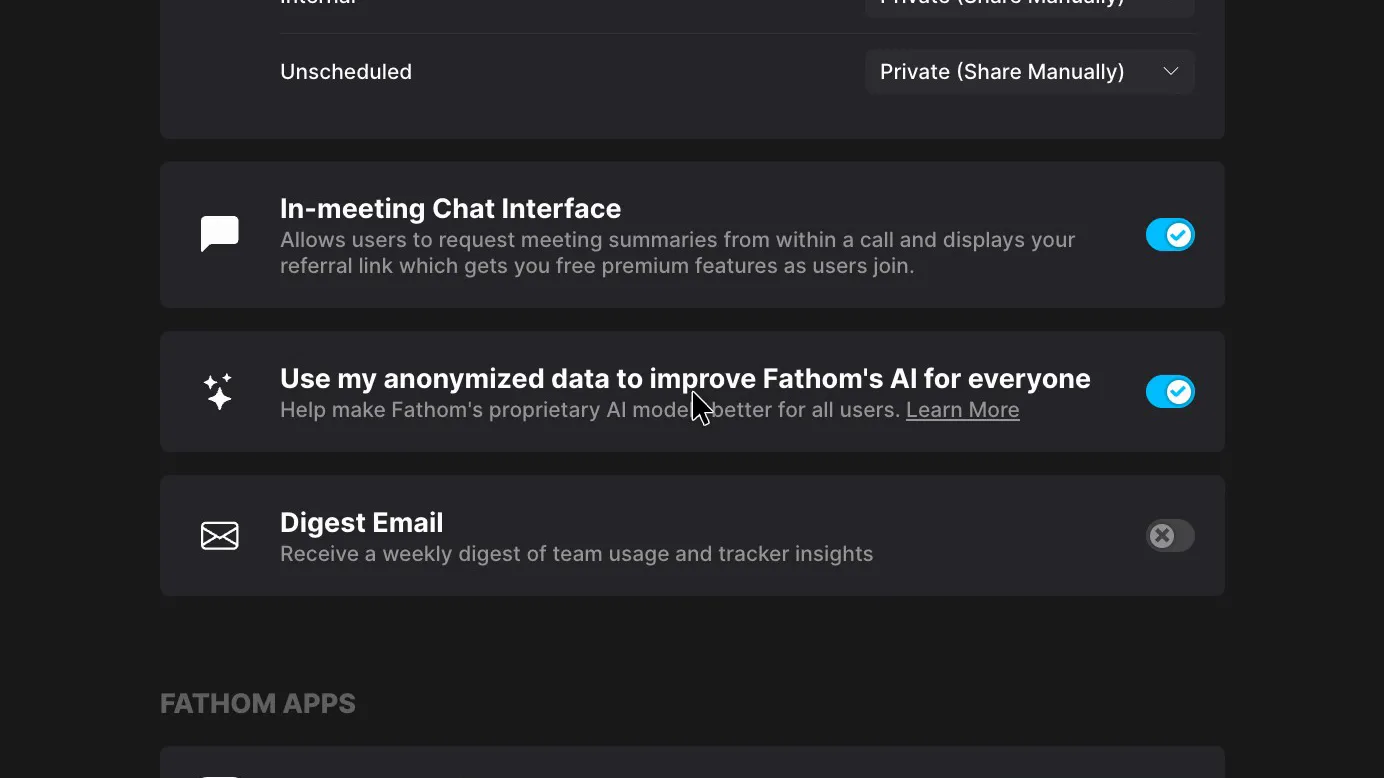
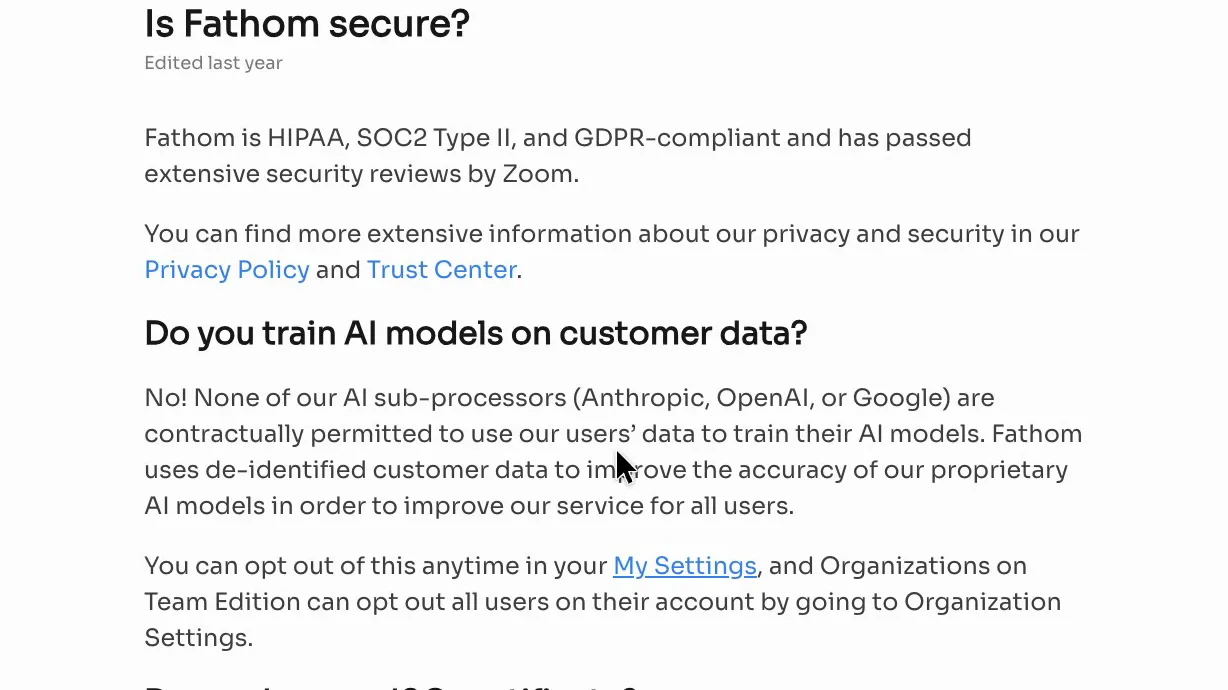
In my account, the setting "Use my anonymized data to improve Fathom's AI for everyone" was switched on by default. Fathom's security FAQ answers "No!" to whether it trains on customer data, then says it uses de-identified customer data to improve its own AI models. The same FAQ says all Fathom data is stored in the United States, which is relevant to businesses holding sensitive client records and to the OAIC's guidance on AI products.
 (enlarge)
 (enlarge)
Control over joining and sharing
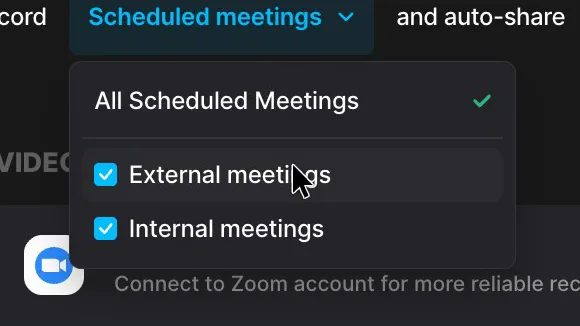
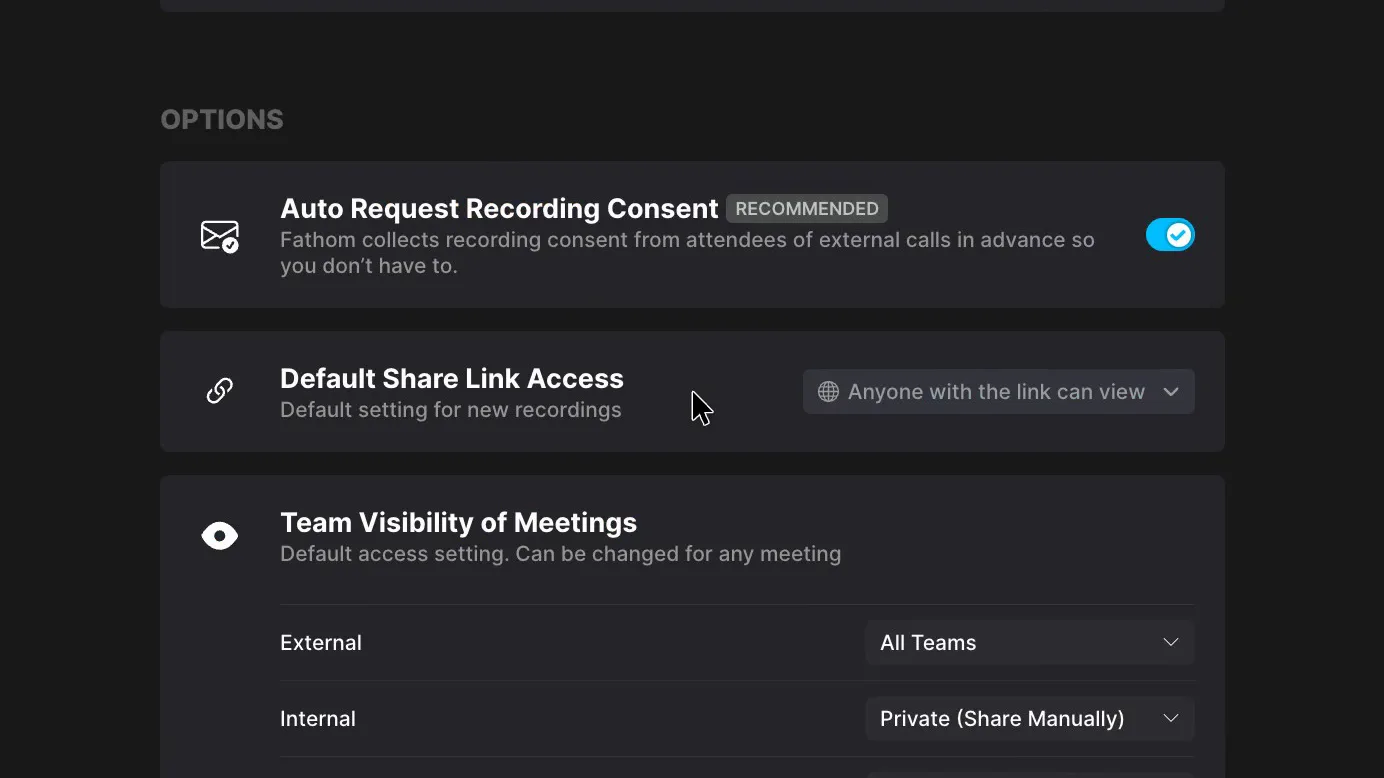
In my account, before any changes, Fathom was set to record every scheduled meeting, internal and external, and to email the summary and recording to attendees, with links anyone could open. Each setting takes about two clicks to change. A recap that reaches a client can't be recalled, so with the errors above a client could get an unchecked summary plus the full recording.
 (enlarge)
 (enlarge)
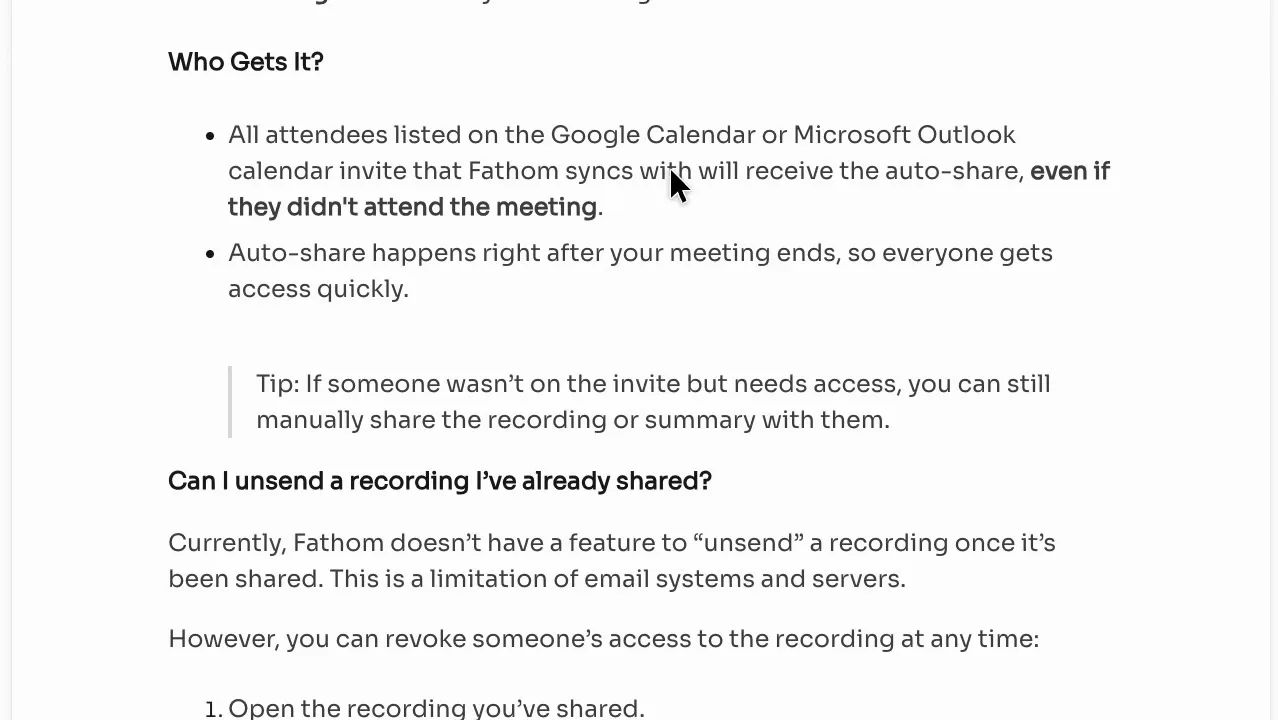
The auto-share menu chooses what goes out: the summary and recording, the summary only, or nothing. Team plans have a separate setting to send the recap only to your own team. Fathom's sharing help says auto-share goes to everyone on the calendar invite, even people who didn't attend, and that a sent recap can't be unsent.
 (enlarge)
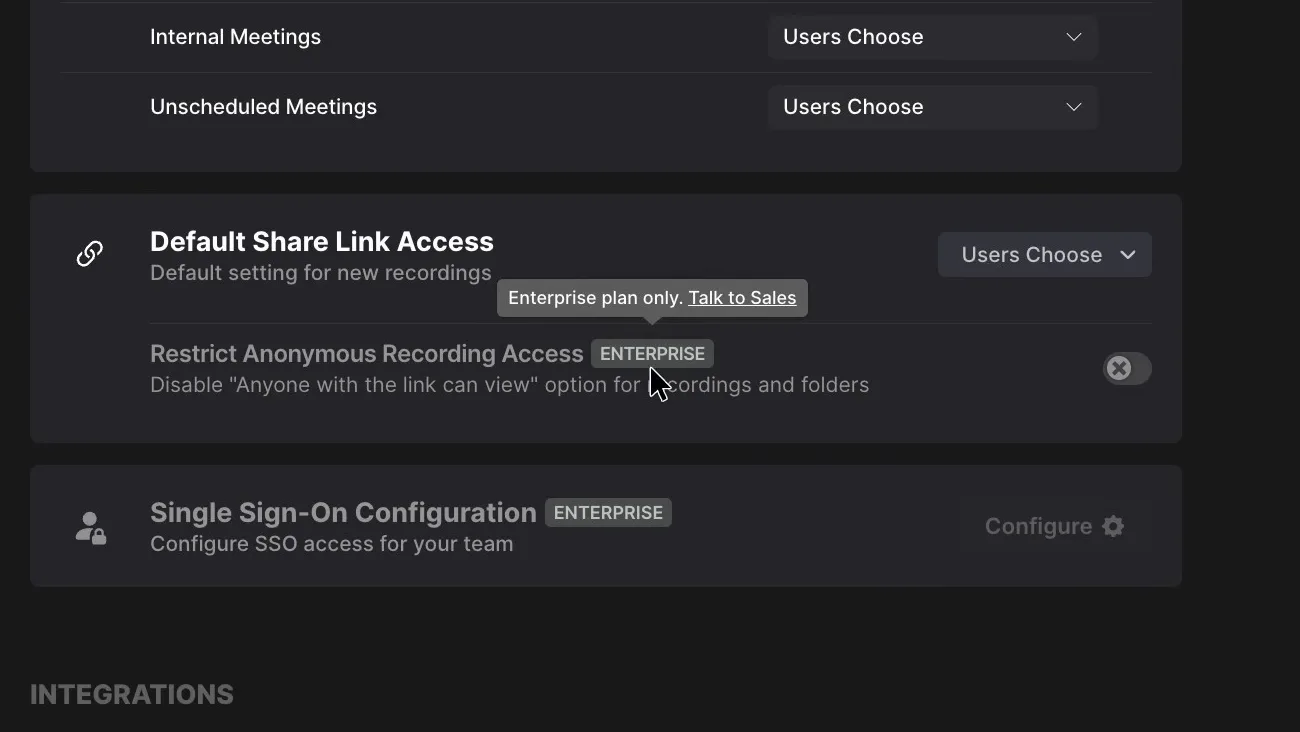
New recordings default to "Anyone with the link can view". You can narrow each recording to your own domain or to named people, but switching off open links for the whole business is greyed out with an Enterprise tag.
 (enlarge)
 (enlarge)
Three changes cover the client-call risk: auto-share set to "Nothing", "Default Share Link Access" moved away from "Anyone with the link can view", and the Auto-record ticks set to the meetings you want recorded.
Free plan and true cost
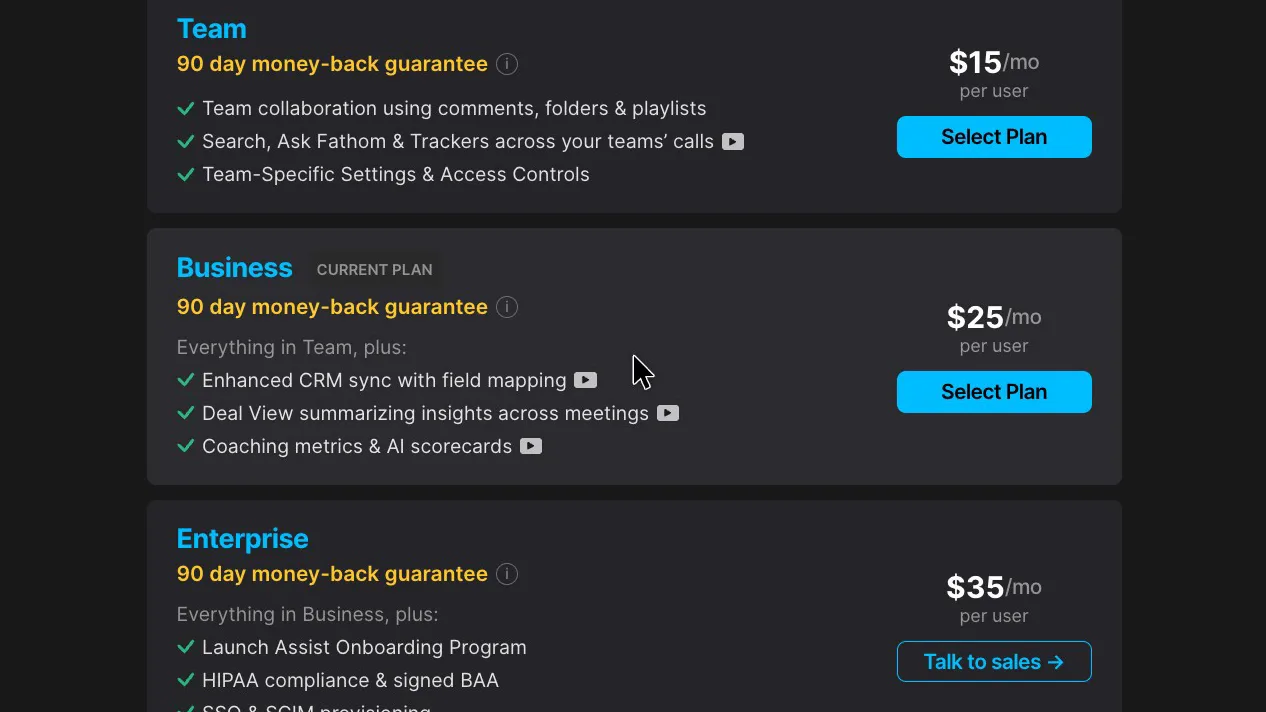
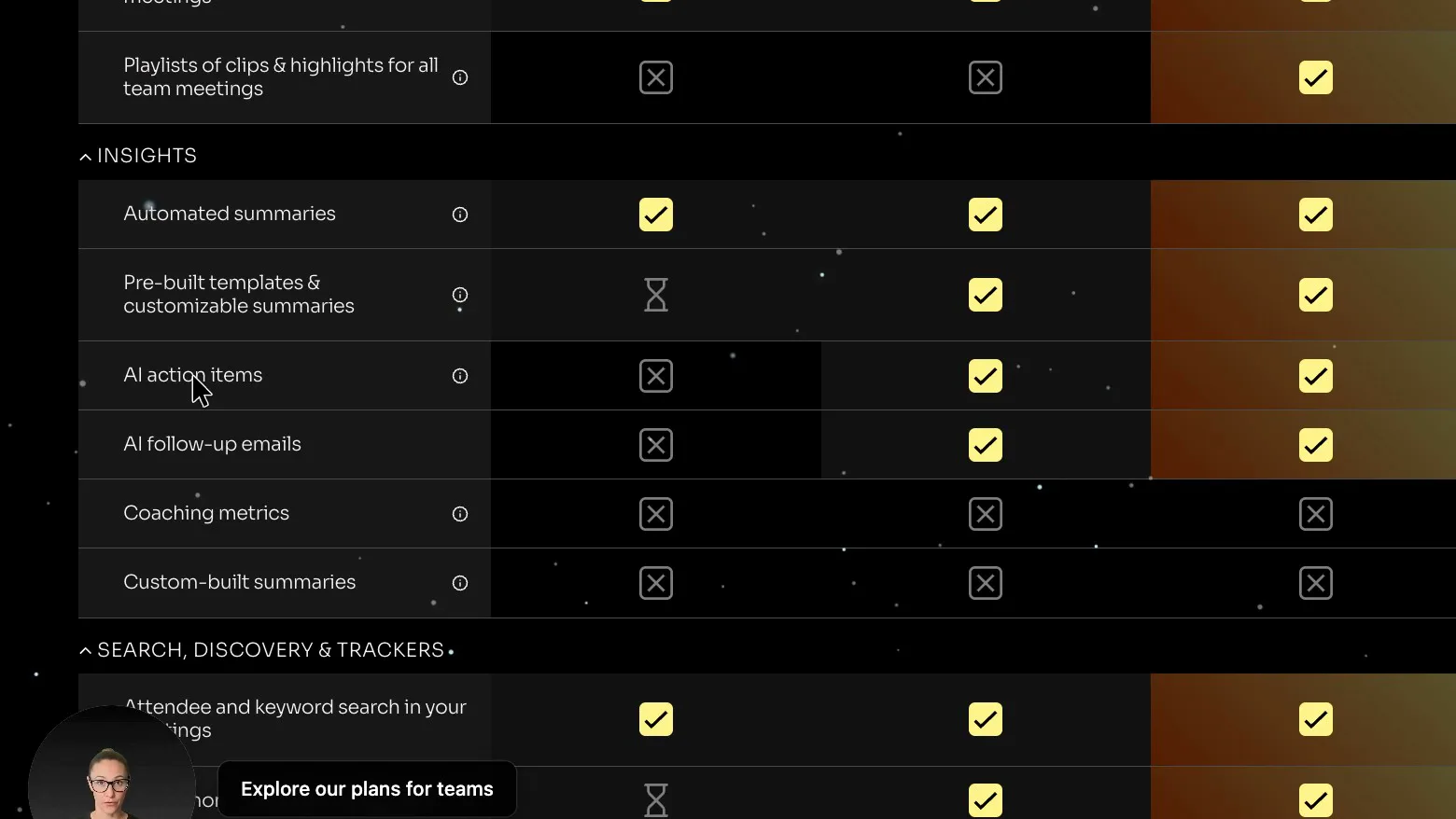
The free plan covers recordings, transcripts and a basic summary. The action items and follow-up email, the parts you'd send a client, are paid features, and a team plan needs at least two paid users.
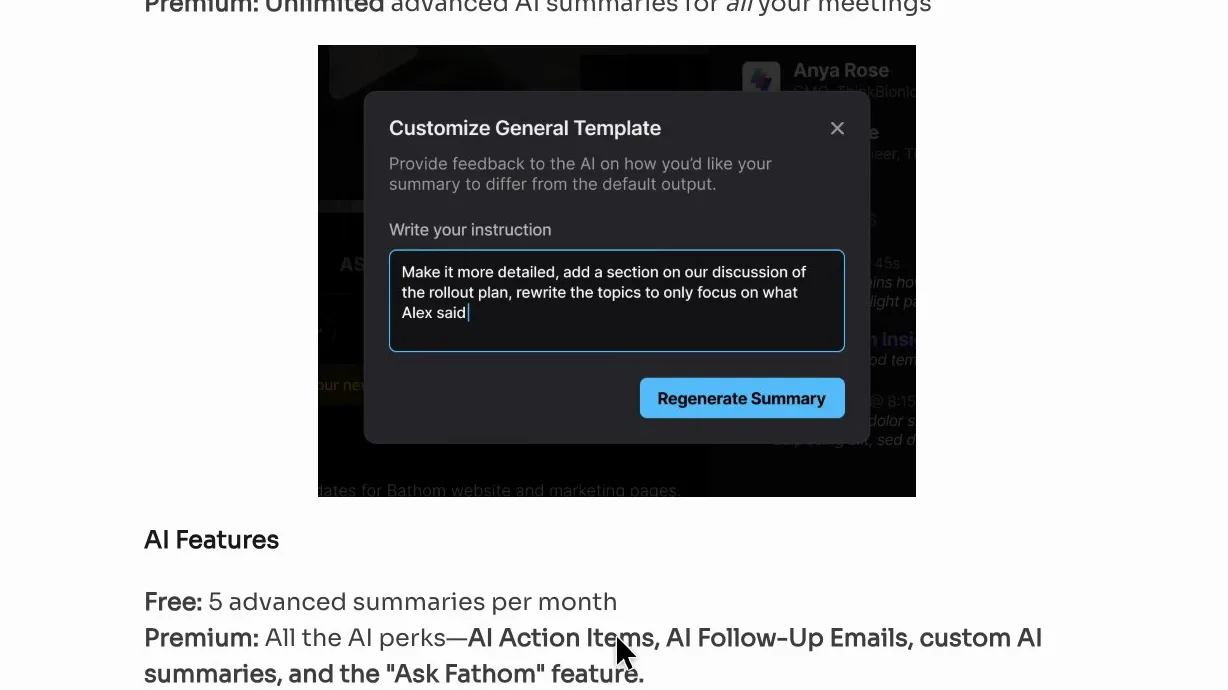
Fathom's pricing table puts a cross against "AI action items" and "AI follow-up emails" on the free plan. Its Free vs Premium help page adds that free accounts get the more detailed summary templates on only their first five calls each month.
 (enlarge)
 (enlarge)
Other paid features seen on the trial were Ask Fathom across team calls, renaming the bot, turning off the recording notice and the team settings. The pricing table gives the free plan limited use of Ask Fathom on a single call, and it doesn't make clear which plan includes playing the recording from a summary line.
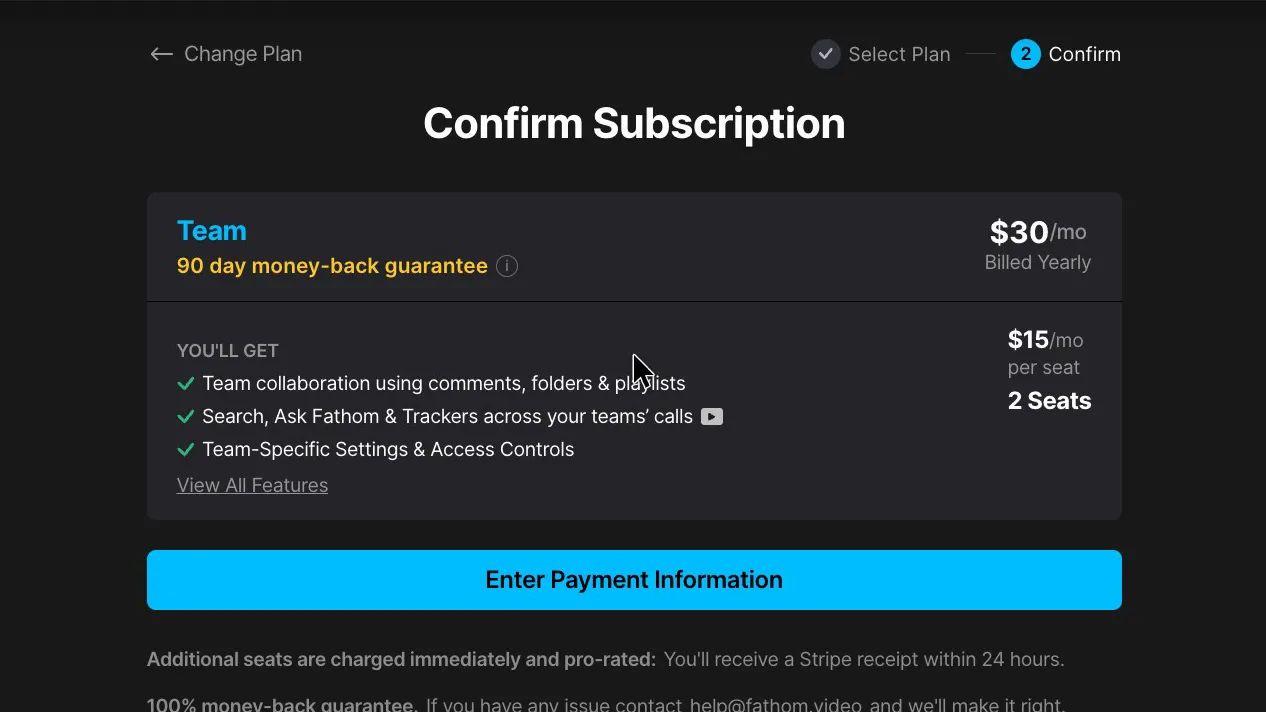
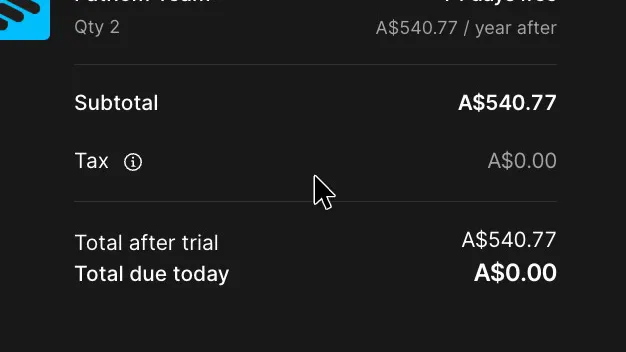
Checkout for two users on the Team plan, billed yearly, came to a little over $500 a year. Stripe preselected Australian dollars, showed the conversion rate it used and noted that "Charges will vary based on exchange rates". Tax showed as zero, and ticking "I'm purchasing as a business" brings up an ABN field.
 (enlarge)
 (enlarge)
At the same rate, three users would come to around $800 a year. The Business plan, which syncs notes into CRM fields, costs more again. Granola's Business plan costs about the same per person as Fathom's Team plan. Superhuman bought Fathom in September, and nothing published yet says what that means for the free plan, which the homepage still calls "free forever".
Getting out with your records
Fathom's help page says it keeps your recordings forever, even on the free plan, so past meetings stay when you stop paying. Getting them all out is slow.
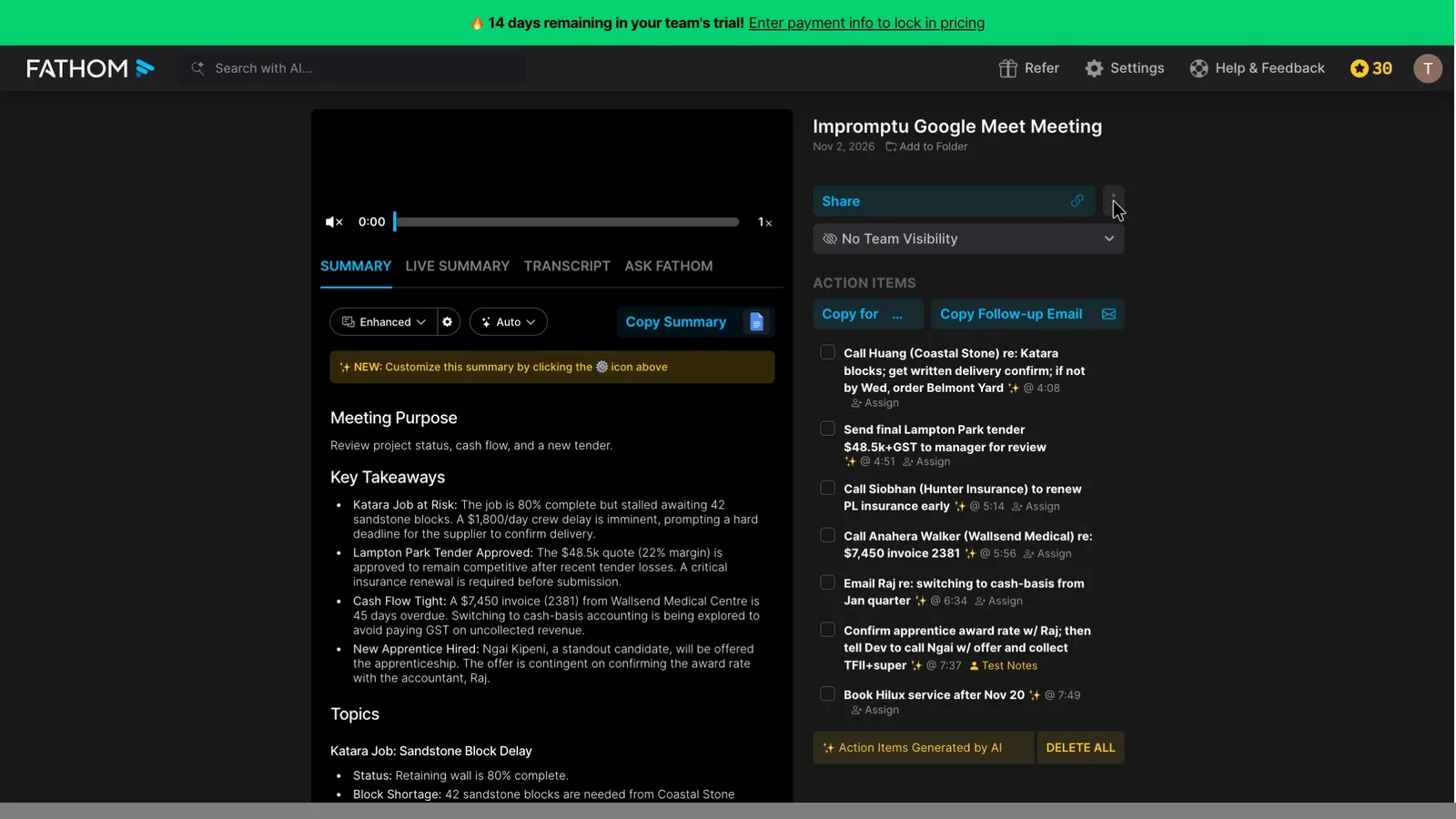
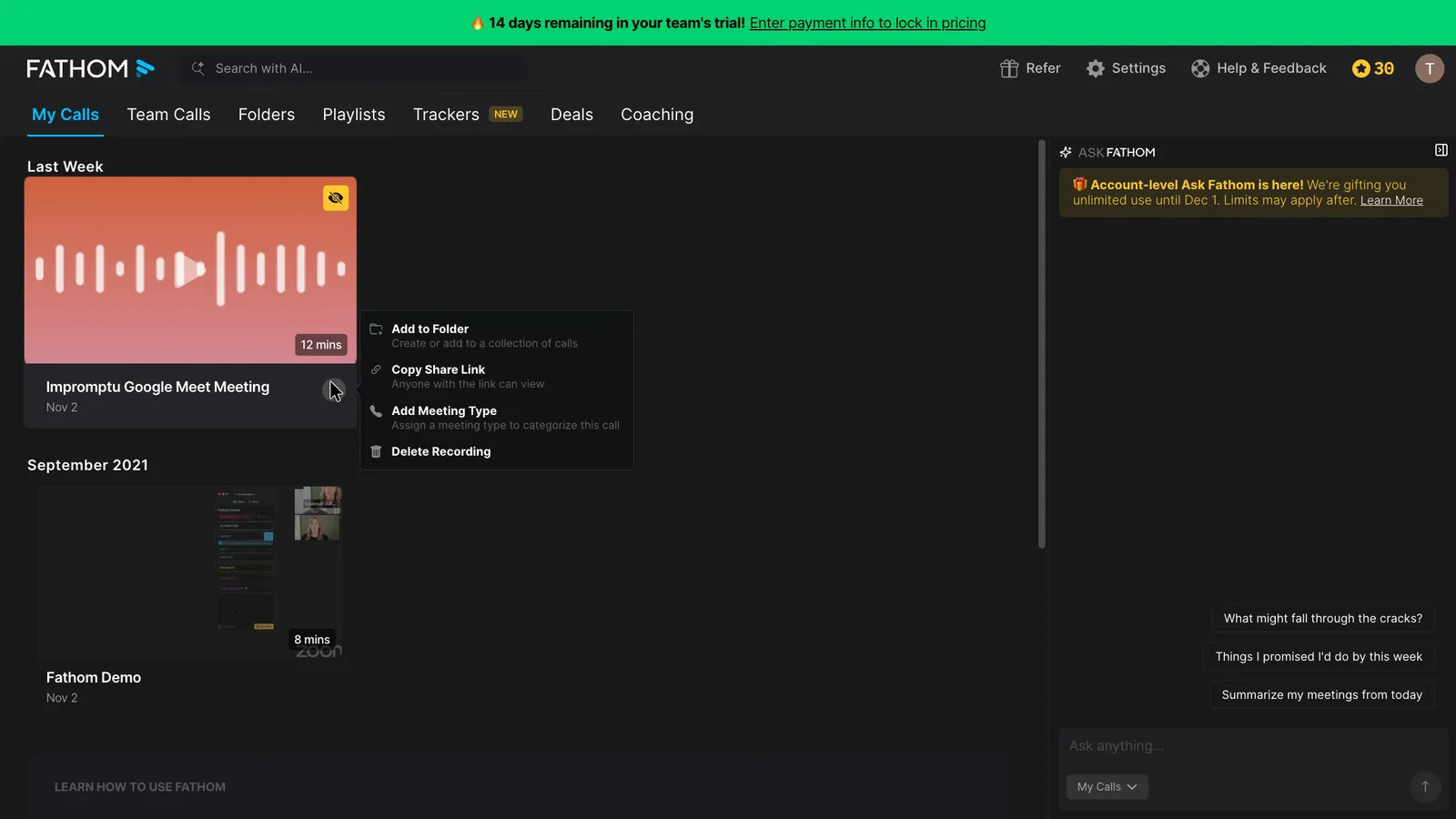
Each call's audio downloads one at a time, from a "⋯" menu that only appears when you hover over the call.
 (enlarge)
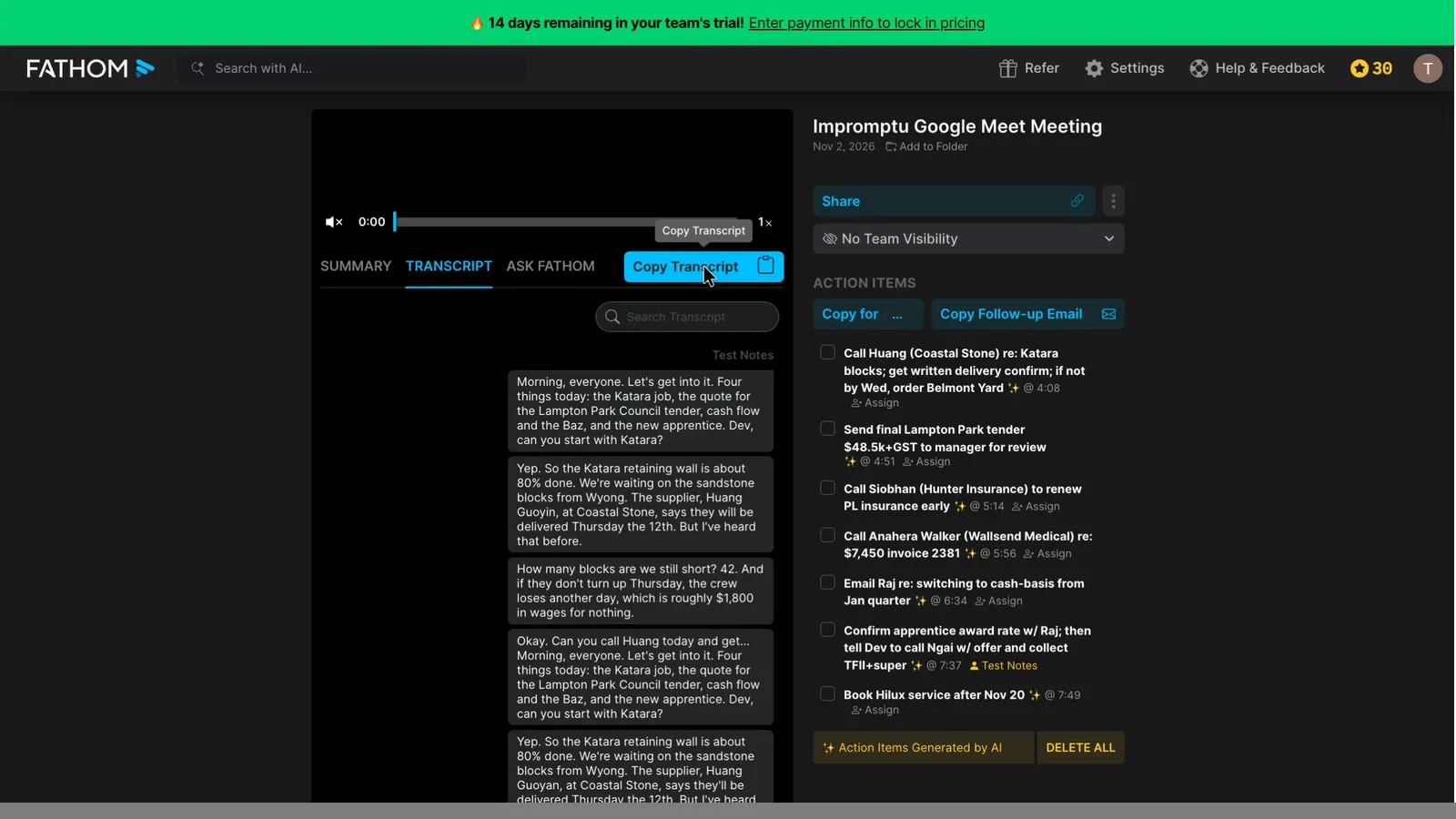
Copy Transcript puts the text on your clipboard, and I didn't see a file to download and save. The menu on each call in My Calls has no download option, and there appears to be no way to select every call and export it.
 (enlarge)
 (enlarge)
Settings has an API key option, and Fathom's public API can pull recordings and transcripts, but using it needs a developer. Deleting the account removes everything, and the security FAQ says it's cleared from backups seven days later.
Other notetakers to consider
Granola never puts a bot in the call, while Fathom can use either a bot or its no-bot recording, which this test used. In the same test Granola made up one detail against Fathom's six and used both corrections, at a similar per-user price. Otter's Pro plan costs less per user than Fathom's Team plan, and in the same test it used both corrections and made up two details. As far as Otter's pricing page shows, Pro caps transcription at 1,200 minutes per user a month and 90 minutes per conversation, with up to five workspace members.
Pricing
| Plan | Price | Per | Includes | Checked |
|---|---|---|---|---|
| Free | Free | Unlimited recordings and transcripts, basic summaries; detailed summary templates on the first 5 calls a month; no AI action items or follow-up emails | ||
| Premium (billed yearly) | US$16 ex tax | per user per month | Detailed summaries on every call, AI action items, follow-up emails, Ask Fathom (limited use on Free), custom bot name, option to turn off the recording notice | |
| Premium (billed monthly) | US$20 ex tax | per user per month | As Premium yearly | |
| Team (billed yearly) | US$15 ex tax | per user per month | Minimum 2 users; shared workspace, team settings, Ask Fathom across team calls | |
| Team (billed monthly) | US$19 ex tax | per user per month | Minimum 2 users; as Team yearly | |
| Team, 2 users, yearly (checkout total) | $540.77 ex GST | per year | Checkout total for the 2-user minimum after a 14-day free trial, at 1 USD = 1.5021 AUD; tax shown as A$0.00; ABN field for business buyers | |
| Business (billed yearly) | US$25 ex tax | per user per month | Minimum 2 users; CRM field sync, deal view, coaching scorecards, custom summaries | |
| Business (billed monthly) | US$34 ex tax | per user per month | As Business yearly | |
| Enterprise (billed yearly) | US$35 ex tax | per user per month | SSO/SCIM, custom data retention, organisation-wide link restrictions; sold through sales |
Fathom charges in US dollars. Your bank converts the price and may charge a foreign transaction fee. Source: fathom.ai/pricing
Integrations
| Connects to | What syncs | Direction | Checked |
|---|---|---|---|
| HubSpot | Call notes to the CRM; field-level sync on the Business plan | Fathom → HubSpot | |
| Salesforce | Call notes to the CRM; field-level sync on the Business plan | Fathom → Salesforce | |
| Slack | Not stated | Not stated | |
| Zapier | Not stated | Fathom → Zapier | |
| GoHighLevel | Not stated | Not stated |
What I didn't test (11 things)
- Live Zoom or Teams calls, phone calls and in-room meetings on the iPhone app: only a Google Meet call was recorded live
- What a guest sees in the call, opting out from the guest's side, and a second account opening a recap link: these need a second person
- The desktop app's own settings, such as auto-capture choices and starting at login: they can't be reached from the browser
- What happens when a free account reaches its five-call limit on detailed summaries: the account was on a paid-plan trial
- Sending action items to a task manager, CRM or Zapier: nothing was connected
- Disconnecting the calendar or deleting the account: both would have destroyed the test data
- Choosing three seats at checkout: the confirm page was fixed at two, so the three-user cost is worked out from the two-user price
- Opening the downloaded audio file, and bulk export with many calls in the account: only two calls were stored
- Ask Fathom across several past meetings, the Transcription Dictionary and speaker renaming: only one test meeting was run
- Whether the summary text itself can be edited in place, and meeting-length or upload limits
- Granola and Otter checkout: their prices come from their pricing pages
Video transcript
Fathom in short
I played the same pre-recorded meeting into seven popular AI notetakers, and Fathom got every number right but made up more details than any of the others. Fathom records your online meetings and writes up the notes and tasks for you. With the help of my AI review agent, I tested it hands-on to find its strengths and weaknesses and who it suits best, then checked the key findings myself. I think it suits people who meet online and are happy to check the recap before sending it out. It needed about ten fixes in my test, so it's not for anyone who wants notes they can send as they are.
Notes you can send as they are
I tested it on a trial of the Business plan, one of Fathom's paid plans. It got the hard facts right, even the phone number, which is what you'd want. But misheard names went straight into the notes. The suburb of Kotara became Katara, and the supplier and the new apprentice got names nobody would recognise.
Notes you can send as they are
The harder mistakes are the ones you'd only catch if you were in the meeting. The summary hands the accountant an award-rate check that someone else had said she'd do herself. The corrected BAS due date is missing completely. The transcript has it word for word, so the summary just left it out. And Fathom adds things nobody said, like the business paying for a forklift ticket. Even the 'New Apprentice Hired' heading is wrong, because she was only going to be offered the job.
Notes you can send as they are
Against the other six tools on the same meeting, Fathom was level with the best on numbers and tasks.
Notes you can send as they are
Fathom also writes a follow-up email, but it copies straight to your clipboard without showing you first. Pasted here, it repeats the misheard names from the summary. It also ends with a link to the whole recording. Checking a doubtful line is quick, though, because clicking it in the summary plays the recording from that moment.
Catching every meeting
Whether Fathom catches every meeting depends on which of its apps you've installed and connected. Its settings show Google Meet and Zoom as only partly covered until you add the Chrome extension and connect your Zoom account. On a Mac, the desktop app can record without a bot joining. But it only works while it's running, and you have to set it to start when you log in. The iPhone app is made for conversations in the room, and it doesn't seem to record ordinary phone calls. If a call goes unrecorded, you can only get help by email or ticket, and it's unlikely anyone will be online during an Australian Monday.
Who knows it's recording
The bot that joins your calls appears under your name, and a recording notice for other people on the call is on by default. But paid plans can turn that notice off, though the bot still shows up as someone on the call. Fathom can email people outside your business a day before to ask for consent, but meetings booked on the same day don't get one. If someone says no, it skips that call, but its help page says that if nobody replies, it records anyway. In my account, the setting that lets Fathom train its own AI on your meetings was switched on by default. Fathom says it removes personal details first, and that it keeps all its data in the United States.
Control over joining and sharing
Before I changed anything, my account was set to email the summary and recording to attendees. It also records every scheduled meeting, internal and external. You can turn either off in a couple of clicks. To send the recap only to your own team, team plans have a separate setting. The email goes to everyone on the invite, even people who didn't turn up, and once it's sent, it can't be unsent. New recordings are open to anyone with the link. You can limit each one to your business or to people you name, but blocking open links for the whole business at once appears to need the Enterprise plan.
Free plan and true cost
The free plan gives you recordings, transcripts and a basic summary, but the action items and follow-up email, the parts you'd send a client, are only fully available on paid plans. A team plan needs at least two people, and for two, checkout for the cheaper Team plan came to about 540 Australian dollars a year. For comparison, Granola's Business plan costs about the same per person.
Getting out with your records
Fathom's help page says it keeps your recordings forever, even on the free plan, so you don't lose old meetings when you stop paying. Getting them all out is slow, though. Each call's audio downloads one at a time, from a menu that only appears when you hover. The transcript only copies to your clipboard, and I didn't see a file to download and save. And there appears to be no way to export every meeting at once from inside Fathom itself.
Who it suits
I think Fathom suits people who mostly meet online from a computer and will check the recap before anyone else sees it. It got every number and almost every task right. Going by my test, it doesn't suit you if you want notes you can send as they are. If that matters most, I'd look at Granola, which made up just one detail in the same test. And before Fathom goes near a client call, I'd switch auto-share to "Nothing", because it was set to send every recap to everyone on the invite.
Who it suits
I hope that helps you decide if this is a good option for your business.