
DataForSEO review: is it worth building on?
Verdict: DataForSEO suits an owner, marketer or small team who wants their own SEO numbers cheaply, with no monthly fee, and is happy to build on the data themselves or with an AI assistant like Claude Code, as I did. City-level search results and search numbers worked, and a week of local checks costs well under a dollar. The drawback is that it only supplies raw data, so anyone who wants ready-made reports and advice is better served by a finished SEO tool.
Suits
- Owners and marketers who want their own Google rankings and search numbers without a monthly subscription
- Small teams happy to build a simple dashboard with an AI coding assistant such as Claude Code
- Local businesses that need search results and the map pack for their own city
- Businesses that do SEO in bursts, since prepaid credit doesn't expire
Doesn't suit
- Owners who want ready-made reports, charts and advice to click through
- Anyone who doesn't want to read raw data or work with an AI assistant to turn it into something useful
How it was tested
I use DataForSEO for my own in-house SEO dashboard, which I got Claude Code to build on its API. For this review, the testing ran in DataForSEO's own Playground on 29 October 2026, with a Newcastle plumber as the example business: a Google search set to Newcastle and to mobile, search numbers for a list of plumbing jobs, and a lookup of what a local competitor ranks for. Every request was a real, paid request, and the cost of each was noted. Prices are in US dollars, the currency DataForSEO charges in.
What you're actually buying
DataForSEO sells SEO data by the request: who shows up in Google, how many people search each term and what competitors rank for. You pay from prepaid credit as you go. There's an account dashboard and a Playground for running requests, but no charts, reports or advice, so it suits someone who wants the numbers and is willing to build on them.
The comparison is with the big SEO suites. Semrush's SEO plan costs well over US$100 a month for one user, with a further monthly charge for each extra user. SerpApi is another low-cost option, but as far as its pricing page shows, it sells search results from Google and other engines on a monthly allowance, and doesn't appear to offer search numbers or competitor rankings. DataForSEO covers search results, search numbers and competitor rankings from one account, and its pricing is per request rather than per user, so the bill depends on how many checks you run, not how many people run them.
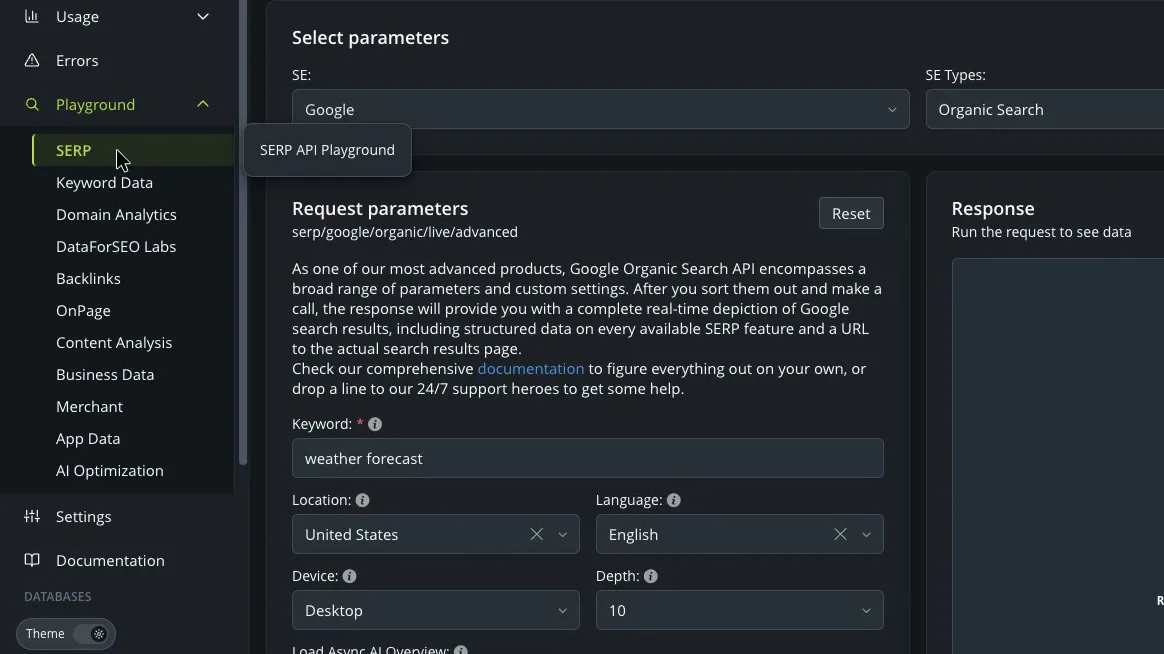
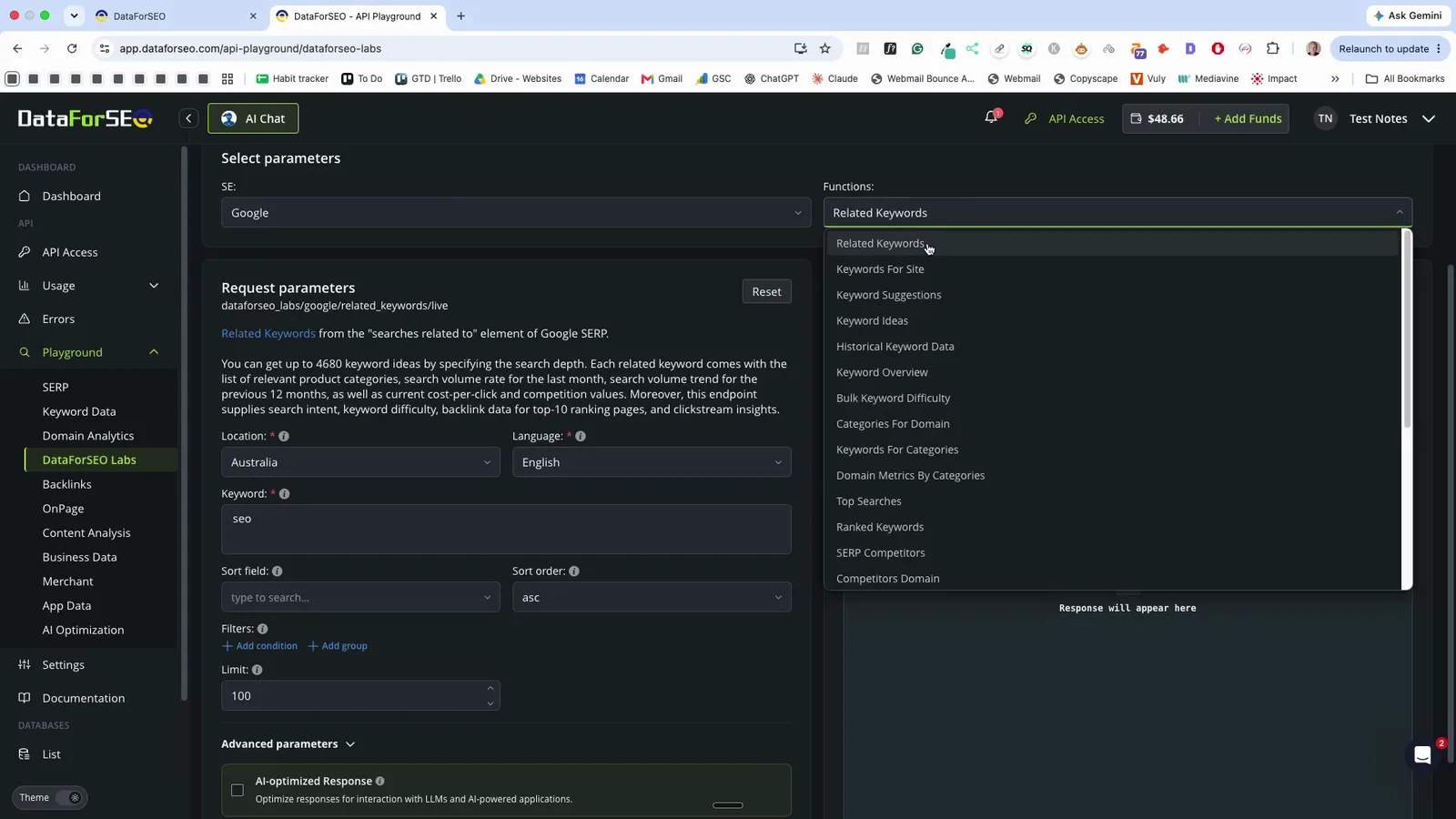
In the dashboard I built, I give it a target keyword or competitor, Claude Code does the initial research, and DataForSEO supplies the search data. The Playground groups the same data into separate sections for search results, keyword data and keyword research.
 (enlarge)
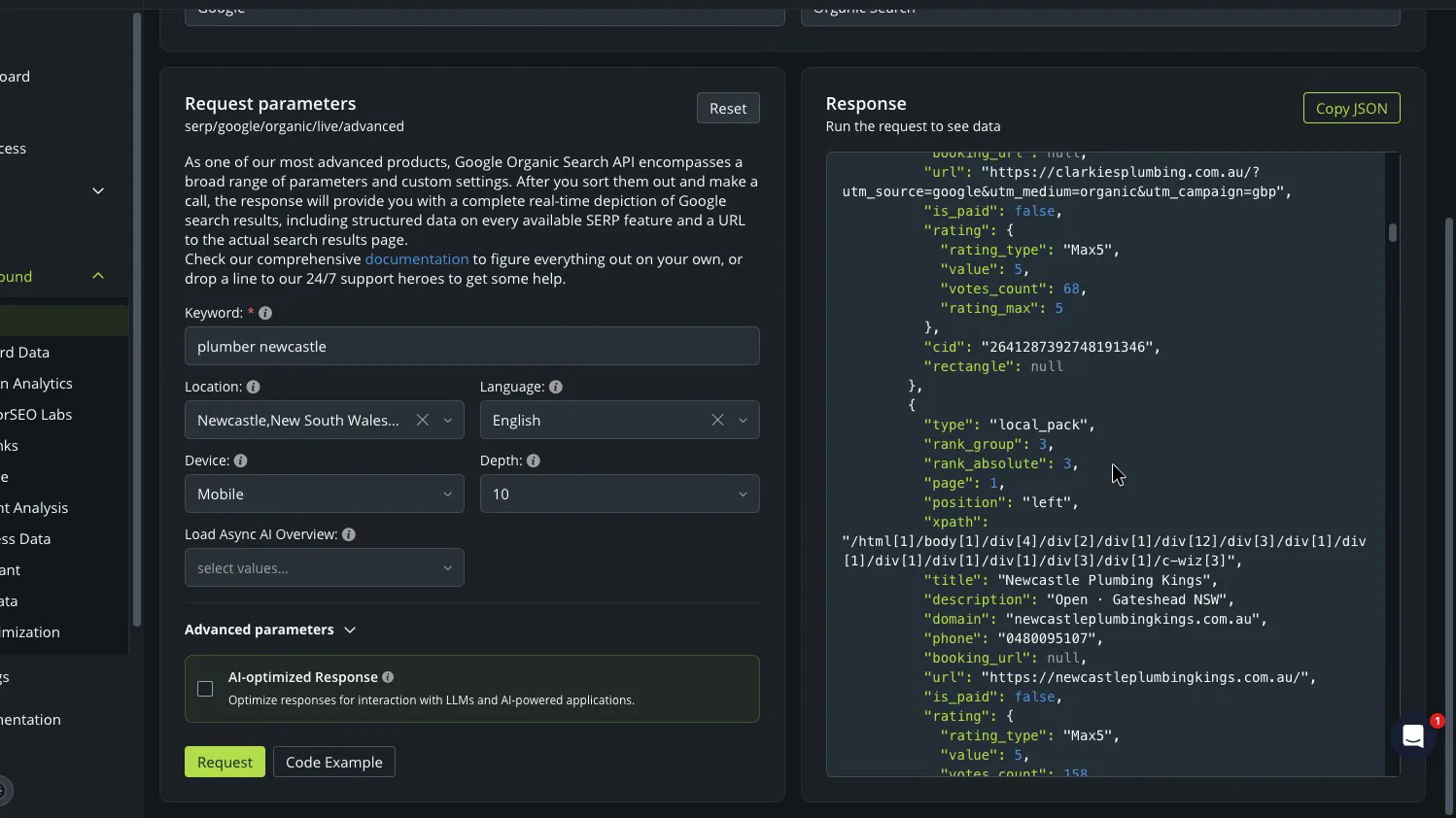
What comes back is raw data. Even the map pack, the local businesses Google shows on the map, arrives as a long page of names, ratings and review counts that you scroll through and read field by field. That's why it pairs well with an AI assistant. In my tool, Claude Code reads the whole response, so I don't have to, and puts it into a format I can analyse.
 (enlarge)
Answers in the instant mode came back in under five seconds in every test.
Local results and search numbers
Google shows different results depending on where the searcher is, so a business that serves one city needs that city's results, not Australia's. DataForSEO handled both search results and search numbers at city level.
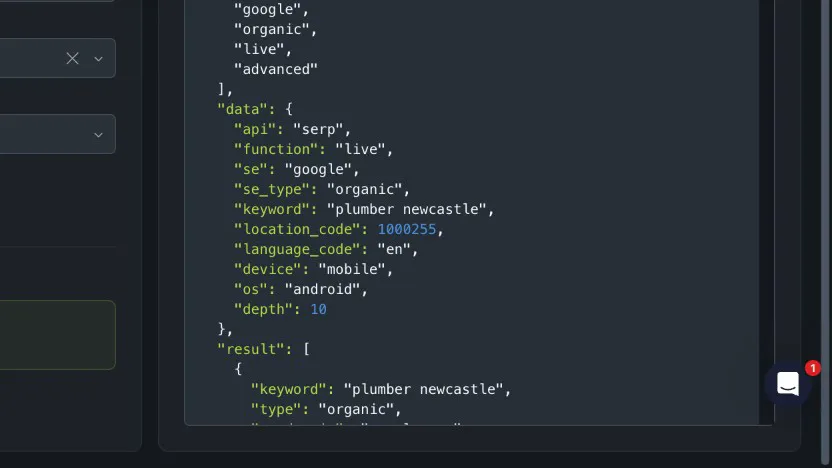
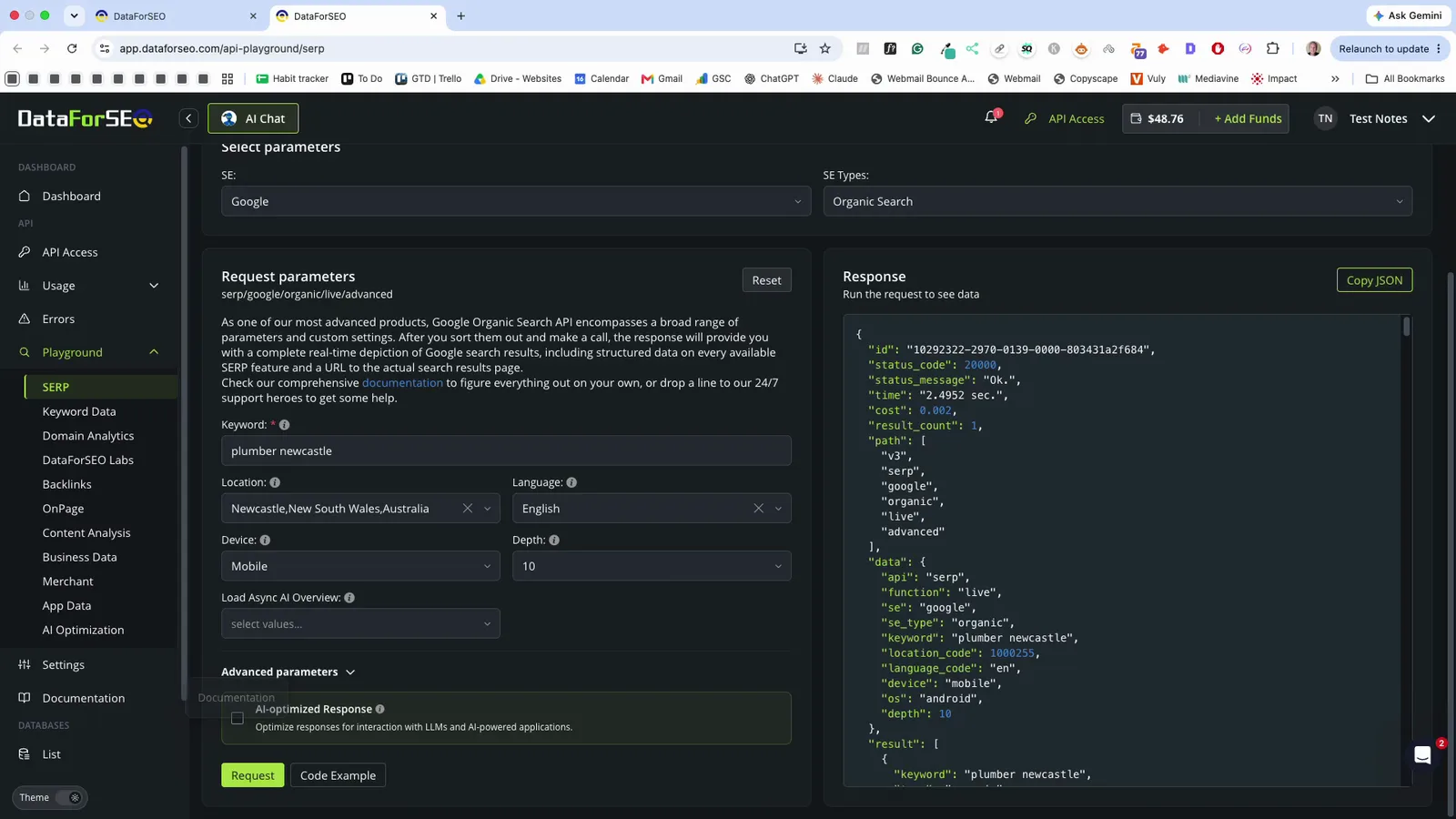
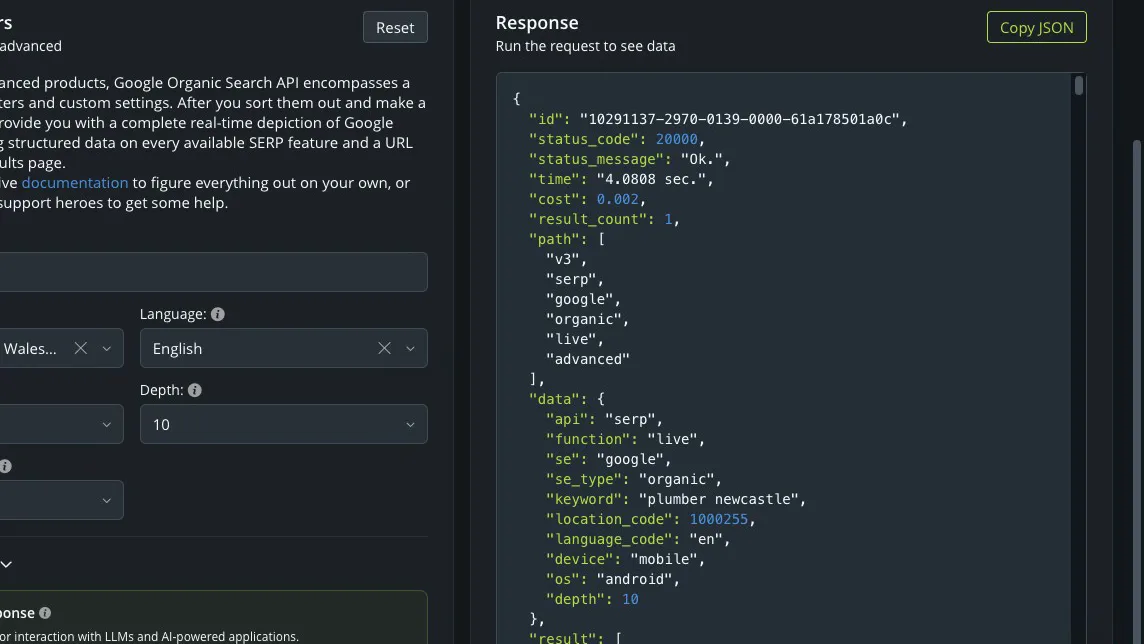
A search for "plumber newcastle", set to mobile and to Newcastle, New South Wales, came back with the map pack above the ordinary results. Each of the three map pack businesses came with its rating, review count and phone number, and the response confirmed the location was Newcastle and the device was mobile.
 (enlarge)
 (enlarge)
I didn't compare these results with a search made on a phone in Newcastle. The US$1 of free credit on a new account would cover that check many times over, since a city search costs about a fifth of a cent.
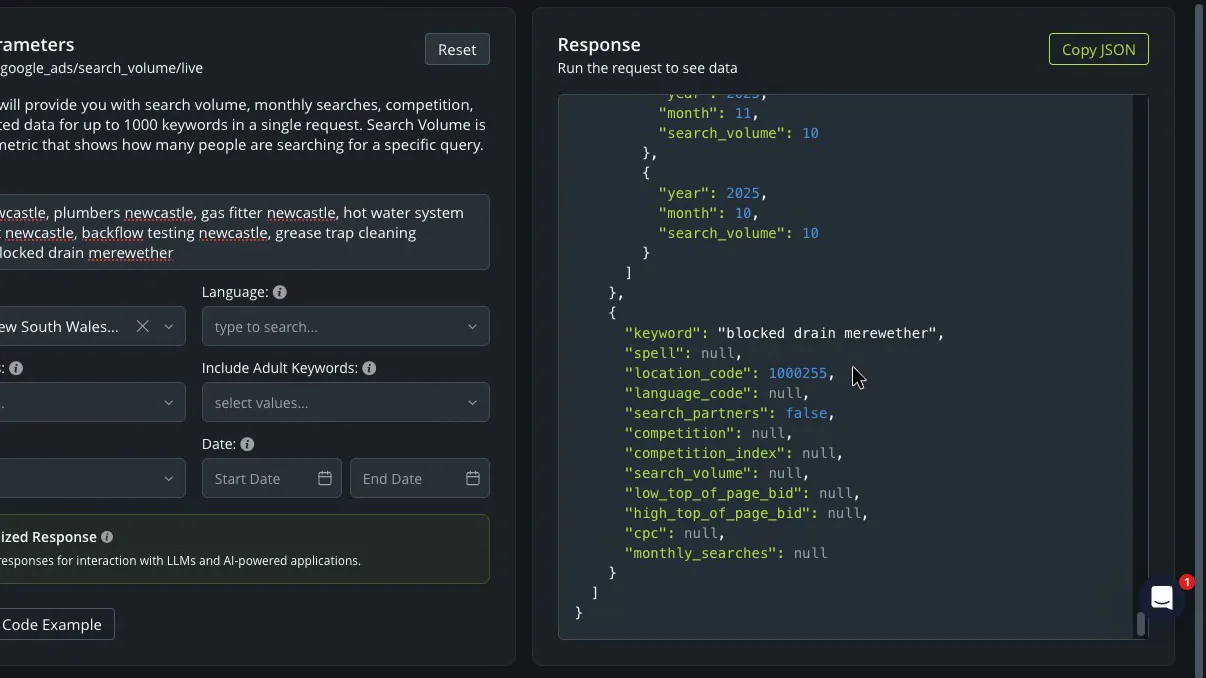
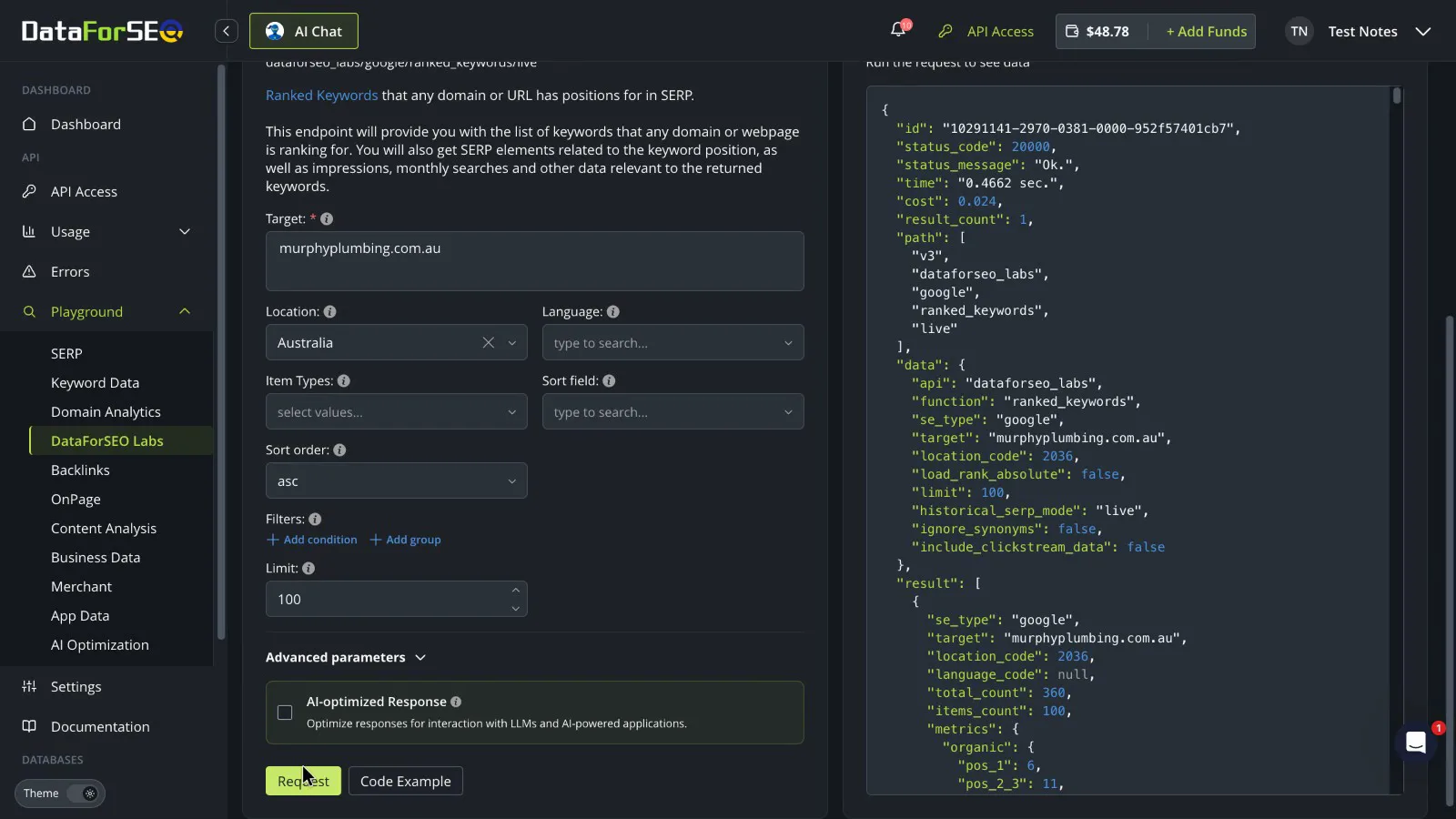
Search numbers come from Google Ads data, with the whole list of terms sent as one request set to Newcastle. The main service, "plumber newcastle", came back at a few hundred searches a month, which looks believable. Specialist jobs such as grease trap cleaning, backflow testing and hot water system replacement came back at about 10 a month each. The one suburb search I tried came back with no search numbers.
 (enlarge)
That fits what I saw building my dashboard: Australian figures were solid for mid- and high-volume terms.
Building on it with an AI assistant
Without a developer, the raw data needs something to turn it into answers. An AI coding assistant can build a tool you check every week, without paying a developer.
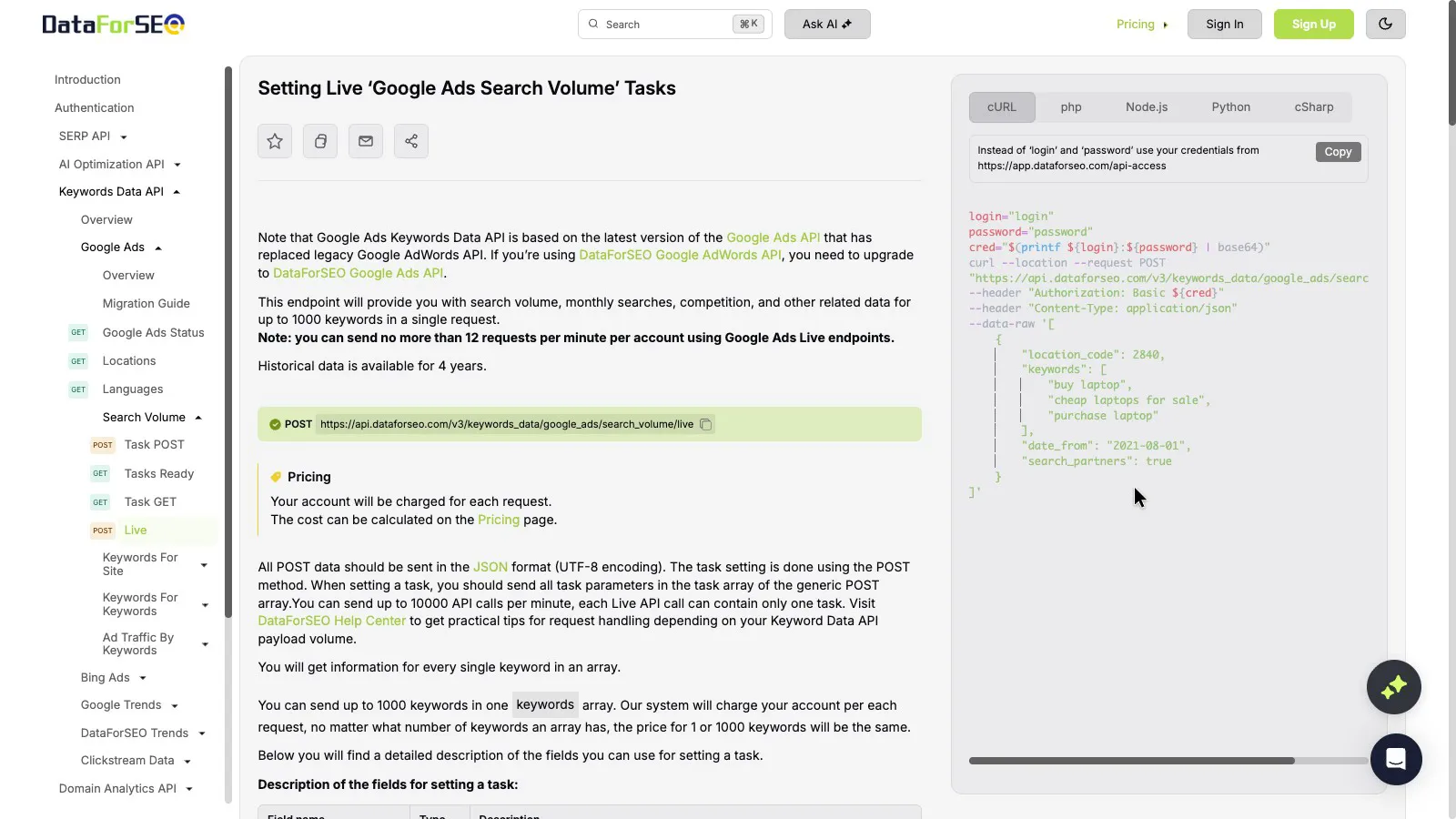
I got Claude Code to connect to the API and build my dashboard in about 30 minutes, and I didn't run into any problems. The help docs pages I checked each have a ready-to-copy example request in five programming languages (cURL, PHP, Node.js, Python and C#), which gives an AI assistant something to work from.
 (enlarge)
Before building on a new idea, Claude Code ran one small paid test request, costing about a cent, to confirm the data was there before writing more code around it.
For someone who'd rather not code at all, the Playground answers one question at a time. You pick a tool, set the location, enter the keywords and read the answer. Without writing any code, I ran a city search, a search numbers check and a competitor lookup there, and each took me two to four minutes from start to answer. The answers are still raw data, so the Playground works for the occasional check, while a weekly routine across many searches is easier with a small tool built on the API.
 (enlarge)
What it costs and keeping spending in check
There's no monthly fee, and every answer shows its cost at the top. A city search cost about a fifth of a cent, search numbers for a whole list of terms about 9 cents, and 100 rows of a competitor's rankings a little over 2 cents. Three city searches, one search numbers list and a few competitor lookups come to about 10 to 20 US cents a week. Each cost matched DataForSEO's published price for the instant mode. Building and testing my whole dashboard came to a little over US$2.
 (enlarge)
 (enlarge)
If you can wait for the answer, the queued mode costs less. For search results it's about a third of the instant price (search results pricing), and search numbers cost about two-thirds as much but can take one to three hours (Google Ads data pricing).
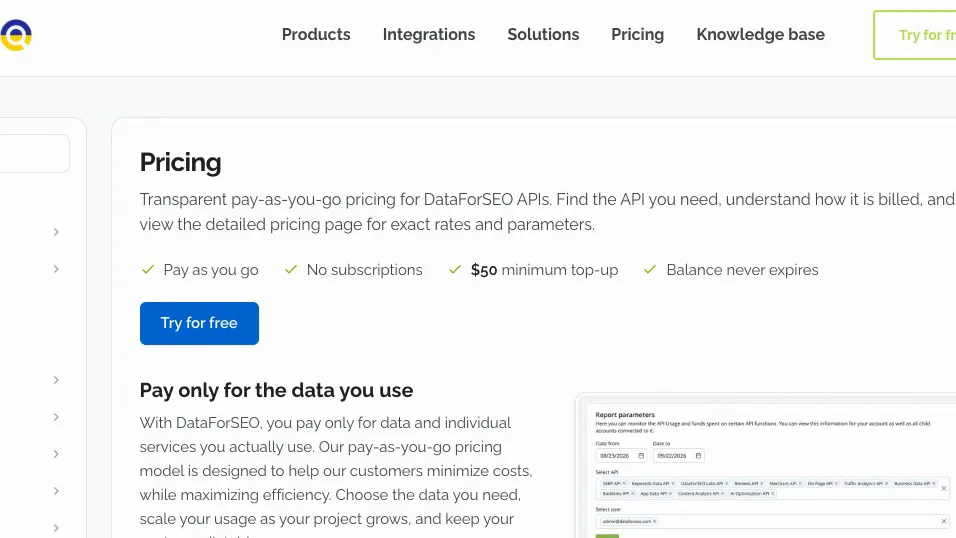
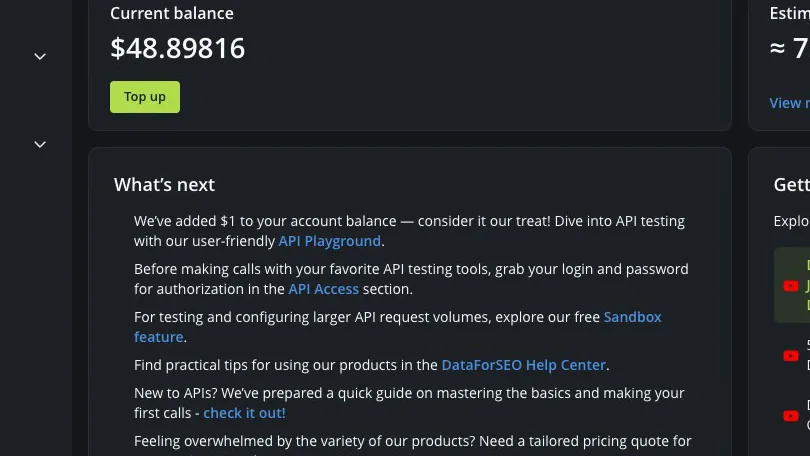
The pricing page says pay as you go, no subscriptions and a "$50 minimum top-up", which is US$50 of prepaid credit, not a monthly fee. The balance never expires, so months with no SEO work cost nothing. New accounts get US$1 of free credit, which was enough for me to check the API worked before I topped up.
 (enlarge)
 (enlarge)
For a team, the cost is the same: three people running the same weekly checks pay the same per-request prices as one owner, compared with a monthly fee for each Semrush user.
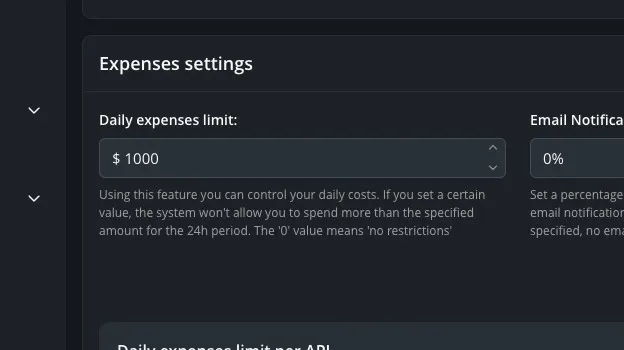
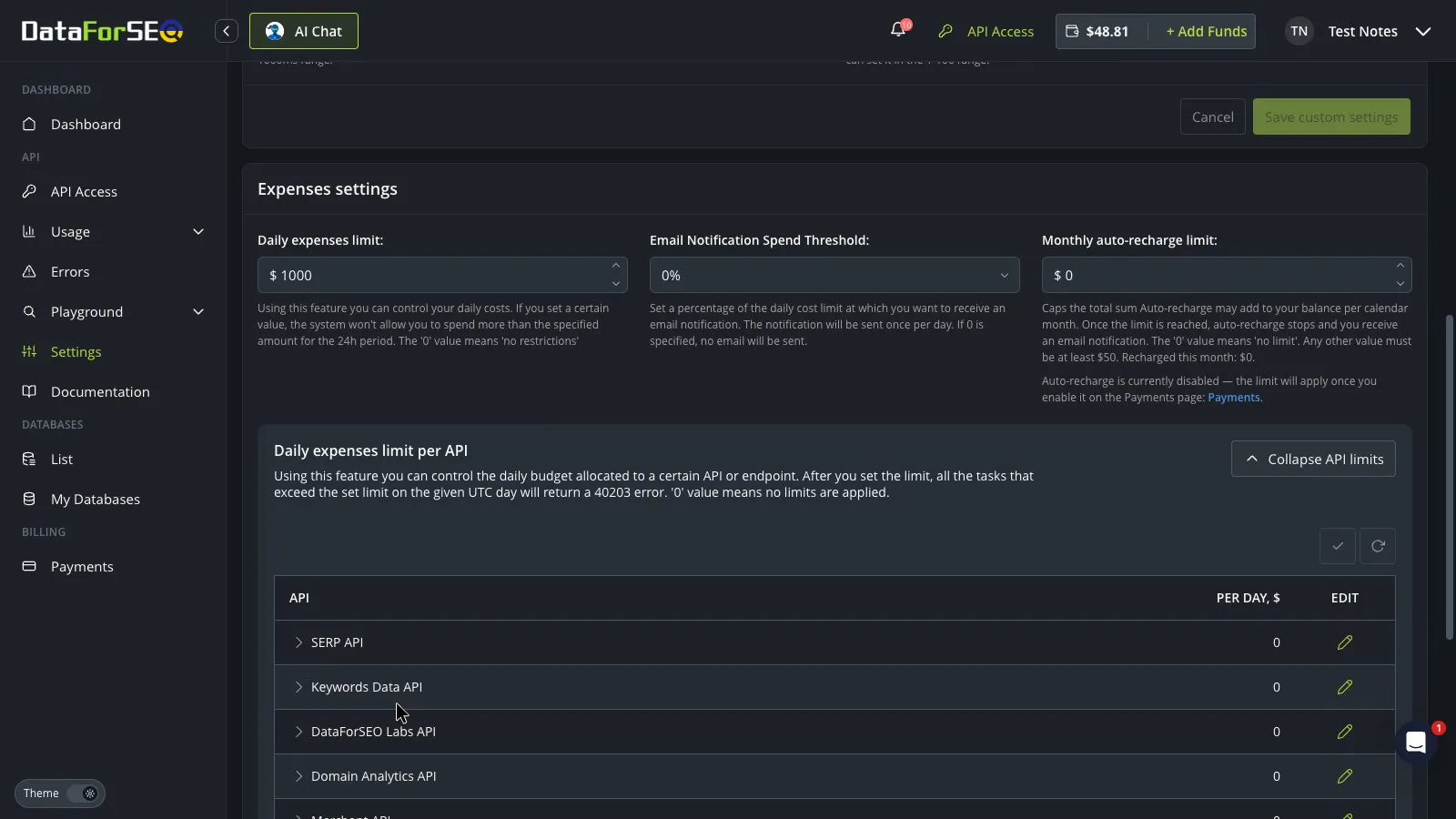
A script stuck in a loop can keep spending until something stops it. The account settings have a daily spending limit for the whole account and a separate limit for each tool. In my account, the daily limit was US$1,000 and the per-tool limits were all set to 0, which means no limit, so neither would have stopped a script that went wrong from using up the credit.
 (enlarge)
 (enlarge)
I'd set the daily limit to a few dollars on day one. In my own dashboard, a check of the balance before each run also made it easy to stop before the credit ran out.
Pricing
| Plan | Price | Per | Includes |
|---|---|---|---|
| Minimum top-up (prepaid credit, never expires) | US$50 ex tax | one-off | Prepaid credit for any API; new accounts also get US$1 of free credit |
| Google search results, Live (per page of 10 results) | US$0.00 ex tax | one-off | Instant answer with organic results and map pack, any city |
| Google search results, Standard queue (per page of 10 results) | US$0.00 ex tax | one-off | Queued answer, slower than Live |
| Google Ads search volume, Live (per task) | US$0.09 ex tax | one-off | Search numbers for a list of up to 1,000 keywords in one task |
| Google Ads search volume, Standard (per task) | US$0.06 ex tax | one-off | Same as Live, answered in one to three hours |
| DataForSEO Labs (per task) | US$0.01 ex tax | one-off | Keyword research and competitor rankings, plus US$0.00012 per row returned |
DataForSEO charges in US dollars. Your bank converts the price and may charge a foreign transaction fee. Checked 29 Oct 2026. Source: dataforseo.com/pricing, dataforseo.com/pricing/serp/google-organic-serp-api, dataforseo.com/pricing/keywords-data/google-ads, dataforseo.com/pricing/dataforseo-labs/dataforseo-google-api
Integrations
| Connects to | What syncs | Direction | Checked |
|---|---|---|---|
| Google Sheets | API data pulled into a spreadsheet via the DataForSEO add-on | DataForSEO → Google Sheets | |
| Zapier | Not stated | Not stated | |
| Make | Not stated | Not stated | |
| n8n | Not stated | Not stated | |
| MCP server (AI assistants) | API data available to AI assistants | DataForSEO → MCP server (AI assistants) |
What I didn't test (10 things)
- Comparing the Newcastle results with a real search made on a phone in Newcastle
- The Google Maps and Business Data tools, beyond the map pack in the ordinary search results
- Comparing DataForSEO's own keyword research figures with the Google Ads search numbers
- The usage page that breaks spending down by tool
- The cheaper queued mode: only the instant mode was tested
- Billing for an Australian business: GST and ABN handling, invoices and refunds, because no invoices or billing details could be shown
- Support and chat hours from an Australian time zone
- The Google Sheets add-on and the MCP connector, because both need API login details entered
- Autocomplete and keyword ideas
- The sign-up page and whether a business email is still needed for full access
Video transcript
Introduction
Today we're looking at DataForSEO, which sells raw SEO data, including who shows up in Google and how many people search each term, and you pay as you go. I used it with Claude Code to build my own in-house SEO dashboard in about 30 minutes, and it's been a great product.
What you're actually buying
To start with, what you're actually buying. It's a pay-as-you-go supply of SEO data, from search results to search numbers and competitor rankings, not an SEO tool with charts or advice. It's an interestiong alternative for people who don't want to pay every month for a big SEO suite. In the tool I've built, I tell it a target keyword or competitor, Claude Code does the initial research, and DataForSEO supplies the search data. What comes back is raw data, not a report. Even the map pack, the local businesses Google shows on the map, arrives as a long page of names, ratings and review counts. In my tool, Claude Code reads all of that, so I don't have to, and puts it into a nice format for analysis. If you'd prefer to use the instant mode in the dashboard, answers come back within a few seconds.
Local results and search numbers
Next, local results and search numbers, with a Newcastle plumber as the example. A mobile search set to Newcastle came back with the map pack above the ordinary results, and the answer confirmed it was for Newcastle, not the whole country. The search numbers for the city looked believable for the main service, at a few hundred searches a month. Specialist jobs came back at about 10 a month, and a suburb search came back blank.
Building on it with an AI assistant
Now, building on it with an AI assistant. The help docs I checked had a ready-to-copy example in five programming languages, which gives an AI assistant something to work from. Claude Code connected to it and built the dashboard without any problems. If you'd rather not code at all, the Playground answers one question at a time, and each check took two to four minutes there.
What it costs and keeping spending in check
Next up, what it costs. Every answer shows its cost at the top. A city search was about a fifth of a cent, search numbers for a whole list of terms were 9 cents, and 100 rows of a competitor's rankings about 2 cents, so a week of local checks comes to about 10 to 20 US cents. Building and testing the whole dashboard came to a little over 2 US dollars, and search results and search numbers cost less if you're happy to wait for the answer.
What it costs and keeping spending in check
It's pay as you go with no subscriptions, and the minimum top-up is 50 US dollars. The balance never expires, which suits SEO research and campaigns done in bursts.
What it costs and keeping spending in check
There's a daily spending limit for the whole account and one for each tool, but you set them yourself. In this account the daily limit was a thousand US dollars, and the per-tool limits were set to no limit, so neither would stop a script that goes wrong from using up the credit. I'd set it to a few dollars on day one.
Who it suits
I'd recommend DataForSEO to an owner, marketer or small team who wants their own SEO numbers for cheap, with no monthly fee, and who's happy to build on the data themselves or with an AI assistant like Claude Code, the way I did. If you want ready-made reports and advice to click through, I'd pay for a finished SEO tool instead, because this subscription just gives you the data. I hope that helps you decide whether DataForSEO is right for your business.