AroFlo vs Simpro: which suits your trade?
Verdict: For a trade business of about three to eight people that wants to know its costs before talking to sales, I'd start with AroFlo. It publishes a per-user price and sends timesheets to both Xero and MYOB AccountRight. Simpro makes more sense for a bigger business that wants add-ons such as maintenance planning and is happy to get a quote, but its price, add-ons and Lightning AI all go through sales, and users report more problems with its support and field app.
Who each one suits
- AroFlo: trade businesses of about three to eight people that want a published price before a sales call
- Simpro: larger trade and field service businesses (Simpro pitches five to 200 staff) that want add-ons such as maintenance planning, takeoffs or fleet GPS and are happy to get a quote
Everything below comes from what the two companies publish and what users report on the App Store, the Xero App Store and Trustpilot, read on 28 October 2026.
Who each one is built for
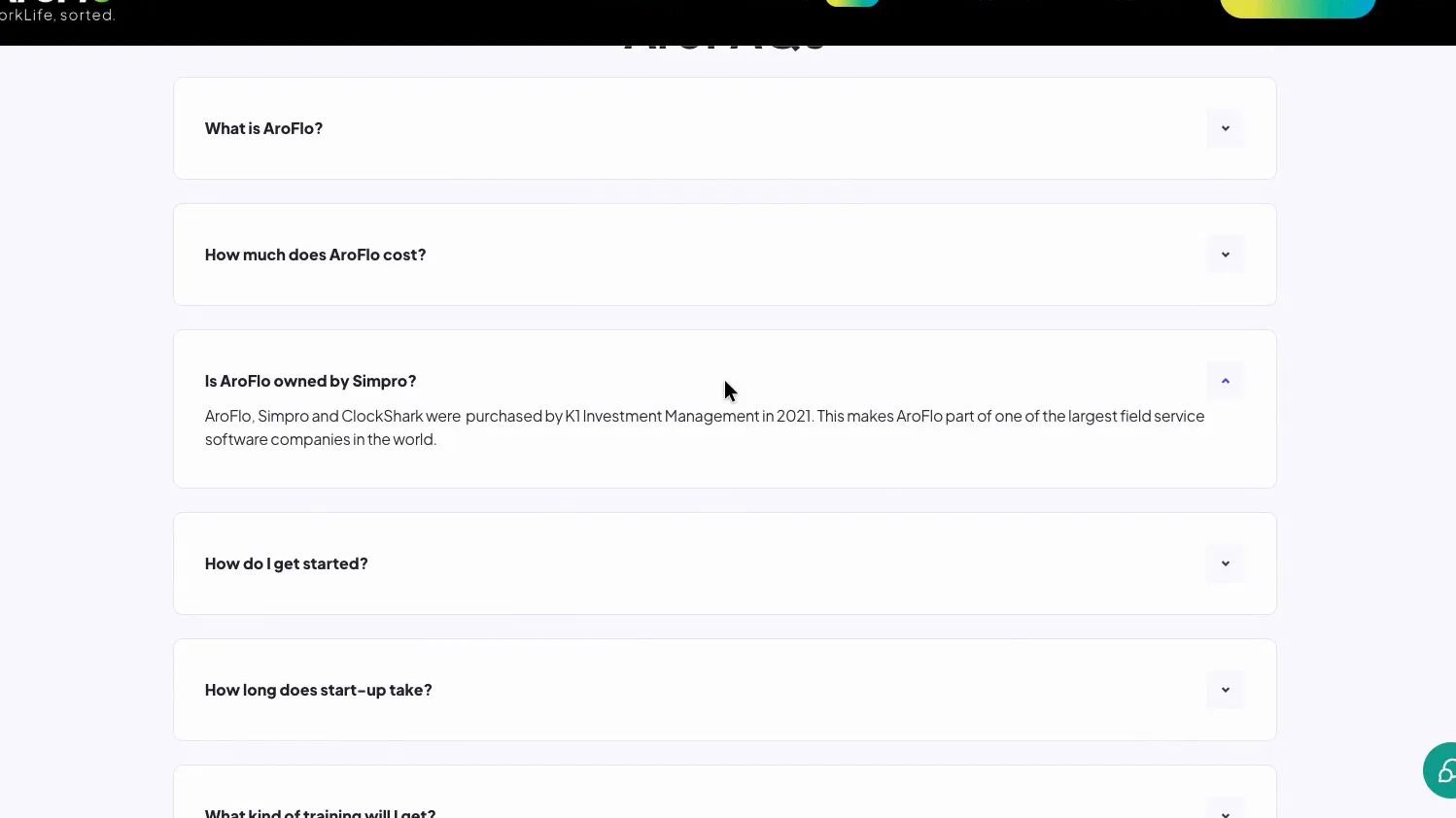
AroFlo and Simpro have the same owner. AroFlo's own FAQ says AroFlo, Simpro and ClockShark were bought by K1 Investment Management in 2021, and Wikipedia records Simpro acquiring AroFlo and ClockShark in November that year. Neither homepage mentions it. That explains why the AI tools and contract terms below read almost word for word the same. The products are still separate, with their own prices, apps and integrations.
 (enlarge)
AroFlo pitches itself at Australian and New Zealand trades "from sole traders to 40+ technicians" and claims 30,000+ tradies across 3,000+ businesses. Simpro calls itself a platform for field service trades in 23 countries, claims more than 250,000 users, and its pricing page says it suits businesses with "five or 200 staff".
Features and Lightning AI
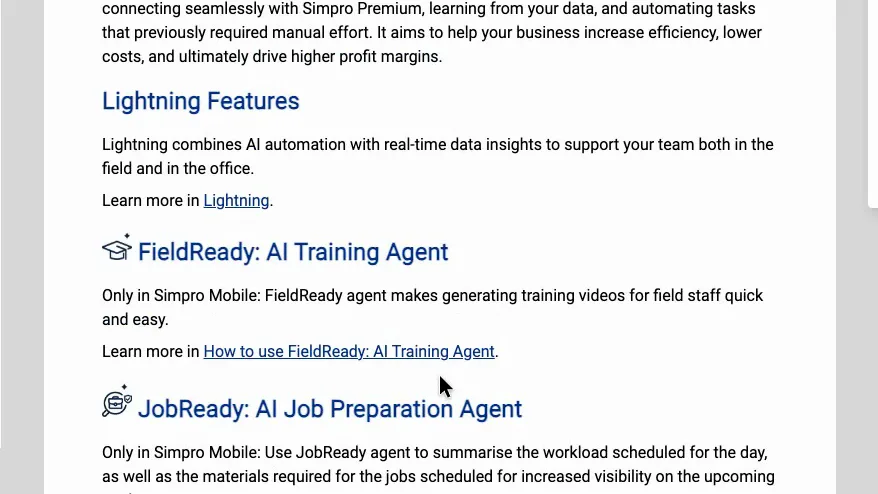
Both sell the same AI suite, called Lightning. The two help centres open their Lightning sections with the same paragraph, with only the product name changed, and list the same seven tools: FieldReady, JobReady, JobScribe, JobBrief, GPS time tracking, two-way messaging and JustAsk. Simpro adds an AI Scheduler. Whether the tools behave the same inside each product couldn't be checked without an account.
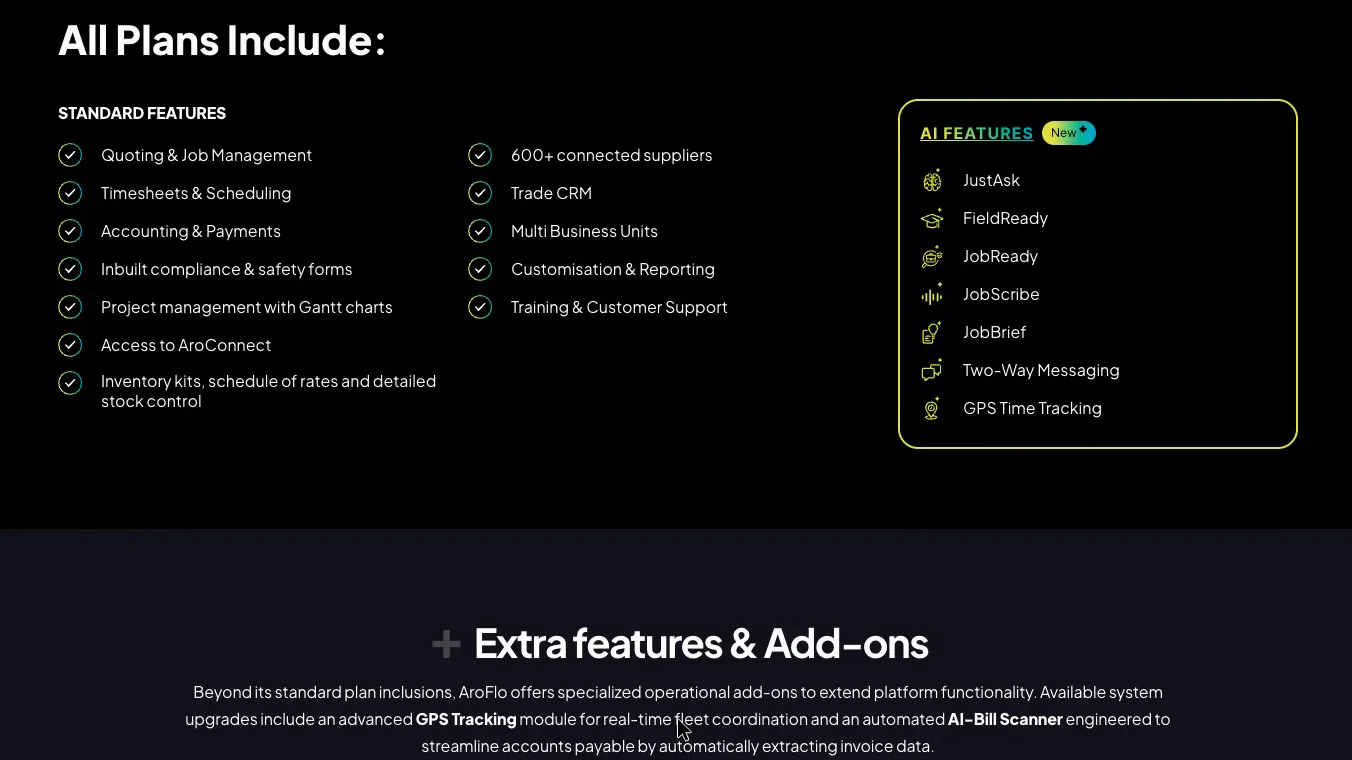
The difference is how you get it. AroFlo's pricing page lists Lightning under "All Plans Include". Simpro's help guide says it's enabled through account management, and no price is published.
 (enlarge)
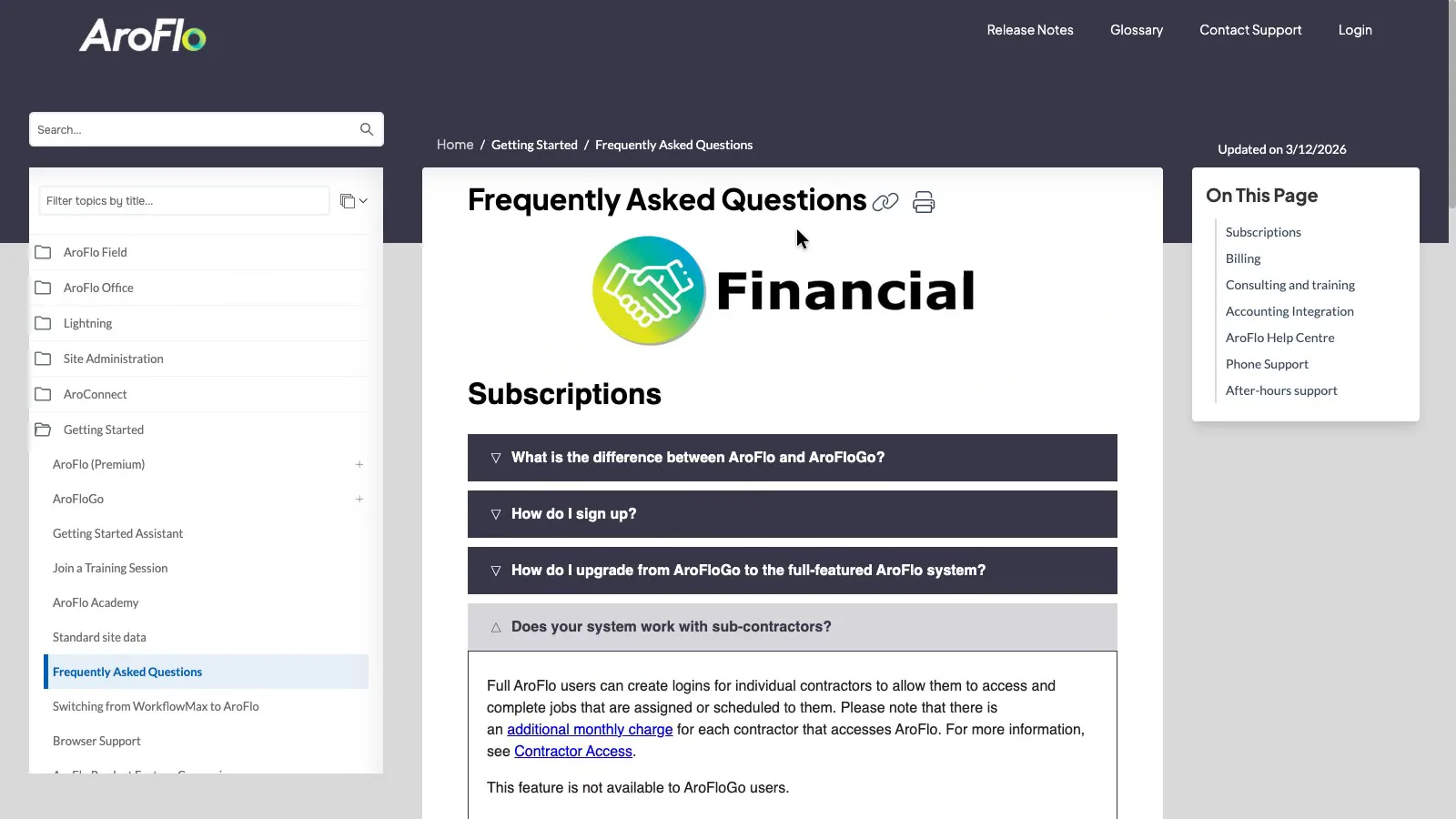
Outside Lightning, AroFlo covers quoting, scheduling, purchasing from supplier catalogues (it claims 600+ connected suppliers), timesheets, invoicing, assets and maintenance in one plan. Simpro Premium is the base product, and when checked in October 2026 its help guide listed eight add-ons sold on top of it (covered under pricing).
Pricing and trials
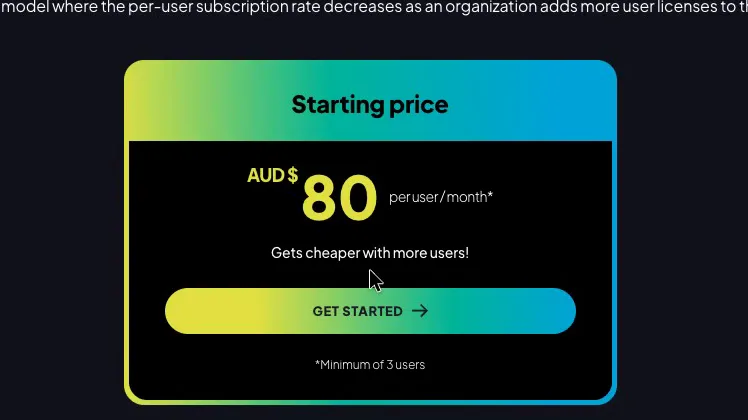
AroFlo publishes a price and Simpro doesn't. AroFlo starts at about $80 a user a month, with a minimum of three users. It says the rate "Gets cheaper with more users!" but doesn't publish the lower rates.
 (enlarge)
AroFlo's help centre confirms "All pricing is AUD excluding GST". It ties the three-user minimum to a subscription "with document storage and an active integration link", and doesn't say what a plan without those costs. In practice the smallest bill is around $250 a month.
 (enlarge)
According to the FAQ, setup is a one-off fee of roughly $1,500, or roughly $3,000 with implementation. On monthly billing AroFlo charges for the users who log in during the period, which helps a business with seasonal staff. Annual billing fixes the number of users at a lower rate per user, but the discount isn't stated. Contractor logins carry an additional monthly charge, and for passive users AroFlo tells you to contact customer service. Neither price is published.
Worked from AroFlo's published figures, before GST and add-ons:
| AroFlo cost | 3 users | 8 users |
|---|---|---|
| Monthly | about $250 | up to about $650 |
| First year with basic setup | about $4,500 | up to about $9,000 |
| First year with implementation | about $6,000 | up to about $10,500 |
| Each later year | about $3,000 | up to about $7,500 |
The 8-user figures are upper bounds because AroFlo doesn't publish its lower per-user rates. Simpro has no equivalent figures at any size.
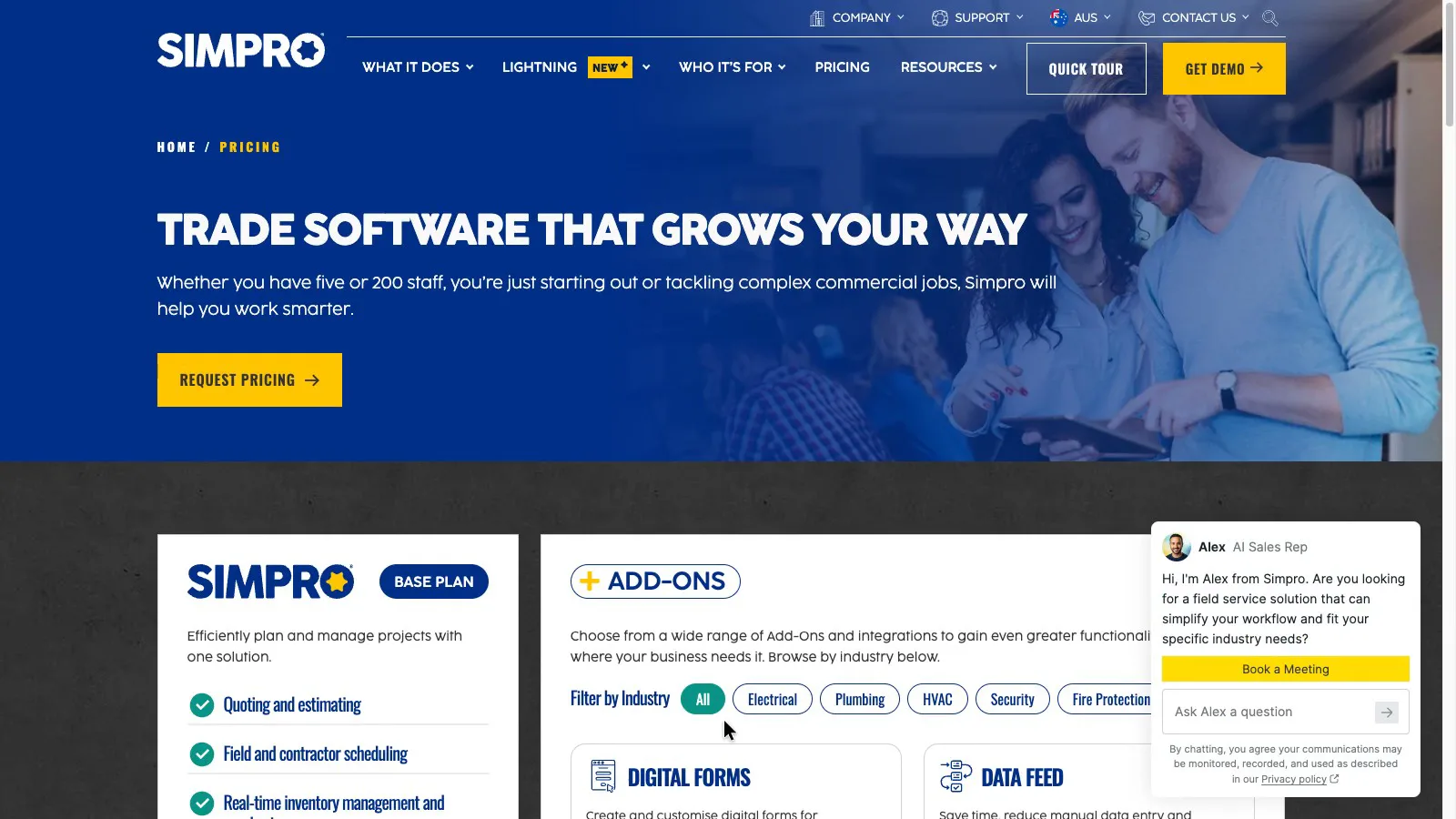
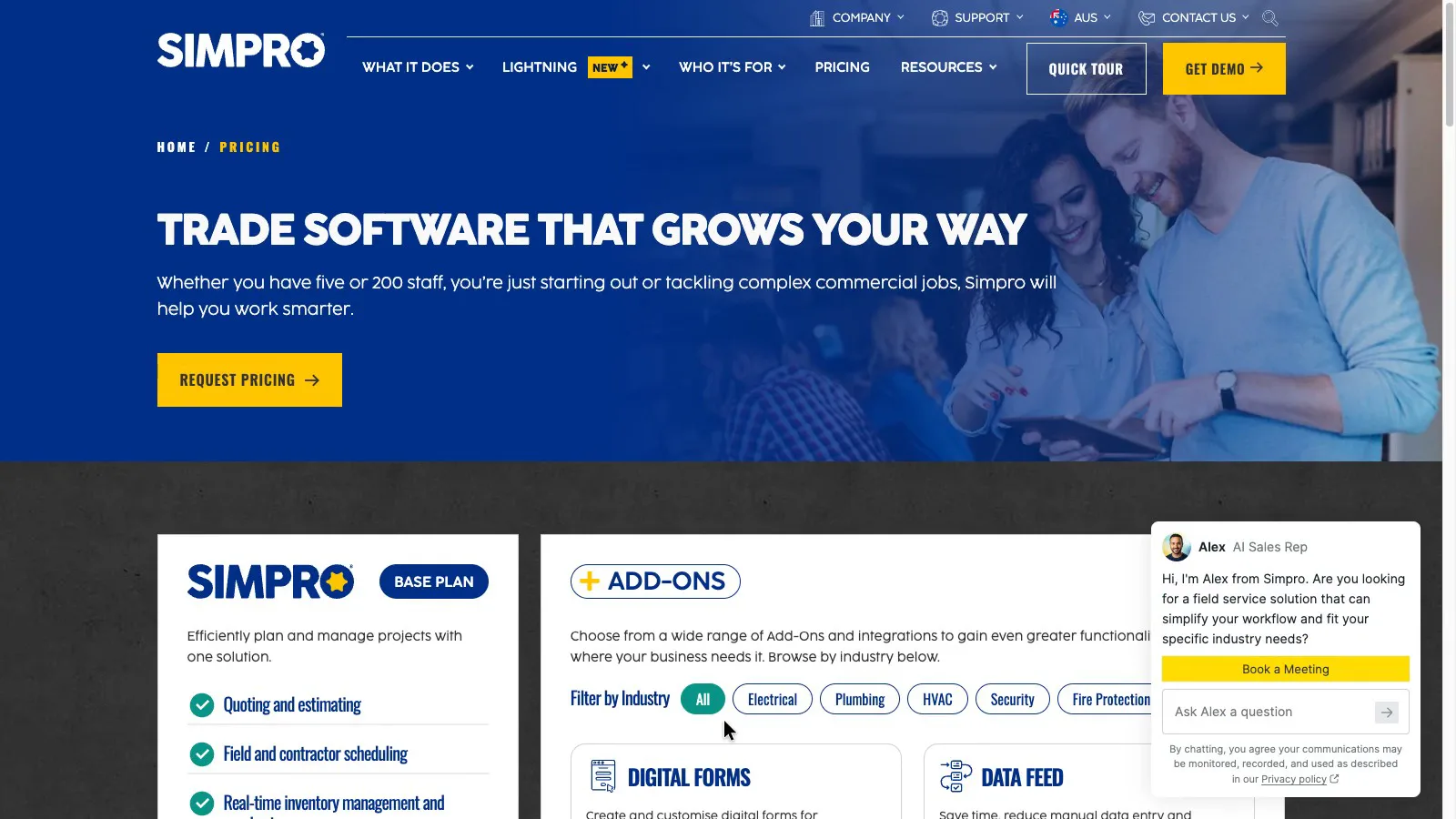
Simpro's pricing page shows a base plan and add-ons with no dollar figures and one button, "Request Pricing".
 (enlarge)
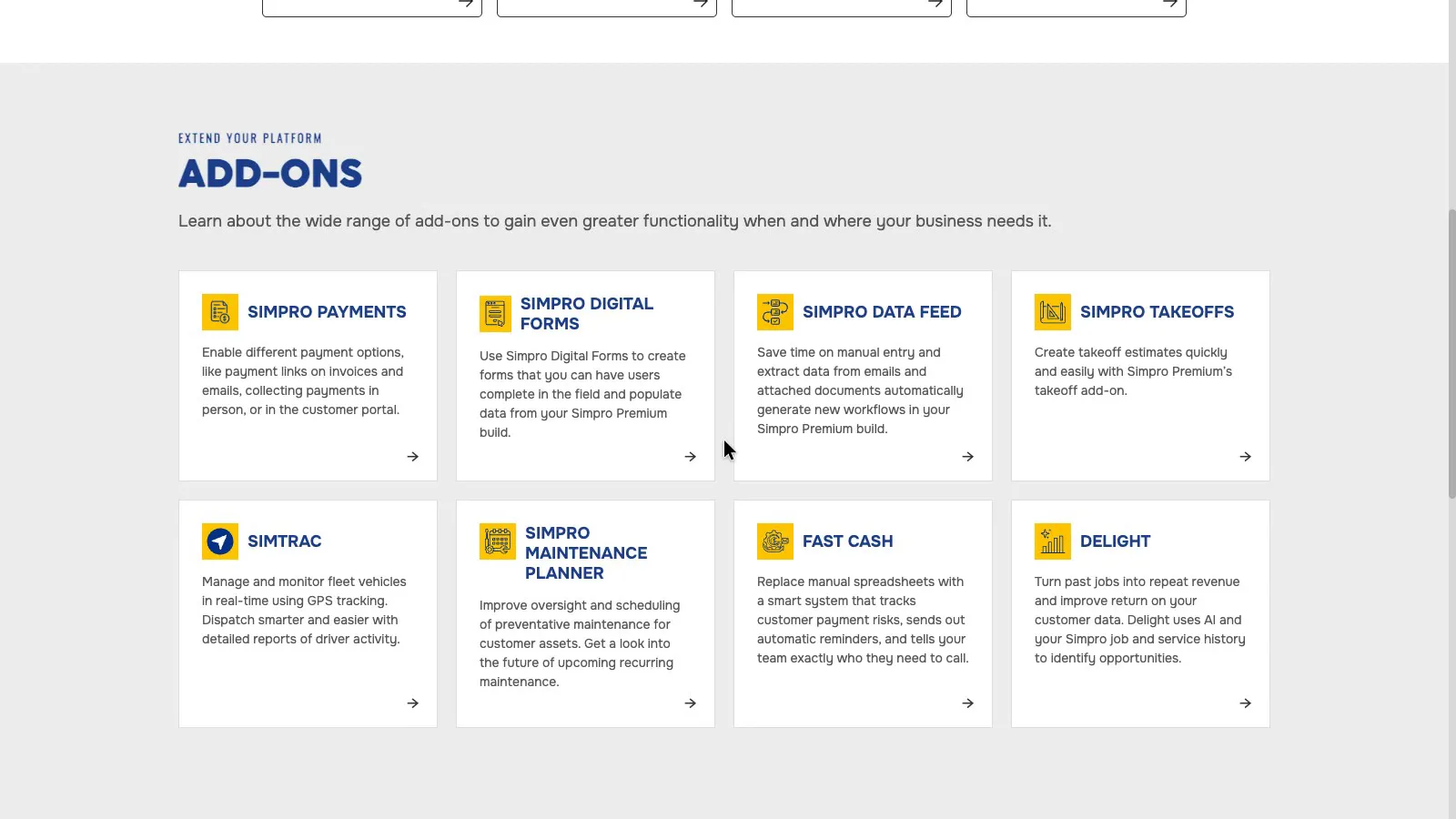
The help guide lists them as Simpro Payments, Digital Forms, Data Feed, Takeoffs, Simtrac fleet GPS, Maintenance Planner, Fast Cash and Delight, and none has a published price.
 (enlarge)
AroFlo also charges extra for GPS tracking and its AI bill scanner, without showing a price.
 (enlarge)
The only public Simpro figures come from one New Zealand customer's March 2026 review on the Xero App Store: around NZ$200 a user a month plus a per-user mobile app fee, roughly NZ$6,000 for setup after a discount, and a 12-month minimum term. That's one customer's deal in another currency, not an Australian quote.
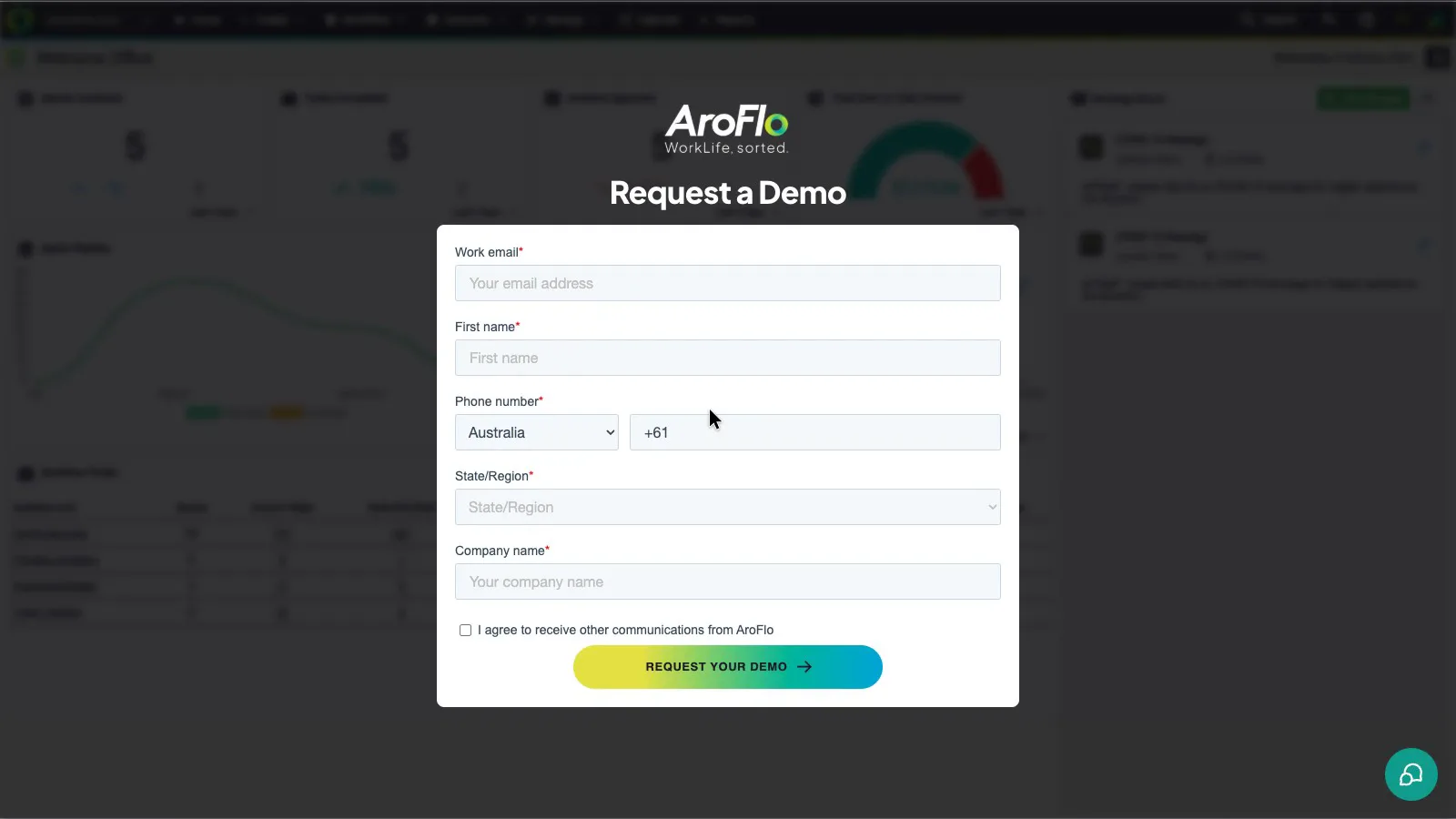
Neither lets you start a free trial yourself. Every "Get Started", "Get a Free Demo" and "See it in action" button on AroFlo's site leads to the same demo request form.
 (enlarge)
Simpro's pricing page offers Quick Tour, Get Demo and Request Pricing, and no trial button.
 (enlarge)
Payroll and accounting
Both send staff hours to your accounting software, which is where the pay run, Single Touch Payroll and super happen, including Payday Super from 1 July 2026. Neither product runs payroll itself.
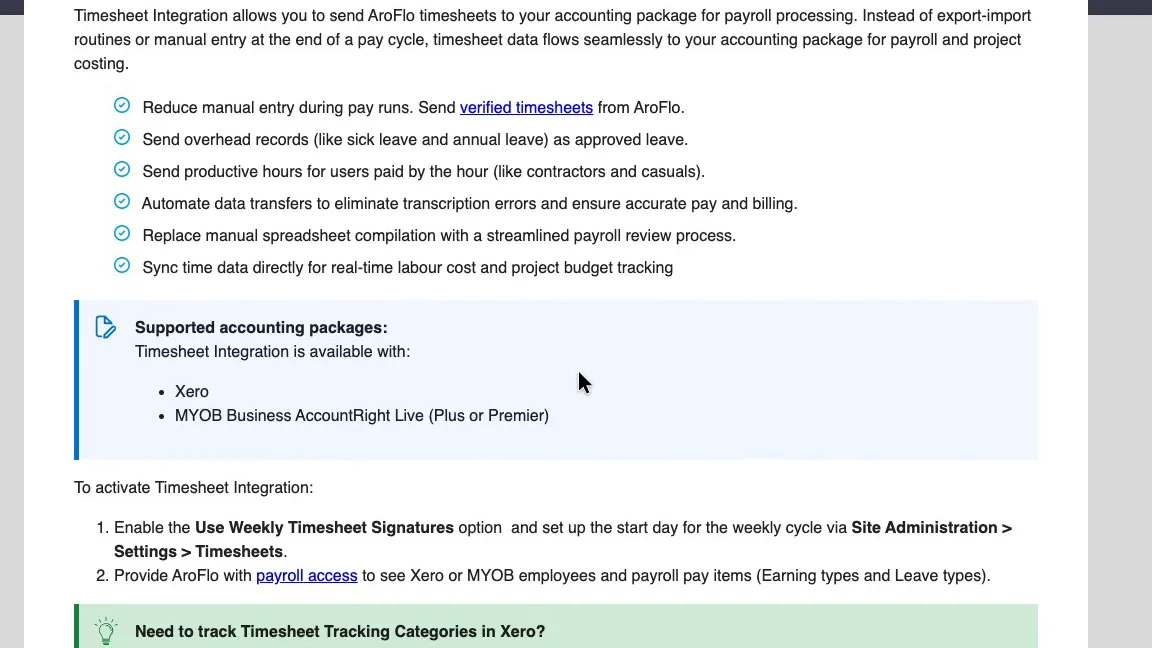
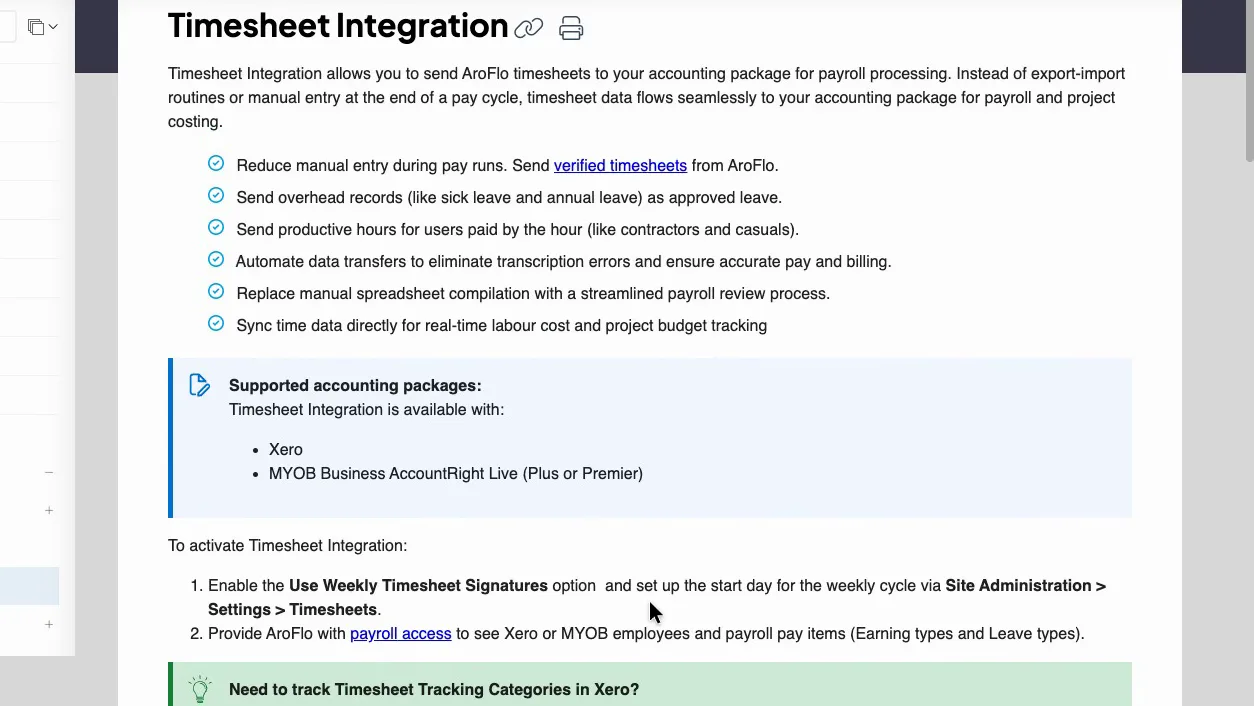
AroFlo's timesheet integration guide lists Xero and MYOB AccountRight Live (Plus or Premier).
 (enlarge)
Hours are processed in AroFlo and arrive in Xero as draft timesheets, matched to the earning and leave types set up in Xero or MYOB. AroFlo needs payroll access to see those pay items. The guide says nothing about awards, penalty rates or overtime, so those have to be set up correctly in the payroll software.
 (enlarge)
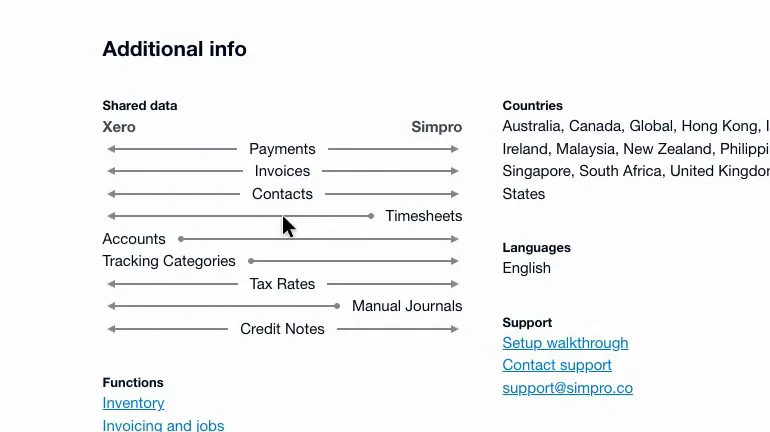
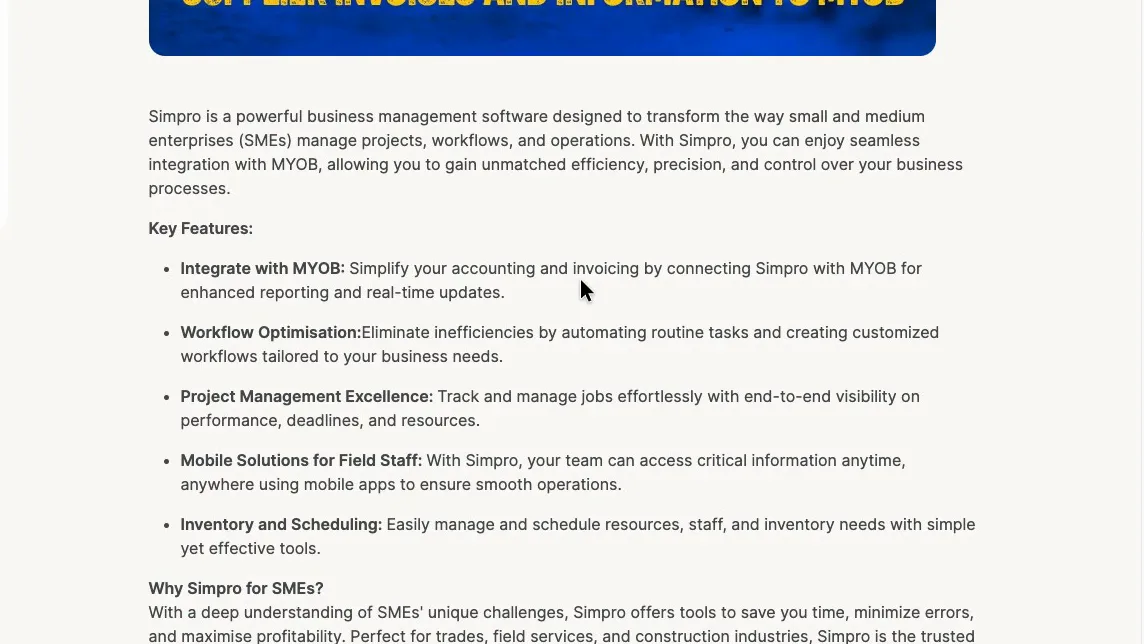
In Simpro's help guide table of supported accounting software, only the Xero row includes timesheets, and its Xero App Store listing shows timesheets going one way, from Simpro to Xero.
 (enlarge)
Simpro's MYOB Marketplace listing covers MYOB AccountRight and MYOB Business but doesn't mention timesheets.
 (enlarge)
For a business running payroll in MYOB, AroFlo is the one with a documented direct timesheet link. Simpro's marketplace payroll page wouldn't load, so it may have another route.
For invoices and bills, AroFlo's FAQ names Xero, MYOB, QuickBooks and Reckon. In Australia, Simpro supports QuickBooks Online, Xero, MYOB AccountRight, MYOB Business, and the desktop versions of Reckon Accounts Premier and Enterprise. It doesn't support Reckon One.
On the Xero App Store, two Simpro customers reported invoice sync problems in early 2026, including supplier invoices missed or sent across incorrectly.
Contracts and getting your data out
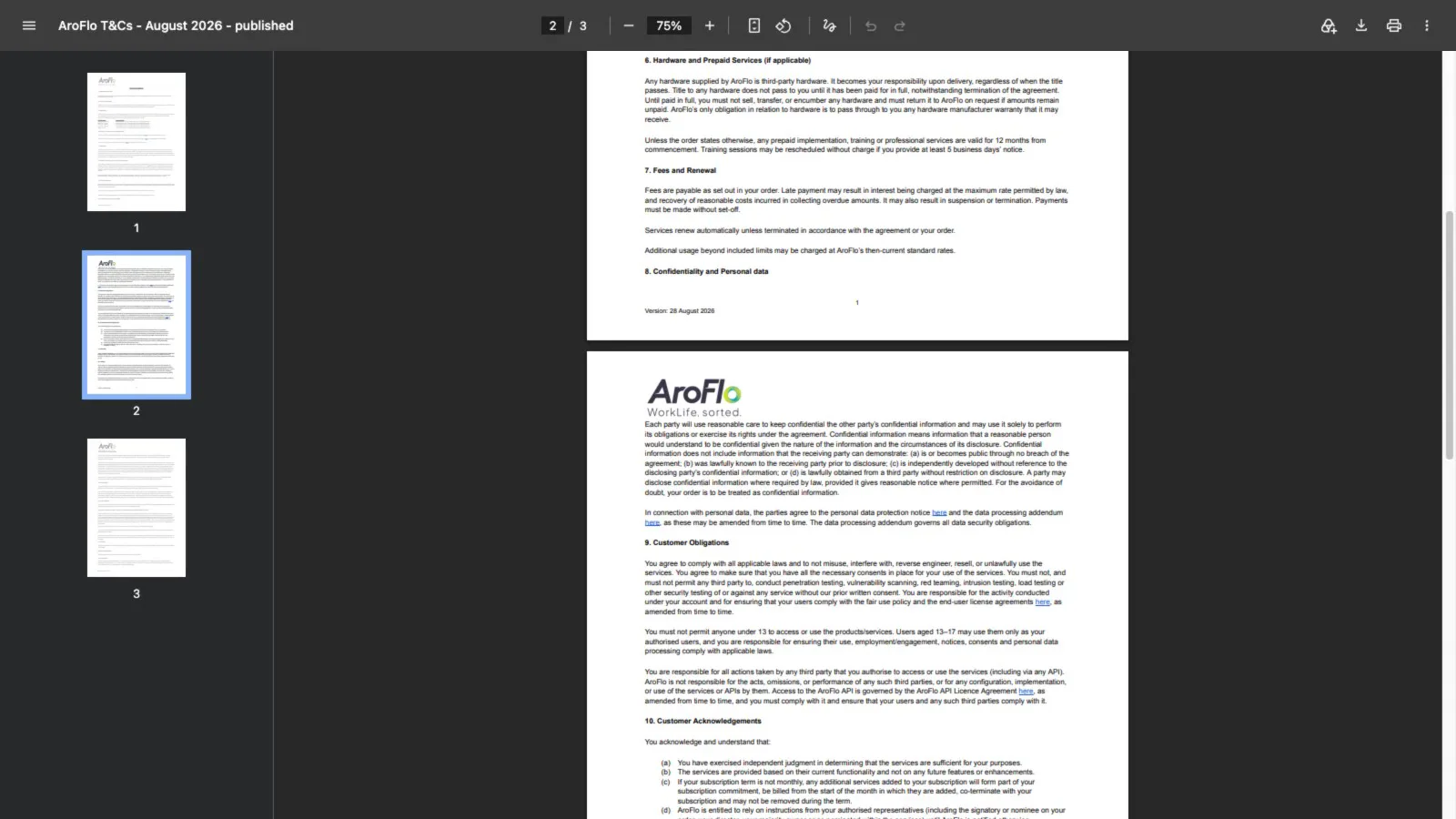
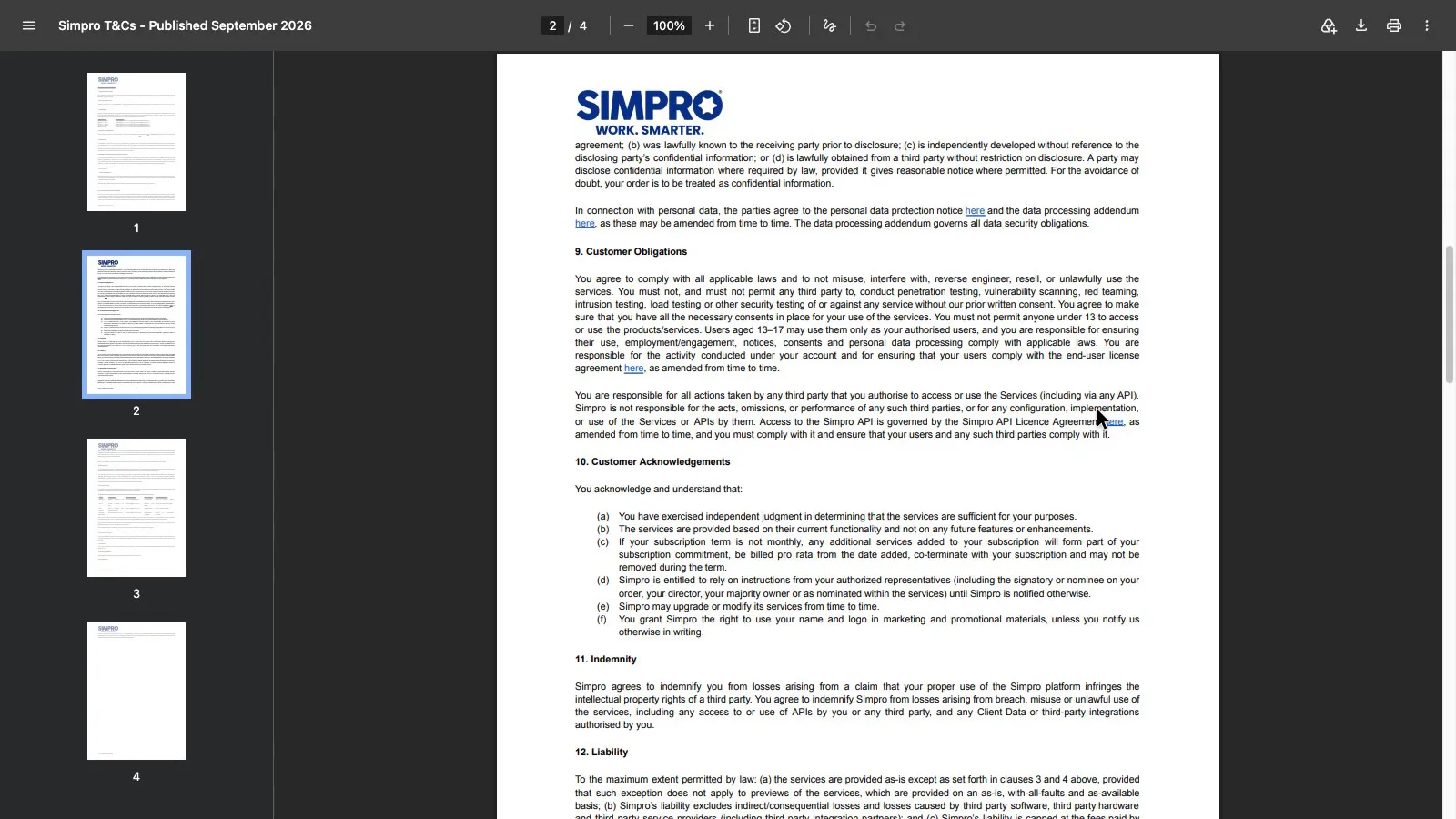
The public terms are nearly identical, and both PDFs are hosted on the same account. Both renew automatically (clause 7). On any term longer than monthly, services you add "may not be removed during the term" (clause 10(c)). If you add two techs for a busy season on an annual plan, you pay for them until the term ends.
 (enlarge)
 (enlarge)
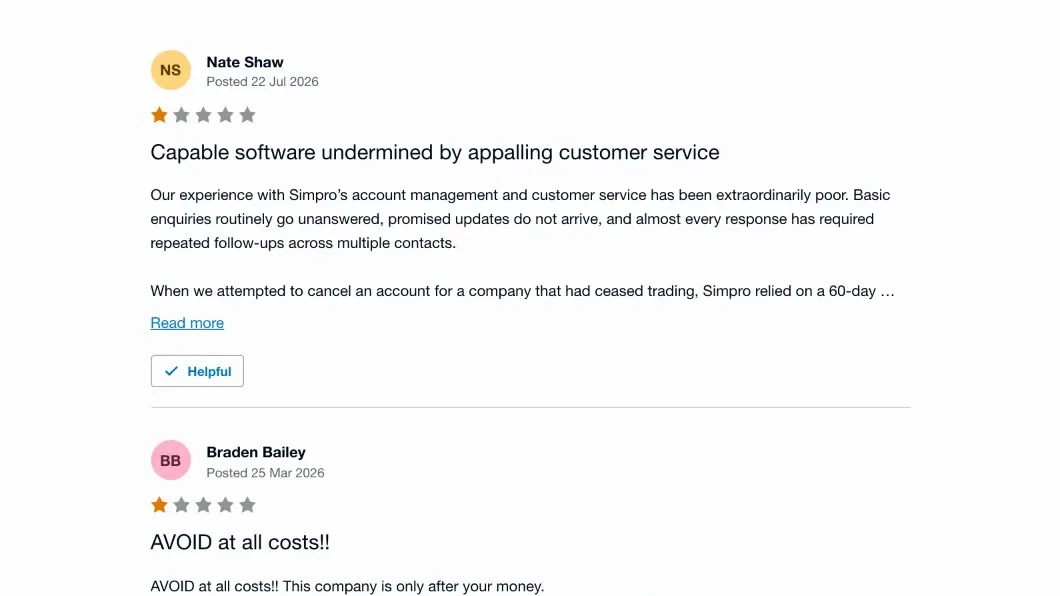
Simpro's terms let monthly subscribers cancel on 30 days' written notice. Term length and fees are set in each customer's signed order, which isn't public. In July 2026, one Simpro customer wrote on the Xero App Store that a 60-day notice provision was used to impose another 12-month renewal.
 (enlarge)
The only 60-day period in Simpro's public terms is the notice Simpro must give before it makes material changes to the terms. A 60-day cancellation clause, if there is one, would be in the private order form. Clause 13 also says that if Simpro ends the agreement because you breached it, the fees for the rest of the term fall due straight away.
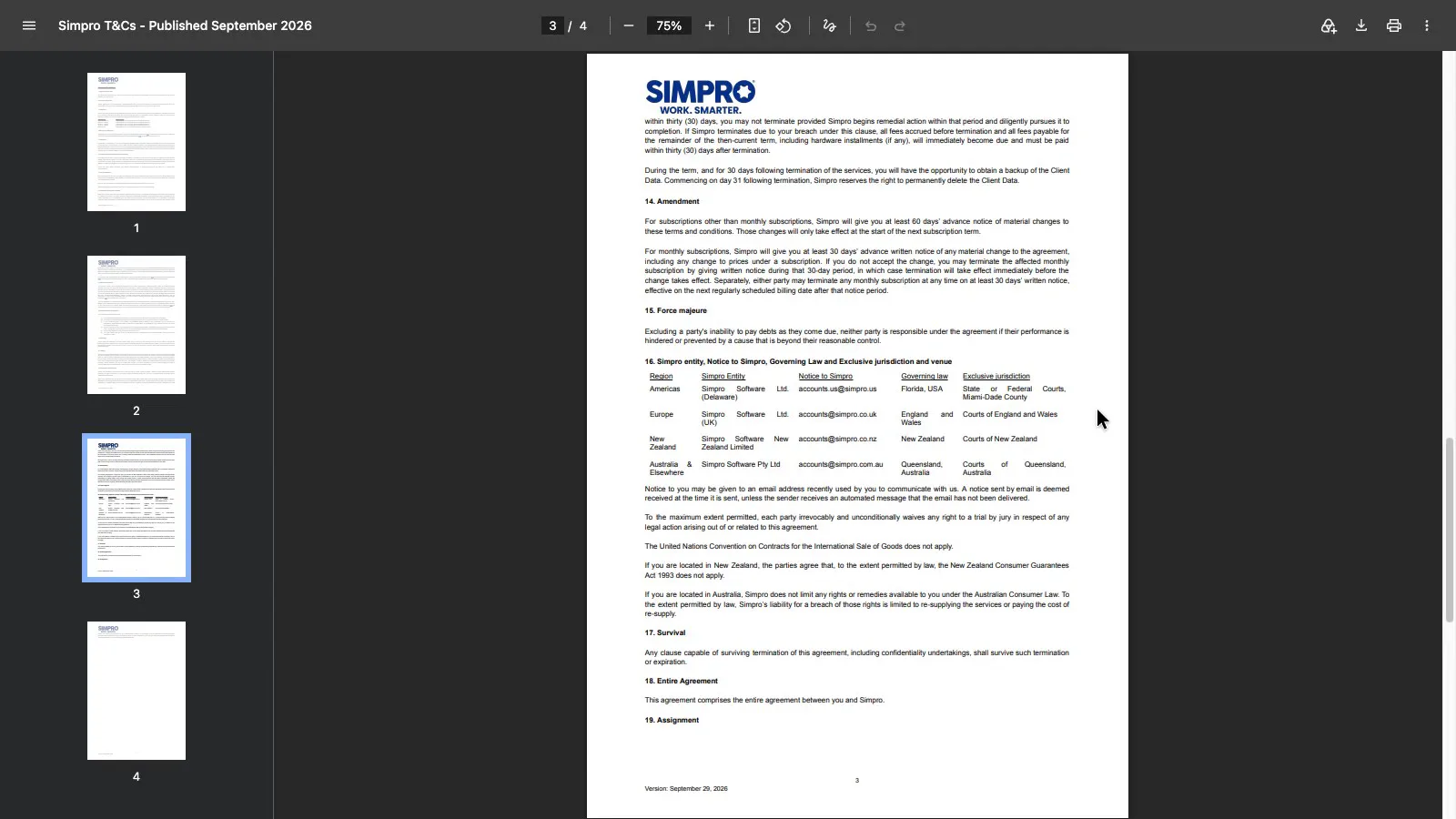
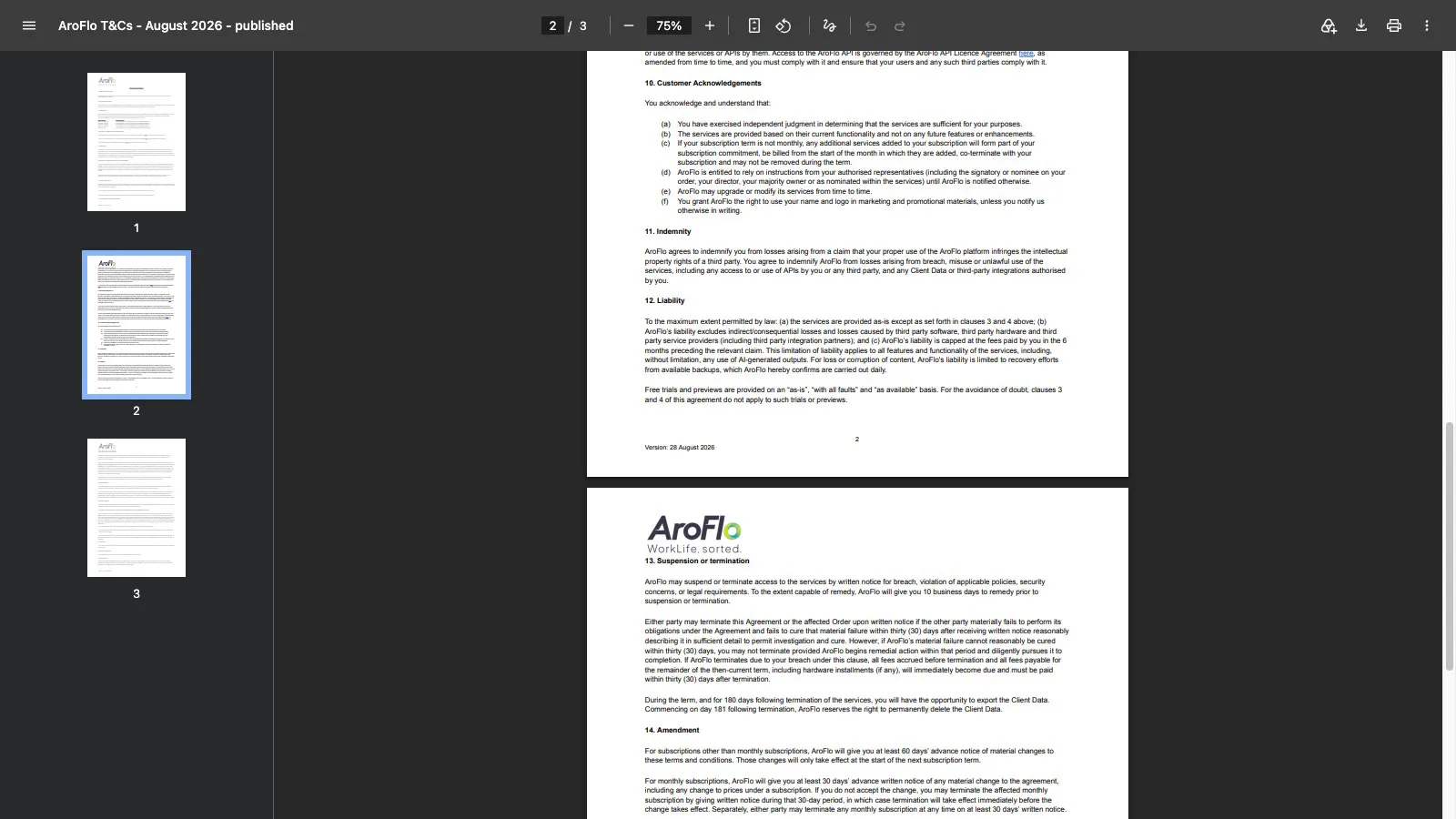
The time you get to take your data is where the two differ. Simpro lets you back up your data for 30 days after the agreement ends and may delete it from day 31. AroFlo gives you 180 days.
 (enlarge)
 (enlarge)
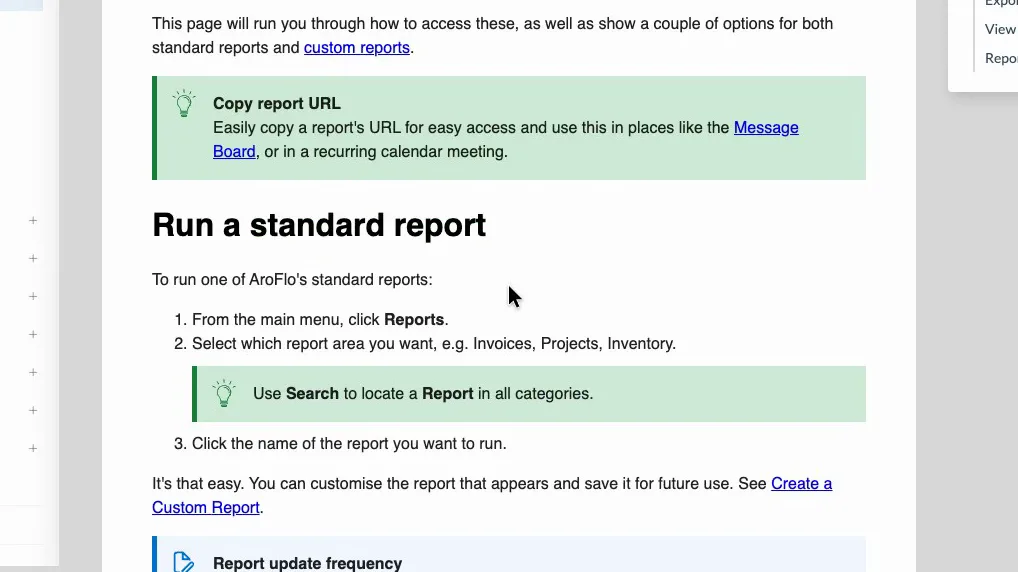
When checked in October 2026, AroFlo's help centre said reports export to Excel, CSV, PDF, JSON, Word and other formats, invoices and projects included. There's no single export-everything button, so it's done one report at a time.
 (enlarge)
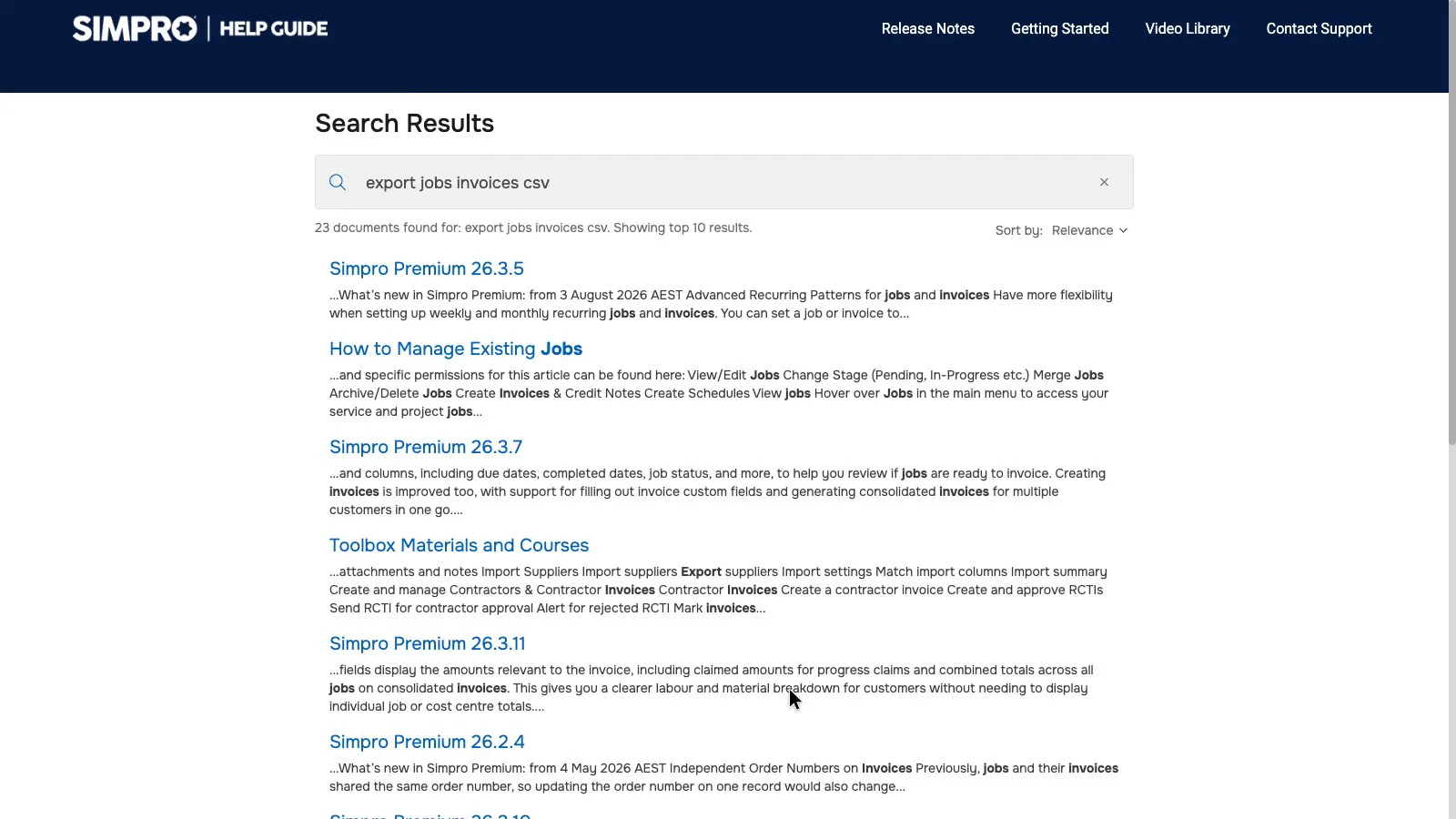
Simpro's help guide covers CSV exports of customers, the catalogue and assets. A search for exporting jobs and invoices found only release notes and job articles, and its invoice export articles are about sending invoices to accounting software.
 (enlarge)
Neither company says which country customer data is stored in. Both sub-processor lists give only each provider's head office, which for AWS and the AI providers, including Anthropic and OpenAI, is the US.
Support during Australian hours
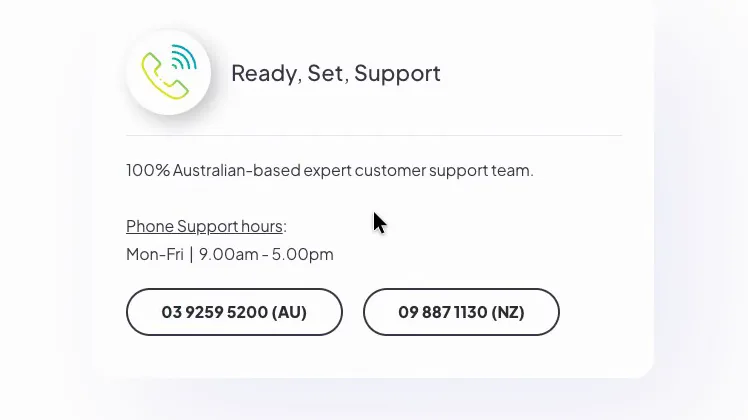
AroFlo says its support team is 100% Australian-based, with phone support on weekdays from 9am to 5pm. It doesn't say which time zone.
 (enlarge)
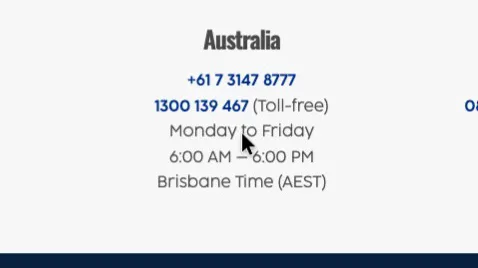
Simpro's helpdesk lists Australian phone support on weekdays from 6am to 6pm Brisbane time. Queensland doesn't use daylight saving, so in summer that's 7am to 7pm in Sydney and Melbourne.
 (enlarge)
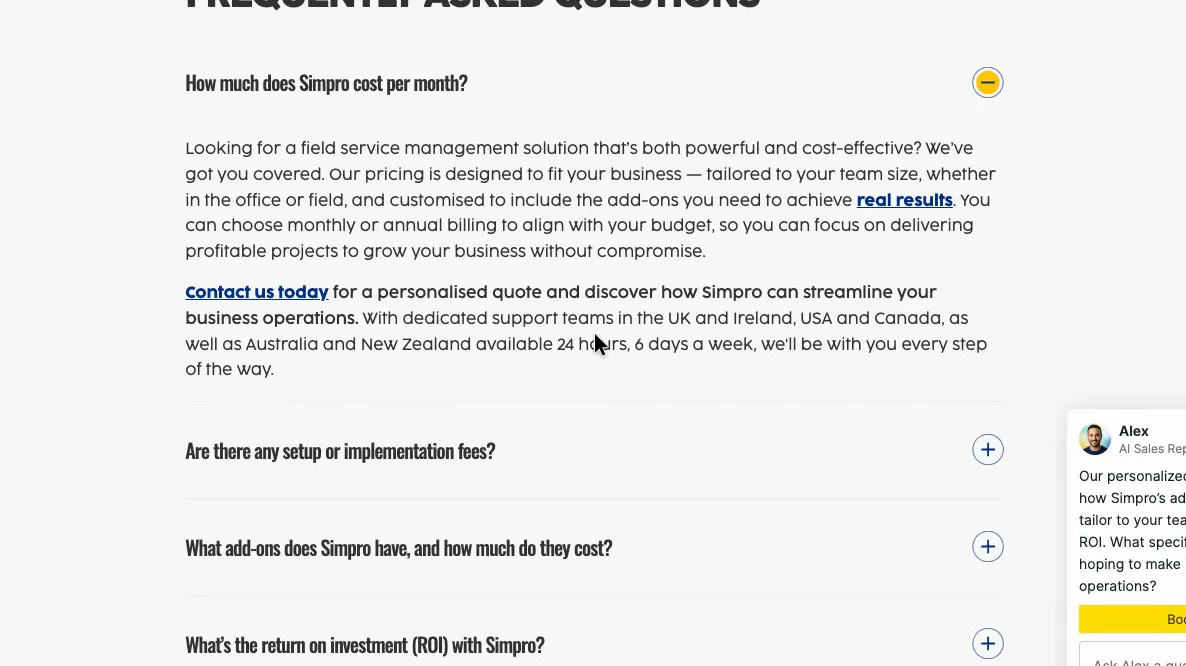
Simpro's pricing page FAQ says its support teams are "available 24 hours, 6 days a week", but the helpdesk lists no Saturday hours for any region.
 (enlarge)
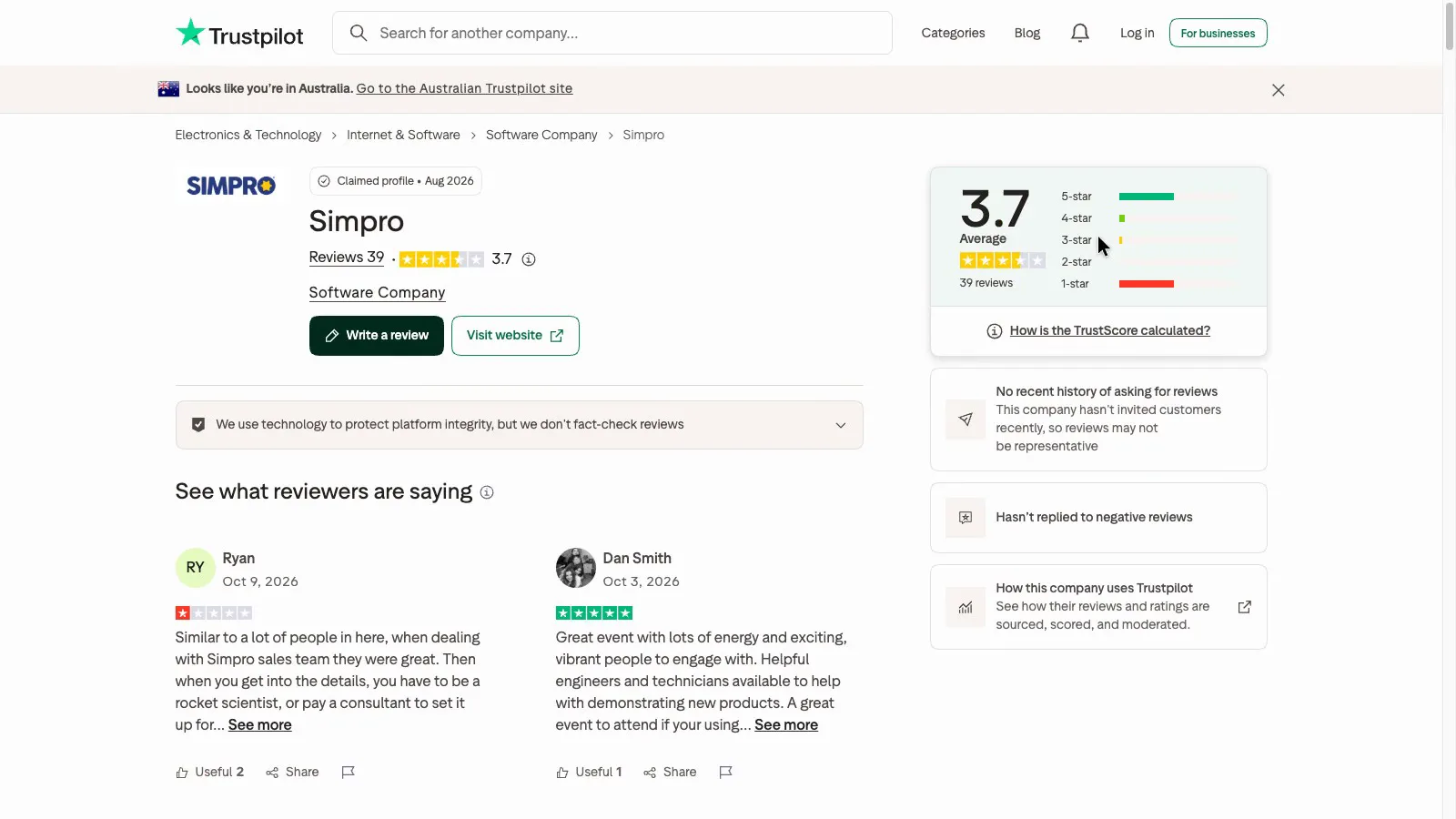
Simpro's Trustpilot profile has about 40 reviews, with 46% at one star and 46% at five. The negative reviews come mostly from Australia and the UK and mention slow support and account managers focused on upselling. The positive ones come mostly from the US. Trustpilot notes that Simpro hasn't replied to negative reviews. AroFlo has no Trustpilot reviews.
 (enlarge)
Field apps and offline use
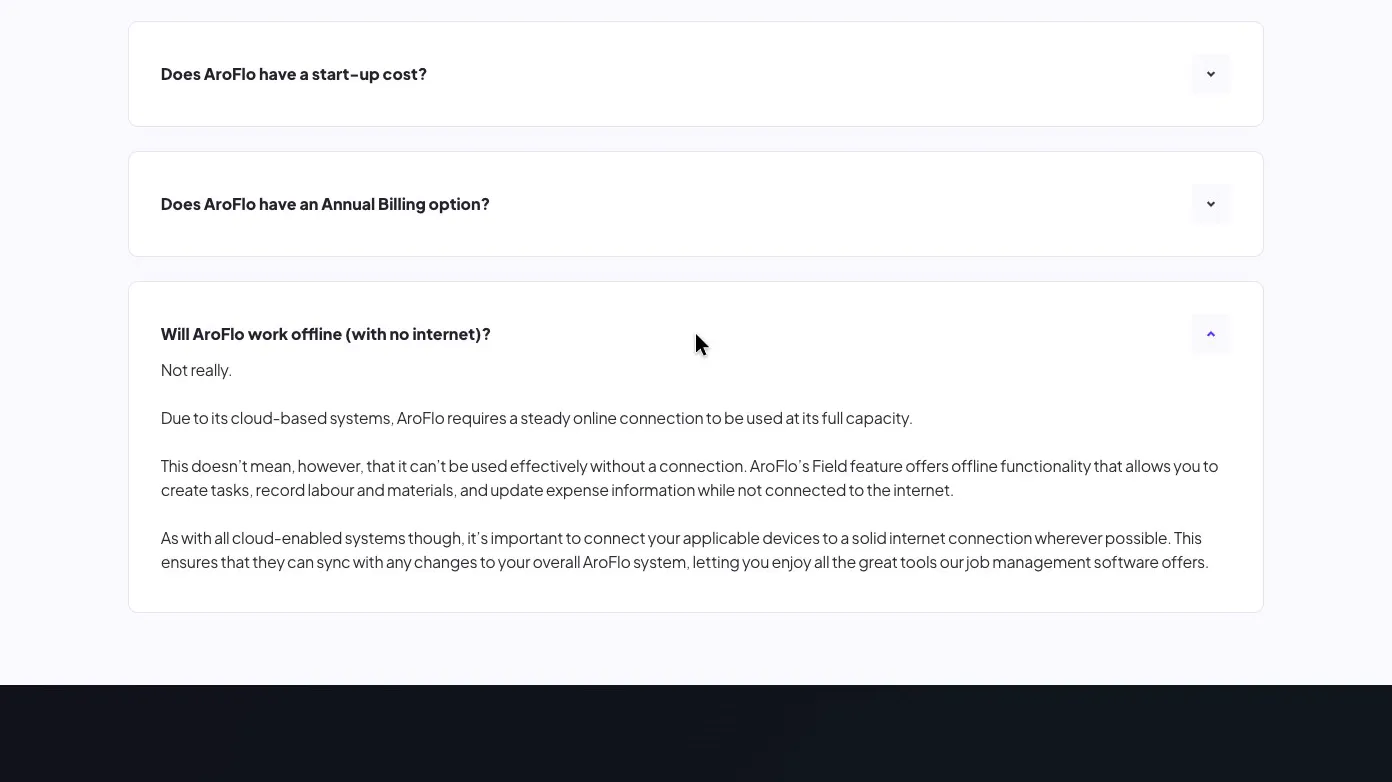
AroFlo's FAQ answers "Will AroFlo work offline?" with "Not really" and says it needs a steady connection to work at full capacity. Its older Field mode can still create tasks and record labour, materials and expenses offline. Replying to an App Store review, the developer said offline features would be "progressively added" to the newer app. Its App Store version history lists an offline mode MVP in version 1.1.0 (June 2025), so the newer app has some basic offline support, though the FAQ still says it needs a steady connection.
 (enlarge)
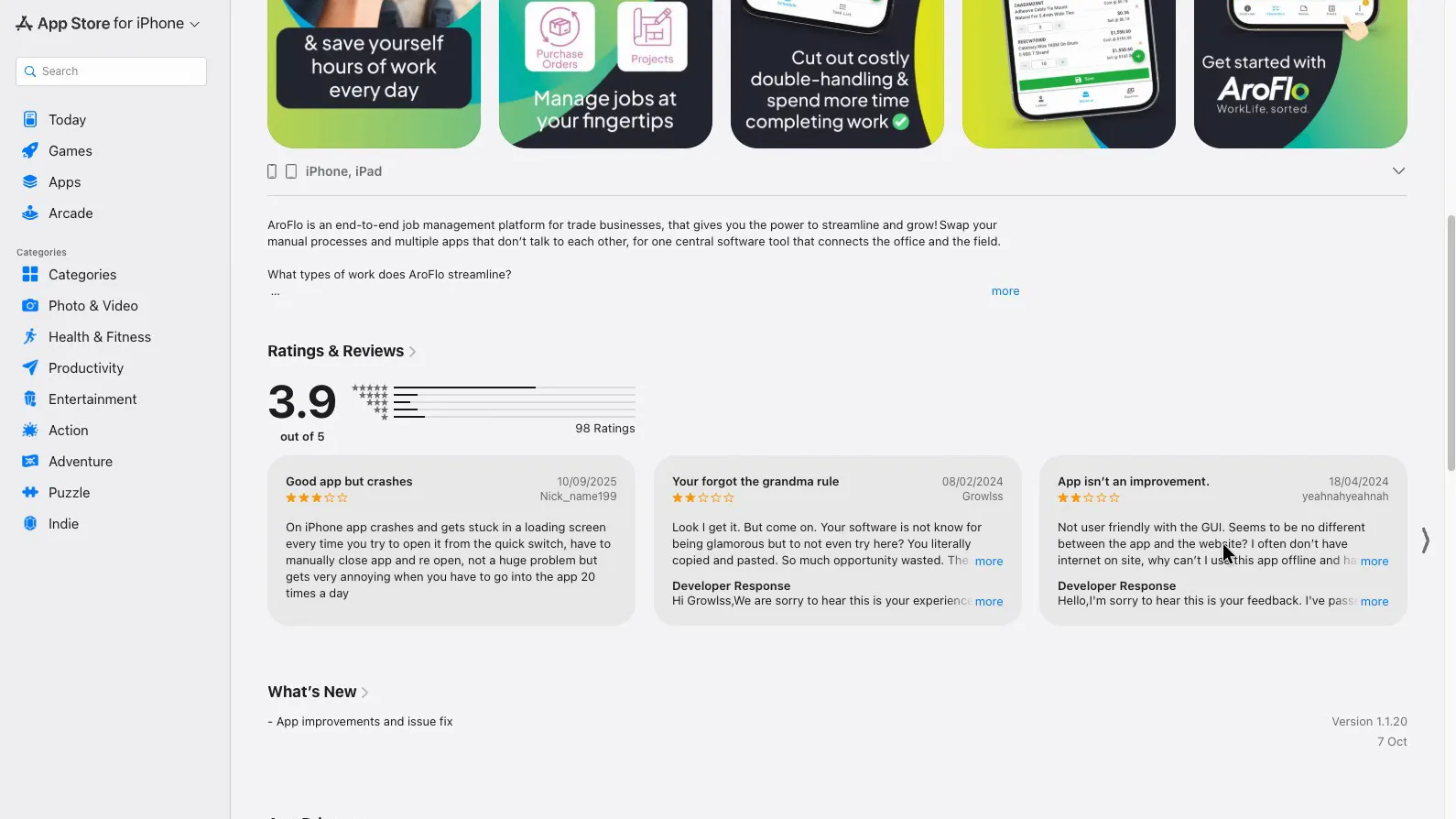
The AroFlo app averages 3.9 from 98 ratings on the Australian App Store. Some 2024 reviews call it dated and slow to use, including one asking why adding a material takes five buttons.
 (enlarge)
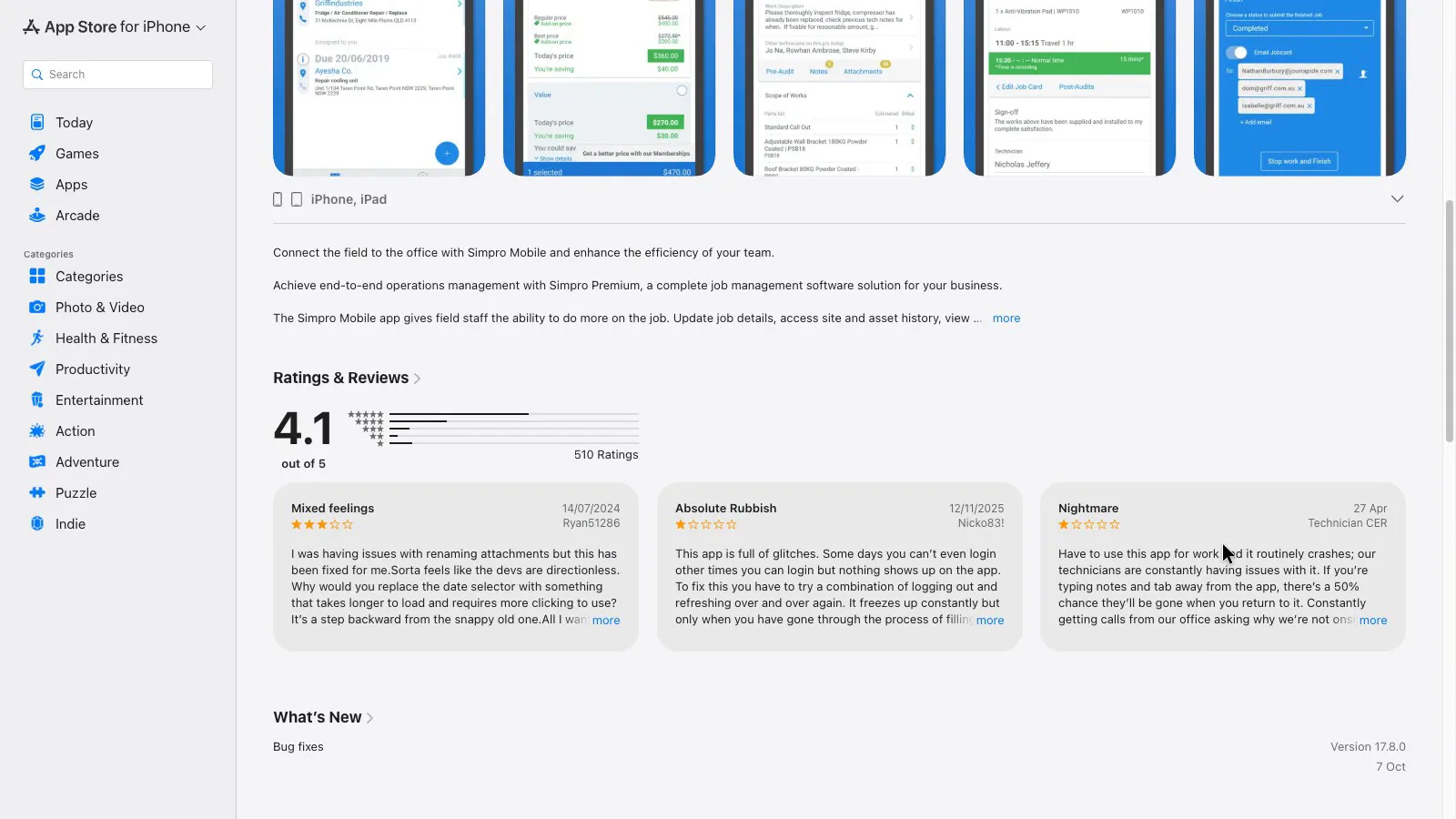
Simpro Mobile averages 4.1 from 510 ratings, and its listing claims offline functionality. Some recent one-star reviews dispute that, with one from November 2025 saying it has "zero offline capabilities" and one from April 2026 saying notes can disappear if you switch away from the app.
 (enlarge)
Team size and contract term
Neither is aimed at a one-person business: AroFlo charges for at least three users, and Simpro pitches at five staff and up. Simpro suits a bigger business that wants the AI scheduler or add-ons such as maintenance planning and takeoffs and is happy to get its price through sales. Because the contracts are close to identical and added users can't be removed mid-term, monthly billing leaves room to change while the team size is still settling.
Pricing in AUD
| Plan | Price | Per | Includes |
|---|---|---|---|
| AroFlo Premium | $80 GST not stated | per user per month | Minimum 3 users. Lower rates for more users aren't published. Monthly billing charges only users who log in that month. |
| Smart Start setup (from) | $1,450 GST not stated | one-off | One-off setup fee, starting at this amount. |
| Smart Start setup with implementation (from) | $2,900 GST not stated | one-off | One-off setup with implementation, starting at this amount. |
AUD, inc GST unless marked ex GST or GST not stated. Checked 19 Oct 2026. Source: aroflo.com/pricing, aroflo.com/resources/faq
| Plan | Price | Per | Includes | Checked |
|---|---|---|---|---|
| Simpro doesn't publish prices. | ||||
Integrations
| Connects to | What syncs | Direction | Checked |
|---|---|---|---|
| Xero | Contacts, purchase orders, invoices, credit notes and payments to Xero; payments, ledger codes and tax codes back to AroFlo; labour, materials, freight and expenses map to tracking categories | Both ways | |
| MYOB | Not stated | Not stated | |
| QuickBooks | Not stated | Not stated | |
| Reckon | Not stated | Not stated |
| Connects to | What syncs | Direction | Checked |
|---|---|---|---|
| Xero | Invoices, payments, contacts, tax rates and credit notes both ways; accounts and tracking categories from Xero; timesheets, manual journals, supplier invoices and inventory journals to Xero | Both ways |
What I didn't test (9 things)
- Using either product: there was no account, and the brief ruled out signing up
- Either field app on a phone, including offline use: the research ran in desktop Chrome only
- Simpro's Xero sync: it needs a Simpro account and a Xero login, so it's covered by user reports only
- Booking a demo: AroFlo's demo form wasn't filled in and Simpro's Get Demo button wasn't clicked
- Order forms: they aren't public, so the 12-month minimum and 60-day cancellation notice that reviewers describe couldn't be checked
- Simpro's EULA past page 1: the PDF viewer wouldn't scroll, so the Terms and Conditions it refers to were read instead
- Simpro's marketplace payroll page: it wouldn't load, so another timesheet route to MYOB may exist
- Privacy policies: not opened, and neither company's legal pages say where customer data is stored
- Capterra, G2, GetApp, Software Advice and Google Play: blocked or wouldn't load
Change log
| Date | Change |
|---|---|
| Retested from scratch, with a new video. |
Video transcript
AroFlo vs Simpro: who should pick which
Today we're looking at AroFlo and Simpro, two job management apps for trades that handle your quotes, scheduling, jobs and invoices. Both are owned by the same company, Simpro Group, which helps explain why their AI tools and contract terms are so alike. AroFlo says it's built for Australian and New Zealand tradies, from sole traders to teams of more than forty technicians, while Simpro says it covers a wider range of field service trades. My review agent compared both from their websites, help centres and terms, and I verified the key differences myself. For a small trade business that wants to know its costs up front, I'd start with AroFlo. Simpro makes more sense for a bigger business that's happy to get its price from sales, and they differ most on payroll and on getting your data out.
Key features side by side
To start with, the key features side by side. Both include AI tools at no extra cost, and both are adding AI to help with scheduling. AroFlo's will re-plan the schedule as the day changes. In both apps these AI tools come with a new release called Lightning and are still being rolled out over the coming months, so they may not be on every account yet.
What AroFlo costs
Next up, what it costs. AroFlo starts at eighty dollars a user a month, with a minimum of three users. It says the price per user drops as you add more, and there's a one-off setup fee, which is twice as much with implementation included. On the cheaper setup, linking AroFlo to Xero or MYOB costs an extra one-off fee plus a yearly fee. On monthly billing AroFlo only charges for the users who log in that month, which suits a business with seasonal staff.
Simpro's price, add-ons and trials
Next, Simpro's pricing and add-ons. Simpro doesn't put a price on its website, and the only way to get a figure is to request one. Digital forms, GPS fleet tracking and maintenance planning are all add-ons, with no prices shown for any of them, and its AI tools come at no extra cost and are being rolled out gradually. AroFlo has a couple of paid add-ons too, such as fleet GPS tracking. Neither website lets you start a free trial yourself. AroFlo's Get Started buttons lead to a demo request form.
Timesheets to payroll
Moving on to payroll. Both send staff hours to your accounting software, which is where the pay run, Single Touch Payroll and super are done. AroFlo's guide lists Xero and MYOB AccountRight Plus or Premier for timesheets. Simpro's guide only sends timesheets straight to Xero, but you can also download them as a file to import into MYOB Payroll. So for a business running payroll in MYOB, only AroFlo sends timesheets straight in, while Simpro needs a manual import step. AroFlo matches the hours to pay items in Xero or MYOB, and its guide doesn't mention awards or penalty rates.
Contracts and getting your data out
Next, getting out if it doesn't work. At least one Simpro user, in a review on Xero's app store, says Simpro used a 60-day provision in their contract when they tried to cancel. Both companies' terms renew automatically, and on an annual or longer term, extra users you add stay on the bill until the term ends. Where they differ is how long you have to take your data with you. Simpro gives you thirty days after you leave to back it up before it can be deleted. AroFlo gives you a hundred and eighty days, and its reports export to spreadsheets one report at a time, invoice reports included. Simpro's help guide covers exporting customers, the catalogue and assets, but has no article on exporting jobs or invoices in bulk. If this is important to you, ask both companies in writing which country your data is kept in before you sign up.
Support during Australian hours
Now, support during Australian business hours. AroFlo's support team is all based in Australia, with phone support on weekdays from nine to five. Simpro's helpdesk lists Australian phone support from six in the morning to six at night Brisbane time on weekdays, while AroFlo doesn't say which time zone its nine-to-five hours are in. Simpro's pricing page advertises support twenty-four hours, six days a week, but its live chat runs around the clock on weekdays only, and its support terms say support runs on business days, Monday to Friday. So don't count on getting Simpro on the phone on a Saturday.
Field apps and what users say
Next, the phone apps. AroFlo's field app averages 3.9 on the App Store from about 100 ratings, and some users say it isn't easy to use. AroFlo's app has an offline mode that lets you look at saved tasks, documents and notes and add new notes, then catches up once you're back online. AroFlo's own FAQ answers 'Will AroFlo work offline?' with 'Not really', and says it needs a steady connection to work at full capacity, though its older Field mode can still create tasks and record hours offline. Simpro's app listing says it works offline. It averages 4.1 from about 500 ratings, but some users report it crashing, freezing and losing notes. On Trustpilot, Simpro's main profile scores 3.6 from about forty reviews. I didn't test either app on a phone, so in a demo, ask to try the field app with the phone signal turned off.
Who each one suits
For a small trade business of about three to eight people, I'd start with AroFlo. You can work out the cost before talking to anyone, about two hundred and forty dollars a month for three people and up to six hundred and forty for eight, plus setup. Linking it to Xero or MYOB costs extra unless you take the bigger setup package. And it's the only one that sends timesheets straight into MYOB, where Simpro needs a manual import. It isn't good for a sole trader, because the three-user minimum means paying for two people who don't exist. Simpro makes more sense for a bigger business that wants its AI scheduler and add-ons such as maintenance planning, and is happy to get its price through sales. The contracts are almost the same, so on either one I'd want monthly billing until I was sure. I hope that helps you choose between these two job management apps.